manuals.online logo
Brands
  1. Home
  2. •
  3. Brands
  4. •
  5. Veinlite
  6. •
  7. Medical Equipment
  8. •
  9. Veinlite NEO User manual

Veinlite NEO User manual

This manual suits for next models

1

Other Veinlite Medical Equipment manuals

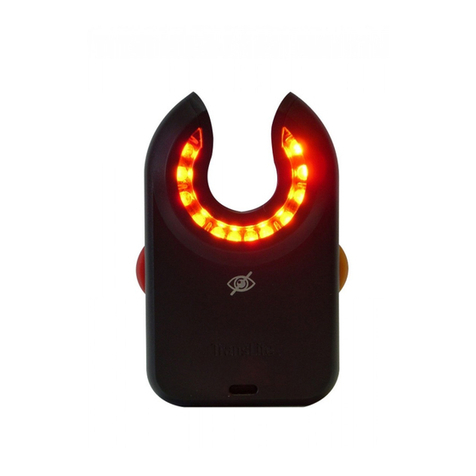
Veinlite LED+ User manual

Veinlite

Veinlite LED+ User manual

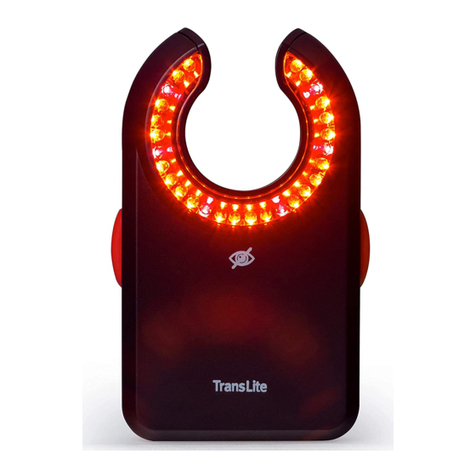
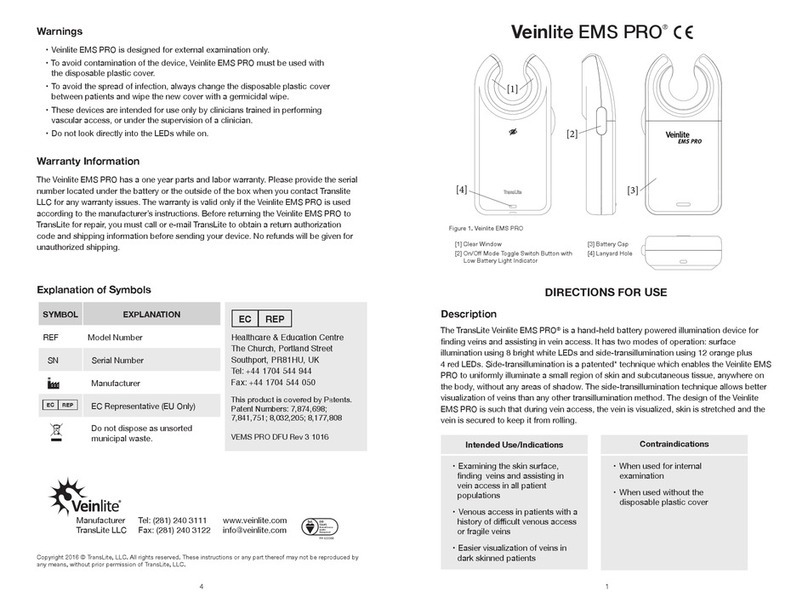
Veinlite EMS PRO User manual

Veinlite

Veinlite EMS PRO User manual

Veinlite PEDI User manual

Veinlite

Veinlite PEDI User manual

Popular Medical Equipment manuals by other brands

Itamar Medical WatchPAT Operation manual

Itamar Medical

Itamar Medical WatchPAT Operation manual

PROTEOR 1P650 KNEE Assembling and adjustment instructions

PROTEOR

PROTEOR 1P650 KNEE Assembling and adjustment instructions

Liberate Medical VentFree user manual

Liberate Medical

Liberate Medical VentFree user manual

Dicarre DA20 user guide

Dicarre

Dicarre DA20 user guide

Stryker Medical M Series Operation manual

Stryker Medical

Stryker Medical M Series Operation manual

Invacare ScanBed 750 user manual

Invacare

Invacare ScanBed 750 user manual

Getinge Arjohuntleigh Nimbus 3 Professional Instructions for use

Getinge

Getinge Arjohuntleigh Nimbus 3 Professional Instructions for use

Mettler Electronics Sonicator 730 Maintenance manual

Mettler Electronics

Mettler Electronics Sonicator 730 Maintenance manual

Pressalit Care R1100 Mounting instruction

Pressalit Care

Pressalit Care R1100 Mounting instruction

Denas MS DENAS-T operating manual

Denas MS

Denas MS DENAS-T operating manual

bort medical ActiveColor quick guide

bort medical

bort medical ActiveColor quick guide

AccuVein AV400 user manual

AccuVein

AccuVein AV400 user manual

agiliti NP Trio user manual

agiliti

agiliti NP Trio user manual

Rocket Medical Rocket Digital Oocyte Aspiration Pump Service manual

Rocket Medical

Rocket Medical Rocket Digital Oocyte Aspiration Pump Service manual

Monteris Medical Neuroblate Instructions for use

Monteris Medical

Monteris Medical Neuroblate Instructions for use

Otto Block 8E33 7 manual

Otto Block

Otto Block 8E33 7 manual

ADVANCED HOME CARE Helios Guide

ADVANCED HOME CARE

ADVANCED HOME CARE Helios Guide

NeuLog NUL-208 Guide

NeuLog

NeuLog NUL-208 Guide

manuals.online logo
manuals.online logoBrands
  • About & Mission
  • Contact us
  • Privacy Policy
  • Terms and Conditions

Copyright 2025 Manuals.Online. All Rights Reserved.

Selecting Colors:
Depress the End Button [B] to cycle through these
modes:
Orange Optimal wavelength for highlighting the
contrast between the venous blood
vessels and surrounding tissue.
Green Assist in finding arteries and veins.
White Exam light.
Off
Cleaning Directions
Cleaning the device will not be necessary if properly
used with the disposable plastic cover.
In the event that the device needs to be cleaned,
use germicidal wipes sparingly.
Do not submerge the unit in liquid.
Protective Cap:
The purpose of the Protective Cap is to protect the
End Button [B], Side Button [C], and LED Window
[A].
Keep a disposable plastic cover on device to
ensure a proper fit.
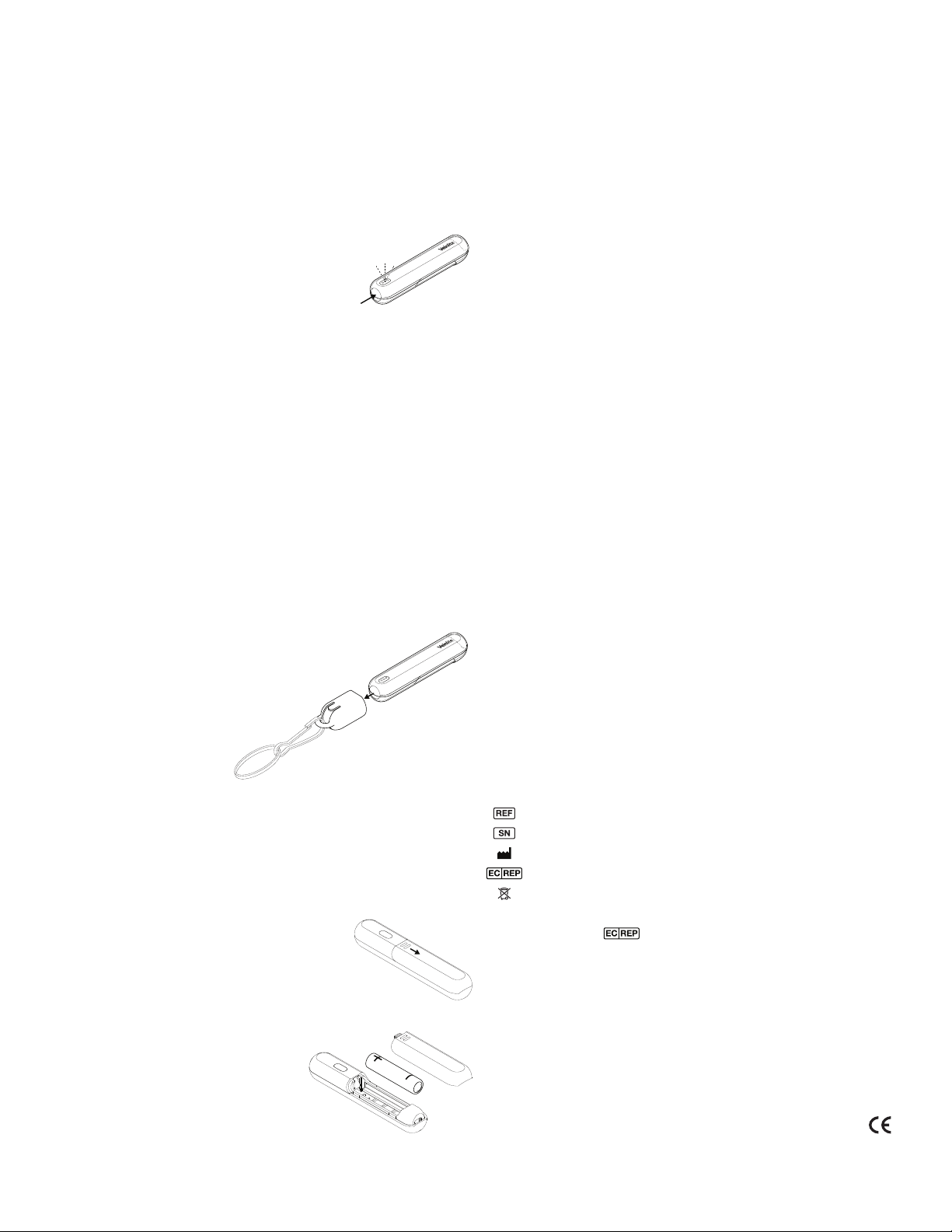
Attaching an optional Lanyard:
Attach lanyard to the Cap
[E] then snap it over
the End Button [B].
The Protective Cap and lanyard should be cleaned
regularly with alcohol or germicidal solution.
Installing/Replacing Batteries:
The Veinlite NEO is powered by a single AAA battery.
1Press firmly on the Battery Cover
[D] near the seam and slide it off.
2Remove the used battery.
3Install a new AAA battery, oriented as
indicated by the markings inside the
battery compartment.
4Slide the Battery Cover into
place.
Warranty
The Veinlite NEO has a one year parts & labor
warranty.
Troubleshooting
Before returning the device to TransLite for repair,
please call or e-mail to obtain an authorization
number and shipping details.
No refunds will be given for devices shipped
without authorization.
LED Failure
If one of the LED fails to turn on please replace the
batteries. If the problem persists contact TransLite
for assistance.
No Light From Any LEDs
Replace the battery, then try turning the unit on
again. If the device still will not turn on, please
contact TransLite for assistance.
Specifications
Number of LEDs: 1 Orange
1 Green
1 White
Weight with battery: 29g
Dimensions: 96.1×19.0×16.5mm
Battery: AAA 1.5V
Explanation of Symbols
Model Number
Serial Number
Manufacturer
EC Representative (EU Only)
Do not dispose of as unsorted municipal waste
EC Rep Ltd.
5 Fitzwilliam Square East
Dublin 2 D02 R744 Ireland
+353 89 225 1951
info@ecrep.ie
Operating Directions
Device:
1Place Veinlite NEO against the skin with the LED
Window [A] in contact with the skin.
2Depress the End Button [B] to turn on
the LED.
3Apply gentle pressure to the Veinlite
NEO to maintain optimal skin contact.
4Device will turn off after cycling through the
colors or you can depress and hold the End
Button [B] for one second to turn device off.
5When you turn on a device with a low battery the
device will shut itself off.
6Device will shut off after approximately 4 minutes.
Disposable Covers:
The Veinlite NEO should always be used with a
single-use disposable plastic cover to protect it from
contamination and to prevent the spread of infection
between patients.
1Place the Veinlite NEO inside
the disposable plastic cover.
Check the cover to make sure it is
intact and the flap is on the side
away from the patient.
2These covers are not sterile. They
should be wiped with a germicidal
wipe prior to use.
3Discard the single-use
disposable plastic cover
after each patient.
The device is shipped with 50 covers.
Additional covers can be ordered from
TransLite or any of its authorized dealers.
Brightness Control:
Depress the Side Button [C] to change
the brightness. Each depression of the
button will cycle through low, medium, and
high brightness levels. The lowest brightness level
is the default setting.
Caution
Veinlite NEO is designed for external examination
only.
To avoid contamination of the device, Veinlite NEO
must be used with the disposable plastic cover.
To avoid the spread of infection, always change the
disposable plastic cover between patients and wipe
the new cover with a recommended germicidal wipe.
Always turn the LEDs on after the device is in
position. Do not look directly at the LEDs when they
are illuminated or shine the light from them directly
into anyone’s eyes.
Do not immerse the device in liquid.
Do not autoclave the device.
Introduction
The Veinlite NEO is a hand-held battery powered
transillumination device for visualizing veins and
arteries in neonates.
Applications
To assist in venous and arterial access in neonatal
pediatric patients.

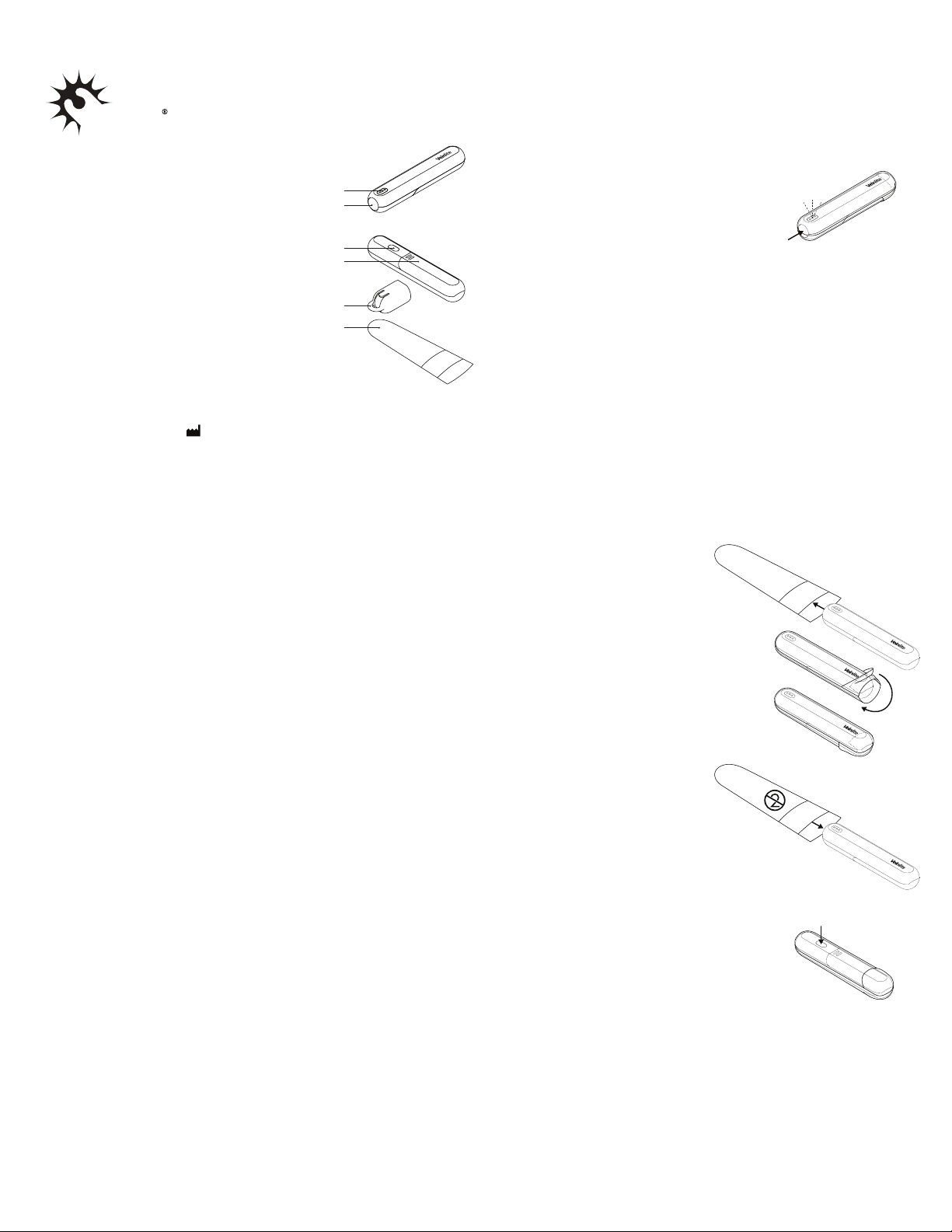
Veinlite NEO
LED Window [A]
End Button [B]
Cap [E]
Cover [F]
Side Button [C]
Battery Cover [D]
READ INSTRUCTIONS BEFORE USE
TransLite LLC
345 Commerce Green Blvd
Sugar Land TX 77478 USA
+1 281 240 3111
www.veinlite.com
[email protected]
Selecting Colors:
Depress the End Button [B] to cycle through these
modes:
Orange Optimal wavelength for highlighting the
contrast between the venous blood
vessels and surrounding tissue.
Green Assist in finding arteries and veins.
White Exam light.
Off
Cleaning Directions
Cleaning the device will not be necessary if properly
used with the disposable plastic cover.
In the event that the device needs to be cleaned,
use germicidal wipes sparingly.
Do not submerge the unit in liquid.
Protective Cap:
The purpose of the Protective Cap is to protect the
End Button [B], Side Button [C], and LED Window
[A].
Keep a disposable plastic cover on device to
ensure a proper fit.
Attaching an optional Lanyard:
Attach lanyard to the Cap
[E] then snap it over
the End Button [B].
The Protective Cap and lanyard should be cleaned
regularly with alcohol or germicidal solution.
Installing/Replacing Batteries:
The Veinlite NEO is powered by a single AAA battery.
1Press firmly on the Battery Cover
[D] near the seam and slide it off.
2Remove the used battery.
3Install a new AAA battery, oriented as
indicated by the markings inside the
battery compartment.
4Slide the Battery Cover into
place.
Warranty
The Veinlite NEO has a one year parts & labor
warranty.
Troubleshooting
Before returning the device to TransLite for repair,
please call or e-mail to obtain an authorization
number and shipping details.
No refunds will be given for devices shipped
without authorization.
LED Failure
If one of the LED fails to turn on please replace the
batteries. If the problem persists contact TransLite
for assistance.
No Light From Any LEDs
Replace the battery, then try turning the unit on
again. If the device still will not turn on, please
contact TransLite for assistance.
Specifications
Number of LEDs: 1 Orange
1 Green
1 White
Weight with battery: 29g
Dimensions: 96.1×19.0×16.5mm
Battery: AAA 1.5V
Explanation of Symbols
Model Number
Serial Number
Manufacturer
EC Representative (EU Only)
Do not dispose of as unsorted municipal waste
EC Rep Ltd.
5 Fitzwilliam Square East
Dublin 2 D02 R744 Ireland
+353 89 225 1951
[email protected]
Operating Directions
Device:
1Place Veinlite NEO against the skin with the LED
Window [A] in contact with the skin.
2Depress the End Button [B] to turn on
the LED.
3Apply gentle pressure to the Veinlite
NEO to maintain optimal skin contact.
4Device will turn off after cycling through the
colors or you can depress and hold the End
Button [B] for one second to turn device off.
5When you turn on a device with a low battery the
device will shut itself off.
6Device will shut off after approximately 4 minutes.
Disposable Covers:
The Veinlite NEO should always be used with a
single-use disposable plastic cover to protect it from
contamination and to prevent the spread of infection
between patients.
1Place the Veinlite NEO inside
the disposable plastic cover.
Check the cover to make sure it is
intact and the flap is on the side
away from the patient.
2These covers are not sterile. They
should be wiped with a germicidal
wipe prior to use.
3Discard the single-use
disposable plastic cover
after each patient.
The device is shipped with 50 covers.
Additional covers can be ordered from
TransLite or any of its authorized dealers.
Brightness Control:
Depress the Side Button [C] to change
the brightness. Each depression of the
button will cycle through low, medium, and
high brightness levels. The lowest brightness level
is the default setting.
Caution
Veinlite NEO is designed for external examination
only.
To avoid contamination of the device, Veinlite NEO
must be used with the disposable plastic cover.
To avoid the spread of infection, always change the
disposable plastic cover between patients and wipe
the new cover with a recommended germicidal wipe.
Always turn the LEDs on after the device is in
position. Do not look directly at the LEDs when they
are illuminated or shine the light from them directly
into anyone’s eyes.
Do not immerse the device in liquid.
Do not autoclave the device.
Introduction
The Veinlite NEO is a hand-held battery powered
transillumination device for visualizing veins and
arteries in neonates.
Applications
To assist in venous and arterial access in neonatal
pediatric patients.

VLN DFU Rev C 0920
Made in USA
Veinlite NEO®is a Registered Trademark.
* Patent Pending