H.264 16-Channel Encoder Installation and Configuration Guide | 9
Installing the H264-16CH-ENCDR
After the unit is mounted permanently, follow the steps in this section to
install the hardware.
Step 1: Connecting the Cabling
Step 3: Connecting the Power Supply
Important Notes
Do not apply power or plug-in the unit to any outlet until instructed to do so.
Disable the AC power to prevent installer injury and damage to the unit.
Before beginning the hardware installation, ensure that the room or area
designated for the ViconNet hardware installation is well ventilated and that
the surface on which the H264-16CH-ENCDR is to be placed is level, clean
and dry.
Ethernet interfaces connected to the network ports (0 and 1) are for intra-
building use only and should not be connected to lines that run outside of the
building in which the PoE switch is located.
The ViconNet H264-ENCDR encoder offers full support of NTSC/EIA and
PAL/CCIR video cameras. It features an auto detection function that
recognizes if a camera is NTSC or PAL video format upon power up. Since
the autodetect feature works upon power up, it is important to connect the
cameras to the BNC connectors before the encoder is powered up. If a new
camera is connected to the encoder after power up, it will be seen in the
format of the last camera connected before power up. Repower the encoder
for the autodetect feature to work correctly to identify the camera format.
Step 1: Connecting the Cabling
This procedure describes the required cabling that must be installed in order
to use the encoder. The mating connectors required are supplied in the
accessory kit.
To connect the cabling:
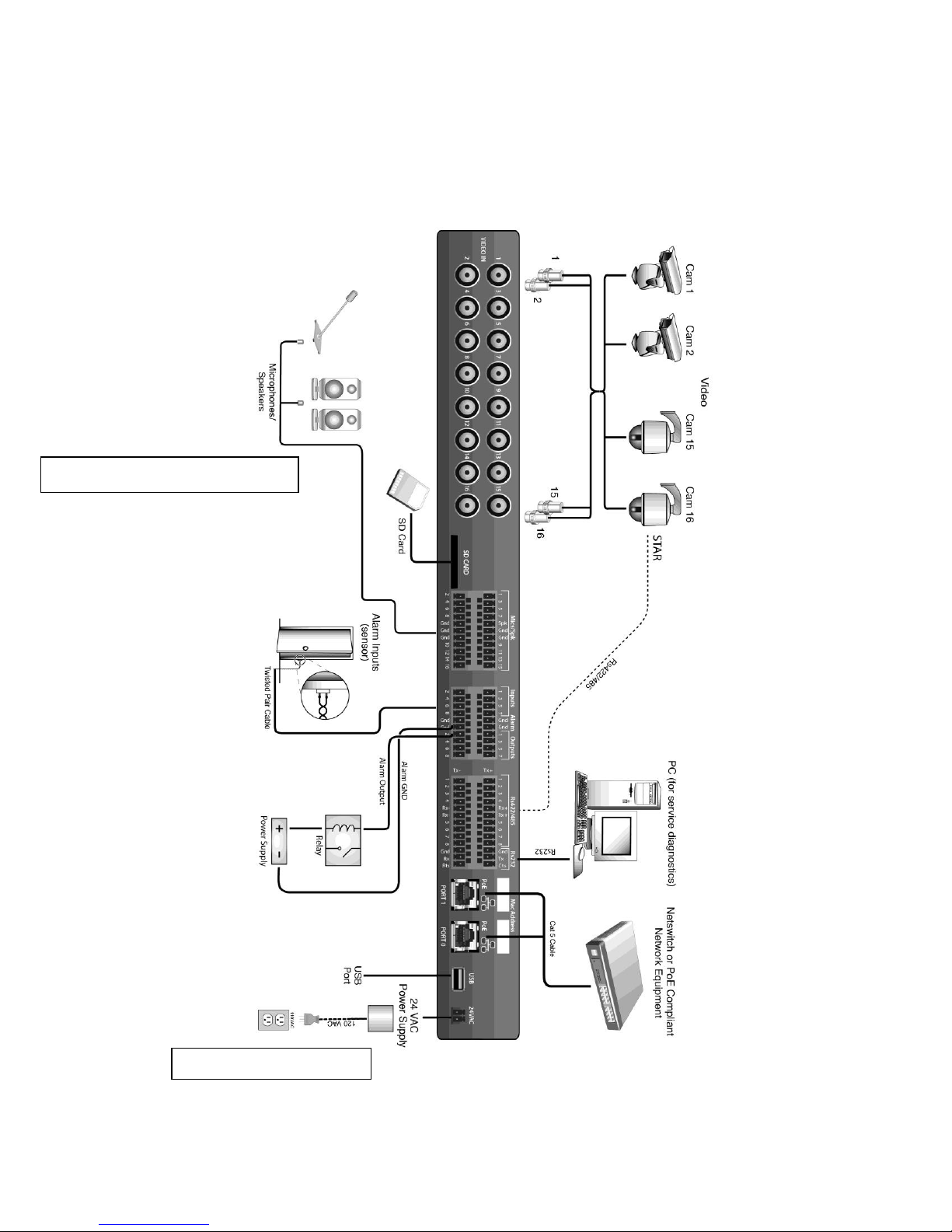
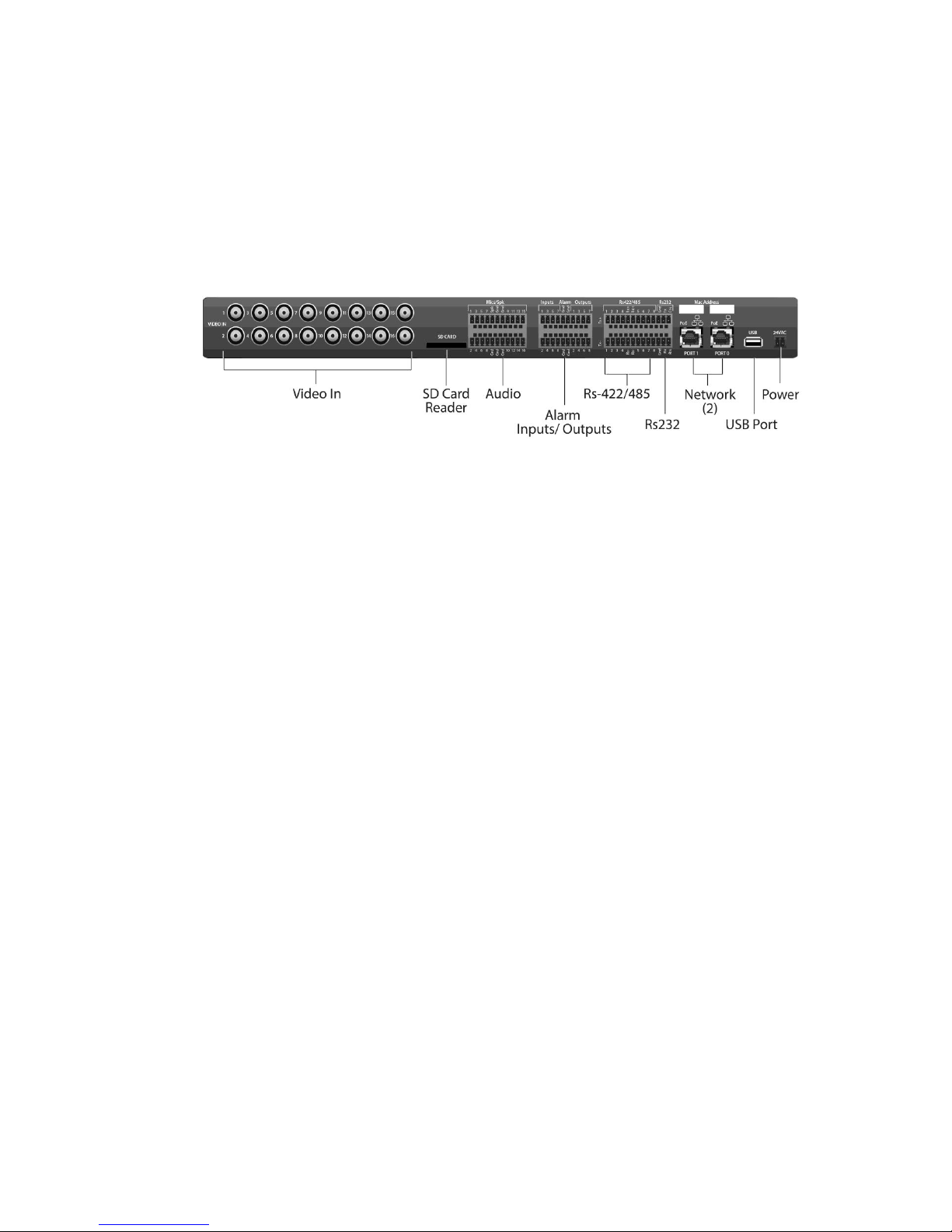
Perform the following connections (refer to Rear Panel Figure):
1. Insert one side of a standard LAN cable to the Network port’s RJ-45
connector. Insert the other RJ-45 connector into the LAN side of the
network (switch, wall jack, etc.). Verify that a PC or ViconNet
workstation is available for software configuration. If using the second
RJ-45 port for redundancy, connect it to a separate PoE switch; in
case the main switch fails, the encoder will automatically switch to
this one (the encoder will keep the same IP address). Make sure both
switches are properly connected to the network.