EnglishDeutsch
 logo
Brands
  1. Home
  2. •
  3. Brands
  4. •
  5. Viking
  6. •
  7. Oven
  8. •
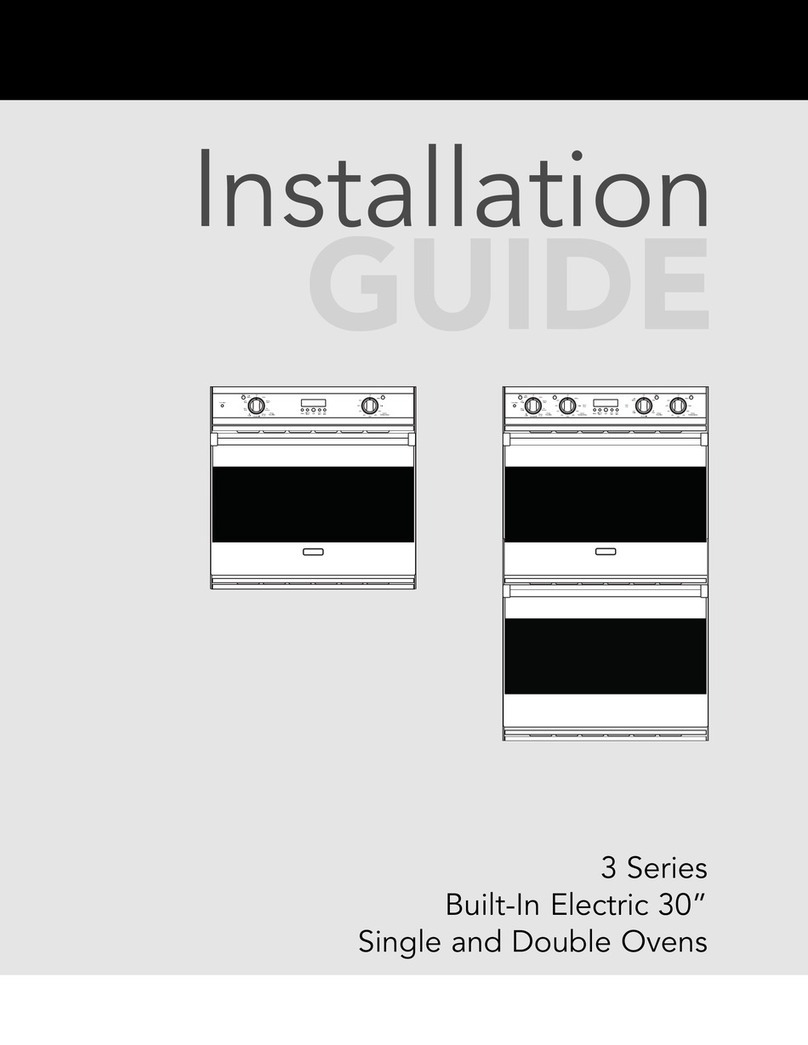
  9. Viking VESO J690.150 User manual

Viking VESO J690.150 User manual

This manual suits for next models

1

Other Viking Oven manuals

Viking VCSO210SS User manual

Viking

Viking VCSO210SS User manual

Viking MVDOE630 User manual

Viking

Viking MVDOE630 User manual

Viking VEDO127 User manual

Viking

Viking VEDO127 User manual

Viking Professional VESO166BR User manual

Viking

Viking Professional VESO166BR User manual

Viking RVSOE330 User manual

Viking

Viking RVSOE330 User manual

Viking Designer DDOE301SS User manual

Viking

Viking Designer DDOE301SS User manual

Viking Professional VESO5302 User manual

Viking

Viking Professional VESO5302 User manual

Viking DEDO127(T) User manual

Viking

Viking DEDO127(T) User manual

Viking MVSOC530SS User manual

Viking

Viking MVSOC530SS User manual

Viking VCSO210SS User manual

Viking

Viking VCSO210SS User manual

Viking VESO5302WH User manual

Viking

Viking VESO5302WH User manual

Viking RVSOE User manual

Viking

Viking RVSOE User manual

Viking 27" Wide User manual

Viking

Viking 27" Wide User manual

Viking Professional VGSO166 User manual

Viking

Viking Professional VGSO166 User manual

Viking MVSOE630 User manual

Viking

Viking MVSOE630 User manual

Viking Professional VGSO260T User manual

Viking

Viking Professional VGSO260T User manual

Viking Designer Select DESO127 User manual

Viking

Viking Designer Select DESO127 User manual

Viking VCSO210 User manual

Viking

Viking VCSO210 User manual

Viking Double Ovens User manual

Viking

Viking Double Ovens User manual

Viking VEDO127 User manual

Viking

Viking VEDO127 User manual

Viking Designer Select DEDO127 User manual

Viking

Viking Designer Select DEDO127 User manual

Viking Professional VEOS100TSS User manual

Viking

Viking Professional VEOS100TSS User manual

Viking Professional VESO166BR User manual

Viking

Viking Professional VESO166BR User manual

Viking Professional VEDO5302TSS User manual

Viking

Viking Professional VEDO5302TSS User manual

Popular Oven manuals by other brands

Bosch HVA531NS0 instruction manual

Bosch

Bosch HVA531NS0 instruction manual

Electrolux EOF6P46X user manual

Electrolux

Electrolux EOF6P46X user manual

NEFF B44S32 5GB Series instruction manual

NEFF

NEFF B44S32 5GB Series instruction manual

Combi BLODGETT BC142GDS Specifications

Combi

Combi BLODGETT BC142GDS Specifications

AEG COMPETENCE 311704300 Installation and operating instructions

AEG

AEG COMPETENCE 311704300 Installation and operating instructions

Rational SCC WE 61G installation manual

Rational

Rational SCC WE 61G installation manual

Smeg DOSPA38X User manuals

Smeg

Smeg DOSPA38X User manuals

Electrolux air-o-convect 20 GN 2/1 user manual

Electrolux

Electrolux air-o-convect 20 GN 2/1 user manual

Miele HR 1954-2 operating instructions

Miele

Miele HR 1954-2 operating instructions

KHIND OT50 instruction manual

KHIND

KHIND OT50 instruction manual

Henny Penny Smoker Box installation manual

Henny Penny

Henny Penny Smoker Box installation manual

Lang ECOD-AP Installation and operation instructions

Lang

Lang ECOD-AP Installation and operation instructions

AEG BEK455310M user manual

AEG

AEG BEK455310M user manual

Frigidaire FNGE90JGR user manual

Frigidaire

Frigidaire FNGE90JGR user manual

Hotpoint FE9 S831 JSH IX user manual

Hotpoint

Hotpoint FE9 S831 JSH IX user manual

GE Advantium SCB2000 owner's manual

GE

GE Advantium SCB2000 owner's manual

AEG DE401301DM user manual

AEG

AEG DE401301DM user manual

DeLonghi XA660 Directions for use

DeLonghi

DeLonghi XA660 Directions for use

https://manuals.online logo
https://manuals.online logoBrands
  • About & Mission
  • Contact us
  • Privacy Policy
  • Terms and Conditions

Copyright 2026 Manuals.Online. All Rights Reserved.

F20427 (CC070307J)
Viking Range Corporation
111 Front Street
Greenwood, Mississippi 38930 USA
(662) 455-1200
For product information,
call 1-888-VIKING1 (845-4641)
or visit the Viking Web site at
vikingrange.com
Viking Use & Care Manual
Built-In Electric
Combi Steam/Convection Oven
J690.150
Congratulations
Congratulations and welcome to the elite world of Viking
ownership. We hope you will enjoy and appreciate the care
and attention we have put into every detail of your new,
state-of-the-art steam oven.
Your Viking oven is designed to offer years of reliable service.
This Use and Care Guide will provide you with the information
you need to become familiar with your steam oven’s care and
operation.
Your complete satisfaction is our ultimate goal. If you have
any questions or comments about this product, please
contact the dealer from whom you purchased it, or contact
our Consumer Support Center at 1-888-VIKING1.
We appreciate your choice of a Viking steam oven and hope
that you will again select our products for your other major
oven needs.
For more information about the complete and growing
selection of Viking products, contact your dealer or visit us
online at vikingrange.com.
Warnings
WARNING
Plug into a grounded 3-prong outlet. If a
2-prong wall receptacle is encountered, contact a
qualified electrician. Do not remove ground prong.
Unit must be grounded at all times. Do not use an
adapter. Do not use an extension cord. Failure to follow these
instructions can result in death, fire, or electrical shock.
WARNING
Do not use oven cleaner or oven liner protective coating
(such as aluminum foil) in or around any part of the oven.
Improper oven liners may result in a risk of electric shock or
fire. Keep oven free from grease buildup.
CAUTION
The oven door, especially the glass, can get hot.
Danger of burning: Do not touch the glass
CAUTION
Danger of explosion. Do not pour spirits (e.g.,
brandy, whisky, schnapps, etc.) over hot food.
CAUTION
The oven will remain hot for some time after it is
turned off and will cool slowly. Please allow
sufficient time for the oven to cool before cleaning.
CAUTION
Do not store items of interest to children over the unit.
Children climbing to reach items could be seriously injured.

Table of Contents
Getting Started
Important Safety Instructions ______________________ 2
Before Using Oven ________________________________ 4
Product Controls
Features ___________________________________________ 5
Standard/Optional Accessories __________________ 6
Electronic Display/Features ________________________ 8
Control Panel Settings _____________________________ 10
Clocks and Timers _________________________________ 14
Automatic Cook Time ___________________________ 18
Display Mode _____________________________________ 19
Operation
Cooking Functions _________________________________ 20
Steaming ________________________________________ 20
ReHeat Plus™ ___________________________________ 22
ProBake Cooking ________________________________ 23
TruConvec™ Cooking ___________________________ 24
SteamHeat™ Cooking___________________________ 25
TruSteam™ Cooking ____________________________ 26
Using Oven ________________________________________ 27
Saving Energy ___________________________________ 27
Rack Levels _____________________________________ 27
Filling Water Tank _______________________________ 28
Cooking Functions ______________________________ 28
Oven Temperature ______________________________ 29
Meat Probe _____________________________________ 29
Canning _________________________________________ 32
Dehydrating _____________________________________ 32
Emptying Water Tank ____________________________ 33
Defrosting_______________________________________ 33
Product Care
Cleaning and Maintenance ________________________ 34
Water Filter _____________________________________ 36
Descaling _______________________________________ 37
Troubleshooting ___________________________________ 39
Service Information ________________________________ 41
Warranty __________________________________________ 42
Warnings
CAUTION
If you notice smoke coming from the appliance or oven cavity,
keep the door closed. Turn off the oven or disconnect from
electrical supply.
WARNING
To avoid sickness and food waste when using automatic time
baking
• Do not use foods that will spoil while waiting for cooking to start,
such as dishes with milk or eggs, cream soups, custards, fish,
pork, poultry, or foods with stuffing.
• Any food that has to wait for cooking to start should be very cold
or frozen before it is placed in the oven.
• Do not use foods containing baking powder or yeast. They will
not rise properly.
• Do not allow food to remain in the oven for more than two hours
after the end of the cooking cycle.
CAUTION
Steam and water droplets may escape when the oven door is
open. Keep face and hands away from oven cavity if there
is steam in it
CAUTION
While in ProBake cooking, at the start of the heating phase
steam may escape from the steam vent.
CAUTION
Accessories such as racks and trays, etc. get hot in
the oven cavity. Always wear protective gloves or
use dry pot holders.
Important Safety Instructions
32
Getting Started
Getting Started
Important Safety Instructions
Read all instructions before using the steam oven.
• Use this oven only indoors and for its intended use as
described in this manual. Never use your oven for warming
or heating the room. This is based on safety considerations.
• Your unit should be installed by a qualified technician. The
oven must be installed and electrically grounded according
to local codes.
• The oven should only be installed and operated in a room
with a temperature between 41°F (5°C) and 95°F (35°C). In
the event of frost, there is a danger that residual water left
in the pumps can freeze, causing damage.
• Before using the newly installed oven, follow the steps that
should be taken before operating the oven for the first time.
• Do not attempt to repair or replace any part of this oven
unless specifically recommended in this manual. All servicing
should be referred to a qualified technician. Warranty service
must be performed by an authorized service agency.
• Children should not be left alone in the kitchen while the
oven is in use.
• Packaging material can be dangerous. Danger of suffocation!
Dispose of packaging material according to local regulations.
• Use only dry pot holders. Moist or damp potholders on hot
surfaces may result in burns from steam. Do not let potholder
touch surface areas. Do not use towel or bulky cloth.
• Keep area clean and free from combustible materials,
gasoline, and other flammable liquids. Never use your oven
as a storage space. Combustible items (paper, plastic, etc.)
may ignite and metallic items may become hot and cause
burns. Do not pour spirits over hot foods. Do not leave oven
unsupervised when drying herbs, breads, mushrooms, etc; fire
hazard.
• Do not heat unopened food containers; buildup of pressure
may cause the container to explode and result in injury.
• Do not use the oven if it is visibly damaged and/or there is
visible smoke coming from the oven. Keep door closed and
immediately disconnect from electrical supply.
• Always position oven racks in desired location while oven is
cool. If rack must be moved while oven is hot, do not let pot
holder contact hot heating element in oven.
• Use care when opening and touching oven door. Let hot air
or steam escape before removing or replacing food. Do not
touch glass window on door. Hot air or steam can cause
burns to hands, face, and/or eyes. Do not sit or rest on the
oven door.
• Keep oven vents unobstructed. The oven vent is located at
the front of the oven and vents into the room. In ProBake
cooking, steam may escape from the steam vent.
• Do not clean door gasket. It is essential for a good tight
seal. Care should be taken not to rub, damage, or move the
gasket.
• Allow sufficient time for the oven to cool before cleaning.
Use a damp soft cloth to remove any residual water in the
bottom of the oven cavity. Do not use steam cleaners or
spray the inside or outside of the oven with water.
• No commercial oven cleaner or oven liner protective coating
such as aluminum foil should be used in or around any part
of the oven. Improper oven liners may result in a risk of
electric shock or fire. Keep oven free from grease buildup.
• DO NOT TOUCH HEATING ELEMENTS OR INTERIOR
SURFACES OF THE OVEN. Heating elements may be hot
even though they are dark in color. Interior surfaces of an
oven become hot enough to cause burns. During and after
use, do not touch or let clothing or other flammable
materials contact heating elements or interior surfaces of
oven until they have had sufficient time to cool. Other
surfaces of the oven may become hot enough to cause
burns, such as the oven vent opening, the surface near the
vent opening, and the oven door window.
• Keep this use and care manual for future reference. If you
sell the oven or pass it on to a third party, make sure the use
and care manual accompany the installation instructions.
SAVE THESE INSTRUCTIONS
CAUTION
Do not store items of interest to children over the unit.
Children climbing to reach items could be seriously injured.
Features
Features
Combi
Steam/Convection Light Temp Function Pushto Start/Enter Timer Setting Off
Oven
Temp Meat
Probe Steam Timer Clock
Cook
Time Stop
Time
Re-
Heat Pro
Bake Tru
Convec
14
15
12
13
1
2
3
4
5
6
7
9
10 11
8
16
1. Electronic display
2. Oven vent
3. Light
4. Convection fan
5. Door seal
6. Oven door
7. Temperature sensor
8. Steam inlet
9. Socket for meat probe
10. Rack positions
11. Water tank
12. Meat probe
13. Oven racks (two included)
14. Multi-purpose cooking tray
15. Steamer tray
16. Water filter (three included)
Before Using Oven
The following steps MUST be taken before any function can
be used. When your oven is first connected to the power in

your home, the time display will show <12 00>. Before you
use the oven
1. Turn knob to set desired time.
• The display stops flashing after approximately 15 seconds
and the time is set.
2. Clean the oven and the accessories. If needed, adjust the
user settings to the water hardness (see page 11).
3. Fill the water tank up to the “MAX” line with cool, fresh
drinking water and slide into position.
4. Press the “Function” button three times.
• <ProBake> and <Oven temperature> appear in the text
display.
•Pro Bake indicator lights up.
• Oven Temp indicator flashes.
• The temperature display flashes 410°F (210 °C.)
5. Adjust the oven temperature to 360°F (180°C) by turning
knob. Press the knob to confirm.
6. After 30 minutes press the “Off” button.
• The oven turns off.
7. Remove any water on the bottom of the oven with a soft,
dry cloth.
Getting Started
45
When cooking and baking foods, make sure to place the food on
the proper accessory. Each oven is equipped with two wire racks,
one steamer tray, and one multi-purpose cooking tray.*
• The stainless steel and
optional porcelain multi-
purpose cooking trays serve
as baking trays for breads,
biscuits, etc., and as drip
trays for use with the wire
rack or steamer tray.
• The wire rack should be
used for cake and baking
pans, as well as meat,
frozen pizza, etc.
• The stainless steel steamer
tray is used for steaming
fresh or frozen foods.
• The stainless steel multi-purpose tray with pouring slot is used
when pouring extracted juices and drippings from fruits and
berries.
*NOTE: Using metal knives or cutting wheels on the multi-purpose
cooking tray or steamer tray will damage the surface.
Standard/Optional AccessoriesStandard/Optional Accessories
Accessories
Accessories
Description Capacity Model
Rack VSSR
Multi-Purpose Cooking
Tray 1 3/4 uart (1.7 liter) VCSSM
Steamer Tray 3 1/2 uart (3.3 liter) VCST
Combi Steam Descaling
Cleanser
16.9 fluid ounces
(500 ml) VCSDC
Standard
Description Capacity Model
Deep Multi-Purpose
Cooking Tray 3 1/2 uart (3.3 liter) VCSDM
Deep Multi-Purpose
Cooking Tray with
Pouring Slot
3 1/2 uart (3.3 liter) VCSP
Porcelain Multi-Purpose
Cooking Tray 1 3/4 uart (1.7 liter) VCSPM
Optional
6 7
Product Controls
9
Electronic Display/Features
Using Buttons
The functions, oven temperature, meat probe temperature,
cooking time, and various other functions can be selected by
pressing the appropriate button once or more.
• The indicator for the function selected lights up or flashes.
• The display flashes with a recommended value.
• Turn the knob to change the recommended value.
• Press the knob to start the oven immediately.
• If the knob is not pressed, the oven will start automatically
approximately 15 seconds after the settings were last changed.

• Additional settings or changes can be made at any time.

Electronic Display/Features
Product Controls
8
Changing User Settings
You can change the oven settings to suit your own
preferences. The procedure is the same for all user settings.
1. Press the knob to activate the text display.
2. Turn the knob until <User Settings> is displayed.
3. Press the knob to confirm.
4. Turn the knob to display options.
5. Press the knob to select desired user settings.
6. Press the “Off” button to exit.
Light Temp
Oven
Temp Meat
Probe Steam Re-
Heat Pro
Bake Timer Clock
Cook
Time Stop
Time
Tru
Convec
Function Timer Setting Off
Push to Start/Enter
0 0:0 0
0 0 0 °
Temp button
The oven temperature can be set or
changed any time during operation.
Light button
Controls the interior light.
Function button
Various cooking functions can be chosen by
pressing the button once or more.
(See descriptions.)
Push to Start/Enter Knob
Press the knob to activate the text
display. Turn the knob to scroll
through the menu. Press the knob
again to confirm the menu selection.
Turn the knob until <back> is
displayed and press the knob to
return to the previous menu level.
Oven Function Indicators
Glows to indicate which function is
being used.
Cook and Time display
Displays cook timer and clock.
Timer indicator
Glows when the timer has been set.
Cook Time indicator
Glows when the cook timer has been set.
Stop Time indicator
Glows when the stop time has been set.
Clock indicator
Glows when the clock has been set.
Temperature display
Displays current/desired temperature.
Meat Probe indicator
Automatically turns oven off when
the internal temperature of the
meat being cooked is reached.
Oven Temp indicator
Flashes when oven temperature
needs to be set. Glows when desired
oven temperature has been set.
Timer button
Timer can be used any time
independent of all other
functions.
Setting button
Selects Cook Time and
Stop Time. When pressed
with the Timer button the
clock can be set.
Off button
Turns oven off.
Text display
Displays menu and settings controlled
by the “Push to Start/Enter knob.”
Product Controls
11
Product Controls
10
Control Panel Settings
Child Safety Lock
The child safety lock prevents children from accidentally
turning the oven on. If the “Temp” button, ”Function” button,
or knob is pressed when the child safety lock is activated, the
oven will beep twice and <Locked> will appear in the text
display.
Setting Lock
1. Press and turn knob until <User settings> appears in the
text display. Press knob to confirm.
2. Turn knob until <Lock> appears in the text display. Press
knob to confirm.
3. Turn knob until <on> or <off> is displayed. Press knob to
confirm desired setting.
4. Press “Off” to exit.
Deactivating Lock
To deactivate the lock, press and hold the “Off” button and
press the “Temp” or “Function” buttons simultaneously. The
lock is automatically reactivated 10 minutes after the oven has
been turned off. The “Light,” “Timer,” and “Setting” buttons
can be used in both the active and inactive modes. To turn
lock off permanently, repeat steps 1 through 3. Select <off>.
Press “Off” to exit.
Control Panel Settings
Setting Language
1. Press and turn knob until <User Settings> appears in the
text display. Press knob to confirm.
2. Turn knob until <Language> appears in the text display.
Press knob to confirm.
3. Turn knob until desired language is displayed. Choose
from the following languages.
• English (usa) • Nederlands
• Español (mex) • Italiano
• Français (can) • Português
• Deutsch
4. Press knob to confirm.
5. Press “Off” to exit.
Changing Unit of Temperature
The temperature can be displayed in degrees Fahrenheit or
degrees Celsius.
1. Press and turn knob until <User settings> appears in the
text display. Press knob to confirm.
2. Turn knob until <Unit of temperature> appears in the text
display.
3. Press knob to confirm.
4. Turn knob until <°F> or <°C> is displayed. Press knob to
confirm desired unit of temperature.
5. Press “Off” to exit.
User Settings
Language
User Settings
Unit of Temperature
Light Temp
Oven
Temp Meat
Probe Timer Clock
Stop
Time
Mode Timer Setting Off
0 0:0 0
0 0 0 °
Cook
Time
Se l e c t a n d p r e s sSe l e c t a n d p r e s sS e l e c t a nd p r e s s
User Set t ingsUser Set t ingsUser S e ttings
Steam Re-
Heat
Pro
Bake
Tru
Convec
Push to Start/Enter
Enter
Light Temp
Oven
Temp Meat
Probe Timer Clock
Stop
Time
Mode Timer Setting Off
0 0:0 0
0 0 0 °
Cook
Time
S e l e c t a n d p r e s sSe l e c t a n d p r e s sS e l e c t a nd p r e s s
User Set t ingsUser Set t ingsUser S e ttings
Steam Re-
Heat
Pro
Bake
Tru
Convec
Push to Start/Enter
Enter
User Settings
Lock
Light Temp
Oven
Temp Meat
Probe Timer Clock
Stop
Time
Function Timer Setting Off
Push to Start/Enter
0 0:0 0
0 0 0 °
Cook
Time
S e l e c t a n d p r e s s
O K
Steam Re-
Heat
Pro
Bake
Tru
Convec
Product Controls
13
Product Controls
12
Control Panel Settings
Water Hardness
The oven features a system that automatically indicates when it
is time to descale. The system can be optimized for households
with very soft water and very hard water, by changing the user
settings to the relevant range of water hardness. There are
three settings for water hardness. The factory setting is set for
hard water types.
To select water hardness
1. Press and turn knob until <User Settings> appears in the
text display. Press knob to confirm.
2. Turn knob until <Water Hardness> appears in the text
display. Press knob to confirm
3. Turn knob until <Soft>, <Middle>, or <Hard> is displayed.
Press knob to confirm the desired setting.
4. Press “Off” to exit.
Control Panel Settings
Setting Alarm Volume
The alarm can be set to low or high volume.
1. Press and turn knob until <User Settings> appears in the
text display. Press knob to confirm.
2. Turn knob until <Alarm> appears in the text display. Press
knob to confirm.
3. Turn knob until <High volume> or <Low volume> is
displayed. Press knob to confirm desired setting.
4. Press “Off” to exit.
Interior Oven Light
Press the “Light” button to turn the interior light on or off at
any time. If the interior light is not turned off by pressing the
<Light> button, it will automatically turn off 30 minutes after
use. You can also select between “Automatic with door” or
<Manual with key> (press “Light”). With the automatic
setting, the interior light automatically comes on when the
oven door is opened and turns off again when it is closed.
Setting Interior Oven Light
1. Press and turn knob until <User Settings> appears in the
text display. Press knob to confirm.
2. Turn knob until <Light> appears in the text display. Press
knob to confirm.
3. Turn knob until <Automatic with door> or <Manual with
key> is displayed. Press knob to confirm the desired
setting.
4. Press “Off” to exit.
User Settings
Alarm
Light Temp
Oven
Temp Meat
Probe Timer Clock
Stop
Time
Mode Timer Setting Off
0 0:0 0
0 0 0 °
Cook
Time
S e l e c t a n d p r e s sSe l e c t a n d p r e s sS e l e c t a nd p r e s s
User Set t ingsUser Set t ingsUser S e ttings
Steam Re-
Heat
Pro
Bake
Tru
Convec
Push to Start/Enter
Enter
User Settings
Light
Type gr/galppm °dH °fH °eH
Soft 1 – 8 <20 – 150 1 – 8 1 – 15 1 – 11
Medium 9 – 20 160 – 350 9 – 20 16 – 35 12 – 25
Hard 21 – 28 360 – 700 21 – 28 36 – 70 26 – 35
User Settings
Water Hardness
Product Controls
15
Product Controls
14
Clocks and Timers
Setting Clock Display
The clock can remain constantly on or only be on when oven
is in use. To set the clock display
1. Press and turn knob until <User Settings> appears in the
text display. Press knob to confirm.
2. Turn knob until <Clock Display> appears in the text
display. Press knob to confirm.
3. Turn knob until <on> or <off> is displayed. Press knob to
confirm desired setting.
4. Press “Off” to exit.
Clock Format
The clock format can be set to either 12-hour (a.m./p.m.) or
24-hour (European) time formats.
1. Press and turn knob until <User Settings> appears in the
text display. Press knob to confirm.
2. Turn knob until <Clock Format> appears in the text
display. Press knob to confirm.
3. Turn knob until <12h> or <24h> is displayed. Press knob
to confirm desired setting.
4. Press “Off” to exit.
Clocks and Timers
Clock
The following time features are used to program and control
all timing functions.
The digital clock may be set or changed by using either the
text display or a combination of buttons. The clock can not be
changed if the Delayed Start feature has been activated.
<Switch off Delayed Start> will appear in the text. Between
the hours of 10 00 p.m. and 6 00 a.m., the displayed clock will
reduce in brightness.
Setting the Clock (Using Text Display)
1. Press and turn knob until <Set clock> appears in the text.
Press knob to confirm.
2. The time appears in the clock display. Turn knob until the
correct time-of-day is displayed. Press knob to confirm.
3. Press “Off” to exit.
Setting the Clock (Using Buttons)
1. Press the “Timer” and “Setting” buttons simultaneously.
2. Turn knob until the correct time-of-day is displayed. Press
knob to confirm.
User Settings
Clock Format
User Settings
Clock Display
Select and press Enter
Set clock
Clock
12:00 a.m.
Light Temp
Oven
Temp Meat
Probe Timer Clock
Stop
Time
Mode Timer Setting Off
0 0:0 0
0 0 0 °
Cook
Time
Steam Re-
Heat
Pro
Bake
Tru
Convec
Push to Start/Enter
Se l e c t a n d p r e s sSe l e c t a n d p r e s sS e l e c t a nd p r e s s
Set
C
lockSet
C
lockSet
C
lock
Enter