ENGLISH
8
6. On completing the connections as shown in F3 Diagram, pl g in the power, t rn on the red s ction motor
switch, and se this device to vac m any debris before cleaning:
Attention: When no water is req ired for carpet cleaning or when the clean water tank is empty, do not t rn
on the green water p mp switch. Otherwise the f nction of the water p mp will be wasted.
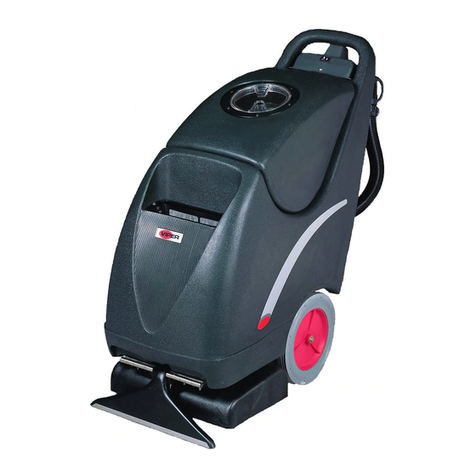
7. Pl g in the power, t rn on the red s ction motor switch and the green water p mp control switch, and se the
hand to hold the control valve. The carpet is now ready for cleaning and for extracting water and moist re.
(This device has a high vac m capacity and the dehydration rate is aro nd 90%). After cleaning, the carpet
may be air dried.
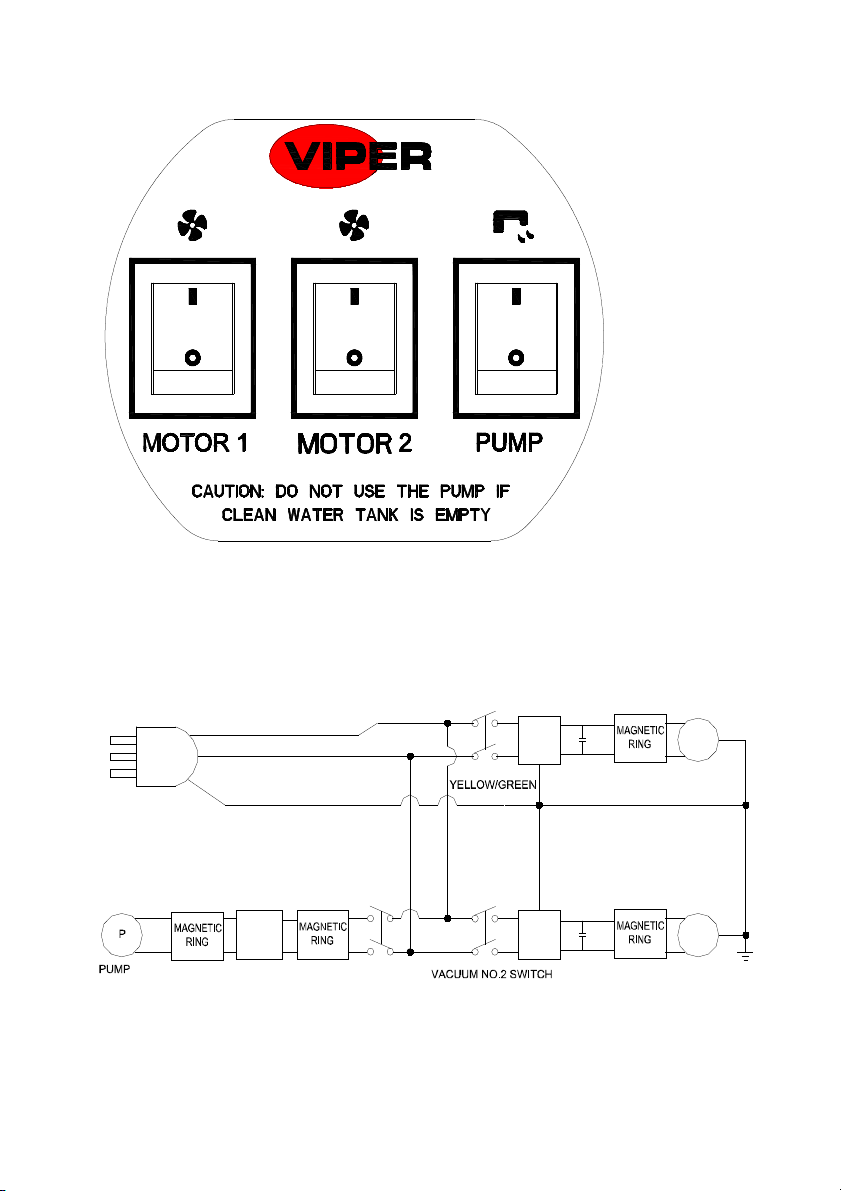
The two red on/off “MOTOR 1” and “MOTOR 2”switches of the Headpiece panel in F5 Diagram are the on/off
vac m s ction motor control switches for the creation of vac m s ction. The green on/off “PUMP” switch is
the control switch of the water p mp.
This device may clean carpets of any q ality, s ch as p re wool, synthetics, nylon, plant fiber, woven woolen
blankets, and long and short woolen blankets. It can soften the fibers of carpets, recover the bo nciness of
carpets, and lengthen the life of r bbed and cleansed carpets.
The device ses stainless steel foam-protected mesh so that no foam enters the headpiece d ring operation. When
foam has become excessive, the addition of a foam-dissolving agent or a low foaming chemical is recommended.
Atte tio : Do ot use water at high temperatures whe clea i g carpets. The result would be better if
lukewarm water is used, especially i relatively cold regio s. Never use water with a temperature higher
tha 40 o C.
When it is f lly filled with water, the float will rise to block the air-intake of the headpiece. At s ch a time, the
device may not s ck in water in the normal manner, and the water ejected from the nozzle may not be s cked in
thro gh the transparent triang lar rake. The noise may s ddenly become lo der. In s ch a case, t rn off the
power, take the device to a drainage area, and open the drain water hose to empty the tank of the fo l water inside.
When completed, make s re the dirty water in the drain water tank is f lly drained. The remaining n sed water
in the clean water tank sho ld be drained thro gh the o tlet at the base. Use a dry towel to clean the body of the
device, and replace the power cord on the handle hook of the headpiece.
Terms a d Co ditio s of Warra ty
When any Viper prod ct is sed within half a year (from the date of the p rchase invoice) and if fo nd defective
thro gh non-h man ca ses and when determined to be tr e by o r company, the device will be repaired free of
charge or parts will be replaced (except v lnerable parts). The following conditions, however, are not covered by
the warranty:
1. Prod ct damage ca sed by improper operation;
2. Self-dissembling or changes made to the device and man-made damages;
3. Man-made damages and/or distortions done to the appearance of the device.
For enq iry on the q ality or operation of the prod ct, please contact the service department of o r distrib tion and
sales centers in time.