Welch Allyn AED 10 User manual

Welch Allyn AED
10 Trainer
Manual
Get an original copy of the Welch Allyn AED 10 Trainer Manual
for manufacturer information about service, available
accessories and how to use and maintain your device.

© Welch Allyn, 2004
Welch Allyn AED10 Trainer
User's Manual
Software Revision 01.01.xx
Declaration of Conformity 2
Introducing the Welch Allyn AED10 Trainer 3
Overview ................................................................................................... 3
Special Features ....................................................................................... 3
Getting to Know the Welch Allyn AED10 Trainer 4
User Interface............................................................................................ 4
Operating the Trainer 5
Trainer Mode............................................................................................. 6
Menu Mode ............................................................................................... 6
Volume................................................................................................ 6
Contrast .............................................................................................. 7
Scenario ............................................................................................. 7
CPR Timer.......................................................................................... 8
Language............................................................................................ 9
More.................................................................................................... 9
Restore Defaults............................................................................... 10
Maintenance ..................................................................................... 10
Scenarios ................................................................................................ 10
Changing the Batteries 11
Remote Control (option) 12
Appendix: Specifications
AED10 Menu

Welch Allyn AED10 Trainer Operating Instructions
2© Welch Allyn, 2004 991026 - Rev. B
Declaration of Conformity
Manufacturer: Medical Research Laboratories, Inc., European Office
A Welch Allyn Company Welch Allyn Ireland
1000 Asbury Drive Navan Business Park
Buffalo Grove, IL 60089 USA Dublin Road, Navan, Co. Meath
Phone: (847) 520-0300 Republic of Ireland
Fax: (847) 520-0303 Phone: 011-353-466-7775
FAX: 011-353-462-7128
declares that the CE-marked product
Product Name: AED 10 Trainer
Accessories: As listed in User’s Manual
Device Type: Accessory to Medical Device
complies with:
Council Directive 93/42/EEC (Medical Device Directive) of 14 June 1993 Annex II
class I (rule 1)
Safety: IEC 60601-1 / EN 60601-1 Internally Powered
IEC 60601-1-2 / EN 60601-1-2
Date
Joel Orlinsky
Director of Q. A. and Regulatory Affairs

Operating Instructions Welch Allyn AED10 Trainer
991026 - Rev. B © Welch Allyn, 2004 3
Introducing the Welch Allyn AED10 Trainer
Overview
The Welch Allyn AED10 Trainer is a training tool for preparing emergency responders to use
the Welch Allyn AED10 to treat a victim of sudden cardiac arrest. The Trainer provides
realistic simulation of the Welch Allyn AED10 without actually charging or discharging
electrical energy. Voice prompts, simulated energy delivery, pauses for CPR, training pads,
and the functional system status indicator all accurately mimic the operation of the Welch
Allyn AED10 and provide a realistic demonstration.
Ten different scenarios are available.
Multiple language selections are available.
Hand held IR remote control allows instructors to customize training sessions.
The Welch Allyn AED10 Trainer is intended for indoor use.
The Welch Allyn AED10 Trainer is not intended to teach basic life-saving skills.
Trainees should have completed an appropriate training class for knowledge in
assessing the patient, CPR (cardiopulmonary resuscitation), and correct medical
protocols.
Note: Training Pads should be used only with a “plastic skin” type mannequin.
Do not use on foam-based mannequins.
Caution
Trainer Pads are for demonstration purposes only and are not for clinical use.
Special Features
Voice prompts identical to those in the Welch Allyn AED10.
Text prompts identical to those in the Welch Allyn AED10.
Remote control for instructor use.

Welch Allyn AED10 Trainer Operating Instructions
4© Welch Allyn, 2004 991026 - Rev. B
Getting to Know the Welch Allyn AED10 Trainer
User Interface
1. Green ON/OFF button. Turns the unit on and off.
2. Red Shock button. Flashes to prompt a simulated shock, is pressed to deliver a
simulated shock.
3. ECG Pad Connector. Connect cable from pads to the Trainer here.
4. LCD Status Indicator. Displays if the unit is ready for operation. A black diamond
signifies the Trainer is ready for operation. A red circle with a line through it signifies a
need to, replace the batteries, or service the unit. A flashing indicator or fading black
diamond signifies low battery power; replace the batteries soon.
5. Battery Level Icon. Displays the current battery level. The Trainer will display text
and voice prompts when the battery needs to be changed.
6. Menu buttons. Used to control volume, contrast, scenario, CPR timer, and language.
7. Remote Control Window. The Remote Control window allows light pulses from the
Remote Control to be received. There is a Command Status LED located next to the
Remote Control window which illuminates when a command is received.
3. Connect cable
from defibrillator pads 7. Remote Control IR
window and Command
Status LED
1. ON/OFF button
2. Shock button
4. System status indicator
5. Battery level icon
6. Menu Buttons

Operating Instructions Welch Allyn AED10 Trainer
991026 - Rev. B © Welch Allyn, 2004 5
Operating the Trainer
Trainer Mode
Trainer mode is the primary mode of operation and is accessed by pressing the green ON/OFF
button. In this mode, the Menu buttons are inoperative and all menus are inactive. The
ON/OFF button and the Shock button are the only user responsive buttons in this mode. While
in Trainer mode the unit displays elapsed time, battery level, number of shocks delivered to
the patient, text prompts, and various status messages on the LCD display.
Elapsed Time: While in Trainer mode the elapsed time is displayed in the upper left hand
corner of the screen in the following format: HH:MM:SS. The Elapsed Time stops
incrementing if the Trainer is paused during a scenario and continues after the scenario is
resumed.
Battery Level: While in Trainer mode the Trainer graphically displays the battery level in the
upper middle portion of the screen. The battery level indicator displays 10 distinct battery
levels and is updated every second. The word “LOW” appears under the battery level symbol
if the average battery voltage falls below operating levels.
Patient Shock Counter: While in Trainer mode the unit displays the number of shocks
delivered in the upper right hand corner of the screen
AED Text: While in Trainer mode this region of the display shows text prompts to the user.
Status: The lower right hand corner of the screen displays the simulated amount of delivered
energy.
AED Text
Elapsed
Time
Battery
Level
Status
Patient Shock
Counter

Welch Allyn AED10 Trainer Operating Instructions
6© Welch Allyn, 2004 991026 - Rev. B
Menu Mode
Menu mode allows the user to access and set various system parameters. Menu mode is
enabled by holding down the lower menu button while turning on the Trainer. Once the
Trainer has been powered up into Menu mode, the following menu appears on the screen:
Volume
Pressing the Enter button while the Volume menu item is highlighted causes the Volume
menu to be displayed, allowing the user to select a level between 1 and 3. As sound
volume values are selected using the Next button, a beep is heard at the selected volume.
The Save menu item saves the currently selected value and then returns to the Main
Menu. The Cancel menu item restores the volume value that was present prior to entering
the Volume menu and returns to the Main Menu.
Volume
Contrast
CPR Timer
Scenario
Language
Main Menu
Enter
Next
Menu
Selections
Display Border
Soft Key Label 1
Menu Title
Soft Key Label 2
More
Menu
Buttons
1 - 3
Save
Volume
Contrast
CPR Timer
Scenario
Language
Main Menu
Go to Main Menu
Enter
Volume
Enter
Next
Cancel Go to Main Menu
Enter
More

Operating Instructions Welch Allyn AED10 Trainer
991026 - Rev. B © Welch Allyn, 2004 7
Contrast
Pressing the Enter button while the Contrast menu item is highlighted displays the
Contrast menu, allowing the user to select a contrast value between 0 and 5. As contrast
values are selected using the Next button, the display contrast changes immediately to the
selected value. The Save menu item saves the currently selected value and returns to the
Main Menu. The Cancel menu item restores the contrast value present prior to entering
the Contrast menu and returns to the Main Menu.
Scenario
Pressing the Enter button while the Scenario menu item is highlighted displays the
Scenario menu, allowing the user to select different scenarios (see “Scenarios” section for
more details). Pressing the Next button causes a sequential display of possible Scenario
numbers, and pressing the Enter button causes the current scenario number to be selected
and the Save menu item to be highlighted. Pressing the Enter button while the Save menu
item is highlighted stores the currently selected Scenario number and returns to the Main
Menu. The Cancel menu item restores the scenario value present prior to entering the
Scenario menu and returns to the Main Menu.
0 - 4
Save
Volume
Contrast
CPR Timer
Scenario
Language
Main Menu
Go to Main Menu
Enter
Contrast
Enter
Next
Cancel Go to Main Menu
Enter
More
See Note1Volume
Scenario
Contrast
CPR TImer
Main Menu Scenario
Enter
More
Save
Cancel
Main Menu
Enter
Enter
Main Menu
Language
Next
Note 1:
The list of scenarios is scrolled through
with the Next button

Welch Allyn AED10 Trainer Operating Instructions
8© Welch Allyn, 2004 991026 - Rev. B
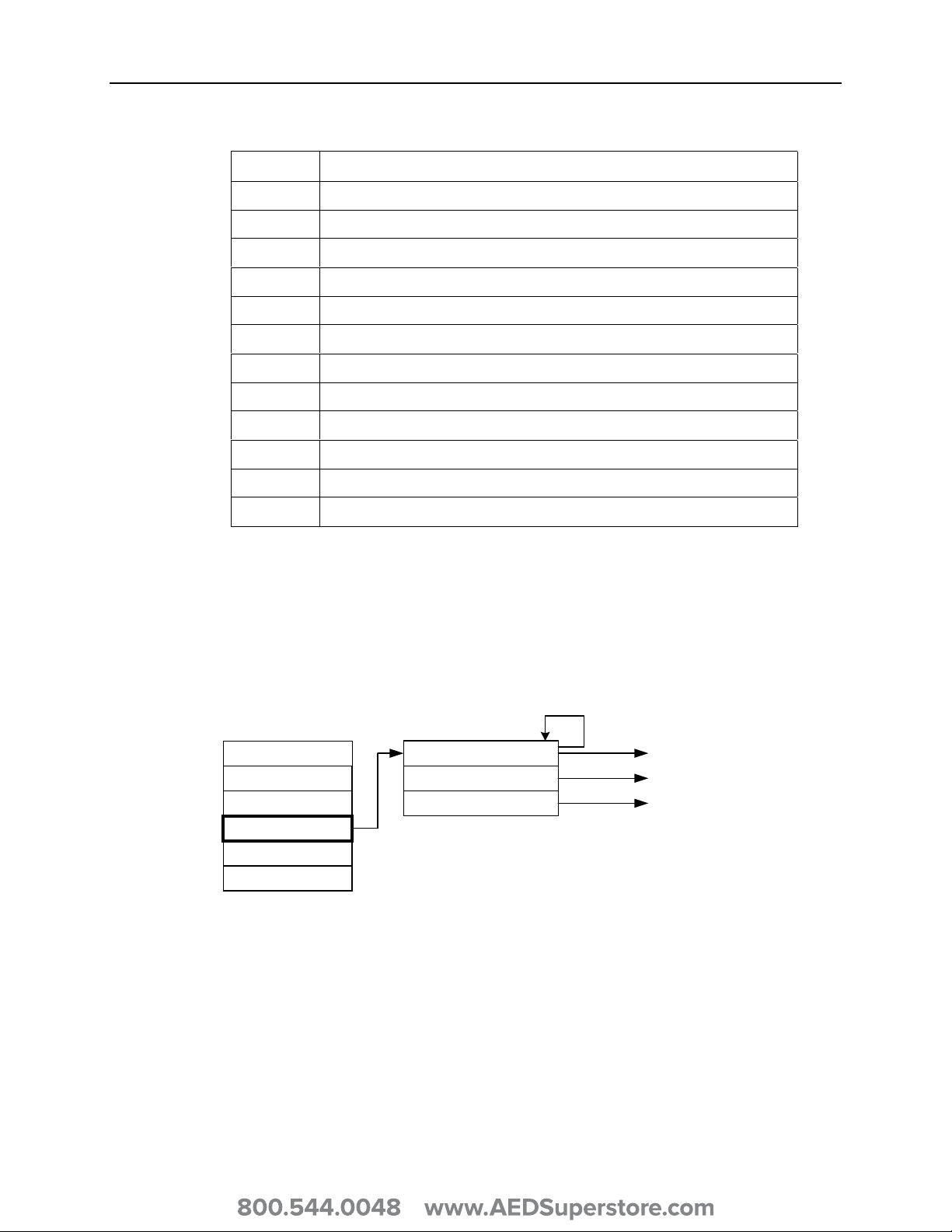
The scenarios are numbered sequentially in the same order as for the remote control.
Scenario Description
1 AHA Scenario 1
2 AHA Scenario 2
3 AHA Scenario 3
4 AHA Scenario 4
5 AHA Scenario 5
6 AHA Scenario 6
7 AHA Scenario 7
8 AHA Scenario 8
9 Ventricular Fibrillation with one shock conversion
10 Ventricular Fibrillation with one shock conversion followed by refibrillation
11 Shockable Rhythm
12 Non-shockable Rhythm
CPR Timer
Pressing the Enter button while the CPR menu item is highlighted displays the CPR
menu, allowing the user to select a CPR time of 15, 30, 45, 60, 75, or 90 seconds. The
Save menu item saves the currently selected value and returns to the Main Menu. The
Cancel menu item restores the CPR time present prior to entering the CPR menu and
returns to the Main Menu.
15/30/45/60/75/90Volume
Scenario
Contrast
CPR Timer
Main Menu CPR Timer
Enter
Go to Save Menu Item
Enter
More
Save
Enter
Cancel
Enter
Go to Main Menu
Go to Main Menu
Language

Operating Instructions Welch Allyn AED10 Trainer
991026 - Rev. B © Welch Allyn, 2004 9
Language
Pressing the Enter button while the Language menu item is highlighted causes the
Language menu to be displayed. The current Language is displayed, and pressing the
Next button scrolls through the list of available languages. Each language selection is
displayed in its own language as the list is traversed, and pressing the Enter button while
the Save menu item is highlighted stores the currently selected language as the new
language parameter. All text is subsequently displayed in the new language. Pressing the
Enter button while the Cancel menu item is highlighted displays the Main Menu.
More
Pressing the Enter button while the More menu item is highlighted causes the More Menu
to be displayed.
See Note 1Volume
Scenario
Contrast
CPR Timer
Main Menu Language
Enter
Go to Main Menu or Reboot
Enter
More
Next
Note:
The Next button will scroll through the language list.
Each language is displayed in its own language.
Save
Enter
Cancel
Enter
Go to Main Menu
Go to Save Menu Item
Language
Restore DefaultsVolume
Scenario
Contrast
CPR Timer
Main Menu More Menu
Enter
More
Maintenance
Enter
Language
Back Return to Main Menu
Other manuals for AED 10
2
Table of contents
Other Welch Allyn Fitness Equipment manuals
Popular Fitness Equipment manuals by other brands

G-FITNESS
G-FITNESS AIR ROWER user manual

CAPITAL SPORTS
CAPITAL SPORTS Dominate Edition 10028796 manual

Martin System
Martin System TT4FK user guide

CIRCLE FITNESS
CIRCLE FITNESS E7 owner's manual

G-FITNESS
G-FITNESS TZ-6017 user manual

Accelerated Care Plus
Accelerated Care Plus OMNISTIM FX2 CYCLE/WALK user manual