Auto Start Delay
This feature delays the start-up process to avoid an initial power surge
when several drives power up at once. The delay time (default) is 4 sec-
onds between drives, or the SCSI ID multiplied by 4 seconds. Let’s say
you have three hard drives in your system, and they are set to SCSI IDs 0,
1, and 2. The drive assigned as ID 0 powers up immediately; the drive
assigned to ID 1 powers up in 4 seconds; and the drive assigned to ID 2
powers up in 8 seconds.
NOTE: You can change the 4-second delay time in the drive’s mode parameter
settings.
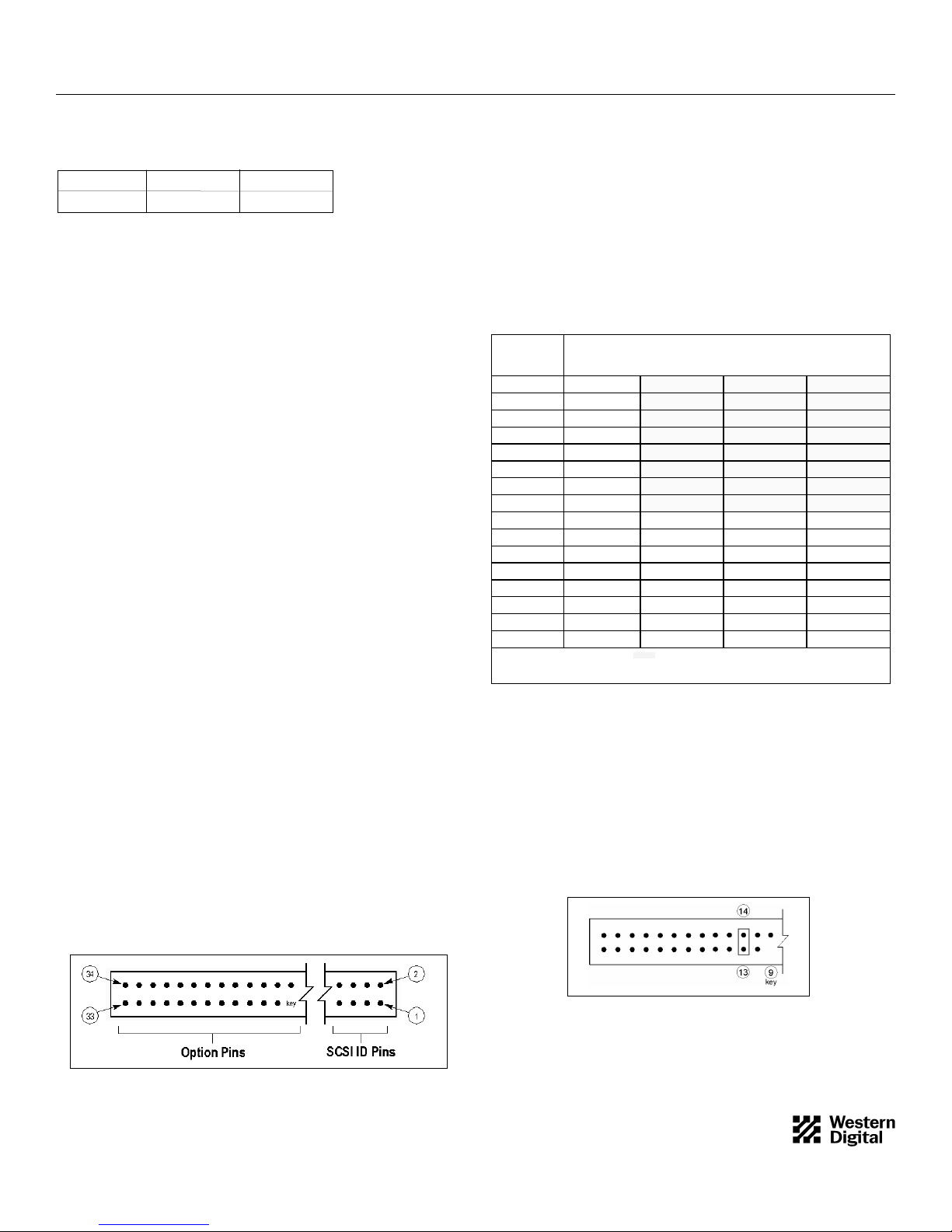
Option block pins 15 and 16 are dedicated to the Auto Start Delay
option. (This option is valid only if the Disable Auto Start jumper is not
installed.) To enable Auto Start Delay, install a jumper as shown in Figure
3. To disable Auto Start Delay, no jumper is required.
Figure 3. Auto Start Delay Jumper
SCAM
The WD Enterprise drive supports the SCSI Configured Automagically
(SCAM) option, which allows it to function as a SCAM level 2 device.
NOTE: In order to use this feature, the host bus adapter must support
SCAM.
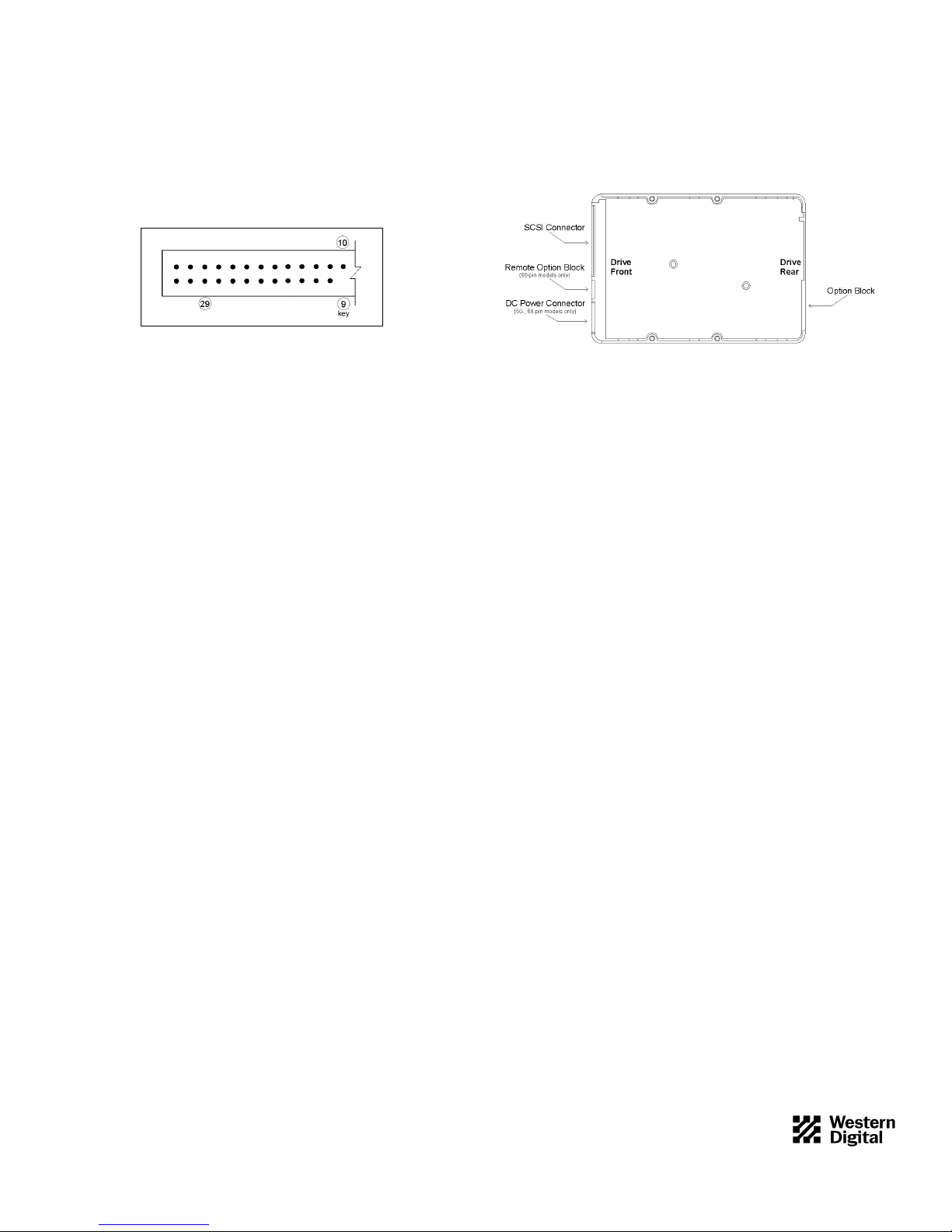
Option block pins 17 and 18 are dedicated to the SCAM feature. To
enable SCAM, install a jumper as shown in Figure 4. To disable SCAM,
no jumper is required.
Figure 4. SCAM Jumper
Disable Unit Attention
Whenever a target (WD Enterprise drive) is reset by a power-on or reset
sequence, it communicates a unit attention message to the initiator (host
bus adapter).
Option block pins 19 and 20 are dedicated to the Disable Unit Attention
option. To disable unit attention, install a jumper as shown in Figure 5. To
enable unit attention, no jumper is required.
Figure 5. Disable Unit Attention Jumper
2
4079-001056 Rev. A 5/97 H0310
Disable Target Initiated Synchronous/Wide Negotiaton
During the power-up sequence, the initiator (host bus adapter) and the
target (WD Enterprise drive) negotiate and agree upon three items: bus
width, bus speed, and synchronous/asynchronous data transfer. Either the
initiator or the target can start the negotiation process, and once this
process is completed successfully, all "data in" and "data out" phases oper-
ate as determined during the handshake. The negotiation process occurs
only once, usually during start-up.
Option block pins 21 and 22 are dedicated to the Disable Target Initiated
Synchronous/Wide Negotiation option.To disable target initiated syn-
chronous/wide negotiation, install a jumper as shown in Figure 6. To
enable target initiated synchronous/wide negotiation, no jumper is
required.
Figure 6. Disable Target Initiated
Synchronous/Wide Negotiation Jumper
SCSI Termination
To ensure reliable communication, the SCSI bus must be properly termi-
nated. Devices located at the physical ends of the SCSI bus should have
their terminators enabled. All other devices must have their terminators
disabled.
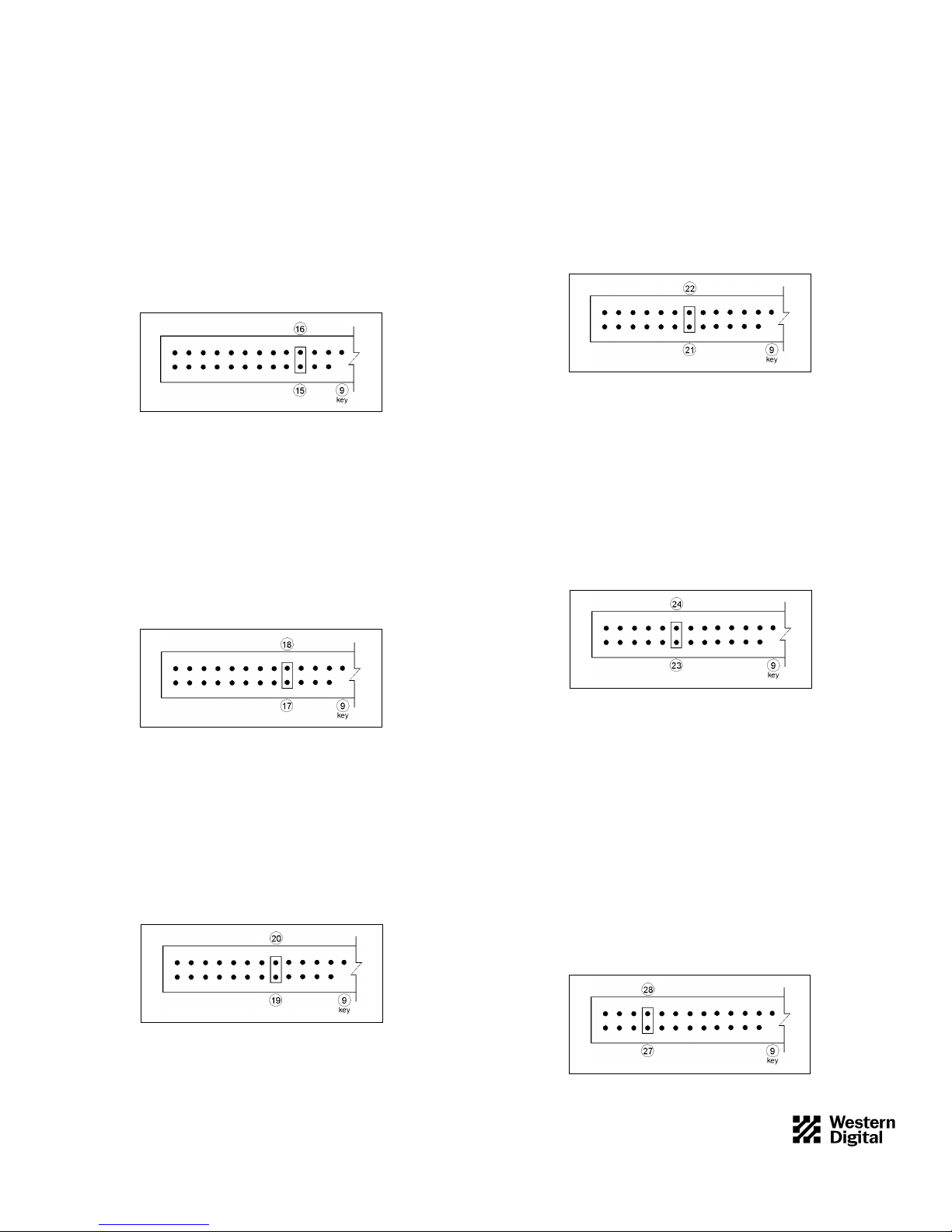
Option block pins 23 and 24 are dedicated to the SCSITermination
option. To enable SCSI termination, install a jumper as shown in Figure 7.
To disable SCSI termination, no jumper is required.
Figure 7. SCSI Termination Jumper
Termination Power (TERMPWR)
WD Enterprise drives have the ability to supply +5V to the SCSI bus for
termination. Option block pins 27 and 28 are dedicated toTERMPWR.
If you want the drive to supplyTERMPWR to the SCSI bus, install a
jumper as shown in Figure 8. To disable TERMPWR, no jumper is
required.
Consult your system or host bus adapter documentation to determine if
the SCSI bus supplies termination power. (Most systems do supply
termination power). If your system does not, then you must use the power
supplied by the WD Enterprise drive.
NOTE: Termination power from the hard drive is required only if the host
bus adapter does not supply it. However, both devices can provide termination
power with no detrimental effects to the system.
Figure 8. TERMPWR Jumper