manuals.online logo
Brands
  1. Home
  2. •
  3. Brands
  4. •
  5. Wharfedale Pro
  6. •
  7. Speakers System
  8. •
  9. Wharfedale Pro Achromatic WA-T4 User manual

Wharfedale Pro Achromatic WA-T4 User manual

Other manuals for Achromatic WA-T4

1

This manual suits for next models

8

Other Wharfedale Pro Speakers System manuals

Wharfedale Pro DX-1HCP User manual

Wharfedale Pro

Wharfedale Pro DX-1HCP User manual

Wharfedale Pro Programme 105 Guide

Wharfedale Pro

Wharfedale Pro Programme 105 Guide

Wharfedale Pro Vista 100 User manual

Wharfedale Pro

Wharfedale Pro Vista 100 User manual

Wharfedale Pro Versadrive SC-26 Guide

Wharfedale Pro

Wharfedale Pro Versadrive SC-26 Guide

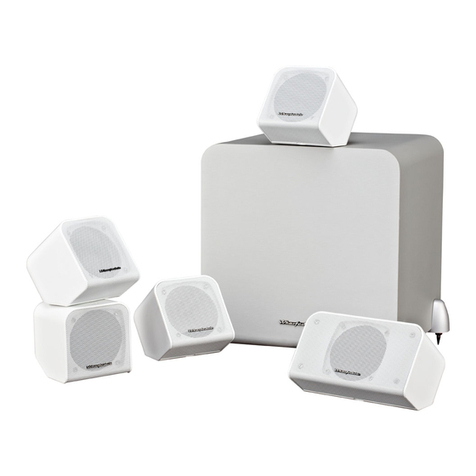
Wharfedale Pro Achromatic WA-T4 User manual

Wharfedale Pro

Wharfedale Pro Achromatic WA-T4 User manual

Wharfedale Pro PowerCube+ series User manual

Wharfedale Pro

Wharfedale Pro PowerCube+ series User manual

Wharfedale Pro RS-10 User manual

Wharfedale Pro

Wharfedale Pro RS-10 User manual

Wharfedale Pro VECTOR-12 Guide

Wharfedale Pro

Wharfedale Pro VECTOR-12 Guide

Wharfedale Pro Opus2 User manual

Wharfedale Pro

Wharfedale Pro Opus2 User manual

Wharfedale Pro ISOLINE-AX User manual

Wharfedale Pro

Wharfedale Pro ISOLINE-AX User manual

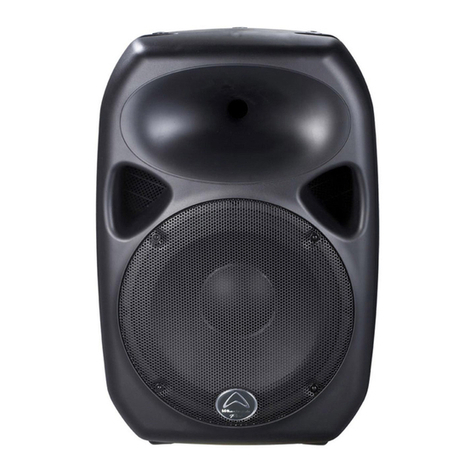
Wharfedale Pro Titan 12 ACTIVE Guide

Wharfedale Pro

Wharfedale Pro Titan 12 ACTIVE Guide

Wharfedale Pro D9.0 User manual

Wharfedale Pro

Wharfedale Pro D9.0 User manual

Wharfedale Pro RS10 User manual

Wharfedale Pro

Wharfedale Pro RS10 User manual

Wharfedale Pro WLA-28XF User manual

Wharfedale Pro

Wharfedale Pro WLA-28XF User manual

Wharfedale Pro Diamond 10 HCP User manual

Wharfedale Pro

Wharfedale Pro Diamond 10 HCP User manual

Wharfedale Pro Link-800 User manual

Wharfedale Pro

Wharfedale Pro Link-800 User manual

Wharfedale Pro Delta-10 Guide

Wharfedale Pro

Wharfedale Pro Delta-10 Guide

Wharfedale Pro Atlantic AT-100 User manual

Wharfedale Pro

Wharfedale Pro Atlantic AT-100 User manual

Wharfedale Pro LX-E Series User manual

Wharfedale Pro

Wharfedale Pro LX-E Series User manual

Wharfedale Pro Vardus User manual

Wharfedale Pro

Wharfedale Pro Vardus User manual

Wharfedale Pro VS series User manual

Wharfedale Pro

Wharfedale Pro VS series User manual

Wharfedale Pro WLA-25 Guide

Wharfedale Pro

Wharfedale Pro WLA-25 Guide

Wharfedale Pro MS-100 HCP and User manual

Wharfedale Pro

Wharfedale Pro MS-100 HCP and User manual

Wharfedale Pro VARDUS VR-200 User manual

Wharfedale Pro

Wharfedale Pro VARDUS VR-200 User manual

Popular Speakers System manuals by other brands

Monster MT-SB21 user manual

Monster

Monster MT-SB21 user manual

Monacor ESP-76AB/ WS manual

Monacor

Monacor ESP-76AB/ WS manual

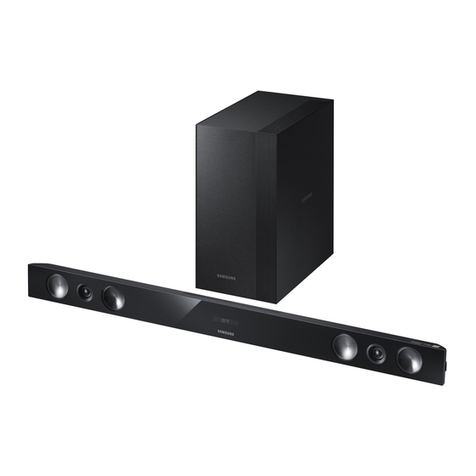
Samsung HW-J430 user manual

Samsung

Samsung HW-J430 user manual

WILSON AUDIO WATT owner's manual

WILSON AUDIO

WILSON AUDIO WATT owner's manual

Hisense AX3125H user manual

Hisense

Hisense AX3125H user manual

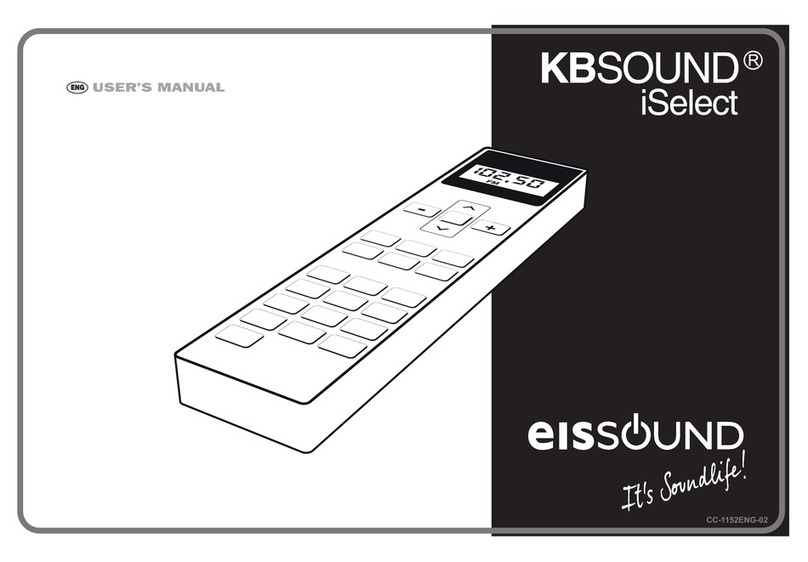
EisSound KBSound iSelect user manual

EisSound

EisSound KBSound iSelect user manual

Boston Acoustics VRi793 manual

Boston Acoustics

Boston Acoustics VRi793 manual

Sven SPS-707bL Operation manual

Sven

Sven SPS-707bL Operation manual

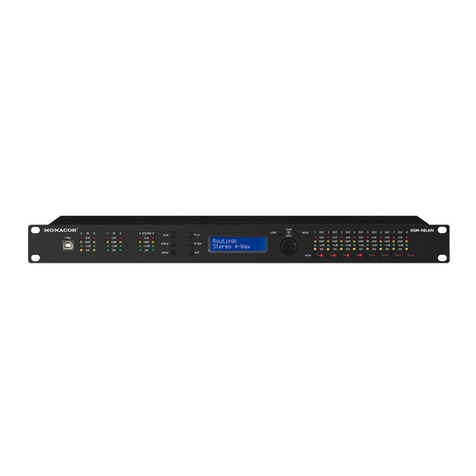
Monacor DSM-26LAN instruction manual

Monacor

Monacor DSM-26LAN instruction manual

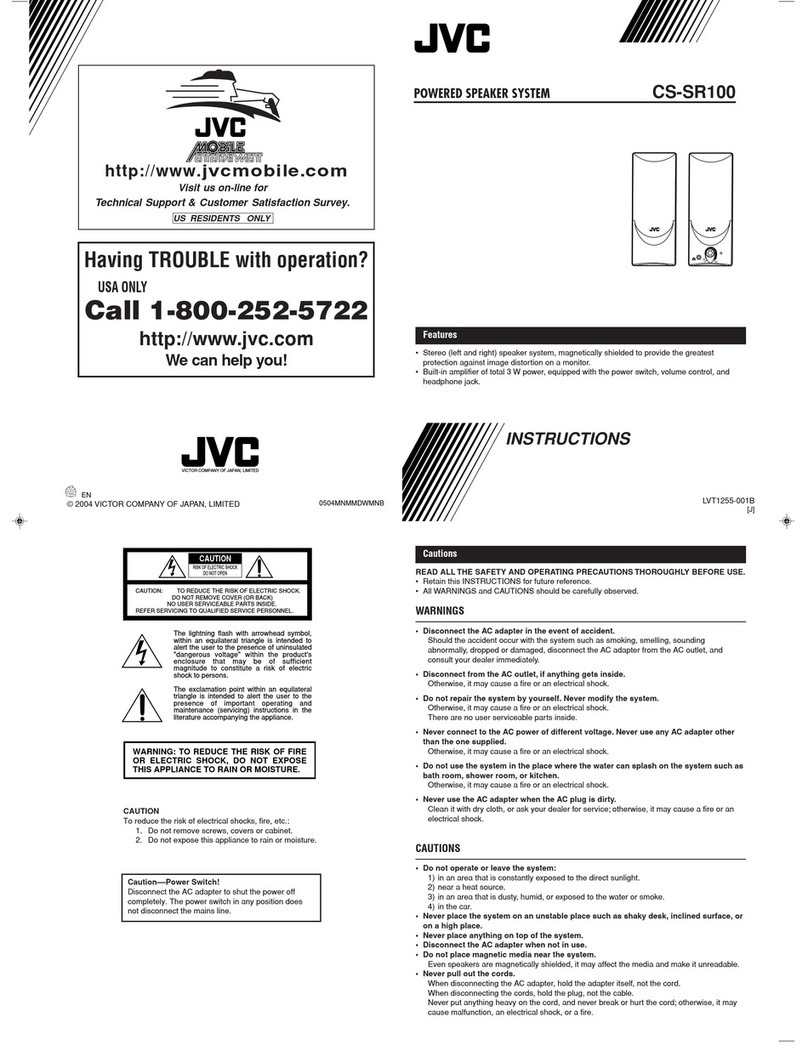
JVC CS-SR100 instructions

JVC

JVC CS-SR100 instructions

Samsung HW-C450 user manual

Samsung

Samsung HW-C450 user manual

TaoTronics evatronic ET-SK011 user guide

TaoTronics

TaoTronics evatronic ET-SK011 user guide

JVC HX-D7C instructions

JVC

JVC HX-D7C instructions

Pyle PBMSPG190 user manual

Pyle

Pyle PBMSPG190 user manual

Sven SPS-607 Operation manual

Sven

Sven SPS-607 Operation manual

iSP Technologies LT2 series owner's manual

iSP Technologies

iSP Technologies LT2 series owner's manual

Samsung Crystal Surround Air Track HW-F550 user manual

Samsung

Samsung Crystal Surround Air Track HW-F550 user manual

Bose Acoustimass 6 Series II owner's guide

Bose

Bose Acoustimass 6 Series II owner's guide

manuals.online logo
manuals.online logoBrands
  • About & Mission
  • Contact us
  • Privacy Policy
  • Terms and Conditions

Copyright 2025 Manuals.Online. All Rights Reserved.

Achromatic
Slimline Multimedia
Loudspeaker Systems
Instruction Manual
BRITAIN'S MOST FAMOUS LOUDSPEAKERS
Unplug this apparatus during lightning storms or when unused for long
periods of time.
Refer all servicing to qualified service personnel. Servicing is required
when the apparatus has been damaged in any way, such as power-
supply cord or plug is damaged, liquid has been spilled or objects have
fallen into the apparatus, the apparatus has been exposed to rain or
moisture, does not operate normally, or has been dropped.
Warning: To reduce the risk of fire or electrical shock, do not expose this
product to rain or moisture. The product must not be exposed to dripping
and splashing and no object filled with liquids such as a vase of flowers
should be placed on the product.
No naked flame sources such as candles should be placed on the
product.
Caution: Changes or modifications not expressly approved by the
manufacturer could void the user's authority to operate this device.
Warning: The mains power switch for this appliance is located on the
rear panel. To permit free access to this switch, the apparatus must be
Read these instructions. located in an open area without any obstructions.
Keep these instructions.
Heed all warnings.
Follow all instructions.
Do not use this apparatus near water.
Clean only with dry cloth.
Do not block any ventilation openings.
Install in accordance with the manufacturer's instructions.
Do not install near any heat sources such as radiators, heat registers,
stoves, or other apparatus (including amplifiers) that produce heat.
Do not defeat the safety purpose of the polarized or grounding type
plug. A polarized plug has two blades with one wider than the other. A
grounding type plug has two blades and a third grounding prong. The
wider blade or the third prong are provided for your safety. If the
provided plug does not fit into your outlet, consult an electrician for
replacement of the obsolete outlet.
Protect the power cord from being walked on or pinched, particularly at
plugs, convenience receptacles, and the point where they exit from the
apparatus.
Use only attachments/accessories specified by the manufacturer.
Use only with a cart, stand, tripod, bracket, or
table specified by the manufacturer, or sold with
the apparatus. When a cart is used, use caution Class II construction double insulated.
when moving the cart/ apparatus combination to This product must not be connected to earth.
avoid injury from tip-over.
ESSENTIAL INFORMATION FOR UK USERS
The power cord on your subwoofer may be supplied with a plug
incorporating a fuse, the value of which is indicated on the pin face of
the plug. Should the fuse need to be replaced, an ASTA or BSI approved
BS1362 fuse must be used of the same rating. If the plug is cut off it
must NOT be re-used. Dispose of any such plug safely. There is a danger
of electric shock if a cut-off plug is inserted into a mains socket.
The wires in the mains lead are coloured in accordance with the
following code: Blue - Neutral: Brown - Live.
As the colours of the wires in the mains lead may not correspond with
the markings identifying the terminals in the replacement mains plug,
proceed as follows:
The wire coloured Blue
must be connected to the
terminal marked with the
letter ‘N’ or coloured
Black. The wire coloured
Brown must be connected
to the terminal marked
with the letter ‘L’ or
coloured Red.
TO REDUCE THE RISK OF ELECTRIC SHOCK
DO NOT REMOVE COVER (OR BACK)
NO USER-REMOVEABLE PARTS INSIDE
REFER SERVICING TO QUALIFIED PERSONNEL
CAUTION!
RISK OF ELECTRIC SHOCK
DO NOT OPEN
ADVERTISSEMENT: RISQUE DE CHOC ELECTRIQUE-
NE PAS OUVRIR
This symbol indicates that dangerous voltage
constituting a risk of electric shock is present
within this unit.
This symbol indicates that there are important
operating and maintenance instructions in the
literature accompanying this unit.
IMPORTANT SAFETY INFORMATION
FUSE
BS 1362
BROWN
(Live)
BLUE
(Neutral)
2

Before making any connections, switch all the units in
your system off at the mains.
Set the volume control at minimum when you switch on
your system or change sources, and turn the level up
gradually.
DO NOT use your amplifier at full volume.
Ensure that all loudspeakers in the system are correctly
wired.
DO NOT subject your loudspeakers to excessive cold, heat,
humidity or sunlight.
DO NOT place heavy objects on top of loudspeakers
DO NOT connect speaker terminals to the mains supply.
DO NOT dismantle the loudspeaker. There are no user
serviceable parts inside it and you will void the warranty.
Before installing this product
read all these instructions!
PRELIMINARIES
UNPACKING YOUR LOUDSPEAKERS
After taking out the top packing piece, lift the loudspeakers
and accessories from the carton. Remove all the protective
bags. Do NOT lift the loudspeakers out using the bags.
The contents of each carton are as follows:
Satellite Loudspeakers:
!Two satellite speakers
Centre Channel Loudspeakers
!One Centre loudspeaker
!Four rubber feet.
Tower Loudspeakers
!Two tower loudspeakers
!Two sets of plinths and spikes with mounting hardware.
Subwoofers
!One subwoofer
!Four floor spikes (attached to the subwoofer)
!IEC power cord suitable for your location
Check all items after unpacking. If any item is missing or
damaged, immediately contact your Wharfedale dealer.
Retain the packaging. If you dispose of the packing, follow
all recycling regulations in your area.
PREPARATIONS FOR INSTALLATION
Before connecting your system consider where you will place the
speakers in the room. This is particularly important if you are
wall mounting the centre or satellite loudspeakers.
lengths of two core cable. 7.1 installations will require 7 lengths
of cable. The cables connecting the Front loudspeakers should
be the same length and the cables connecting the Surround (and
Rear) loudspeakers should also be of equal length. We suggest
TOWER SPEAKERS you use cable designed for audio and not general purpose ‘bell’
The tower loudspeakers need to be operated on the special floor or ‘zip’ wire.
plinths. For improved performance the loudspeakers are spike SUBWOOFERS
coupled to the floor.
Ensure there is a mains point within easy reach of the unit.
SATELLITE AND CENTRE SPEAKERS
You will need to purchase a suitable RCA interconnect cable to
Achromatic WA-W4, centre and satellite loudspeakers are connect the subwoofer to your pre-amplifier or A/V amplifier
intended to be operated attached to the wall via the keyhole (see page10). This cable must be a high quality fully screened
mounts in the rear of the loudspeaker (see Page 6) . Fixings for cable. Poorly screened cable is liable to pick up stray hum and
attaching the loudspeakers to the wall are not supplied. interference fields and should be avoided.
As an alternative, the centre loudspeakers are supplied with CAUTION: When running cables to loudspeakers, do not trail
rubber feet for freestanding the units. them across open floors where they can be a source of danger.
CONNECTORS AND CABLES Route them safely, around room boundaries if necessary.
For a standard 5.1 loudspeaker system you will need five
3
PREPARING THE TOWERS
ATTACHING THE PLINTH
Place a soft cloth on the floor to protect the
speaker.
Invert the loudspeaker and place it on the cloth.
Place the plinth on the loudspeaker noting the
orientation.
Align the plinth with the mounting holes in the
base of the speaker.
Attach all four screws firmly to secure the plinth.
ATTACHING THE SPIKES
CAUTION: SPIKES ARE SHARP.
Make sure that there are no wires or hidden
obstacles that could be damaged by the spikes
in the immediate operational area of the
speakers.
NEVER drag a loudspeaker on its spikes. Always
lift it. If the item is heavy get assistance.
A mounting hole is located at each corner of the
plinth. Thread a spike through each hole.
Tighten the collar finger tight so that the spike
is secure but not locked in place.
After all the spikes are attached, invert the
loudspeaker and place it carefully on the floor.
LEVELLING THE TOWERS
Loosen the top collar on each spike one turn.
Place a small spirit level on the plinth.
If the floor is not perfectly level you will find that one spike is off the ground. Starting with this spike, unscrew it so that it touches
the floor. Move the other spikes in and out so the speaker does not wobble and is level front and back and sideways. Now tighten
the top collars to lock the spikes firmly in position
4
POSITIONING THE LOUDSPEAKERS
2-4 metres >150 mm
>200 mm
SUB
2-4 metres >150 mm
>200 mm
SUB
400 mm
1 m
5.1 POSITIONING
Place the front towers as shown. The towers
should be placed away from walls for best
results. Angling the speakers inward slightly
will improve stereo images but too extreme an
angle will impair movie sound.
The towers must be at least 450mm from a TV
screen.
The centre speaker can be placed above or
below the TV screen.
The subwoofer should be operated against
a wall and never across a room corner. The
positioning is not critical but we recommend
that it is placed in front of the listening seat.
Again, never operate a subwoofer within
450mm of conventional TV screen.
The surround speakers should be placed above
and behind the listening seat. They may be
mounted on the side walls or alternatively on
the rear walls but always behind the listener.
If the distance between the side walls is too
great, you could use a second pair of towers as
the surround loudspeakers, placed as shown in
the drawing opposite.
7.1 POSITIONING
If you are using a 7.1 system, the back
loudspeakers must be at least 1 metre behind
the listening seat.
WALL MOUNTING POSITIONS
If you are wall mounting the centre and effects
loudspeakers we recommend that they be
mounted as shown.
Wall mounting the centre channel loudspeaker
below the screen is not recommended
If you are using a pair of WA-W4, WA-S1 or W-
AS2 as front speakers we recommend that the
Front Left, Right and Centre channel speakers
are all mounted with their centres at the same
height.
CENTRE
CENTRE
5
5.1 SYSTEM
7.1 SYSTEM
--++
205 mm
WA-S2
WALL MOUNTING
WA-S1
WA-C4
++
--
500 mm
WA-C2
--++
220 mm
6
--++
480 mm
WA-W4
The Satellite and Centre loudspeakers are provided with WA-S1
integral keyhole mounts for wall mounting.
Wall mounting should be carried out by
Before you attempt wall or ceiling mounting, ensure the surface
is stable and strong enough to support the weight of the speaker
and mounting hardware.
Determine the location of the loudspeakers. Identify your
loudspeaker from the drawings on this page.
WA-S2, WA-C2, WA-C4, WA-W4
Mark off a vertical (WA-S2, WA-W4) or a horizontal (WA-C2,
WA-C4) line on the wall. Use a spirit level to ensure that the lines
are accurately drawn. Mark off two points on this line at the
mounting centres indicated in the drawings.
Drill two 6mm holes in the wall at the points marked. Fix a
suitable No 8 round head screw firmly into each hole using
appropriate wall plugs. Leave a stub of 5mm protruding from
the wall. Align the holes in the mounting brackets over the screw
heads and carefully lower the unit onto the screws.
Remove the loudspeakers from the wall ready for connection.
After connection they can be re-installed on the wall.
You will need one No.8 screw and a matching wall plug per
licensed sound contractors or speaker. Proceed as outlined above and attach each
technicians with appropriate qualifications and experience. All loudspeaker to the wall via the single keyhole slot integrated
installation and wiring should comply with the relevant standards laid into the crossover connection panel.
down by the competent authority in the country and place of
installation.
You will need 2 No.8 screws and matching wall plugs to attach

each loudspeaker to the wall. These are the responsibility of the
installer who should supply suitable fixings for this purpose.
6.0mm
b
5mm
No 8 x 40mm
d
c
e
CONNECTING YOUR LOUDSPEAKERS - 1
TERMINAL PANELS
All the loudspeakers connect to the amplifier
via a twin terminal connecting panel. The
positive terminal is located at the right of the
panel and is coded Red, The Negative terminal
is coded Black.
The WA-S1uses spring loaded push terminals.
All the other models use screw terminals.
--
++
--
WA-S1 ALL OTHER MODELS
CABLE PREPARATION WA-S2, WA-W4, WA-C2, WA-C4
Prepare a suitable length of loudspeaker cable for each unit. Unscrew a terminal. Thread the bared end of each cable
Split the twin cores to a depth of about 40mm. Carefully strip the through the hole in the bottom of the terminal post. Ensure that
insulation from each end, leaving about 8mm of bare wire. If there are no loose strands which may touch adjacent terminals.
the cable is stranded, lightly twist to gather any loose strands. Retighten the terminal securely.
Audio cable is polarised, with two cores of different colours, or
often a coloured tracer or identification rib. We suggest that you
connect the coloured/striped wire to the RED, Postive terminals
of your AV amplifier. This will ensure that all the loudspeakers AMPLIFIER - SPEAKER CONNECTIONS
are connected the correct way round and avoid set-up problems.
Connect each loudspeaker to the correct channel of your AV
CONNECTING THE WA-S1 amplifier or processor taking care to connect the Red, Positive
Press down on a terminal lever (+) terminal of the speaker to the Red, Positive (+) terminal
of the speaker output terminal of the amplifier, and similarly
with the Black, Negative (–) terminal. Use the connection
diagrams on the next page to help you.
WALL MOUNTING
If you are wall mounting speakers please follow this procedure.
1: Run the cable from the AV amplifier to the speaker location.
2: Connect the cable to the loudspeaker.
3: Hang the loudspeaker on the wall.
4: Connect the loudspeaker cable to the amplifier.
. Insert the wire into the terminal.
Release the lever. Ensure that the terminal grips the bare wire at
the end of the cable, not the insulation.
40mm
8mm c
b
7
CENTRE
LL
RRC
RL
FRONT RIGHT FRONT LEFT
SURROUND LEFTSURROUND RIGHT
BACK RIGHT BACK LEFT
CENTRE
LL
RC
R
FRONT RIGHT FRONT LEFT
SURROUND LEFTSURROUND RIGHT
CONNECTING YOUR LOUDSPEAKERS - 2
5 CHANNEL CONNECTIONS
7 CHANNEL CONNECTIONS
ROOM PLACEMENT
ROOM PLACEMENT
8
PRELIMINARIES
Open the carton and remove all the top packing pieces. Lift the
subwoofer out taking care not to damage the cabinet. DO NOT
lift the subwoofer out of the carton using the protective bag. The
unit is heavy; if you cannot manage it easily, get assistance.
Retain the packing materials. If you decide not to keep the
packing, please dispose of it having regard to any recycling
regulations in your area. Please retain the user manual. If you
transfer this equipment to a third party, please ensure all the
instructions are passed on with the product.
POWER CONNECTIONS
This subwoofer is factory set to operate from the mains voltage
marked on the amplifier panel. Before connecting check this
voltage is correct for your mains supply.
!230 volt products - 220 volts to 240 volts
!115 volt products - 110 volts to 120 volts
If you move to an area with a different mains supply, consult your
Wharfedale dealer for advice.
INSTALLING THE WA-8SB & WA-12SB SUBWOOFERS
b Phase Control
c Line Level Outputs
d Line Level Inputs
e Volume Control
f Crossover Frequency Control
g Auto Power Switch
h Power ON/OFF Switch
i IEC Mains Input Socket
j Mains Power Fuse
b
c
d
e
f
g
h
i
j
REAR PANEL CONNECTIONS
The WA-8SB and WA-12SB subwoofers use he
same power amplifier. The differences are that
the WA-12SB will produce higher sound levels
with deeper bass reproduction. Connection and
operation of the two units is identical.
PLACEMENT
Although the unit may be placed almost
anywhere in the room, we recommend that is
placed in front of the listener central to the
listening position. There should be a mains
outlet within easy reach.
The bass port is mounted under the subwoofer
firing downward and moves a lot of air at high
volume, so make sure the floor is sound. The
subwoofer is front-firing so do not place it
behind surfaces or objects that may rattle.
9
CENTRE FRONTREAR
LEFTLEFT RIGHTRIGHT
Subwoofer Out
(Line Level)
AV AMPLIFIER
INSTALLING THE WA-8SB & WA-12SB - 2
A/V PROCESSOR CONNECTIONS
Your subwoofer has been designed for optimum
performance with a Digital processor. If your AV
processor has a line level or LFE subwoofer output you
should use this connection. You will need to purchase a
single screened RCA phono lead from your dealer.
Connect this lead to the Left line input of the Subwoofer
as shown below
Alternatively, you may use a split mono lead from the
processor to both inputs of the subwoofer. In this case the
input level at the subwoofer will be slightly higher.
STEREO LINE OUTPUT CONNECTIONS
If your amplifier has a spare preamplifier output or a
stereo sub-woofer output, connect the sub-woofer as
shown. You will need a stereo screened RCA phono
cable.
PRE OUT - MAIN IN CONNECTIONS
If you use a stereo pre and power amplifier, or a stereo
amplifier where the pre and main amplifier can be
separated, connect the sub-woofer as shown. You will
need two screened RCA ‘Y’ adaptors and two single RCA
phono cables.
Remove the Pre-Main links on your amplifier. Connect
the RCA ‘Y’ adaptors and cables as shown. Connect one
leg of the ‘Y’ adaptor to the Left Channel Pre Out socket
on the amplifier and the other leg to the Left Channel
Main In socket. Connect the remaining plug on this
combination to the Left Channel Line Level Input on the
sub-woofer. Repeat this for the Right Channel.
CENTRE FRONTREAR
LEFTLEFT RIGHTRIGHT
CENTRE FRONTREAR
LEFTLEFT RIGHTRIGHT
Subwoofer or Pre Out
(Line Level)
AV AMPLIFIER
L
R
LEFTRIGHT
AMPLIFIER
L
R
PRE
OUT MAIN
IN
(x2)
Although the unit may be placed almost anywhere in the room, placing it across a room corner will increase the bass further,
even behind the sofa or the TV set, we recommend that it be possibly at the expense of clarity. Experiment with a variety of
placed in front of the listener and as central to the listening locations and sources before making a final decision.
position as possible. The subwoofer should not be operated Your system will perform best if there is a clear line of sight
within 450mm of a television set as the drive unit magnet may between the subwoofer and the listening position.
distort the picture. NOTE: When running signal cables to the subwoofer, keep them
We suggest you position the subwoofer about 5-20cm (2"-8 ") clear of obstructions. Do not run a long signal cable close to
from the wall. A position close to the wall will enhance the bass; mains cables or cables carrying heavy digital traffic.
POSITIONING THE SUBWOOFER
10