English
2
Installation
•Before installing into the desired location fully uncoil the light string and connect it to
adaptor to ensure that it is operating correctly. Leaving the light string exposed to the
Sun for a short period before installation will make it more pliable and easy to position.
•Inspect your new light string to ensure there are no cuts in the insulation or exposed
wires, if there are, DO NOT use, and return to Purchase platforms or marketplaces.
• In subsequent years, the light string should be inspected before installation
• Use cable ties or other Christmas light xing items to secure the light string in position.
Never use nails or other sharp fasteners inserted through the light string cable to secure
in position.
•The light string should not be passed over any sharp objects that could wear through the
insulation
Package includes
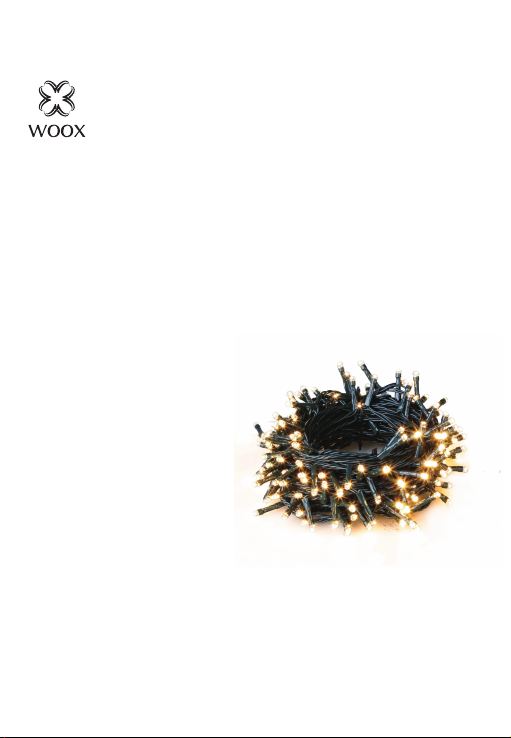
1. Smart Christmas LED Lighting String x 1
2. User manual x 1
Requirement to use
1. WOOX Security app or Woox home app (WOOX Security app is recommended for
security items like camera, sensors, lock, etc)
2. WLAN-enabled router: 2.4GHz (Separate band)
Set up Smart Christmas LED Lighting String to WOOX Home app
1. Download and install the app "WOOX Home" from Apple App Store or Google Play
Store on your smartphone.
2. Open bluetooth on smartphone.
3. Enable bluetooth and location permission for WOOX Home app, so that the app can
nd Smart Christmas LED Lighting String via bluetooth.
4. Launch the app "WOOX Home".
5. Create a new account or log in to your existing account.
6. Ensure the white indicator light is quick ashing (ashing 2 times per second). If the
indicator light isn't ashing: turn ON/OFF the product 3 times or hold and press the
function button on controller for 5 seconds until the indicator light starts to quick ash.
7. Tap“+” to add the device.
8. The Smart Christmas LED Lighting String will appear on the app. If Smart Christmas LED
Lighting String does not appear, please check if the bluetooth and location permission
of WOOX Home app are enabled in smartphone settings.
9. Select the Smart Christmas LED Lighting String and continue.
10. Conrm the Wi-Fi network and password.
Note: only 2.4GHz Wi-Fi is supported.
11. The app will now search for the device and register is to your account.
12. Enter the device name.
Note: The device name will also be used by Amazon Alexa and Google Home.