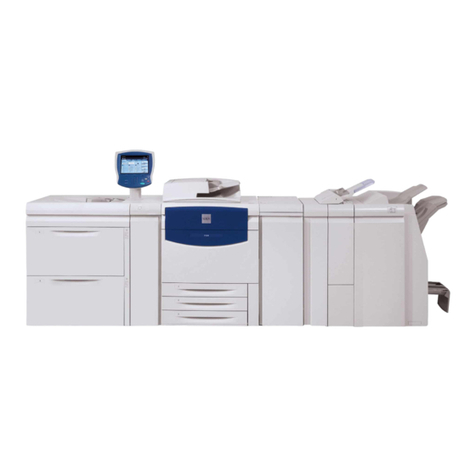
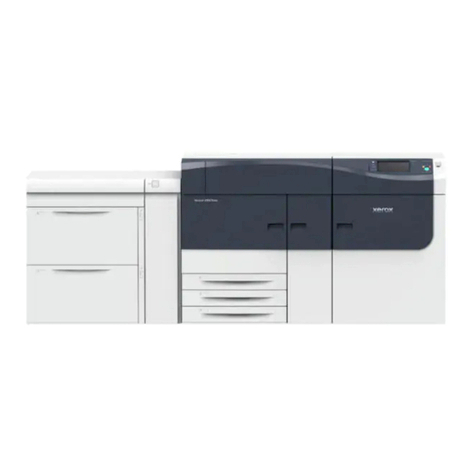
Xerox Versant 180 User manual

Xerox®Versant®180 Press
Quick Start Guide
Book Version 1.0
April 2017
702P04574

©2017 Xerox Corporation. All rights reserved. Xerox®, Xerox and Design®, FreeFlow®,
SquareFold®, CentreWare®and Versant®are trademarks of Xerox Corporation in the
United States and/or other countries.
Adobe PDF is a registered trademarks of Adobe Systems, Inc. PostScript is an Adobe
registered trademark used with the Adobe PostScript Interpreter, the Adobe page
description language, and other Adobe products.
Fiery®and EFI™are trademarks or registered trademarks of Electronics For Imaging, Inc.
GBC®and AdvancedPunch™are trademarks or registered trademarks of General Binding
Corporation.
Microsoft, Windows, Windows XP, Windows Vista, Internet Explorer, and Word are
registered trademarks of Microsoft Corporation in the United States and/or other
countries.
3-IN-ONE®and WD-40®are a registered trademarks of the WD-40 Company.
BR4005

Table of Contents
1 Product Symbols........................................................................................1-1
2 Product Overview.......................................................................................2-1
Getting Started.....................................................................................................................2-1
Base Configuration.............................................................................................................2-1
Press Components...............................................................................................................2-2
Press Components..................................................................................................2-2
Energy (Power) Saver Mode.............................................................................................2-3
Power Saver...............................................................................................................2-3
Exiting Power Saver................................................................................................2-3
Power On/Off the Press......................................................................................................2-3
Power On the Press.................................................................................................2-3
Power Off the Press................................................................................................2-3
3 Paper and Other Media..........................................................................3-1
Loading Paper in Trays 1, 2, and 3................................................................................3-1
4 Copy................................................................................................................4-1
Basic Copying with the Document Glass....................................................................4-1
5 Maintenance...............................................................................................5-1
Ordering Supplies.................................................................................................................5-1
Checking the Status of Consumables..........................................................................5-2
Replacing a Dry Ink/Toner Cartridge............................................................................5-3
Replacing the Dry Ink/Toner Waste Bottle................................................................5-3
Replacing a Drum Cartridge............................................................................................5-4
Replacing the Suction Filter.............................................................................................5-7
6 Press Jam Clearance.................................................................................6-1
Paper Jams in the Document Feeder...........................................................................6-1
Document Feeder Jams.......................................................................................6-1
Document Jams Under the Document Feeder Belt..................................6-3
Press Paper Jams..................................................................................................................6-3
Paper Jams Inside the Press...............................................................................6-3
Paper Jams in Trays 1-3.......................................................................................6-5
iXerox®Versant®180 Press
Quick Start Guide

Xerox®Versant®180 Pressii Quick Start Guide
Table of Contents

1
Product Symbols
DefinitionSymbol
Caution
This symbol indicates a mandatory action to
take in order to avoid damage to these areas.
Warning
This symbol alerts users to areas where there
is the possibility of personal injury.
Hot Warning
This symbol alerts users to areas where there
are heated surfaces which should not be
touched.
Laser Warning
This symbol indicates a laser is being used and
alerts the user to refer to the appropriate safety
information.
Pinch Hazard
This warning symbol alerts users to areas where
there is the possibility of personal injury.
Lock
Unlock
1-1Xerox®Versant®180 Press
Quick Start Guide

DefinitionSymbol
Do Not Touch
Do Not Touch the Drum Cartridge
To avoid damage, do not touch the surface of
the Drum Cartridge.
Do Not Dispose into an Open Flame / Inciner-
ate
Do Not Incinerate the Toner Cartridge
Always refer to the recycling instructions for
your region / marketplace for correct disposal
information and procedures.
Do Not Incinerate the Toner Waste Bottle
Do Not Incinerate the Drum Cartridge
Do Not Incinerate the Second Bias Transfer
Roll
Ground / Common / Earth Terminal
LAN
Local Area Network
USB
Universal Serial Bus
Xerox®Versant®180 Press1-2 Quick Start Guide
Product Symbols

DefinitionSymbol
Keep Area Clear
Do not store any objects in this location.
Keep Area Clear
Do Not Use Transparencies with a White Strip
/ Overhead Projector Sheets with a White
Strip
Do Not Use Envelopes with Open Flaps
Do Not Use Folded, Creased, Curled, or
Wrinkled Paper
Do Not Use Ink Jet Paper
Do Not Load Postcards in the Indicated Dir-
ection
Do Not Use Media Attached with Staples or
Paper / Metal Clips
Do Not Copy Money
1-3Xerox®Versant®180 Press
Quick Start Guide
Product Symbols

DefinitionSymbol
Tray Guides Must Touch Media
Load Postcards in the Indicated Direction
Load Hole-punched Paper as Indicated
Load Media / Documents Face Down
IC Card Reader
Integrated Circuit Card Reader / Smart Card
Reader / Chip Card Reader
On
This symbol indicates the main power switch is
in the ON position.
Off
This symbol indicates the main power switch is
in the OFF position.
Standby
This symbol indicates the secondary power
switch is in the Standby position.
Do Not Dispose in Normal Household Waste
Stream
• Application of this symbol is confirmation
that you should not dispose of items, such
as Customer Replaceable Units (CRUs), in
the normal household waste stream. You
must dispose of these items in compliance
with agreed national procedures.
• This symbol often accompanies batteries
and indicates that used electrical and elec-
tronic products and batteries should not be
mixed with general household waste.
• For more information about collection and
recycling, please contact your local municip-
ality, your waste disposal service, or the
Xerox®Versant®180 Press1-4 Quick Start Guide
Product Symbols

DefinitionSymbol
point of sale where you purchased the
items.
1-5Xerox®Versant®180 Press
Quick Start Guide
Product Symbols

Xerox®Versant®180 Press1-6 Quick Start Guide
Product Symbols
Table of contents
Other Xerox Power Tools manuals