manuals.online logo
Brands
  1. Home
  2. •
  3. Brands
  4. •
  5. ABB
  6. •
  7. Thermostat
  8. •
  9. ABB i-bus KNX User manual

ABB i-bus KNX User manual

Other manuals for i-bus KNX

16

Other ABB Thermostat manuals

ABB -i-Bus-KNX Millenium User manual

ABB

ABB -i-Bus-KNX Millenium User manual

ABB TF16-15 User manual

ABB

ABB TF16-15 User manual

ABB civile Elos Series User manual

ABB

ABB civile Elos Series User manual

ABB 3292A-A10301 Series User manual

ABB

ABB 3292A-A10301 Series User manual

ABB ABB-free@home TH-1.1 User manual

ABB

ABB ABB-free@home TH-1.1 User manual

ABB ABB-free@home TH-1.1 User manual

ABB

ABB ABB-free@home TH-1.1 User manual

ABB TC16-214 User manual

ABB

ABB TC16-214 User manual

ABB Dodge Sleevoil Heater-Thermostat User manual

ABB

ABB Dodge Sleevoil Heater-Thermostat User manual

ABB 2CSYK1201C User manual

ABB

ABB 2CSYK1201C User manual

ABB TC16-20 Series User manual

ABB

ABB TC16-20 Series User manual

ABB TF16-15 User manual

ABB

ABB TF16-15 User manual

ABB i-bus KNX User manual

ABB

ABB i-bus KNX User manual

ABB i-bus KNX User manual

ABB

ABB i-bus KNX User manual

ABB 6134/10 User manual

ABB

ABB 6134/10 User manual

ABB ABB-free@home TH-1.1 User manual

ABB

ABB ABB-free@home TH-1.1 User manual

ABB HA-S-1-WL User manual

ABB

ABB HA-S-1-WL User manual

ABB NIESSEN 8140.9 User manual

ABB

ABB NIESSEN 8140.9 User manual

Popular Thermostat manuals by other brands

Full Gauge TIC-17C product manual

Full Gauge

Full Gauge TIC-17C product manual

Imit Chronomix S manual

Imit

Imit Chronomix S manual

ChiliTec ST-35 ana instruction manual

ChiliTec

ChiliTec ST-35 ana instruction manual

Salus VS05 Installer's/user's manual

Salus

Salus VS05 Installer's/user's manual

Azel D-500 user guide

Azel

Azel D-500 user guide

Honeywell Chronotherm III owner's manual

Honeywell

Honeywell Chronotherm III owner's manual

Charmeg MP-R user manual

Charmeg

Charmeg MP-R user manual

dixell WING XW40LS Installing and operating instructions

dixell

dixell WING XW40LS Installing and operating instructions

Network Thermostat NetX X7C-WIFI Installation and programming manual

Network Thermostat

Network Thermostat NetX X7C-WIFI Installation and programming manual

Radio Thermostat CT80 Operation guide

Radio Thermostat

Radio Thermostat CT80 Operation guide

HAI Omnistat RC-120 installation manual

HAI

HAI Omnistat RC-120 installation manual

Lennox iComfort E30 Installation and setup guide

Lennox

Lennox iComfort E30 Installation and setup guide

Lux Products PSD011Ba Installation and operating instructions

Lux Products

Lux Products PSD011Ba Installation and operating instructions

Computherm Q20 operating instructions

Computherm

Computherm Q20 operating instructions

Heatmiser neoStat user manual

Heatmiser

Heatmiser neoStat user manual

Mars HEAT CONTROLLER IR Wireless Thermostat user manual

Mars

Mars HEAT CONTROLLER IR Wireless Thermostat user manual

LUX LP0511D user manual

LUX

LUX LP0511D user manual

Saswell SAS920XWHB-7-S-RF User manual and warranty card

Saswell

Saswell SAS920XWHB-7-S-RF User manual and warranty card

manuals.online logo
manuals.online logoBrands
  • About & Mission
  • Contact us
  • Privacy Policy
  • Terms and Conditions

Copyright 2025 Manuals.Online. All Rights Reserved.

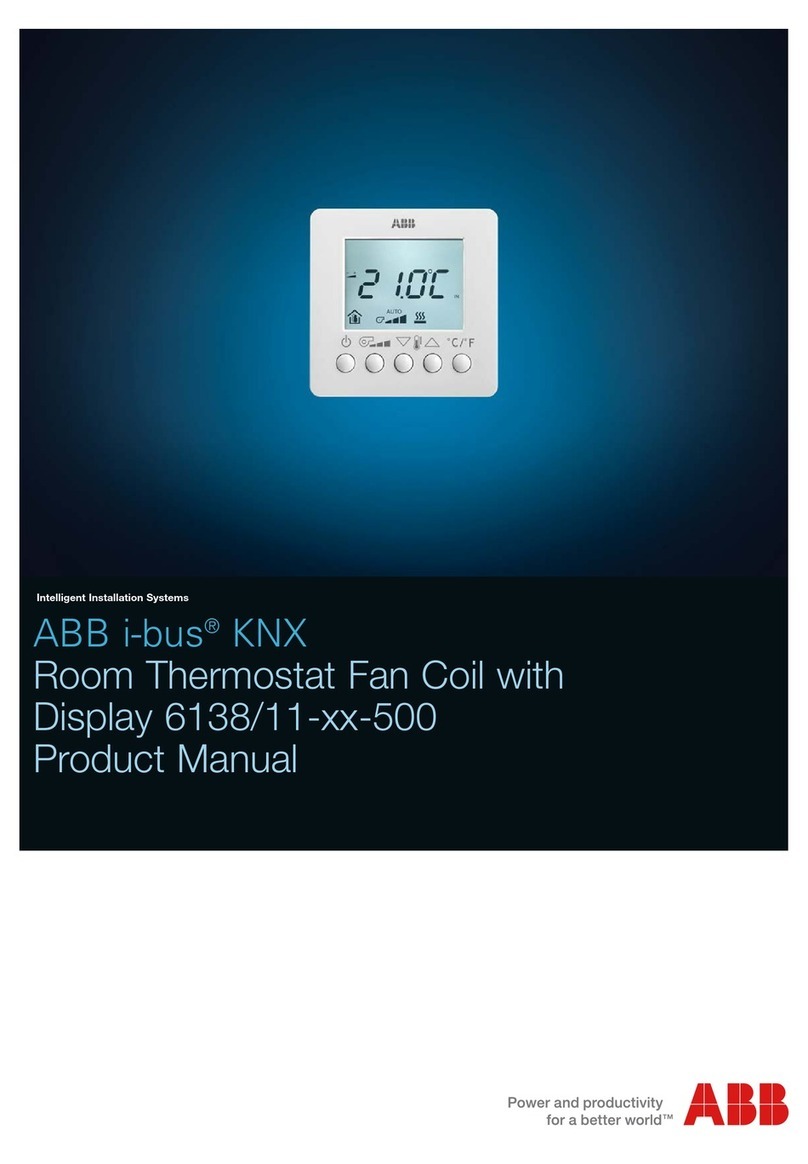
Product manual ABB i-bus
®
KNX
Room thermostat
Fan Coil
RTF/A 1.1
Systemised building technology
ABB
2
3
1 0BFunction properties
The RTR-Fan Coil RTF/A 1.1 is a continuous KNX room thermostat for fan
convectors (Fan Coil) in 2 and 4 pipe systems.
It measures the current room temperature (actual value) and sends a HUcontinuous
correcting variableUH (0...100%), e.g. to an ABB i-bus® Fan Coil actuator to reach the
required room temperature (set value).
The RTF/A 1.1 works both in heating mode and in cooling mode.
The fan stage can also be selected manually via a button.
Three binary inputs (see HUexternal interfaceUH) can be used to connect switches or
buttons (floating) for switching, dimming or controlling venetian blinds.
The blind and dimmer channels can also be operated using a single button if
preferred (one-panel operation)
Alternatively, an external temperature sensor can be connected to input 3
(analogue).
To permit easy adjustment of the set values to meet the requirements for home
comfort and energy-saving, the RTF/A 1.1 supports four operating modes:
•Comfort
•Standby
•Night mode
•Antifreeze mode
A set value is assigned to each operating mode.
The comfort mode is used if there are persons in the room
In standby mode the set value is reduced slightly. This operating mode is used if the
room is not occupied but is expected to be occupied soon.
In night mode the set value is reduced further as the room is not expected to be
used for several hours.
In antifreeze mode, the room is regulated at a temperature that prevents damage to
the radiators due to freezing if the outside temperatures are very low.
This can be desirable for 2 reasons:
- The room will not be occupied for several days.
- A window has been opened and no heating is required temporarily.
The operating modes are generally controlled using a time switch.
For optimum control, however, presence watchdogs or presence buttons and window
contacts are recommended.
See also chapter HUCalculating the set valueUH.
4
1.1 6BOperation
For operation and display, the RTF/A 1.1 is equipped with a setting wheel and 5
LEDs for displaying the current fan level.
The fan level can also be set manually using the button provided to the right of the
LEDs (override mode).
1.2 7BThe device LEDs
Table 1
LED Indicator Description
Auto Fan is in automatic mode Fan level is controlled based on the set value,
as per parameter settings.
See parameter page HUOperationUH.
0 Fan level 0 = fan is off.
1 Fan level 1
2 Fan level 2
3 Fan level 3
Override mode:
Fan level is selected manually by pressing the
button.
The setting wheel can be used either for the setting set value or theshift set value
depending on the parameter settings.
1.3 8BBenefits of the RTF/A 1.1
•Continuous
HUPIUH room thermostat
•Manual pre-selection of the fan level if necessary
•HUChanging the operating modeUH via presence and window objects
•Heating and cooling modes
•HUSetting wheelUH for setting or moving set values
•Infinite control system via continuous setting value
•3 HUbinary inputsUH for conventional actuators for controlling switches, dimmers
and blinds
•Adjustable direction of control of the binary inputs
•Blinds and dimmers can also be controlled using one-panel operation
1.3.1 24BSpecial features
The RTF/A 1.1 has HU3 external inputsUH for buttons, switches or an external sensor. This
permits the control of switch, dimmer or blind actuators.
5
2 1BTechnical data
Power supply: Bus voltage
Permissible operating temperature: 0°C ...+ 50°C
Protective class: III
Protection: EN 60529: IP 21
Dimensions: HxWxD 80x84x28 (mm)
Inputs:
Quantity: 3
Contact voltage: 3.3 V provided internally
Contact current: 1 mA
Maximum cable length: 5 m
6
3 2BThe application program
3.1 9BSelection in the product database
Manufacturer HUABBUH AG
Product range Heating, air conditioning, ventilation
Product type Fan coil controller
Program name FanCoil operation and control / 1.2
The ETS database can be found on our website: HUwww.abb.deUHU/knx
3.2 10BParameter pages
Function Description
Adjustments Device type and activation of the external interface.
Set values Set value after download, values for night/frost operation, etc.
Cooling set
values Dead zone and temperature increases due to operating mode
Operation Function of the setting wheel and the button.
Actual value Type/function of the sensor, calibration
Control system System type, heating/cooling parameters, etc.
Operating mode Operating mode after reset, presence sensor
Inputs E1...E3 Function of the connected contact, switches, dimmers, blinds.
7
3.3 11BCommunication objects
3.3.1 25BFeatures of the objects
The RTF/A 1.1 has 12 communication objects.
Some objects can carry out different functions depending on the parameter settings.
FlagsNo
. Function Object name Type K L S U
Set required temperature HUBasic set valueUH
2 byte
EIS5 999
0 shift Manual set value shift 2 byte
EIS5 999
1 monitor current set value HUcurrent set valueUH
2 byte
EIS5 999
2 Transmit actual value Actual value 2 byte
EIS5 999
Preselect the operating
mode Operating mode selection 1 byte
KNX 999
3 1 = night, 0 = standby Night < - > standby 1 bit
EIS1 999
Input for presence signal Presence 1 bit
EIS1 999
4 1 = Comfort Comfort 1 bit
EIS1 999
Input for HUwindow statusUH Window position 1 bit
EIS1 999
5 1 = antifreeze Frost/heat protection 1 bit
EIS1 999
6 issue current operating
mode current operating mode 1 byte
KNX
DTP
999
Send current control value Heating control value 1 byte
EIS6 99
7 Send current control value Heating and cooling control
value 1 byte
EIS6 99
8 Send control value Cooling control value 1 byte
EIS6 99
K L S U
8
FlagsNo
. Function Object name Type K L S U
Send switch telegram Switch input 1 999 9
Send ON/OFF telegram Dim E1 On/Off 999 9
Send ON/OFF telegram Dim E1/E2 On/Off 999 9
Slat Blind E1 Step/Stop 999
9
Slat Blind E1/E2 Step/Stop
1 bit
EIS1
999
Send up/down telegram Blind E1 up/down 1 bit
EIS1 999
10 Send dim telegram Dim E1 4 bit
EIS2 999
Send switch telegram Switch input 2 999 9
Send ON/OFF telegram Dim E2 On/Off 999 9
11 Slat Blind E2 Step/Stop
1 bit
EIS 1 999
Blind E2 up/down Send up/down telegram 999
Blind E1/E2 up/down Send up/down telegram 1 bit
EIS 1 999
Dim E2 Send dim telegram 999
12
Dim E1/E2 Send dim telegram 4 bit
EIS2 999
Send switch telegram Switch input 3 999 9
Send ON/OFF telegram Dim E3 On/Off 999 9
13 Slat Blind E3 Step/Stop
1 bit
EIS1 999
Blind E2 up/down Send up/down telegram 1 bit
EIS1 999
14 Dim E3 Send dim telegram 4 bit
EIS2 999
15 Heating = 0, cooling = 1 Switchover betw. heating
and cooling 1 bit
EIS1 999
16 send/receive Fan level in override mode 1 byte
EIS 6 999 9
17 0 = auto / 1 = override Override / auto fan 1 bit
EIS1 999 9
K L S U
The communication flags
Flag Name Meaning
K Communication Object is communication-compatible
L Read Object status can be queried (ETS / display, etc.)
S Write Object can receive
U Send Object can send
Number of communication
objects
18
Number of group addresses 34
Number of assignments 35
9
3.3.2 26BDescription of the objects
•Object 0 "Basic set value" / "Manual set value shift"
This object can carry out 2 different functions.
This means that, depending on the HUparameter settings on the setting wheelUH, either a
new set temperature can be specified or the current set temperature can be shifted
by a specific value
Parameter: Function of the setting
wheel Function of the object
Manual shift for internal controller
blocked, but basic object set value
present
Set required temperature:
The HUbasic set valueUH is specified for the first
time during commissioning via the application
and stored in the basic set value object.
It can then be re-set at any time via object 0
(limited by the minimum or maximum valid set
value).
In the event of a bus voltage failure, this object
is protected; when the bus voltage returns, the
last value is restored. The object can be written
to any number of times.
Basic set value for internal controller
blocked, but man. shift object
present
HUShift set temperatureUH:
The object receives a temperature difference in
EIS 5 format. This difference can be used to
change the required room temperature (current
set value) from the basic set value.
In comfort mode (heating), the following
applies:
current set value (obj. 1) = basic set value
(setting wheel) + manual set value shift (obj. 0)
Values outside the parameterised range (see
HUMax. set value shift on the setting wheelUH)are
limited to the maximum or minimum value.
Note:
The shift always relates to the basic set value
and not the HUcurrent set valueUH.
Manual shift with message object Object 0 sends the shift set on the setting
wheel on a Fan Coil actuator.
•Object 1 "current set value"
This object sends the current set temperature as EIS 5 telegram (2 byte) to the bus.
The set process can be set on the parameter page HUSet valuesUH.

10
•Object 2 "actual value"
This object sends the temperature currently measured by the sensor (if sending is
permitted by the parameter settings)
•Object 3 "Operating mode preselection" / "Night <-> Standby"
The function of this object is dependent on the Objects for setting the operating mode
parameter on the parameter page HUOperating modeUH.
Objects for setting the operating
mode
Function of the object
HUnew: Operating mode, presence,
window statusUH 1 byte object for selecting one of 4 operating
modes.
1 = comfort, 2 = standby, 3 = night,
4 = Frost protection (heat protection)
If a different value is received (0 or >4), the
comfort operating value is activated.
The details in brackets relate to cooling
operation
HUold: Comfort, Night, FrostUH With this setting, this object is a 1Bit object.
This means that the Night or Standby operating
mode can be activated
0=Standby 1=Night
•Object 4 "Presence" / "Comfort"
The function of this object is dependent on the Objects for setting the operating mode
parameter on the parameter page HUoperating modeUH.
Objects for setting the operating
mode
Function of the object
HUnew: Operating mode, presence,
window statusUH Presence:
This object can be used to receive the status of
a presence watchdog (e.g. button, movement
sensor).
A 1 to this object activates the Comfort
operating mode.
HUold: Comfort, Night, FrostUH Comfort:
A 1 to this object activates the Comfort
operating mode.
This operating mode has priority over night and
standby modes.
The comfort mode is deactivated again by
sending a 0 to the object.