24x Service and Troubleshooting Guide
635 Crosskeys Office Park • Fairport, NY 14450 • Toll Free 1-866-ALLWORX • 585-421-3850 • www.allworx.com
© 2006 InSciTek Microsystems, Inc. All rights reserved. Allworx is a registered trademark of InSciTek Microsystems. All other names may be
trademarks or registered trademarks of their respective owners.
Revised: September 28, 2006
Page 6
4. Install the system in the rack or on the wall as appropriate.
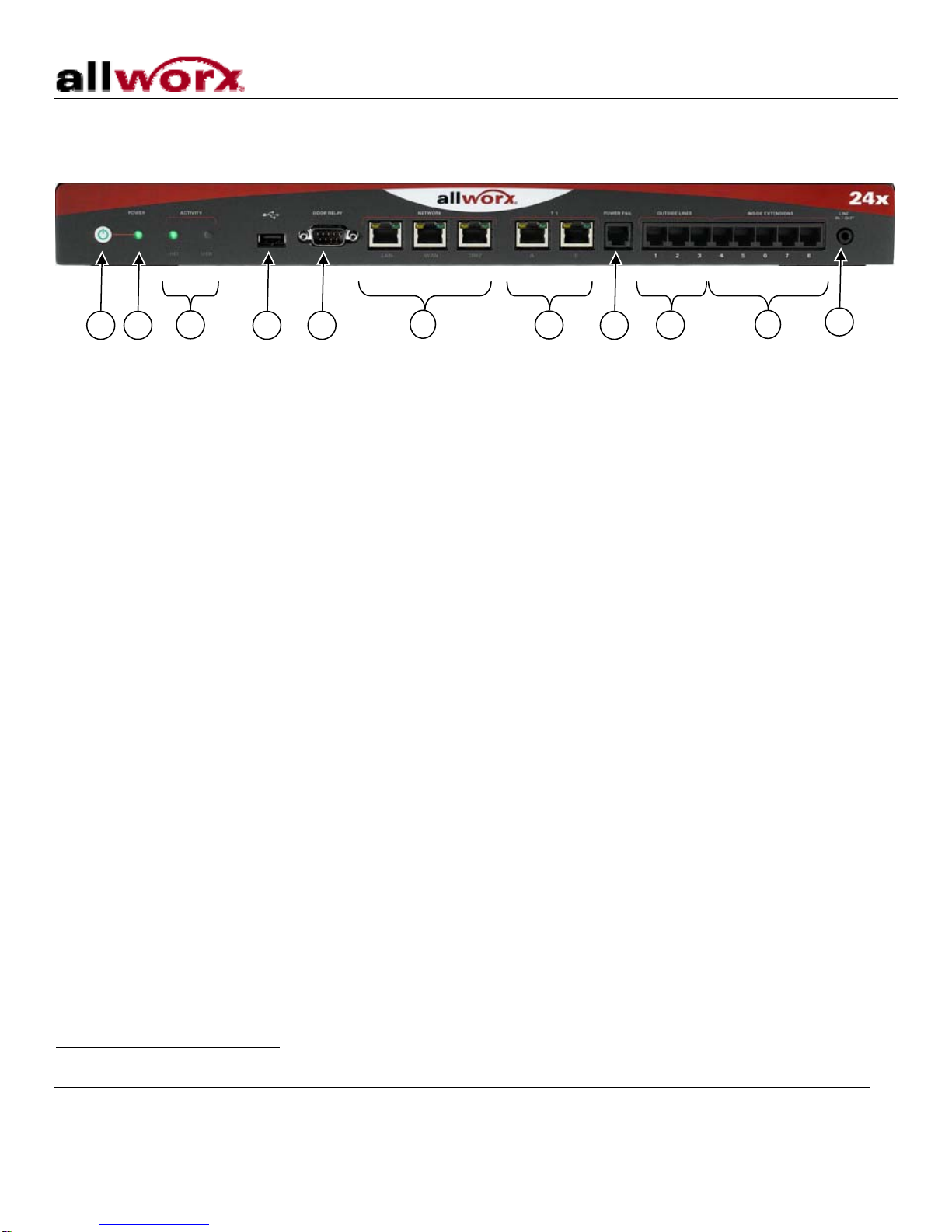
5. Reconnect all T1, network, telephony, USB, door relay, and audio connections.
4.2 System Power Up
Connect the unit to the power source with the AC power cord. The Allworx system will automatically begin to
power up after power is stable for a few seconds. This is part of the design to automatically boot up after a
power failure. As it progresses through the power up sequence, the front panel lights will respond as shown
Table 2 below:
Power Up Sequence Front Panel Light Power-Up Sequence Description
Power Flashes green as the power up sequence
progresses; steady green when the unit is ready.
Activity – HD Solid green when drive mounted; blinking light
indicates activity.
Normal Mode
Activity - USB Solid green when device attached and enabled;
blinking light indicates activity.
Power
Turns amber to indicate a safe mode boot has
been initialized; Flashes green as the power up
sequence progresses; Steady amber when the
unit is in safe mode.
Activity – HD Off
Safe Mode
Activity – USB Off
Power Flashes green; solid green once completed.
Activity – HD Flashes green; solid green once completed.
Mirror Drive Replication Activity - USB Off
Table 1: Front Panel Indicators
If the Power indicator is on solid amber, the unit is in Safe Mode. If this is unexpected or if the LED is in any
other state, follow the steps listed in Troubleshooting – Start Here (Section 4.4).
4.3 Entering Safe Mode
The unit can enter Safe Mode in one of three ways:
•Boot up fault detection – If a fault is detected during boot up that prevents the unit from running in Normal
Mode, it will enter Safe Mode.
•Normal Mode maintenance page – The administrator can command the system to restart such that the
system will enter Safe Mode after the restart. This can be done by selecting Maintenance (on the left hand
side of the web administration page), Restart, and “Enter Safe Mode after restart”.
•Power Up in Safe Mode – When then unit is off, if the power button is held for more than 1 second, the
system will enter Safe Mode.
When in Safe Mode, the Power indicator will be lit solid amber.
•The Safe Mode administrative interface to the system is accessed using a web browser. The steps to
connect to this interface are:
1. Plug your PC into the Allworx system’s LAN port.
2. Set up the PC’s network interface to obtain an IP address automatically (using DHCP).