Simplex Digital Lock
Simplex 3000 Series - Instructions
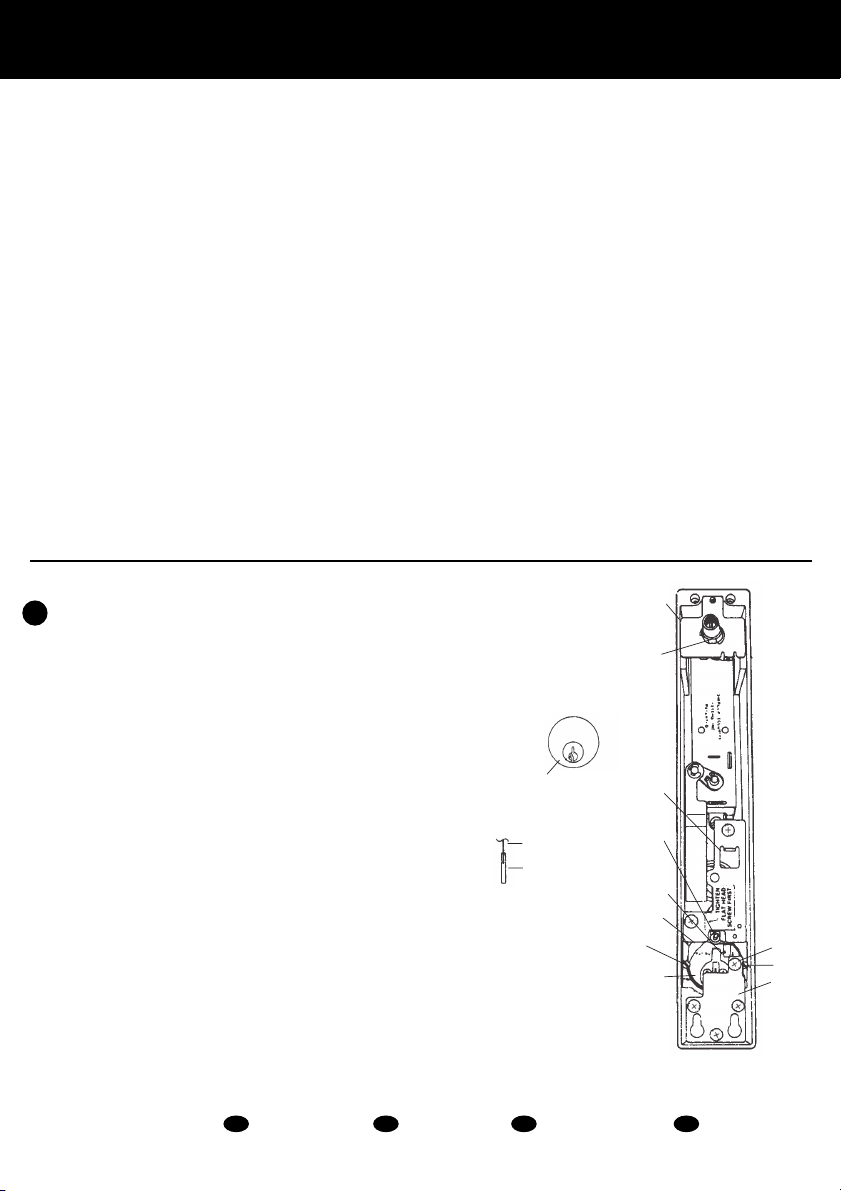
Slot for inserting
screw driver
Partial rear view of
combination change sleeve
Figure 4-1
C-3 Locking ut Combination Code Access
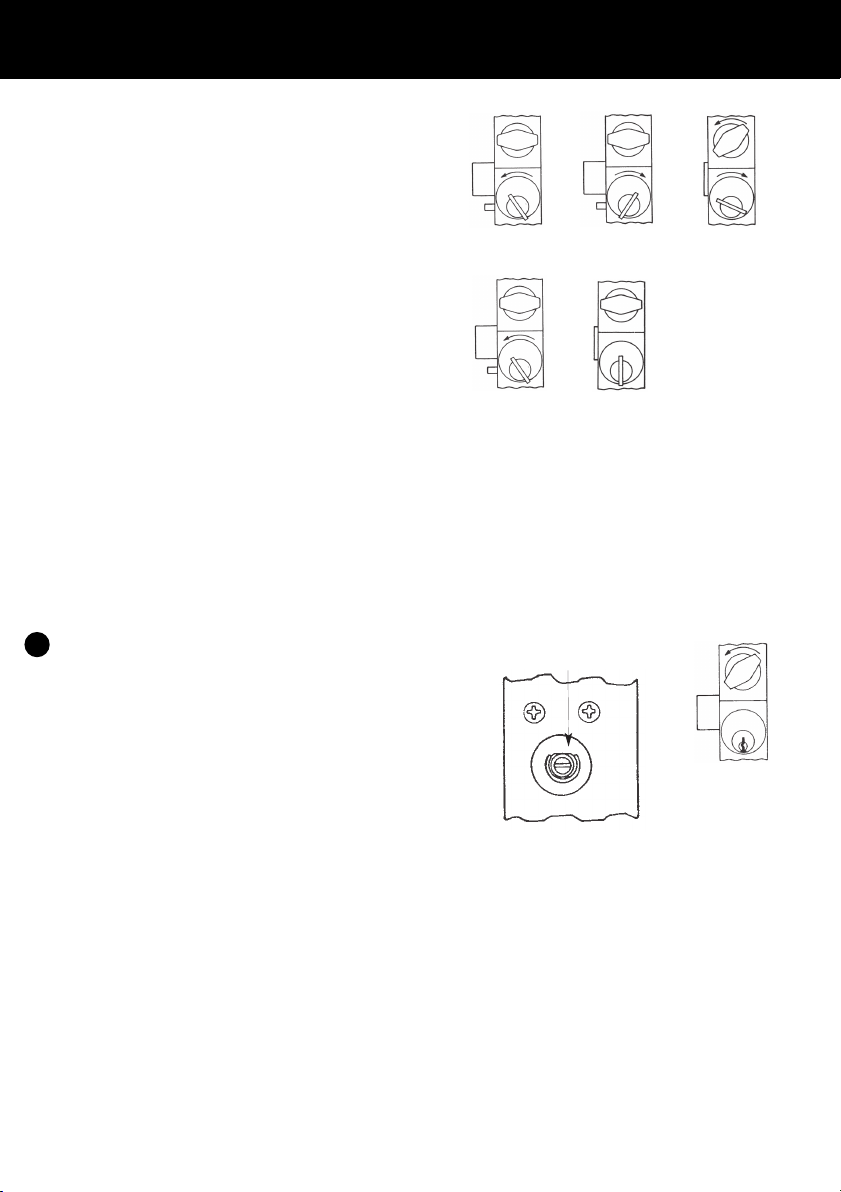
A. Insert cylinder key into cylinder on
combination lock side of the door. Turn key in a
counter-clockwise direction to the stop position
(See Figure 3-4). Return the key to the pull
position and remove. The thumb turn should
not turn while the lock is in this mode.
B. To allow access again through a combination
code, insert key, turn clockwise approximately
45°. Return the key to the pull position and
remove (See Figure 3-5).
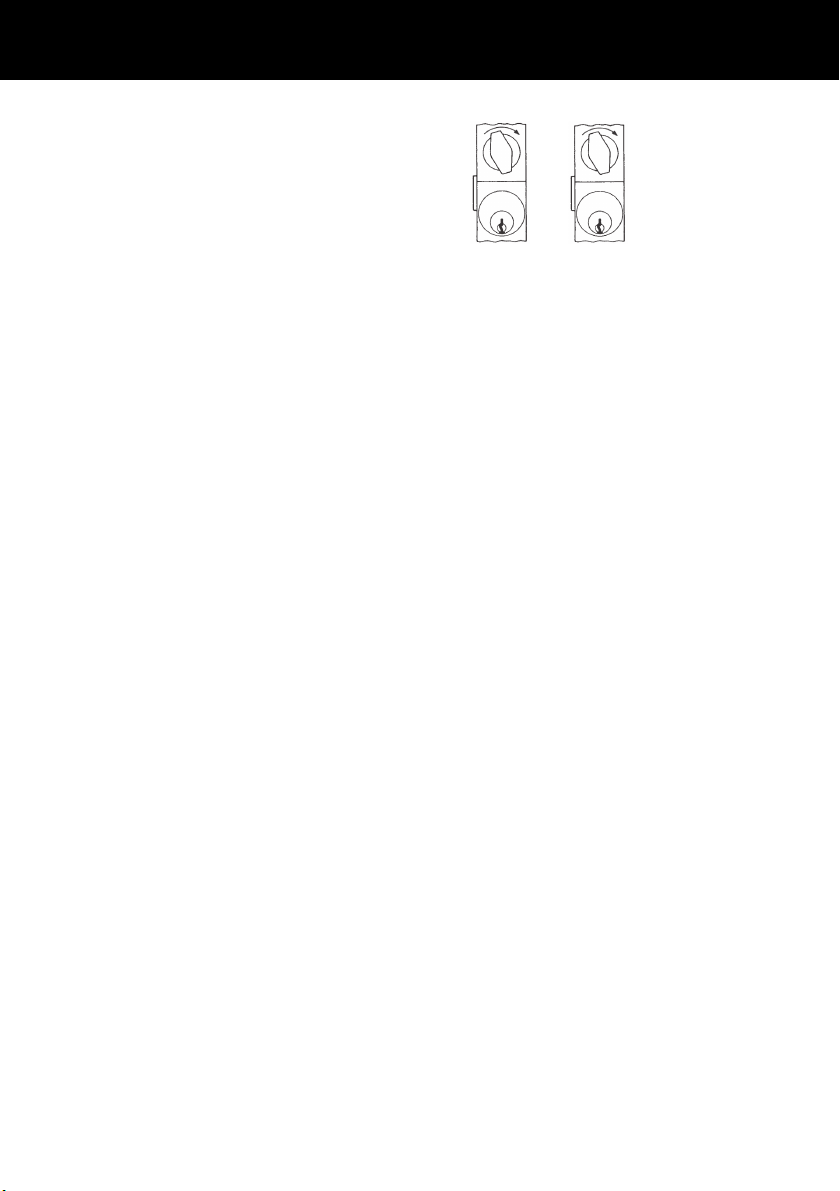
C-4 Latch Holdback
A. Insert cylinder key into cylinder on
combination lock side of the door. Turn the key
in a clockwise direction to the stop position,
retracting the latch fully (See Figure 3-6).
Hold the key in that position and turn the
thumb turn to the left (counter-clockwise).
Bring the key to the pull position and remove.
B. To allow the latch to return to lock mode,
reinsert and turn the key to the left (counter
clockwise) to the stop position
(See Figure 3-7). Return the key to the pull
position and remove (See Figure 3-8).
D. C MBINATI N CHANGE INF RMATI N
Important: Read all instructions before beginning.
D-1 Changing Combinations: In order to change an
existing combination, you must:
1. Have a DF 59 Key
2. Know the existing combination
3. Have lock set for pushbutton access to
retract latch
4. Have a small flat 1⁄8" blade screwdriver
5. Keep the door open during combination
change procedure
D-2 Any or all buttons in any order, separately
and/or pushed at the same time can be used in
your new combination. Each button can only
be used once in the combination.
D-3 Remove the control lock assembly and trim
plate using the DF 59 key provided, exposing
combination change sleeve as shown (See
Figure 4-1). Key must be turned to the left
(counter-clockwise rotation until control lock
assembly can be removed from lock).
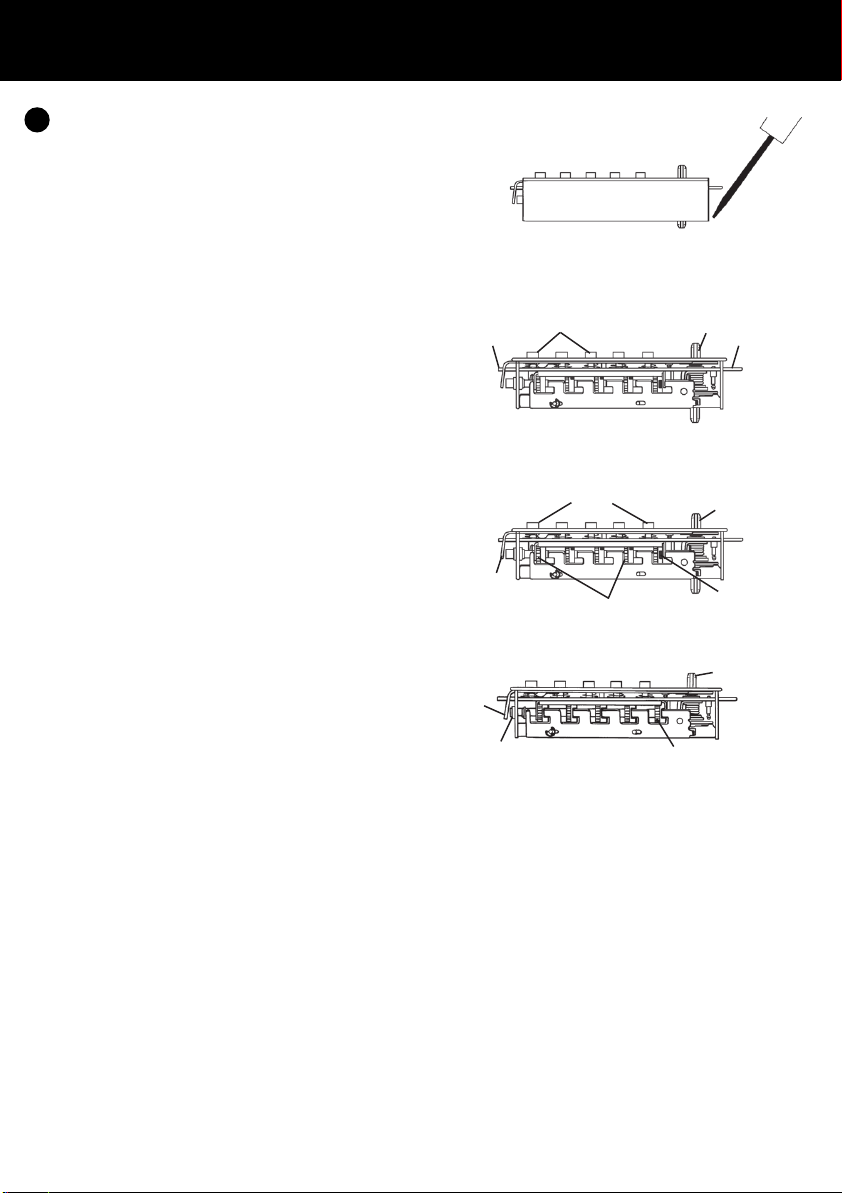
D-4 Turn outside thumb turn counter-clockwise (to
the left) to stop position and release (See
Figure 4-2). This will clear the lock of
previously depressed buttons.
Simplex3000 Instructions A5:EB501-22 Instructions 09/06/2009 16:05 Page 3