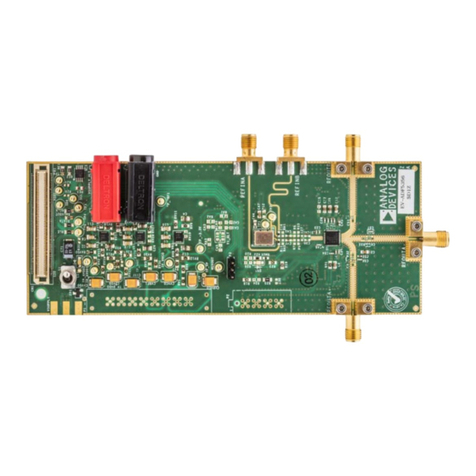
EVAL-SSM3582Z User Guide UG-934
Rev. B | Page 3 of 13
SETTING UP THE HARDWARE
INPUT CONFIGURATION
There are several ways to source audio to the SSM3582 or the
SSM3582A on the evaluation board. The EVAL-SSM3582Z can
accept direct digital I2S/time division multiplex (TDM) data, or
the EVAL-SSM3582Z can convert Sony/Philips digital interface
(S/PDIF)/optical digital audio data to I2S data using an on-
board digital audio receiver (U6).
Use the 3-way × 3-way header, J10, to connect either the on-board
S/PDIF audio receiver circuitry or the external digital audio
signals to the SSM3582 or the SSM3582A device pins. The
EVAL-SSM3582Z comes set with three jumpers for receiving
the S/PDIF audio data.
To use the external I2S/TDM data, remove the three jumpers on
the J10 header and connect the signal sources (FSYNC, BCLK,
and SDATA) to the center pins on the J10 header.
If the user does not have a direct I2S or TDM source, the on-board
digital audio receiver can accept S/PDIF data from a digital
audio source, such as the digital audio output of a CD player.
In this case, select either the optical or coaxial option using the
S2 switch to properly connect the desired input to the digital
audio receiver.
I2C MODE
The SSM3582 or the SSM3582A supports I2C control for setting
the internal registers. In this mode, Switch S3 must be set to I2C
mode. The 10-way header, J1, connects the external I2C master
controlling the evaluation board. The EVAL-SSM3582Z can be
set for the desired I2C address using four headers: J18, J21, JP3,
and JP4. The JP3 and JP4 headers set the pull-up or pull-down
resistors to DVDD or GND, whereas the J18 and J21 headers
can bypass either the R8 or R10 47 k resistor. Refer to the data
sheet for address selection options. Removing the jumper across
Header J18 or Header J21 inserts either the R8 or R10 47 k
resistor in the signal path for pull-up or pull-down operation.
To properly float the ADDRx pins to a no connect state, do not
insert jumpers on the JP3, JP4, J18, and J21 headers. By default,
the J18 and J21 headers are inserted and the JP3 and JP4 headers
are pulled to GND. This sets the 7-bit device address to 0x10.
STANDALONE MODE
The SSM3582 or the SSM3582A also supports standalone mode
operation. In this mode, Switch S3 must be set to standalone
mode. In standalone mode, the ADDRx, SCL, and SDA pins
configure the functionality of the SSM3582 or the SSM3582A,
including the I2S/TDM configuration and sample rate. Refer to
the SSM3582 and the SSM3582A data sheets for a complete list
of options. In standalone mode, the duty cycle of FSYNC
dictates whether the device is in I2S or TDM mode. If the duty
cycle is 50%, use I2S; otherwise, use TDM.
The following is an example of the settings that select a 32 kHz
to 48 kHz sample rate, utilizing TDM Slot 1 and Slot 2 or the
left and right channels of an I2S stream, depending on the
FSYNC duty cycle:
Set Switch S1 so that SCL and SDA are pulled to GND.
Set Header JP4 to GND and insert Header J21, leaving
Header JP3 and Header J18 open.
Set Switch S3 to standalone mode.
OUTPUT CONFIGURATION
The binding post output terminals, OUTL−, OUTL+, OUTR−,
OUTR+, provide the option to connect the speakers with
standard banana connectors. The OUTL± terminals are for the
left channel and the OUTR± terminals are for the right channel.
In addition, the 2-pin, 0.100 inch headers, J6 and J30, are
provided as alternate options.
To reduce the system radiated emission, especially if the speaker
cable length exceeds 20 cm, it may be necessary to include an
output filter. The recommended filter uses L2, L3, L6, and L7
ferrite beads and the C1, C2, C39, and C40 capacitors. Refer to
Figure 7 for more details.
The addition of ferrite beads other than the type used on the
EVAL-SSM3582Z may affect the total harmonic distortion
(THD) and signal-to-noise ratio (SNR) performance as
specified in the SSM3582 and the SSM3582A data sheets. For
best performance, the Murata ferrite bead type in Table 1 and
Table 2 is recommended.
POWER SUPPLY CONFIGURATION
The J5 (PVDD) and J4 (GND) binding posts provide the power
supply to the EVAL-SSM3582Z. Take care when connecting the
dc power with correct polarity and voltage. Reverse polarity or
overvoltage can damage the EVAL-SSM3582Z permanently.
Permissible supply voltages range from 4.5 V to 16 V. Higher
voltages may damage the amplifier. In addition, use the appropriate
current rated power supply to the EVAL-SSM3582Z. Typically, a
5 A rating supply is recommended if using 4 Ω speakers and 12 V.
The EVAL-SSM3582Z has an option to generate 5 V (AVDD),
3.3 V, and 1.8 V (DVDD) supply voltages from the PVDD
supply. These voltages are generated using the linear regulators
on the EVAL-SSM3582Z: U3 for 5 V, U2 for 3.3 V, and U4 for
1.8 V. The 5 V and 3.3 V regulators can be turned off using
Header JP11 for 5 V and Header JP10 for 3.3 V. The 3.3 V
supply is used for the on-board S/PDIF digital audio receiver.
The 5 V and 1.8 V supplies can provide AVDD and DVDD to
the SSM3582 or the SSM3582A, if required. By default, the
EVAL-SSM3582Z is set up for generating 5 V and 1.8 V supplies
from the SSM3582 or the SSM3582A internal regulators by
removing the jumpers from the J17 and J23 headers.
The JP8 and JP9 headers enable or disable the SSM3582 or the
SSM3582A internal regulators. By default, these regulators are
enabled. If using the on-board regulators or the external 5 V or
1.8 V sources for the AVDD and DVDD pins, Jumper JP8 and