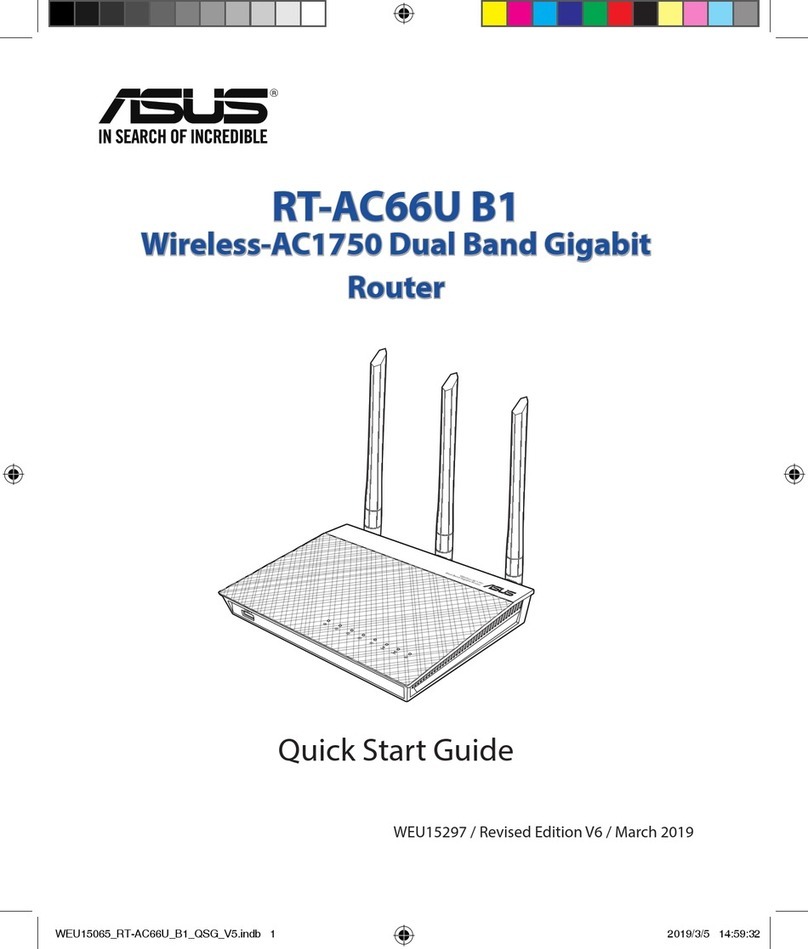
Asus RT-AC1750 User manual

Quick Start Guide
RT-AC1750 Dual Band
3x3 802.11AC Gigabit Router
¤
NA11363 / First Edition /February 2016
NA11363_RT-AC1750_QSG.indb 1 2016-02-22 16:25:06

NOTE / <T-CHINESE> / <FRENCH> / <PORTUGUESE> /
<SPANISH>
• Formoredetails,refertotheusermanualincludedinthe
support CD.
• <T-CHINESE>
• <FRENCH>
• <PORTUGUESE>
• <SPANISH>
Table of contents
English.............................................................................................3
T-Chinese........................................................................................16
French..............................................................................................29
Portuguese ....................................................................................42
Spanish............................................................................................55
NA11363_RT-AC1750_QSG.indb 2 2016-02-22 16:25:06

3
ENGLISH
Package contents
RT-AC1750 AC adapter
Networkcable Quick Start Guide
SupportCD(UserManual/utilities) Warranty card
Stand
A quick look
1)PowerLED 5)5GHzLED 9)USB2.0ports
2)LANLED 6)USB2.0LED 10)Resetbutton
3)WANLED 7)Power(DC-IN)port 11)Internet&LANports
4)2.4GHzLED 8)Powerswitch 12)WPSbutton
NOTE:Ifanyoftheitemsisdamagedormissing,contactyourretailer.
7 9 10 12
11
8
1 2 3
5
6
4
NA11363_RT-AC1750_QSG.indb 3 2016-02-22 16:25:06

4
ENGLISH
NOTES:
• USB External HDD/Flash disk:
•ThewirelessrouterworkswithmostUSBHDDs/Flashdisksupto
2TBandsupportsread-writeaccessforFAT16,FAT32,EXT2,EXT3,
and NTFS.
•TosafelyremovetheUSBdisk,launchthewebGUI
(http://192.168.1.1),thenintheNetwork Mappage'supperright
corner,clicktheUSBiconandclickEject USB 1.
•IncorrectremovaloftheUSBdiskmaycausedatacorruption.
•Forthelistoflesystemandharddiskpartitionsthatthe
wirelessroutersupports,visithttp://event.asus.com/networks/
disksupport
• Forthelistofprintersthatthewirelessroutersupports,visit
http://event.asus.com/networks/printersupport
NA11363_RT-AC1750_QSG.indb 4 2016-02-22 16:25:06

5
ENGLISH
Positioning your wireless router
Forthebestwirelesssignaltransmissionbetweenthewirelessrouterandthe
networkdevicesconnectedtoit,ensurethatyou:
• Placethewirelessrouterinacentralizedareaforamaximumwirelesscoverage
forthenetworkdevices.
• Keepthedeviceawayfrommetalobstructionsandawayfromdirectsunlight.
• Keepthedeviceawayfrom802.11gor20MHzonlyWi-Fidevices,2.4GHz
computerperipherals,Bluetoothdevices,cordlessphones,transformers,
heavy-dutymotors,uorescentlights,microwaveovens,refrigerators,andother
industrialequipmenttopreventsignalinterferenceorloss.
• Toensurethebestwirelesssignal,orientthethreedetachableantennasas
showninthedrawingbelow.
• Foroptimumperformance,adjusttheinternalcoolingsystem.Refertotheuser
manualfordetails.
• Alwaysupdatetothelatestrmware.VisittheASUSwebsiteat
http://www.asus.comtogetthelatestrmwareupdates.
450
450
900
NA11363_RT-AC1750_QSG.indb 5 2016-02-22 16:25:06

6
ENGLISH
Mounting to the stand
• Alignandinsertthestand’smountinghooks
tothewirelessrouter’smountingholes.
Before you proceed
1. Unpluganddisconnectthewires/cablesfromyourexistingmodemsetup
andreleaseyourcomputer’soutmodedIPaddress.
a: UnplugtheACadapterfromthepoweroutletanddisconnectitfromyour
cable/ADSLmodem.
b: Disconnectthenetworkcablefromyourcable/ADSLmodem.
c: Rebootyourcomputer(recommended).
Modem
OFF!
ab
c
NA11363_RT-AC1750_QSG.indb 6 2016-02-22 16:25:07

7
ENGLISH
WARNING!Beforedisconnectingthewires/cables,ensurethatyour
cable/ADSLmodemhasbeenturnedoforatleasttwominutes.Ifyour
modemhasabackupbattery,removeitaswell.
2. Setupyourwirelessenvironment.
Computer
Modem
LAN
Power
Wall Power Outlet
Power
WAN
a
b
c
d
a: Insertyourwirelessrouter’sACadaptertotheDC-INportandplugittoa
poweroutlet.
b: Usingthebundlednetworkcable,connectyourcomputertoyourwireless
router’sLANport.
IMPORTANT!EnsurethattheWANandLANLEDsareblinking.
c: Usinganothernetworkcable,connectyourmodemtoyourwirelessrouter’s
WAN port.
d: Insertyourmodem’sACadaptertotheDC-INportandplugittoapower
outlet.
NA11363_RT-AC1750_QSG.indb 7 2016-02-22 16:25:07

8
ENGLISH
3. Disablesomesettingsonyourcomputer.
A. Disable the proxy server, if enabled.
B. Set the TCP/IP settings to automatically obtain an IP address.
C. Disable the dial-up connection, if enabled.
NOTE:Formoredetailsondisablingyourcomputersettings,referto
Frequently Asked Questions (FAQs).
1. Congureyourwirelesssettingsviathewirelessrouter’swebgraphics
userinterface(webGUI).
a: LaunchyourwebbrowsersuchasInternetExplorer,Firefox,GoogleChrome,
orSafari.
Getting started
b
a
NA11363_RT-AC1750_QSG.indb 8 2016-02-22 16:25:07

9
ENGLISH
NOTE:IfQISdoesnotlaunchautomatically,followthesestepsto
manuallylaunchQIS:
•Onyourwebbrowser,keyinhttp://192.168.1.1andruntheQuick
InternetSetup(QIS)Wizardagain.
•Disabletheproxysettings,dial-upconnection,andsetyourTCP/IP
settingstoautomaticallyobtainanIPaddress.Formoredetails,refer
totheFAQssectionorusetheSetupWizardinthesupportCDfor
auto-diagnosis.
b: Thewirelessrouter’sQuickInternetSetup(QIS)featureautomaticallydetects
ifyourISPconnectiontypeisDynamic IP,PPPoE,PPTP,L2TP,andStatic IP.
Keyinthenecessaryinformationforyourconnectiontype.
IMPORTANT!ObtainthenecessaryinformationaboutyourInternet
connectiontypefromyourInternetServiceProvider(ISP).
NOTE:Theauto-detectionofyourISPconnectiontypetakesplace
whenyoucongurethewirelessrouterforthersttimeorwhenyour
wirelessrouterisresettoitsdefaultsettings.
NOTE: Youcanassignanetworknamewithupto32characters.
c: Assignthenetworkname(SSID)and
securitykeyforyour2.4GHzand
5GHzwirelessconnection.ClickAp-
plywhendone.
d: YourInternetandwirelesssettings
aredisplayed.ClickNext to con-
tinue.
e: Readthewirelessnetworkcon-
nectiontutorial.Whendone,click
Finish.
NA11363_RT-AC1750_QSG.indb 9 2016-02-22 16:25:07

10
ENGLISH
Frequently Asked Questions (FAQs)
After following the steps, I still cannot access the wireless router’s web
graphics user interface (web GUI) to congure the wireless router settings.
A. Disable the proxy server, if enabled.
Windows® 7
1. ClickStart > Internet Explorertolaunchtheweb
browser.
2. ClickTools > Internet options > Connections tab
> LAN settings.
3. FromtheLocalAreaNetwork(LAN)Settings
screen,untickUse a proxy server for your
LAN.
4. ClickOKwhendone.
NA11363_RT-AC1750_QSG.indb 10 2016-02-22 16:25:07
Table of contents
Languages:
Other Asus Network Router manuals
Asus
Asus ROG Strix GS-AX5400 User manual

Asus
Asus RT-AC88U User manual
Asus
Asus DSL-N11 User manual
Asus
Asus ROG Strix GS-AX5400 User manual

Asus
Asus RT-AC66U User manual
Asus
Asus 4G-AC53U User manual
Asus
Asus RT-AC3100 User manual
Asus
Asus RT-AC66R User manual
Asus
Asus DSL-N16 User manual
Asus
Asus ROG Rapture GT6 User manual
Asus
Asus RT-AC1900P User manual
Asus
Asus 90IG06K0-MU9R10 User manual
Asus
Asus RT-AC1750U User manual
Asus
Asus ZenWiFi AC Mini CD6 Series User manual

Asus
Asus RT-AC55U User manual
Asus
Asus RT-AC1500G PLUS User manual

Asus
Asus RT-AX86U User manual

Asus
Asus WL-500gP User manual

Asus
Asus RT-AC51U Instruction sheet
Asus
Asus SL1200 User manual