manuals.online logo
Brands
  1. Home
  2. •
  3. Brands
  4. •
  5. BIXOLON
  6. •
  7. Label Maker
  8. •
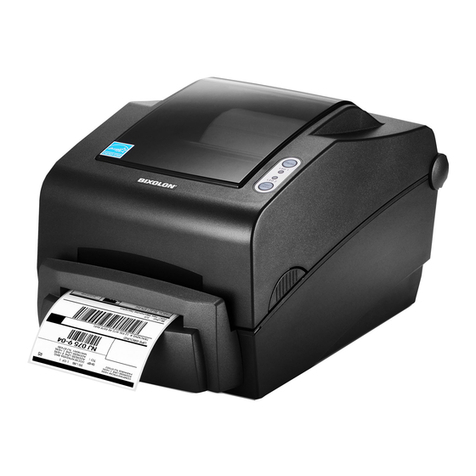
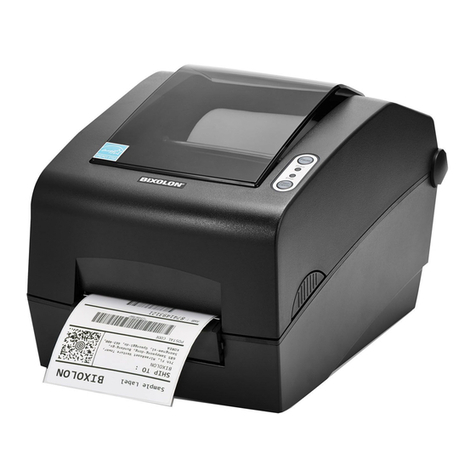
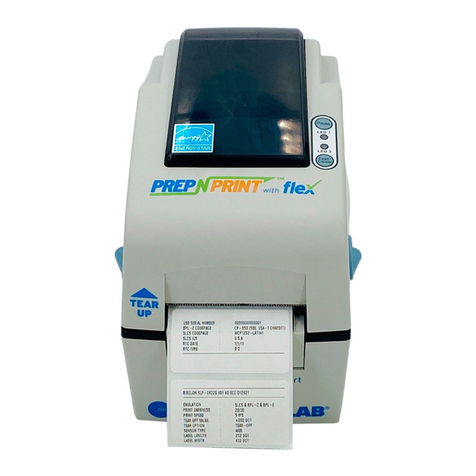
  9. BIXOLON SLP-DL413KV User manual

BIXOLON SLP-DL413KV User manual

This manual suits for next models

1

Other BIXOLON Label Maker manuals

BIXOLON SRP-770 User manual

BIXOLON

BIXOLON SRP-770 User manual

BIXOLON SLP-T400 User manual

BIXOLON

BIXOLON SLP-T400 User manual

BIXOLON XT5-43 User manual

BIXOLON

BIXOLON XT5-43 User manual

BIXOLON SLP-TX40xR Series Owner's manual

BIXOLON

BIXOLON SLP-TX40xR Series Owner's manual

BIXOLON SLP-D220 User manual

BIXOLON

BIXOLON SLP-D220 User manual

BIXOLON SLP-D220 User manual

BIXOLON

BIXOLON SLP-D220 User manual

BIXOLON SLP-T400 User manual

BIXOLON

BIXOLON SLP-T400 User manual

BIXOLON XD Series User manual

BIXOLON

BIXOLON XD Series User manual

BIXOLON SLP-DL413 User manual

BIXOLON

BIXOLON SLP-DL413 User manual

BIXOLON SRP-382II Installation instructions

BIXOLON

BIXOLON SRP-382II Installation instructions

BIXOLON SLP-DX420 User manual

BIXOLON

BIXOLON SLP-DX420 User manual

BIXOLON XD5-40t User manual

BIXOLON

BIXOLON XD5-40t User manual

BIXOLON SLP-TX400 User manual

BIXOLON

BIXOLON SLP-TX400 User manual

BIXOLON SLP-TX220B User manual

BIXOLON

BIXOLON SLP-TX220B User manual

BIXOLON SPP-L410 Instruction manual

BIXOLON

BIXOLON SPP-L410 Instruction manual

BIXOLON SLP-TX403R User manual

BIXOLON

BIXOLON SLP-TX403R User manual

BIXOLON XD Series Installation instructions

BIXOLON

BIXOLON XD Series Installation instructions

BIXOLON SPP-L3000 User manual

BIXOLON

BIXOLON SPP-L3000 User manual

BIXOLON SLP-TX400 User manual

BIXOLON

BIXOLON SLP-TX400 User manual

BIXOLON XL5-40CT Series User manual

BIXOLON

BIXOLON XL5-40CT Series User manual

BIXOLON XT5-40 Series Installation instructions

BIXOLON

BIXOLON XT5-40 Series Installation instructions

BIXOLON SLP-DX223B User manual

BIXOLON

BIXOLON SLP-DX223B User manual

BIXOLON XT5-40 Series User manual

BIXOLON

BIXOLON XT5-40 Series User manual

BIXOLON SLP-DL410 User manual

BIXOLON

BIXOLON SLP-DL410 User manual

Popular Label Maker manuals by other brands

Brother P-Touch 3600 user guide

Brother

Brother P-Touch 3600 user guide

Dymo Rhino 6500 user guide

Dymo

Dymo Rhino 6500 user guide

LabelMill LM3510 Operation manual

LabelMill

LabelMill LM3510 Operation manual

Brother P-Touch 2420PC Quick reference guide

Brother

Brother P-Touch 2420PC Quick reference guide

newell Dymo LabelManager 210D user guide

newell

newell Dymo LabelManager 210D user guide

Brother TD-4000 Gu

Brother

Brother TD-4000 Gu

U-Line BROTHER H-8754 manual

U-Line

U-Line BROTHER H-8754 manual

Tharo Systems H-435+ user manual

Tharo Systems

Tharo Systems H-435+ user manual

Brother E300 user guide

Brother

Brother E300 user guide

Godex RT700 SERIES Service manual

Godex

Godex RT700 SERIES Service manual

ID Technology 252 Operator / technical  manual

ID Technology

ID Technology 252 Operator / technical manual

Labelmate MC-11 user manual

Labelmate

Labelmate MC-11 user manual

CAB XD4M/300 Service manual

CAB

CAB XD4M/300 Service manual

Avery Dennison Pathfinder 6057 System administrator guide

Avery Dennison

Avery Dennison Pathfinder 6057 System administrator guide

Brother P-touch PT-9700PC user guide

Brother

Brother P-touch PT-9700PC user guide

TSC PEX1000 Series user manual

TSC

TSC PEX1000 Series user manual

Adkins Label Master user guide

Adkins

Adkins Label Master user guide

Epson LabelWorks LW-400 Specifications

Epson

Epson LabelWorks LW-400 Specifications

manuals.online logo
manuals.online logoBrands
  • About & Mission
  • Contact us
  • Privacy Policy
  • Terms and Conditions

Copyright 2025 Manuals.Online. All Rights Reserved.

KN04-00201A (Ver.1.0) SLP-DL410KV/DL413KV
6
O
p
tion
12
3 45
ON
LED
Switch
4 Peeler
Peeler
1 Peeler Peeler
Auto Cutter
1
23
7
To download more information,
Please visit BIXOLON website.
http://www.Bixolon.com/
8
WARNING
Violating following instructions can cause serious injury or death.
CAUTION
Violating following instructions can cause slight wound or damage the
appliance.
경고
표시사항 위반시 심각한 상해나 사망이 발생할 가능성이 있습니다.
주의
표시사항 위반시 경미한 상해나 제품손상이 발생할 가능성이
있습니다.
제품을 고장난 상태에서 사용하지 마세요.
화재, 감전의 원인이 됩니다.
• 바로 본체의 전원스위치를 끄고
전원 케이블을 시가잭 소켓에서 뺀 다음
구입처로 연락해주세요.
프린터의 본체 내부에 물이나 이물질이
들어가지 않도록 주의하세요.
• 본체 내부에 물이나 이물질이 들어간
경우에는 먼저 프린터 본체의 전원
스위치를 끄고 케이블을 시가잭 소켓에서
뺀 다음 구입처로 연락해 주세요.
승인된 부품을 사용하고 함부로 분해, 수리,
개조하지 마세요.
• 제품이 손상될 수 있으므로 구입처에
문의하세요.
• 자동 절단기 날은 날카로우므로 손대지
마십시오.
안정된 장소에 설치하세요.
• 넘어지면 제품이 파손되거나 다칠 수
있습니다.
방습제는 어린이의 손에 닿지 않는 곳에 잘
보관하세요.
• 어린이가 방습제를 먹으면 위험합니다.
제품에서 연기가 나거나 이상한 냄새 또는
소리가 나는 등의 이상 발생시는 바로
전원을 끈 후 아래의 조치를 취해 주세요.
• 제품에 이상이 발생시는 바로 프린터 본체의
전원을 끈 다음 반드시 전원 케이블를 시가잭
소켓에서 뽑아주세요.
• 연기가 나지 않는 것을 확인하고 구입처로 수리를
의뢰해 주세요.
케이블을 무리하게 구부리거나 무거운
물건을 눌러 파손되지 않도록 하세요.
• 화재의 원인이 됩니다.
젖은 손으로 케이블을 꽂거나 뽑지 마세요.
• 감전의 위험이 있습니다.
비닐팩은 어린이의 손에 닿지 않는 곳에 잘
보관하세요.
• 어린이가 비닐팩을 머리에 쓰면
위험합니다.
케이블을 뺄때는 케이블 선을 잡아 당기지
마세요.
• 케이블이 손상되어 화재나 고장의
원인이 됩니다.
케이블은 공급된 제품만을 사용하세요.
• 타 제품 사용은 프린터 고장의 원인이
됩니다.
멀티 소켓을 사용하지 마세요.
• 발열 및 발화되어 위험합니다.
• 프린터가 오작동될 수 있습니다.
Do not use the printer when it is out
of order. This can cause a fire or an
electrocution.
• Switch off and unplug the printer
before calling your dealer.
Do not let water or other fo
r
eign
objects in the printer.
• If this happened, switch off and unplug
the printer before calling your dealer.
Use only approved accessories and do
not try to disassemble, repair or
remodel it for yourself.
• Call your dealer when you need these services.
• Do not touch the blade of auto cutter.
Install the printer on the stable surface.
• If the printer falls down, it can be
broken and you can hurt yourself.
Keep the desiccant out of children’s
reach.
• If not, they may eat it.
If you observe a strange smoke, odor or
noise from the printer, unplug it before
taking following measures.
• Switch off the printer and unplug the set from the
mains.
• After the disappearance of the smoke, call your
dealer to repair it.
Do not bend the cable by force or leave
it under any heavy object.
• A damaged cable can cause a fire.
Do not plug in or unplug with your
hands wet.
• You can be electrocuted.
Keep the plastic bag out of children’s
reach.
• If not, a child may put the bag on his
head.
When unplugging, do not pull on the
cord.
• This may damage the cord and lead to a
fire or a failure.
You must use only the supplied cable.
• Use of non-related cables may cause
printer failure.
Do not use multi-sockets.
• This can provoke over-heating and a fire.
• They can cause the printer to
malfunction.
PROHIBITED
ONLY SUPPLIED CABLE
PROHIBITED
PROHIBITED PROHIBITED
TO UNPLUG
PRINTER
PROHIBITED
PROHIBITED
PRINTER
DISASSEMBLING
PROHIBITED
PRINTER
PROHIBITED
PRINTER
TO UNPLUG
PRINTER
DEALER
금지
반드시 공급품만
금지
금지
금지
금지
금지
케이블 뽑기 프린터
금지

금지

프린터
분해 금지

프린터
케이블 뽑기
프린터 구입처
프린터
금지