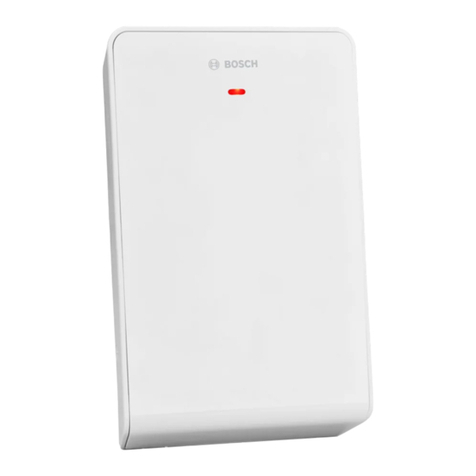
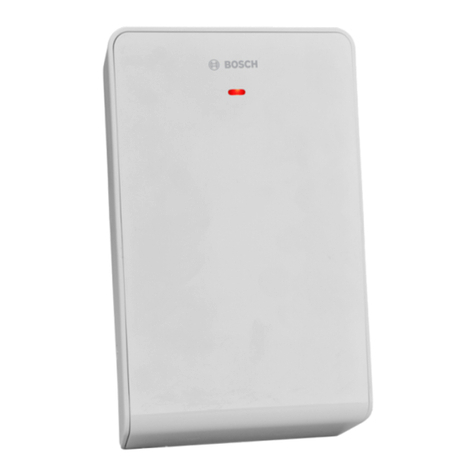
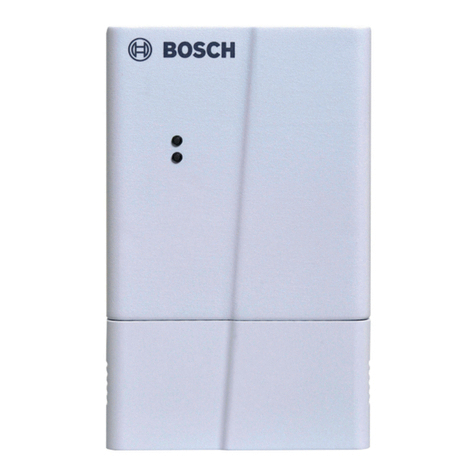
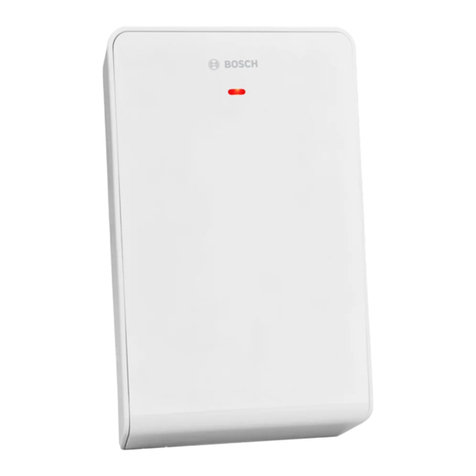
Bosch Radion B810 User manual

RADION receiver SD
B810
en Reference Guide


Table of contents
1Introduction 5
1.1 About documentation 5
1.2 Bosch Security Systems, Inc. product manufacturing dates 5
2General installation 7
2.1 Installation workflow 7
2.2 Unpacking information 8
2.3 Wall tamper switch installation 8
2.4 Magnet cover installation 8
2.5 Complete installation 8
2.6 Maintenance 9
3RADION receiver SD 10
3.1 Certifications and approvals 10
3.2 UL product requirements 11
3.3 B810 installation 14
3.3.1 B810 configuration 14
3.3.2 Base mounting installation 15
3.3.3 Wiring considerations 15
3.3.4 Programming wireless points in the control panel 16
3.3.5 Enroll point RF ID for wireless points (Auto-learn mode) 18
3.3.6 Walk test (for motion detectors) 18
3.3.7 Signal level and margin 19
3.3.8 Complete the installation 20
3.3.9 B810 system test 20
3.4 External LED states 20
3.4.1 LEDs 22
3.5 Specifications (B810) 22
3.5.1 Battery requirements 23
4RADION repeater 25
4.1 Installation considerations 25
4.2 Wiring considerations 25
4.3 Specifications 26
4.4 LEDs 26
5RADION glassbreak 28
5.1 Installation considerations 28
5.2 Testing 29
5.2.1 Test the sensor 29
5.2.2 Hand clap test 31
5.3 Low battery 31
5.4 Wall Tamper Tab 31
5.5 Maintenance 31
6RADION TriTech 32
6.1 Mounting height and range adjustment 32
6.2 Sensitivity settings 33
6.2.1 Standard sensitivity 33
6.2.2 Intermediate sensitivity 33
6.3 Walk testing 33
RADION receiver SD Table of Contents | en 3
Bosch Security Systems, Inc. Reference Guide 2014.03 | 06 | F.01U.261.834

7RADION PIR 35
7.1 Walk testing 35
8RADION PIR C 37
8.1 Walk testing 37
9RADION smoke 39
9.1 Battery replacement 40
9.2 Smoke test 40
9.3 Sensitivity test 40
9.4 Test/Silence button 41
9.5 LED 41
9.6 Clean the detector and replace the optical chamber 41
10 RADION contact SM 43
10.1 Installation considerations 43
11 RADION contact RM 45
11.1 Installation considerations 45
12 RADION specialty 47
12.1 Applications for this product 48
12.2 Installation consideration 48
13 RADION universal transmitter 49
13.1 Installation considerations 50
13.2 Reed switch settings 51
14 RADION keyfob 52
14.1 RADION keyfob FB 52
14.2 RADION keyfob TB 53
15 RADION panic 55
16 Appendices 57
4en | Table of Contents RADION receiver SD
2014.03 | 06 | F.01U.261.834 Reference Guide Bosch Security Systems, Inc.

Introduction
This document contains the basic information that a trained installer needs to install the
RADION system. It supplements the documents listed inside the packaging (graphical
installation guides).
This reference guide contains:
– A description of the general installation procedure.
– Device-specific installation procedures.
– Specification information.
How to use this document
The information contained in this document is constructed in a manner that is systematic and
sequential for the installer on a “point of need” basis. The following represents a basic outline
of that information;
– Chapter 1 (this chapter) – introductory information and how to use this document.
– Chapter 2 – basic RADION system-wide general installation information and workflow
check list.
– Chapter 3 – RADION receiver-specific installation information.
– Remaining chapters – RADION device-specific installation information.
– Appendix – description of various icons and symbols used within the RADION
documentation.
Icons and symbols
When you see the following logo in the RADION graphical installation guides listed in Table
3.1, refer to the appropriate section in this document.
Additional icons and symbols, which appear in the RADION graphical installation guides, are
explained in the appendix section of this guide. Refer to the Appendices, page 57 for more
information.
About documentation
Copyright
This document is the intellectual property of Bosch Security Systems, Inc. and is protected by
copyright. All rights reserved.
Trademarks
All hardware and software product names used in this document are likely to be registered
trademarks and must be treated accordingly.
Bosch Security Systems, Inc. product manufacturing dates
Use the serial number located on the product label and refer to the Bosch Security Systems,
Inc. website at http://www.boschsecurity.com/datecodes/.
The following image shows an example of a product label and highlights where to find the
manufacturing date within the serial number.
1
1.1
1.2
RADION receiver SD Introduction | en 5
Bosch Security Systems, Inc. Reference Guide 2014.03 | 06 | F.01U.261.834

6en | Introduction RADION receiver SD
2014.03 | 06 | F.01U.261.834 Reference Guide Bosch Security Systems, Inc.

General installation
Phases of installation
The installation of the RADION system is achieved by following the sequential process as
defined in this chapter. Overall, there are four main phases;
– Planning
– Physical installation of the devices
– System enrollment/configuration
– System testing (walk test, pattern test)
It is essential that these steps or phases are adhered to in the order mentioned above for
proper functionality and operation.
When installing a RADION system, you must plan your installation based on the control panel
and RADION device specifications, and the radio-frequency signal strength (RFSS) between
devices, receivers, and control panels.
Installation considerations
– RADION devices are intended only for indoor, dry applications.
– Mount RADION devices on flat, rigid surfaces. Some devices can be optionally corner
mounted as indicated in the installation instructions.
– Avoid mounting RADION devices in areas with large, metallic objects, electrical panels, or
electric motors. They might reduce the radio-frequency (RF) range of a RADION device.
– Avoid installing the devices where excessive humidity, moisture, or temperatures outside
of the acceptable operating range exist.
– Wire all objects according to their specifications.
– RADION devices use batteries of varying types. When installing batteries, observe safety
and polarity recommendations as indicated in the documentation for those products.
Installation workflow
To install, configure, and test the system, use the workflow below and follow in sequential
order, from top to bottom, checking each box as you complete a step.
Notice!
Always power down the control panel when connecting modules, or other wiring. Power
down the control panel by unplugging the transformer and disconnecting the battery
Plan the installation of the RADION system
Install the RADION components (refer to the graphical installation guides and this system
reference guide for details)
Program wireless points in the control panel
Enroll point RF ID for wireless points
Verify LED responses on devices
Perform a local walk test for installed detectors
Review signal strength and margin of each point
Complete the installation
2
2.1
RADION receiver SD General installation | en 7
Bosch Security Systems, Inc. Reference Guide 2014.03 | 06 | F.01U.261.834

Unpacking information
When unpacking the receiver, repeater, or bill trap device, it is important to remove the
cardboard insert as illustrated below;
Figure 2.1: Insert for the receiver and repeater
Figure 2.2: Insert for the bill trap
Wall tamper switch installation
RADION transmitter devices contain a feature that activates the wall tamper switch located on
the base of the device. In order to properly install the device, you must consider the following:
– To properly install a device with active wall tamper functionality, insert a screw in the
designated screw slot location.
– Failure to insert a screw into the wall tamper slot prevents the wall tamper feature from
generating a tamper signal when the transmitter is pulled away from a wall.
Magnet cover installation
During the installation of the plastic magnet cover, the cover is not designed to be separated
from the base after the base and cover are snapped together. Damage to the plastics may
occur if separated.
Complete installation
Testing the entire RADION system can only be achieved by performing an area wide test
through the control panel and corresponding keypad(s). This is achieved by performing an
overall service walk test. Refer to your control panel documentation for system-walk, or other
system-wide testing procedures.
2.2
2.3
2.4
2.5
8en | General installation RADION receiver SD
2014.03 | 06 | F.01U.261.834 Reference Guide Bosch Security Systems, Inc.

To ensure proper operation of the RADION devices, test the basic functionality of the device
locally. Depending on the RADION device to be tested, perform the following procedures for
functionality:
– When testing the receiver, power up the compatible control panel in which the receiver is
connected to and observe the LED behavior on the receiver.
– Local walk testing can be performed on the motion detectors as defined in the tritech
and PIR chapters of this guide.
– Magnet testing can be performed by opening or closing the door/window in which the
magnet is installed on.
Maintenance
It is recommended to check the battery of each device annually. This will ensure proper
operation and functionality of the devices.
Battery Life Extension feature (PIR and TriTech)
In the normal operating mode, an alarm can be transmitted only after three (3) minutes have
passed since the previous alarm restoral. This 3 minute lockout time reduces unnecessary RF
transmissions in high traffic areas, thereby extending battery life.
2.6
RADION receiver SD General installation | en 9
Bosch Security Systems, Inc. Reference Guide 2014.03 | 06 | F.01U.261.834

RADION receiver SD
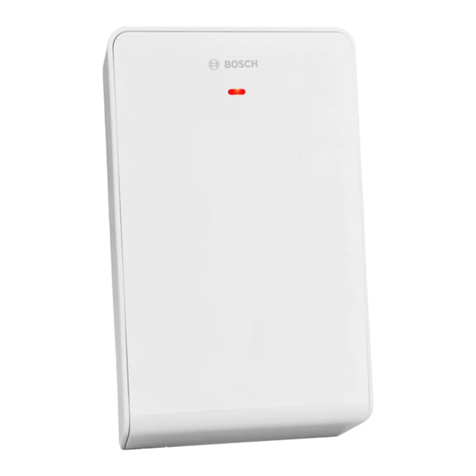
The B810 is a wireless receiver that connects RADION wireless peripherals to supported
Bosch control panels via the SDI2 bus connection. A compatible control panel powers the
receiver through the wiring connection. Features include:
– Easy addressing via a rotary switch
– Cover and wall tamper protection
– RFID and configuration data are contained in persistent memory
– External LED
– Detection and reporting radio frequency interference
– Supports supervision of wireless points (504), keyfobs (1000), and repeaters (8)
Use this reference guide along with the control panel’s documentation and each device’s
installation instructions to complete the installation process.
Certifications and approvals
Listings and approvals
UL
The B810 is UL listed for Commercial/Residential Burglar Alarm Systems, and Household Fire
Warning System Units.
Products evaluated by UL
The following products have been evaluated by UL:
– B810 wireless receiver
– RFRP-A repeater
– RFBT-A specialty (billtrap)
– RFDW-SM-A standard door/window contact
– RFDW-RM-A recessed door/window contact
– RFDL-11-A motion detector
– RFPR-12-A PIR motion detector
– RFPR-C12-A PIR motion detector (curtain)
– RFUN-A universal transmitter
– RFSM-A smoke detector
– RFKF-TB-A keyfob
– RFKF-FB-A keyfob
– RFPB—TB-A panic
– RFPB-SB-A panic
Products not evaluated by UL
The following products have not been evaluated by UL:
– RFGB-A glassbreak
UL battery requirements
UL recommends to check the battery of each device annually. This will ensure proper
operation and functionality of the devices.
For the RFBT-A bill trap, UL requires the battery to be replaced annually to ensure optimal
performance.
Battery testing
To ensure proper functionality of each RADION device, it is recommended to test your
batteries annually via your supported control panels wireless diagnostics routine. For specific
information related to system diagnostics and battery testing, refer to your supported control
panel documentation.
3
3.1
10 en | RADION receiver SD RADION receiver SD
2014.03 | 06 | F.01U.261.834 Reference Guide Bosch Security Systems, Inc.
Other manuals for Radion B810
3
Table of contents
Other Bosch Receiver manuals

Bosch
Bosch WE800EV2 RF User manual

Bosch
Bosch LE10 User manual

Bosch
Bosch RF3222E User manual

Bosch
Bosch RF3212E User manual

Bosch
Bosch EKOM 11 User manual

Bosch
Bosch RFRC-OPT User manual

Bosch
Bosch Professional GCT 30-42 User manual

Bosch
Bosch BLE 130 Professional User manual

Bosch
Bosch RFRC-OPT User manual

Bosch
Bosch Radion B810 User manual

Bosch
Bosch GML 10,8 V-LI User manual

Bosch
Bosch LR 1 Professional User manual

Bosch
Bosch ISW-EN4216R User manual

Bosch
Bosch Conettix D6600 Owner's manual

Bosch
Bosch RF3224 User manual

Bosch
Bosch EN4216R User manual

Bosch
Bosch Professional LR 60 User manual

Bosch
Bosch LR 6 User manual

Bosch
Bosch RFRC-OPT User manual

Bosch
Bosch LR30 User manual