8
approximately 2 hours for the cold water temperature range to adjust to the new level. During the adjustment
process, the cold water light will illuminate in blue. Once the new level has been reached, the light will change to
white.
NOTE: Cold water temperature is measured inside cold reservoir tank. Due to many variables, including but
not limited to, ambient temperature, water receptacle size/temperature, internal travel from reservoir
tank to dispense point, etc., temperature range of water dispensed will vary from stated range.
Set the Hot Water Temperature Level
You can select from 3 dierent hot water dispensing temperature levels: H1 (hot), H2 (hotter), and H3 (hottest).
Temperature Level Dispensing Temperature Range
H1 178°F to 184°F
H2 184°F to 190°F
H3 190°F to 196°F
NOTE: The default temperature dispensing level for hot water is H3 (hottest).
To change the hot water temperature dispensing level, please do the following:
1. Press and hold the up arrow button for 3 seconds. The hot water button and time display screen begin to flash.
2. Press the up or down button to scroll through the 3 options. They will be displayed as H1, H2, and H3. After
you have reached the desired temperature level, quickly press the lock button. The new level is now set. It
takes approximately 15 to 20 minutes for the hot water temperature range to adjust to the new level. During
the adjustment process, the hot water light will illuminate in red. Once the new level has been reached, the
light will change to white.
NOTE: Hot water temperature is measured inside hot reservoir tank. Due to many variables, including but not
limited to, ambient temperature, water receptacle size/temperature, internal travel from reservoir tank
to dispense point, etc., temperature range of water dispensed will vary from stated range.
Dispense Cold or Room Temperature Water
NOTE: Water will take approximately 1 hour after plugging in and turning on to become completely chilled.
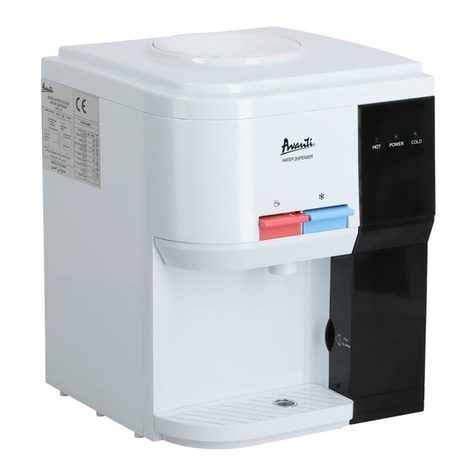
1. Place a drinking glass or container under the tap and press the cold water button to dispense cold water or
the ambient water button to dispense room temperature water.
2. Release the button when your container is full.
Dispense Hot Water and Activate Child Safety Lock
CAUTION: This unit dispenses water at temperatures that can cause severe burns. Avoid direct contact with hot
water. Keep children and pets away from the unit while dispensing. Never allow children to dispense
hot water without proper and direct supervision. Disable the heating feature by switching the heating
convenience switch to the O position.
NOTE: Water will take approximately 15-20 minutes after plugging in and turning on to reach its hottest
temperature.
1. This water dispenser is equipped with a child safety feature in order to prevent inadvertent dispensing. To
disable the child safety lock feature, lightly tap the lock button.
2. To dispense hot water, place a drinking glass or container under the tap and press the hot water button.
3. Release the button when your container is full.
Change the Water Bottle
CAUTION: Do not dispense hot, ambient or cold water if the change bottle icon is flashing on the display as you
could empty the tanks and cause the dispenser to overheat.
When the change bottle icon on the top-right corner of the display begins to blink, it is time to replace your empty
water bottle with a new water bottle: