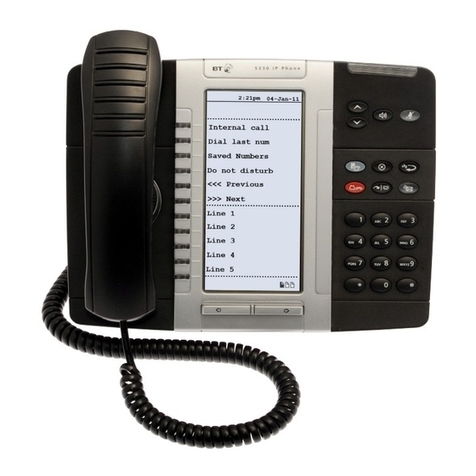
Using your BT 8528 Phone
Placing Emergency Calls
Select a line or lift the handset and
dial 9
Dial emergency number: 999 or 112
Answering Calls
Lift the handset, or
Press Hands-free to answer a call with
a headset or in Hands-free mode.
Placing Internal Calls
Lift handset or Press Hands-free
Dial extension number.
Placing External Calls
Lift handset or Press Hands-free
Dial Outgoing Call access code
(9 by default)
Dial the number.
Redialling External Numbers
With or without lifting handset
Press Redial or lift the handset and
Dial 77.
Transferring Calls to Extensions
While on a call
Press Recall
Dial extension number
Or
Dial Outgoing Call access code
(9 by default) and external number.
Wait for answer, announce call, and
hang up. If no answer
Press Recall to return to call.
Or
Hang up to transfer call and
disconnect call from your phone.
Programming Keys
Lift the handset and dial 727
Select the key to be programmed
Dial Feature Code or number to be
assigned to the key
Hang up phone to finish
programming.
(See Feature Code Table for list of
codes.)
Using Do-Not-Disturb
To activate or cancel: Lift the handset
and dial 736
When ON, callers receive busy signal.
Personal Speed Dial
Storing Speed Dial Numbers
Without lifting the handset dial 75
Select location for number (01 – 50)
Enter number followed by #
Enter name followed by #
Press the “Programme key” to exit
Calling Speed Dial Numbers
Dial 74
Dial location of number (01 – 50)
Lift handset or Press Hands-free to
dial number.
FMC (Fixed Mobile Convergence)
Mobile Ringing with FMC
To turn On/Off simultaneous ringing
of extension and mobile phones:
Lift handset and dial 790
Note: extension number must first be
associated with mobile number
through system programming.
Call Toggling with FMC
When Mobile Ringing is enabled:
If call answered on extension phone
Press Recall and Dial 788 to toggle to
mobile phone.
If call answered on mobile phone
Dial 787 to toggle to extension.
Playing and Recording Voicemail
Messages
Extensions must be set up with a
Voice Mailbox before using Voicemail.
With handset on phone
Press Message
Dial extension, password and #.
3