manuals.online logo
Brands
  1. Home
  2. •
  3. Brands
  4. •
  5. CALIVE
  6. •
  7. Lighting Equipment
  8. •
  9. CALIVE LYRA User manual

CALIVE LYRA User manual

Other CALIVE Lighting Equipment manuals

CALIVE TITAN I User manual

CALIVE

CALIVE TITAN I User manual

CALIVE FLUTTERBY 640W User manual

CALIVE

CALIVE FLUTTERBY 640W User manual

Popular Lighting Equipment manuals by other brands

Life 39.9F70020C quick start guide

Life

Life 39.9F70020C quick start guide

EuroLite LED ML-20 user manual

EuroLite

EuroLite LED ML-20 user manual

LIGMAN OD-50141 installation manual

LIGMAN

LIGMAN OD-50141 installation manual

Home Accents Holiday 1002461144 instructions

Home Accents Holiday

Home Accents Holiday 1002461144 instructions

Experia IRiS Ripple Light instruction manual

Experia

Experia IRiS Ripple Light instruction manual

Erco Gecko Mounting instructions

Erco

Erco Gecko Mounting instructions

Inter-lux ZTA.100.Surface Installation and maintenance instructions

Inter-lux

Inter-lux ZTA.100.Surface Installation and maintenance instructions

Whelen Engineering Company TN Series installation guide

Whelen Engineering Company

Whelen Engineering Company TN Series installation guide

IKEA BJÖRKSPIREA manual

IKEA

IKEA BJÖRKSPIREA manual

Toolland PM 6640 instruction manual

Toolland

Toolland PM 6640 instruction manual

GTD GTD-LP200 user manual

GTD

GTD GTD-LP200 user manual

LIVARNO home 1105-W-UK manual

LIVARNO home

LIVARNO home 1105-W-UK manual

ProLights EclPar IPMFC user manual

ProLights

ProLights EclPar IPMFC user manual

Velvet EVO Series user manual

Velvet

Velvet EVO Series user manual

IDTOLIGHT GENT installation instructions

IDTOLIGHT

IDTOLIGHT GENT installation instructions

MAYTONI S35 installation manual

MAYTONI

MAYTONI S35 installation manual

MaxLite MLFP14DP4535 user manual

MaxLite

MaxLite MLFP14DP4535 user manual

SLV Elektronik 550621 instruction manual

SLV Elektronik

SLV Elektronik 550621 instruction manual

manuals.online logo
manuals.online logoBrands
  • About & Mission
  • Contact us
  • Privacy Policy
  • Terms and Conditions

Copyright 2025 Manuals.Online. All Rights Reserved.

0126 0127
Warning
LYRA 75W
Warranty
LYRA 75W
1. The installation should be performed by qualified electricians or technicians.
2. Before conducting any installation, maintenance, or removal, the luminaires should
be powered off and cooled down.
3. Do not touch the fixture while it is turned on.
4. If there are any issues with the fixture, do not power off and attempt to repair
it unless you are a qualified technician, electrician, or customer service member.
GROWBAR product is covered by a 5 year limited warranty. GROWBAR
grow light warrants to the original purchaser that this product is free from
defects in materials and workmanship for the period of 5 years from date of
purchase. To obtain warranty service please contact your local distributor or sales
rep for further instruction.
CALIVE LLC reserves the right to update all product
data sheets at any time. Consult CALIVE marketing
specialists for publication updates at [email protected]
Copyright©2021–2022 CALIVE LLC,
All Rights Reserved.
1460 Park Avenue.
Emeryville, CA 94608 USA
www.calivellc.com
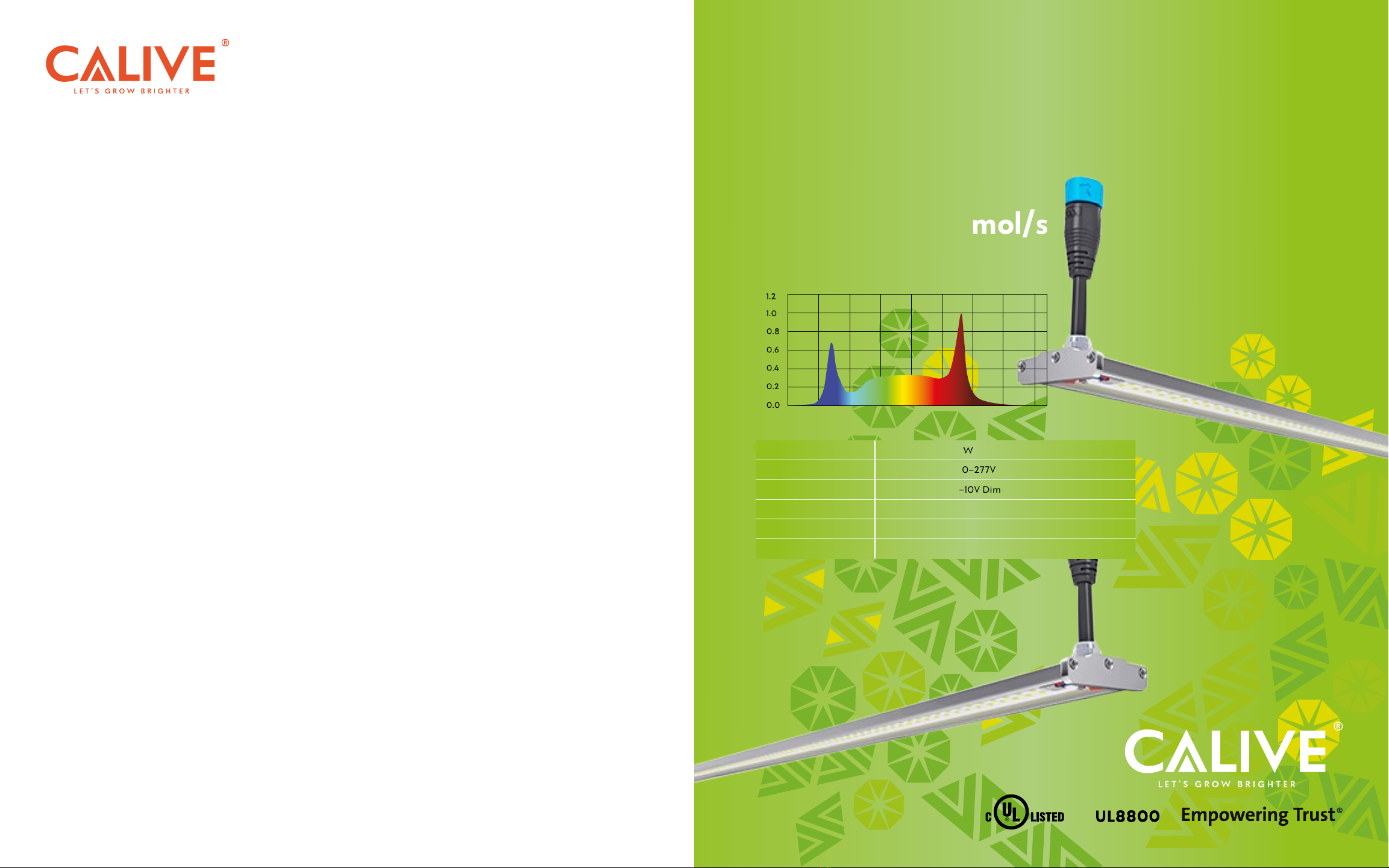
CALIVE
GROW LIGHT
LYRA
75W
Total PPF: 210 μmol/s
POWER 75W
INPUT VOLTAGE 100–277V
DIMMING 0–10V Dim
FIXTURE DIMENSIONS 44.0" L x 2.1" W x 0.4" H
LED CHIPS Lumleds + Prolight (660nm)
LED EFFICACY 2.8μmol/J Total PPF: 210μmol/s
380 430 480 530 580 630 680 730 780

0128 0129
Installation Guide
LYRA 75W
01.
01. 02. 03.
Option A
Option B
02.
Tightly screw the mounting clips to
the fixture.
Feed the hanging wire through the clips. Install the light to the U shape fixture. Hook up the hooks.
Attach the light to the mounting clips.
Clip one end of the light first then secure
the other end.
01.
01. 02.
A B
Option C
Connection
02.
Screw the attachment to the light
with 2 screws.
Connect plug A to plug B on each light.
There are around 4–8 plug pcs.
Link the 4–8 plug pcs on the light,
then buckle up with a short circuit cap.
If you need an extension, connect the AC wire input to the extension NEMA Plug. If you
do not need the extension, the AC Wire input can connect to the power box directly.
If you need the 0–10V dimming function, then connect the DC wire plug of the driver to
the signal end then the other end to the 0–10V dimmer.
Place the light on the fixture and adjust
the distance between each light using the
plugs, then screw down onto the fixture.
Connect
Power Supply
Please open the cable connector cap
before you connect the cable.
Cable
Connector Cap
AC Power Soure
Dimming Device