manuals.online logo
Brands
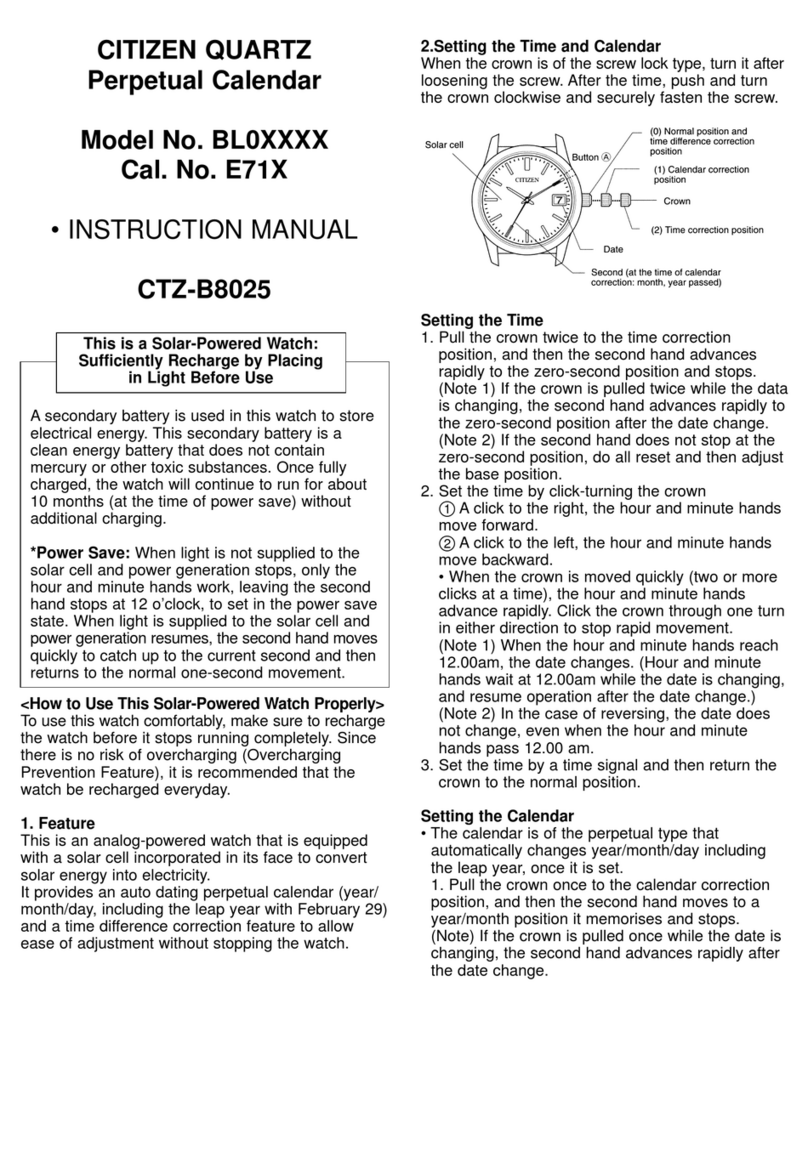
  1. Home
  2. •
  3. Brands
  4. •
  5. Citizen
  6. •
  7. Watch
  8. •
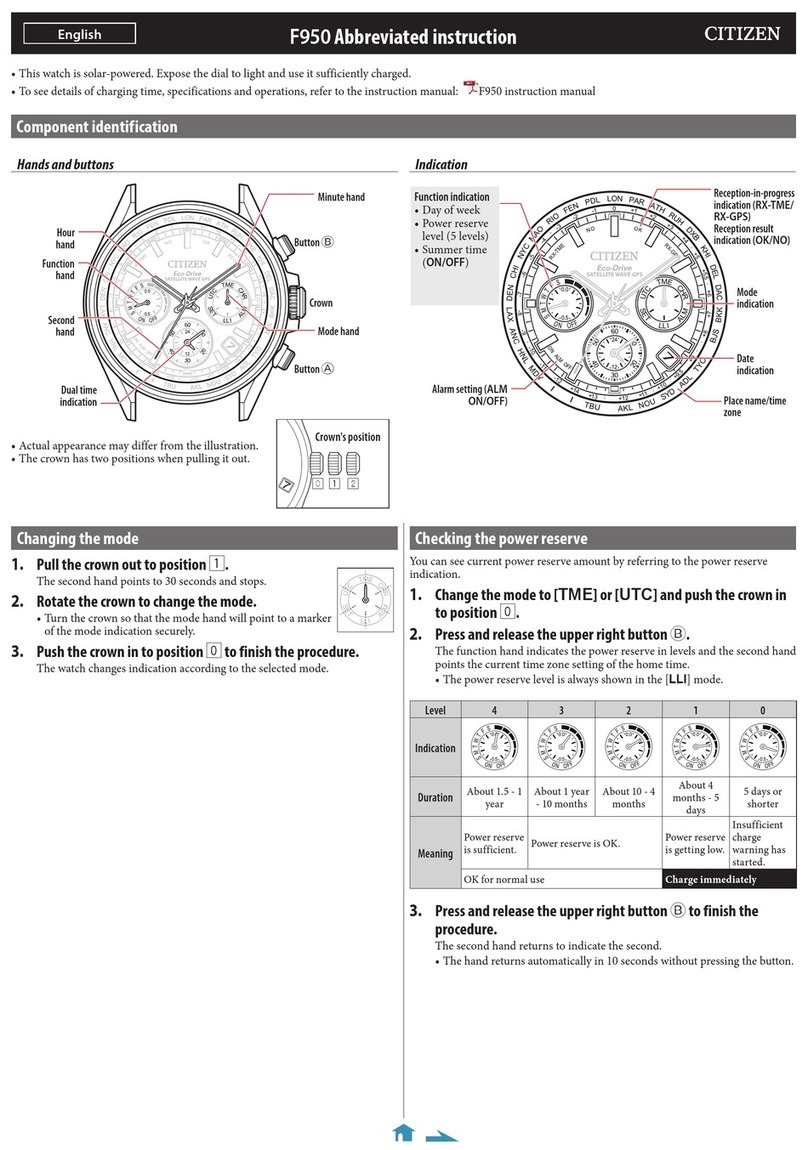
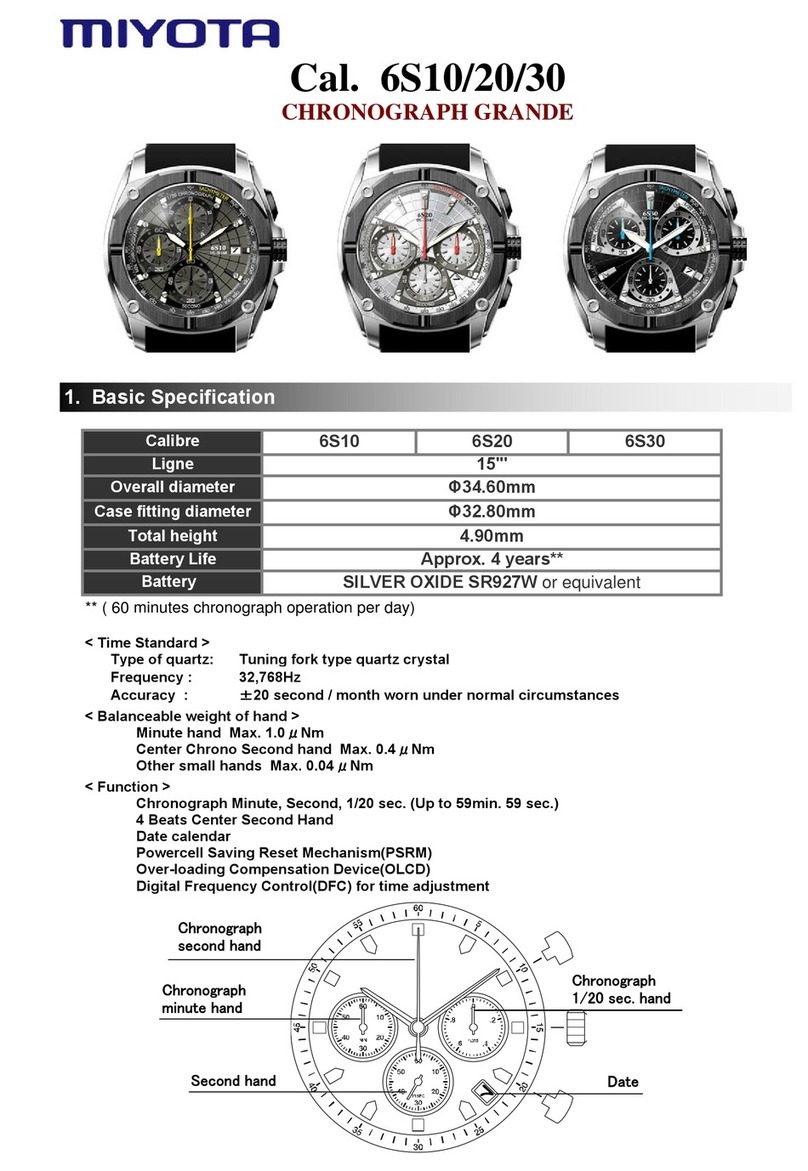
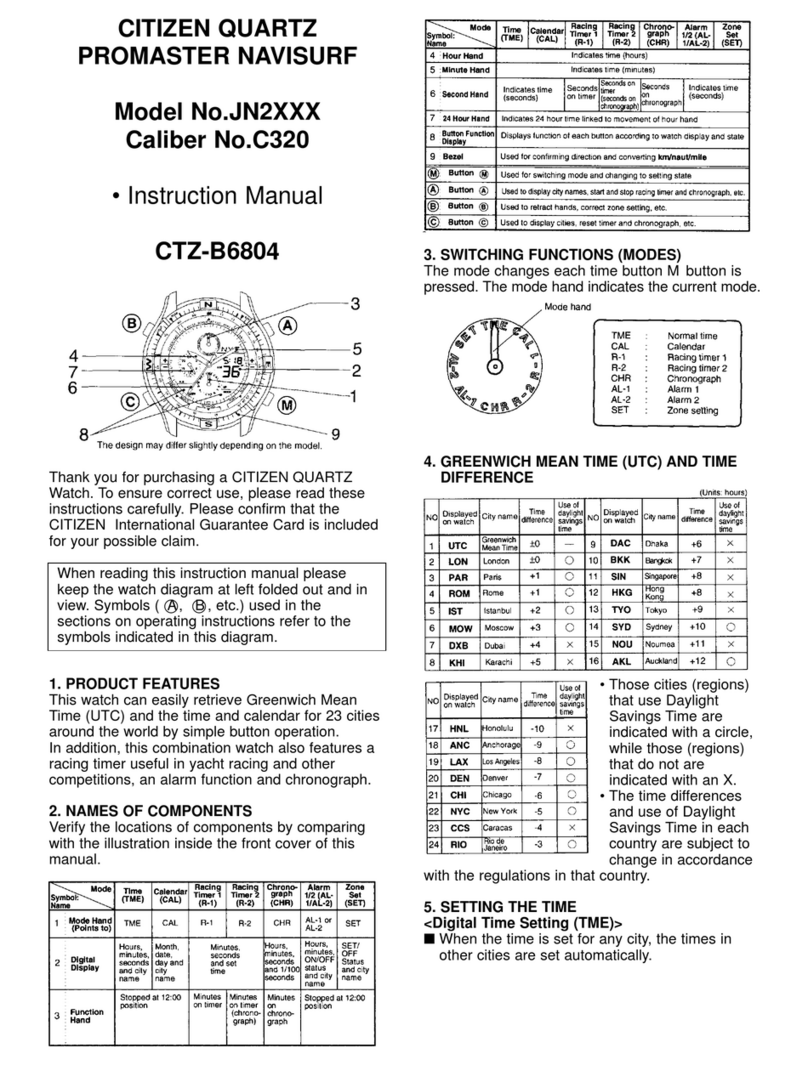
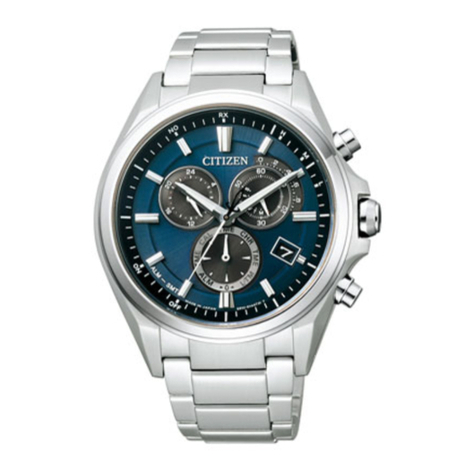
  9. Citizen Aqualand JV0010-08E User manual

Citizen Aqualand JV0010-08E User manual

This manual suits for next models

12

Other Citizen Watch manuals

Citizen 9015 User manual

Citizen

Citizen 9015 User manual

Citizen H57 User manual

Citizen

Citizen H57 User manual

Citizen 9800 User manual

Citizen

Citizen 9800 User manual

Citizen 41 series User manual

Citizen

Citizen 41 series User manual

Citizen FS10 User manual

Citizen

Citizen FS10 User manual

Citizen H461 User manual

Citizen

Citizen H461 User manual

Citizen Eco-Drive E310 User manual

Citizen

Citizen Eco-Drive E310 User manual

Citizen E820 User manual

Citizen

Citizen E820 User manual

Citizen 6870 Manual

Citizen

Citizen 6870 Manual

Citizen FS00 User manual

Citizen

Citizen FS00 User manual

Citizen Eco-Drive b740 User manual

Citizen

Citizen Eco-Drive b740 User manual

Citizen 6P27 User manual

Citizen

Citizen 6P27 User manual

Citizen 0S60 User manual

Citizen

Citizen 0S60 User manual

Citizen 6P05 User manual

Citizen

Citizen 6P05 User manual

Citizen C350 Manual

Citizen

Citizen C350 Manual

Citizen AT2141-52L User manual

Citizen

Citizen AT2141-52L User manual

Citizen JR00 User manual

Citizen

Citizen JR00 User manual

Citizen CAL. C420 User manual

Citizen

Citizen CAL. C420 User manual

Citizen 6P79 User manual

Citizen

Citizen 6P79 User manual

Citizen H82 User manual

Citizen

Citizen H82 User manual

Citizen 8203B User manual

Citizen

Citizen 8203B User manual

Citizen Watch User manual

Citizen

Citizen Watch User manual

Citizen 6P00 User manual

Citizen

Citizen 6P00 User manual

Citizen GP10 User manual

Citizen

Citizen GP10 User manual

Popular Watch manuals by other brands

Casio QW 5513 Operation guide

Casio

Casio QW 5513 Operation guide

Piaget 560P Instructions for use

Piaget

Piaget 560P Instructions for use

Armitron pro sport MD0346 instruction manual

Armitron

Armitron pro sport MD0346 instruction manual

West Marine BlackTip 13411293 Instruction Booklet and Care Guide

West Marine

West Marine BlackTip 13411293 Instruction Booklet and Care Guide

Jaeger-leCoultre HYBRIS MECHANICA CALIBRE 184 manual

Jaeger-leCoultre

Jaeger-leCoultre HYBRIS MECHANICA CALIBRE 184 manual

FOREVER iGO PRO JW-200 user manual

FOREVER

FOREVER iGO PRO JW-200 user manual

Relic OS10 quick start guide

Relic

Relic OS10 quick start guide

MyKronoz ZeClock manual

MyKronoz

MyKronoz ZeClock manual

Casio QW-782 General guide

Casio

Casio QW-782 General guide

Strikes and Spares SASM80 E-manual

Strikes and Spares

Strikes and Spares SASM80 E-manual

Christopher Ward C1000 Owner's handbook

Christopher Ward

Christopher Ward C1000 Owner's handbook

Lotus ILMFS01 instruction manual

Lotus

Lotus ILMFS01 instruction manual

Chronos Manufactures Chrono Diamond Thyrso 10400 instruction manual

Chronos Manufactures

Chronos Manufactures Chrono Diamond Thyrso 10400 instruction manual

Pandora WATCH2 quick guide

Pandora

Pandora WATCH2 quick guide

Suunto X6 user guide

Suunto

Suunto X6 user guide

Seiko N830 instruction manual

Seiko

Seiko N830 instruction manual

MotionX 365 user guide

MotionX

MotionX 365 user guide

Aplus GV18 user guide

Aplus

Aplus GV18 user guide

manuals.online logo
manuals.online logoBrands
  • About & Mission
  • Contact us
  • Privacy Policy
  • Terms and Conditions

Copyright 2025 Manuals.Online. All Rights Reserved.

JV0000-10F
JV0000-28E
JV0007-02E
JV0009-91E
JV0010-08E
JV0019-97E
JV0020-12F
JV0027-05E
JV0029-93E
JV0030-01E
JV0050-03E
Other Model
A diver's watch using 4 motors, 4 hand independent movement and equipped with a depth
meter. The depth meter can measure depths down to 100m and can save up to 20 diving
logs. It is equipped with 3 types of warning functions, using sound, LEDs and character
display.
JV0000-01E JV0020-04E
Specifications & Names of Components
NEW PRODUCT INFORMATION
Aqualand Eco-Drive
Cal.U10X / Model No. JV00X
X
1. Time keeping accuracy: ±15 seconds per month on average
2. Water depth measurement range: 1.0 m to 100.0 m/ 0 ft to 300 ft
3. Water temperature measurement range: -9.9°C to +40C/14°F to
104°F
4. Modes and Display Functions:
• Time: Analog: Hour hand, minute hand, second hand, function hand
(charge level/ depth measurement)
Digital: City name, month, date, day, year (during correction only),
daylight savings time
• Surface time measurement
• Travel Time
• 3 Alarms
• Diving Mode:
- Depth alarm (dive alarm tone sounds, LED lights)
- Dive time alarm (dive alarm tone sounds, LED lights)
• Diving log recall:
- No. of diving logs capable of being recalled: Most recent 20 logs
- Log contents: Log number (01-99, 00), dive date, time zone, daylight
savings time, dive starting time, maximum depth, min water
temperature, dive time.
• Water sensor
• Pressure sensor
• Alarm functions:
a. Digital display error, b. Water sensor error, c. Pressure sensor error
d. Measurement error (0 m/0 ft detection), e. Diving log memory error, f. Abnormal depth alarm
g. Depth measurement out of range error, h. Ascent rate alarm, i. Abnormal depth display, j. Dive time alarm
5. Additional Functions:
a .Charge level indicator function, b. Insufficient charge warning function, c. Power save 1 & 2 ,
d. Overcharge prevention function, e. EL light
6. Continuous operating times: Approx. 6 months(when Power Save is not activated), Approx. 2.5 years ( when Power
Save 2 is activated) • From 2-second interval movement to stopped:Approx.2 days.

T
he time required for char
g
in
g
varies accordin
g
to the model of the watch.The following times
are shown below to serve only as a reference.
[NOTE] • The continuous operating time of this
watch becomes shorter the more often the
diving mode, dive alarms, EL light and other
functions of this watch are used.
• Allowing the watch to become wet other than
when diving causes activation of the water
sensor resulting in a shortened continuous
operating time.
Charging Time
Reference Position Check Mode
Correcting Reference Position of Each Hand
T
his mode is used to check that all of the watch hands, includin
g
the function hand, are at the correct positions to ensure that the
watch functions properly.
A. Checking the Reference Position
(1) Switch the watch to the "Reference Position Check" mode.
• The second, minute and hour hands move to the reference
position (12:00:00).
• The function hand moves to the "0" (READY) position on the
depth scale.
(2) Correction is not required if each hand indicates the correct
position. Press button (D) to return to the previously used mode.
• If the hands are not at their reference positions, correct them to
the correct positions by referring to the correction procedure
described below.
[Reference Position of Each Hand and Digital
(1) Switch the watch to the "Reference Position Check" mode.
(2) Press button (C) for about 2 seconds or more.
• "00" of "DP-00 flashes on the digital display.
• The function hand moves when button (B) is pressed.
Press button (B) several times until the function hands indicates "0"
on the depth scale.
(3) Press button (C).
• The corrected location changes in the order shown below each time
button (C) is pressed.
• Press button (B) to align each hand at 12:00.
(4) Once each hand has been aligned at its reference position, press
button (D) to return the watch to the previously used mode.
Switching the Mode
• Watch mode switches in the order of the
T
ime/Date, Surface, Travel Time, Alarm 1,
2, & 3, Dive Alarm Setting, Diving Log
Recall & Reference Position Check modes
when button (D) is pressed.
• When the water sensor detects water,
the watch automatically switches to
"Diving Ready 1 Status" of the Diving
Mode.
[Button Operations]
• The mode cannot be changed by
pressing a button while the mode is
changing or while the hands are moving
when making a correction. Press the
desired button after waiting until the
hands have stopped at their
predetermined positions.

Setting the Time and Date
Using the Travel Time Mode
1. Using the Time/Date Mode
T
his mode indicates the time with the hands and displays the date on the di
g
ital display. The function hand indicates the
charge level of the secondary battery.
A. Setting the Time and Date
• Analog time cannot be corrected independently. The analog time is corrected automatically when the digital time is
corrected.
(1) The watch enters the correction state when button (C) is pressed for about 2 seconds in the time/date mode.
• Digital display: Changes to "seconds" and flashes.
• Hour, minute and second hands: Move to 12:00 and stop.
• If the second hand does not stop at the 12:00 position, press button (B) to set it to 12:00. The second hand moves 1
second when button (B) is pressed. Continuously depressing button (B) causes the second hand to move continuously.
(2) The flashing location on the display changes in the order shown below each time button (C) is pressed.
(3) Correct the flashing location by pressing button (B) or button (A).
• The display moves forward by one each time button (B) is pressed.
• The display moves back by one each time button (A) is pressed.
• Depressing either button continuously causes the display to advance rapidly.
(4) The watch returns directly to the normal display when button (D) is pressed in the correction state.
T
his mode is used to display the time and date of a
selected city by selecting a city name from UTC and 42
cities registered in this watch.
Setting Travel Time
(1) A city name flashes when button (C) is pressed for
about 2 seconds in the travel time mode.
• The hour and minute hands move to 12:00 and stop.
(2) Switch the city name by pressing button (A) or
button (B).
• City names are recalled moving in the direction in
which the time difference increases when button (B) is
pressed. City names are recalled moving in the
direction in which the time difference decreases when
button (A) is pressed.
• The city name can be switched continuously by
depressing either button continuously.
• Refer to "Displayed Cities" for information on cities
displayed by this watch.
(3) The watch enters the daylight savings time
correction state when button (C) is pressed.
• The "S" mark (daylight savings time set) or "g"mark
(daylight savings time canceled) flash.
(4) Correct by pressing button (A) or button (B). • The "S" and "g" marks change back and forth each time a button is
pressed.
(5) The watch returns directly to the normal travel time display when button (D) is pressed while in the correction state.
CITIZEN WATCHES (H.K.) LTD.
http://www.citizen.com.hk
Displayed Cities
Special Functions of Solar-Powered Watches
T
he procedures for settin
g
the alarm and operatin
g
the
Alarm 1, Alarm 2 and Alarm 3 modes are the same.
Only the alarm tone is different.
(1) When button (C) is pressed for about 2 seconds in
the normal alarm mode display, ON or OFF flashes on
the digital display and the watch enters the correction
state.
• The hour and minute hands move to 12:00 and stop.
(2) The flashing location on the display changes in the
order shown below each time button (C) is pressed.
(3) The flashing location is corrected by pressing button
(A) or (B).
• The display moves forward by 1 each time button (B)
is pressed.
• The display moves back by 1 each time button (A) is
pressed.
• Depressing either button continuously causes the
display to advance rapidly.
(4) The watch returns directly to the normal alarm
display when button (D) is pressed in the correction
state.
• The hour and minute hands return to the time in the
time/date mode.
(C )
T
he followin
g
city names are re
g
istered in this
watch.
T
hese city names are displayed in each of the
time/date,travel time, alarm 1, alarm 2 and
alarm 3 modes of the standard mode.
• City names are displayed moving in the
direction in which the time difference
increases when button (B) is pressed or city
names are displayed in the direction in which
the time difference decreases when button
(A) is pressed when correcting the city name
in each of the modes.
Setting the Alarm
When the watch has become
insufficiently charged, it changes
from the normal hand display to
the insufficient charge warning
display (the second hand moves at
2- second intervals and "Charge" is
displayed on the digital display).
Recharge the watch by exposing it
to light while referring to "2.
General Reference for Charging
T
imes" until the function hand
indicates level 5.
* For the details of others features, please refer to your details owners manual or our web site.