www.cooperandhunter.com 5
Working Principle
Ultrasonic Humidifier uses the ultrasonic high-frequency oscillator
to break up water into tiny water particles with the diameter of
about 1-5um.The ventilation system blows out this water into the
dry air where they evaporate to give the required humidity. The
clearly visible smooth and even fog can be seen out of the unit.
Directions for use
Prior to the first use, especially if outdoor temperature is below zero, let
the device heat up at room temperature for 1 hour. It is recommended to
use the device at temperature ranging from 5°C to 40°C, and relative
humidity not more than 80%. Use only clean water with temperature not
more than 30°C. Prior to a switching the device off for a long time (more
than 2 days), drain water from the water tank. Read instructions how
to clean the humidifier in section «Recommendations on maintenance
of the device».
6. OPERATION OF THE UNIT
1. Air humidifier - 1 pc.
2. Operation manual - 1 pc.
3. Filter - 1 pc.
5. SCOPE OF DELIVERY
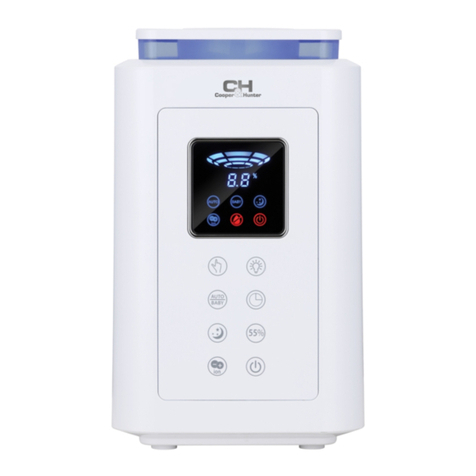
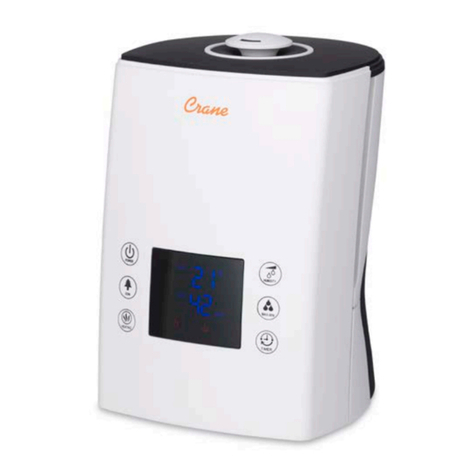
1. ON/OFF
2. Night light & Sleep mode
3. Warming function
4. Timer
5. Humidity level control
6. Mist emission intensity
7. LED display
Preparation
1. Place the humidifier in the room half an hour before turning it on so
that it can adjust to room temperature.
2. Make sure it is always placed on a hard, flat and horizontal surface. Keep
it slightly away from walls and heat sources such as stoves, radiators,
etc.
3. Make sure the device is clean before starting to use it.
4. Remove the tank cover (2).
Then pour fresh, preferably demineralised water into the tank (5). Replace
the cover.
5. Make sure your hands are completely dry when connecting (and
disconnecting) the device.
6. The humidifier is now working.
INSTRUCTIONS FOR USE
1) Switching the device on and off:
• Press the ON/OFF button (1) to switch on the device. Its default
mode is cool mist, at average emission intensity and the LED
screen displays the current humidity level of the ambient air.
the LED screen displays the humidity level between 30 and 80%.
If it displays “LO”, the humidity level of the ambient air is less
than 30%. If it displays “HI”, the humidity level of the ambient
air is more than 80%.
• To turn the device off, press the button again. All the functions
will stop, except the fan, which will continue to run for 15
seconds.
if the tank is empty, the device emits a sound signal and a red
light indicator will light up on the ON/OFF button. The LED screen
will also display “E1”.
The device does not emit any more mist: fill the tank so that it
runs normally again.
2) Select a night light or sleep mode:
When the device is switched on, it does not emit an atmospheric
light by default.
• Press the button that selects the light mode a first time (2): the
light is activated and automatically changes colour.
• Press it a second time and the colour will be set.
• Press it a third time and the LED screen will display “SP” for 5
seconds. The device will go into sleep mode. Under sleep mode:
- All the lights are off unless the sleep mode indicates otherwise
(note that if the warm mist is activated, the button indicator (3)
will stay on for 5 seconds).
- The device will run for 8 hours – 3 hours at medium intensity,
then 5 hours at low intensity.
- The humidity level is checked at 60% and the device will stop
running when the ambient air reaches this level and resumes when
the rate drops.
-If Timer Button or Humidity Setting Button or Mist Output Button is
touched, sleep mode will be canceled and the device will resume
to previous mist output level.
• Press a fourth time: the device disconnects from the sleep mode
and resumes its previous emission intensity.
NOTE:
Never add water directly into the mist outlet, air outlet or
water channel.