manuals.online logo
Brands
  1. Home
  2. •
  3. Brands
  4. •
  5. Cypress
  6. •
  7. Motherboard
  8. •
  9. Cypress EZ-USB HX2LP CY4605 User manual

Cypress EZ-USB HX2LP CY4605 User manual

Other Cypress Motherboard manuals

Cypress F2MC-16FX Series User manual

Cypress

Cypress F2MC-16FX Series User manual
Cypress CY8CKIT-044 User manual

Cypress

Cypress CY8CKIT-044 User manual
Cypress MB39C326-EVBSK-01 User manual

Cypress

Cypress MB39C326-EVBSK-01 User manual

Cypress CY8CKIT-148 User manual

Cypress

Cypress CY8CKIT-148 User manual
Cypress CY3677 User manual

Cypress

Cypress CY3677 User manual

Cypress CY3203-CapSense User manual

Cypress

Cypress CY3203-CapSense User manual
Cypress CY3677 User manual

Cypress

Cypress CY3677 User manual
Cypress PSoC CY8CPROTO-063-BLE User manual
Cypress

Cypress PSoC CY8CPROTO-063-BLE User manual

Cypress CY3269N User manual

Cypress

Cypress CY3269N User manual

Cypress PSoC 1 CY3210-PSoCEVAL1 User manual
Cypress

Cypress PSoC 1 CY3210-PSoCEVAL1 User manual

Cypress CYW920735Q60EVB-01 User manual
Cypress

Cypress CYW920735Q60EVB-01 User manual

Cypress CY3275 User manual

Cypress

Cypress CY3275 User manual

Cypress CY3642 User manual

Cypress

Cypress CY3642 User manual
Cypress S6SAP413A6BDA1001 User manual

Cypress

Cypress S6SAP413A6BDA1001 User manual
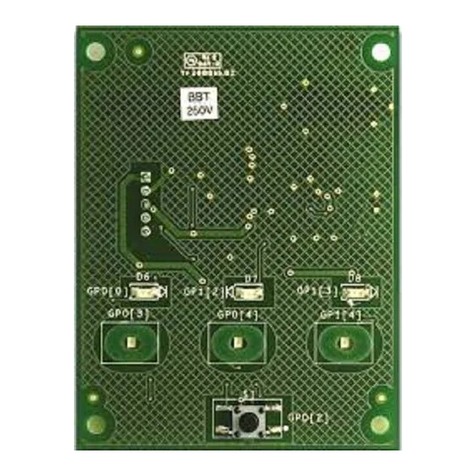
Cypress CAPSENSE EXPRESS CY3218-CAPEXP1 User manual
Cypress

Cypress CAPSENSE EXPRESS CY3218-CAPEXP1 User manual

Cypress S6SAL211A31SA2001 User manual

Cypress

Cypress S6SAL211A31SA2001 User manual
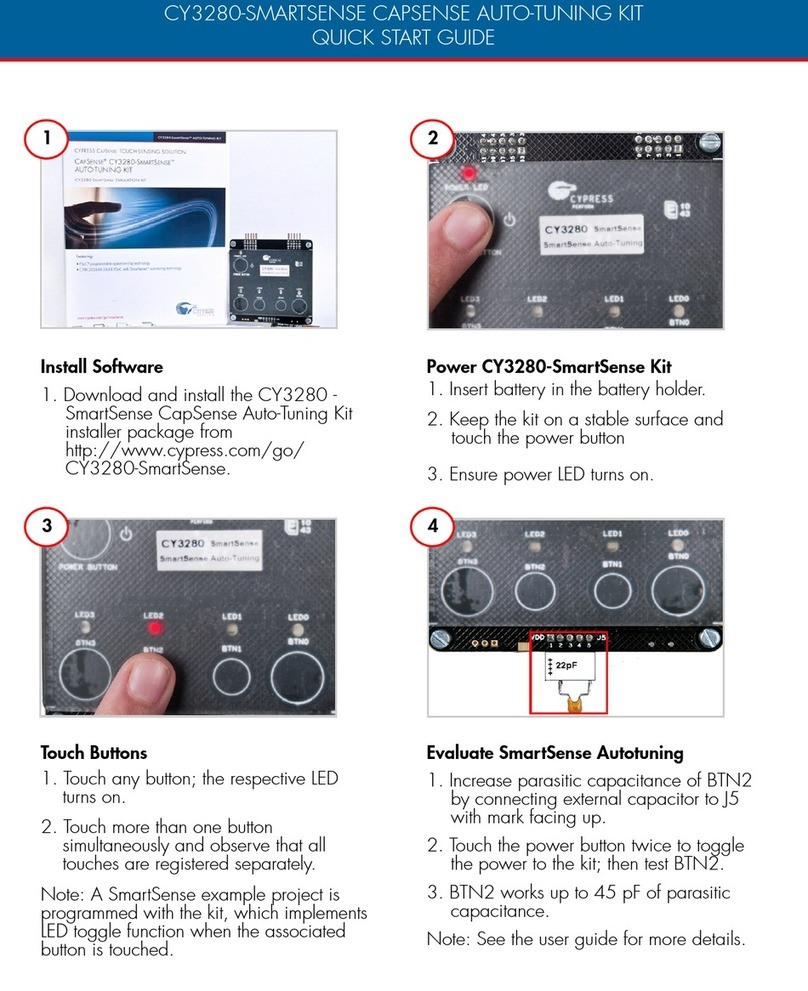
Cypress CY3280 SmartSense CapSense User manual
Cypress

Cypress CY3280 SmartSense CapSense User manual

Cypress S6SAP111A28SA1001 User manual

Cypress

Cypress S6SAP111A28SA1001 User manual
Cypress CY4532 EZ-PD CCG3PA User manual

Cypress

Cypress CY4532 EZ-PD CCG3PA User manual

Cypress CY3250-29XXX User manual

Cypress

Cypress CY3250-29XXX User manual
Cypress MB39C502-EVBSK-01 User manual

Cypress

Cypress MB39C502-EVBSK-01 User manual

Cypress CapSense Express SmartSense CY3280-MBR2 User manual

Cypress

Cypress CapSense Express SmartSense CY3280-MBR2 User manual

Cypress PowerPSoC CY3267 User manual

Cypress

Cypress PowerPSoC CY3267 User manual

Cypress S6SBP401AJ0SA1001 User manual

Cypress

Cypress S6SBP401AJ0SA1001 User manual

Popular Motherboard manuals by other brands

Gigabyte MNJ190I-FH user manual

Gigabyte

Gigabyte MNJ190I-FH user manual

Biostar HI-FI-Z87X-3D Setup manual

Biostar

Biostar HI-FI-Z87X-3D Setup manual

Atmel SAM9753PIA-DK user guide

Atmel

Atmel SAM9753PIA-DK user guide

Coapt GEN2 Handbook

Coapt

Coapt GEN2 Handbook

Supero SUPER P4DL6 user manual

Supero

Supero SUPER P4DL6 user manual

ASROCK B660M-HDV manual

ASROCK

ASROCK B660M-HDV manual

Fujitsu D2831 Short description

Fujitsu

Fujitsu D2831 Short description

Industrial Computers ADE-6050 user manual

Industrial Computers

Industrial Computers ADE-6050 user manual

Asus TUF Z270 MARK 2 manual

Asus

Asus TUF Z270 MARK 2 manual

DFI NB71-BC user manual

DFI

DFI NB71-BC user manual

ASROCK H61 Pro BTC user manual

ASROCK

ASROCK H61 Pro BTC user manual

Norco POS-7893 user manual

Norco

Norco POS-7893 user manual

Intel DG965MS specification

Intel

Intel DG965MS specification

Asus B85M-VIEW PAKER user manual

Asus

Asus B85M-VIEW PAKER user manual

Asus P5G41T-M LX V2 user manual

Asus

Asus P5G41T-M LX V2 user manual

Gigabyte GA-K8VT800-RH user manual

Gigabyte

Gigabyte GA-K8VT800-RH user manual

Gigabyte Z790M AORUS ELITE user manual

Gigabyte

Gigabyte Z790M AORUS ELITE user manual

Semtech SC120 user guide

Semtech

Semtech SC120 user guide

manuals.online logo
manuals.online logoBrands
  • About & Mission
  • Contact us
  • Privacy Policy
  • Terms and Conditions

Copyright 2025 Manuals.Online. All Rights Reserved.

CY4605 EZ-USB®HX2LP™ REFERENCE DESIGN KIT
QUICK START GUIDE
Insert the kit CD/DVD into the CD/DVD
drive of your PC. Review kit contents. Place jumper on J5 (power status) and J6
(port status) to enable LEDs D1 and D3-D6.
Power LED D1 glows only in self-powered
mode. The green LEDs (D3 and D5) indicate
that the downlink port is enabled. The amber
LEDs (D4 and D6) indicate the port has an
exception condition.
Plug the wall mounted power supply into an
AC power receptacle providing power in the
range 100 V to 240 V, 50 Hz or 60 Hz.
Connect the power supply plug to the hub's
'DC Supply' jack J12.
To connect to the PC, plug the USB A to B
cable into the hub's 'Up Stream' connector
P1. Plug the other end of the cable into one
of the PC's host controller ports. The hub
enumerates as a 'Generic USB Hub'. The hub
is now ready for any low speed, full speed,
or high speed devices to be plugged into the
ports. For the 2-port hub, the board is labeled
PORT1 and PORT 2.
1
2
3
4
© 2011-2012 Cypress Semiconductor Corporation. All rights reserved. All trademarks or registered
trademarks referenced herein are the properties of their respective owners. Doc.#: 001-72640 Rev. *A
http://www.cypress.com/go/CY4605
For the latest information about this kit, visit
CY4605 EZ-USB®HX2LP™ REFERENCE DESIGN KIT
QUICK START GUIDE
CY4605 EZ-USB HX2LP Reference Board Details
USB Connector
EEPROM
Up Stream
Connector
Port LEDs
EZ-USB HX2LP
CY7C65620
Power LED
DC Supply
Jack
Switch SW1