manuals.online logo
Brands
  1. Home
  2. •
  3. Brands
  4. •
  5. Danfoss
  6. •
  7. Controllers
  8. •
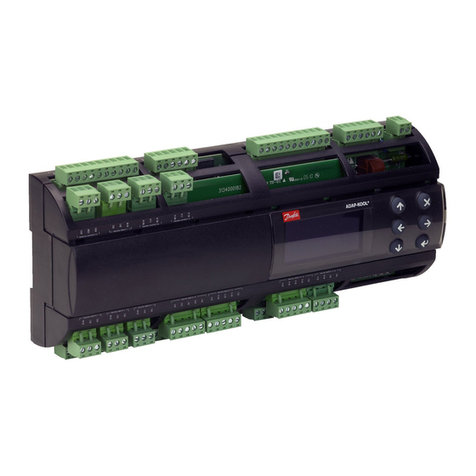
  9. Danfoss MCO 305 Guide

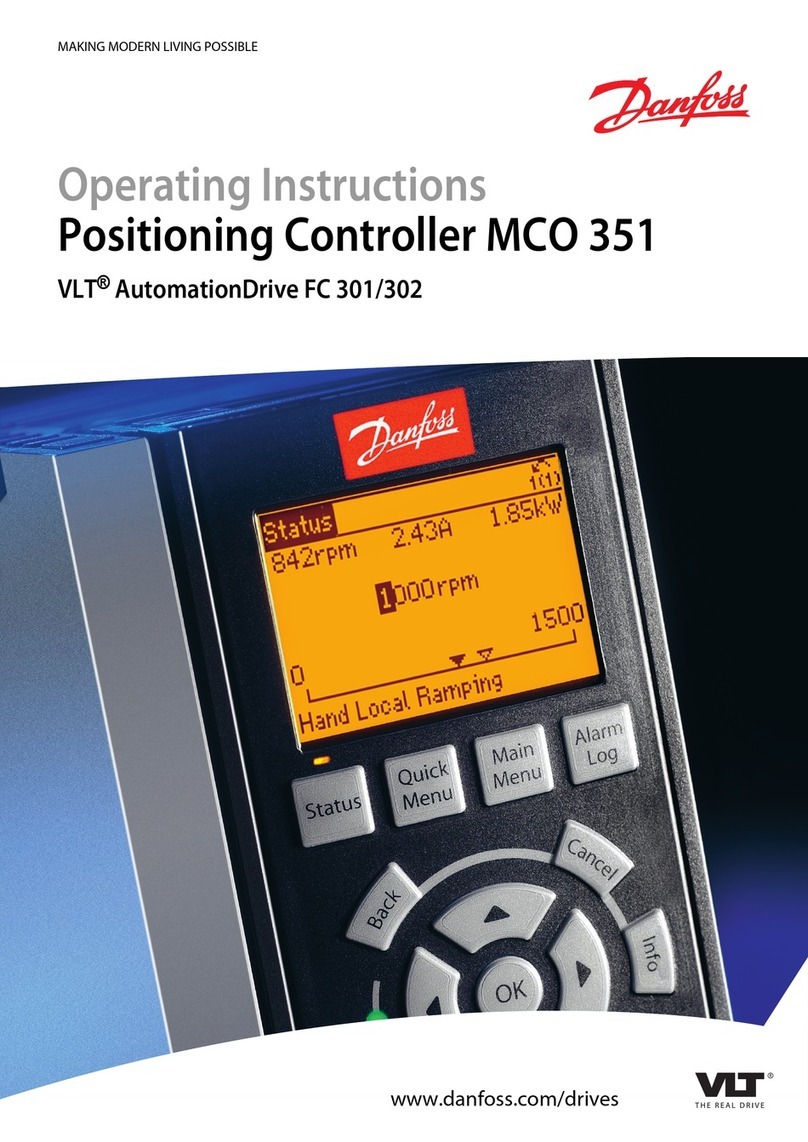
Danfoss MCO 305 Guide

Other manuals for MCO 305

3

Other Danfoss Controllers manuals

Danfoss KP 15A User manual

Danfoss

Danfoss KP 15A User manual

Danfoss NovoCon Series User manual

Danfoss

Danfoss NovoCon Series User manual

Danfoss PVED-CLS User manual

Danfoss

Danfoss PVED-CLS User manual

Danfoss ECL Comfort 110 User manual

Danfoss

Danfoss ECL Comfort 110 User manual

Danfoss AFT 06 User manual

Danfoss

Danfoss AFT 06 User manual

Danfoss AK-CC 550 User manual

Danfoss

Danfoss AK-CC 550 User manual

Danfoss 5000 Flux User manual

Danfoss

Danfoss 5000 Flux User manual

Danfoss AK-PC 420 User manual

Danfoss

Danfoss AK-PC 420 User manual

Danfoss ERC 213 User manual

Danfoss

Danfoss ERC 213 User manual

Danfoss QT User manual

Danfoss

Danfoss QT User manual

Danfoss ICAD 600B User manual

Danfoss

Danfoss ICAD 600B User manual

Danfoss AFQM 2 User manual

Danfoss

Danfoss AFQM 2 User manual

Danfoss VLT AQUA Drive FC 202 User manual

Danfoss

Danfoss VLT AQUA Drive FC 202 User manual

Danfoss EKC 202A User manual

Danfoss

Danfoss EKC 202A User manual

Danfoss ECL Comfort 110 User manual

Danfoss

Danfoss ECL Comfort 110 User manual

Danfoss AME 410 User manual

Danfoss

Danfoss AME 410 User manual

Danfoss RAVK User manual

Danfoss

Danfoss RAVK User manual

Danfoss MCO 305 Guide

Danfoss

Danfoss MCO 305 Guide

Danfoss PVE 4 Series Manual

Danfoss

Danfoss PVE 4 Series Manual

Danfoss Link HC User manual

Danfoss

Danfoss Link HC User manual

Danfoss VLT HVAC Drive FC 102 User manual

Danfoss

Danfoss VLT HVAC Drive FC 102 User manual

Danfoss Old ICAD 600 series User manual

Danfoss

Danfoss Old ICAD 600 series User manual

Danfoss AK2-SC 255 User manual

Danfoss

Danfoss AK2-SC 255 User manual

Danfoss MCD Series User manual

Danfoss

Danfoss MCD Series User manual

Popular Controllers manuals by other brands

Sunricher SR-ZV9003T3-RGBW-US Installation

Sunricher

Sunricher SR-ZV9003T3-RGBW-US Installation

Ksenia intro Installation and configuration manual

Ksenia

Ksenia intro Installation and configuration manual

Inovance CAN200 Series manual

Inovance

Inovance CAN200 Series manual

Gauzy LC6 FLEX Controller Installation and operation guide

Gauzy

Gauzy LC6 FLEX Controller Installation and operation guide

Viking SLP-1 Technical practice

Viking

Viking SLP-1 Technical practice

CKD KBX-30E-U Series instruction manual

CKD

CKD KBX-30E-U Series instruction manual

Sharp Energy Sun Flux User manual & installation guide

Sharp Energy

Sharp Energy Sun Flux User manual & installation guide

Yamaha RCX40 user manual

Yamaha

Yamaha RCX40 user manual

AB Quality PowerFlex 400 Frames D-H Service bulletin

AB Quality

AB Quality PowerFlex 400 Frames D-H Service bulletin

Yamaha MJC8 owner's manual

Yamaha

Yamaha MJC8 owner's manual

AL-KO ATC operating instructions

AL-KO

AL-KO ATC operating instructions

Savant SmartControl 2 Deployment guide

Savant

Savant SmartControl 2 Deployment guide

GameSir T3S user manual

GameSir

GameSir T3S user manual

Kostal inveor operating manual

Kostal

Kostal inveor operating manual

Emerson Yarway 20-55 Operating and safety instructions

Emerson

Emerson Yarway 20-55 Operating and safety instructions

CoCo ACM-LV24 Quick installation guide

CoCo

CoCo ACM-LV24 Quick installation guide

Brooks SLA5810/20 Installation and operation manual

Brooks

Brooks SLA5810/20 Installation and operation manual

SIGMA TEK SR 011 Technical manual

SIGMA TEK

SIGMA TEK SR 011 Technical manual

manuals.online logo
manuals.online logoBrands
  • About & Mission
  • Contact us
  • Privacy Policy
  • Terms and Conditions

Copyright 2025 Manuals.Online. All Rights Reserved.

MCO 305 Design Guide
MG.33.L4.02 – VLT®is a registered Danfoss trademark 1
Contents
How to Read this MCO 305 Design Guide..................................5
How to Read this Design Guide ......................................................................5
Available Literature for FC 300, MCO 305, and MCT 10 Motion Control Tool ..........6
Symbols and Conventions .............................................................................7
Abbreviations ..............................................................................................7
Definitions ..................................................................................................8
Introduction to VLT Motion Control Option MCO 305 ..............11
What is VLT Motion Control Option MCO 305?................................................. 11
System Overview ....................................................................................... 12
Configuration Examples ..............................................................................13
Interface between MCO 305, FC 300 and other Option Modules......................... 14
Control Loops ............................................................................................14
Encoder .................................................................................................... 15
Program Execution .....................................................................................15
Functions and Examples .........................................................17
Positioning ................................................................................................17
Application Example: A Bottle Box Palletizer................................................... 19
Absolute Positioning ...................................................................................19
Relative Positioning ....................................................................................21
Touch Probe Positioning ..............................................................................22
Synchronizing............................................................................................24
Velocity Synchronization (SYNCV) ................................................................ 24
Application Example: Suit Case Conveyor Belt................................................ 24
Position/Angle Synchronization (SYNCP) ........................................................ 26
Application Example: Packaging with Fixed Product Distances........................... 27
Marker Synchronization (SYNCM) ................................................................. 31
Application Example: Packaging with Varying Product Distance and Slip ............. 31
CAM Control ..............................................................................................35
Stamping of Boxes with Use-by Date ............................................................ 36
Printing of Cardboard Boxes with Marker Correction ........................................ 38
If the Sensor Distance is Larger than one Master Cycle Length ......................... 40
Slave Synchronization with Marker ...............................................................41
CAM Box................................................................................................... 44
Mechanical Brake Control ............................................................................45

MCO 305 Design Guide

2MG.33.L4.02 – VLT®is a registered Danfoss trademark
Limited-Jerk .............................................................................................. 47
PC Software Interface ............................................................53
Specifics of the User Interface ..................................................................... 53
File Menu..................................................................................................55
Edit Menu .................................................................................................56
Development Menu .................................................................................... 57
Controller Menu ......................................................................................... 62
Testrun Menu ............................................................................................ 67
CAM-Editor Menu .......................................................................................70
Settings Menu ...........................................................................................77
Window and Help Menu............................................................................... 78
How to Program .....................................................................79
Programming the MCO with the APOSS Macro-language .................................. 79
Program Layout .........................................................................................79
Command Structure ...................................................................................81
Error Handling ...........................................................................................81
Debugging ................................................................................................82
Interrupts .................................................................................................82
Elements of the Programming Language........................................................ 84
Arithmetic, Operators .................................................................................86
Software Reference ................................................................89
Command Overview ................................................................................... 89
Initialization Commands..............................................................................89
Control Commands..................................................................................... 90
Input/Output Commands ............................................................................91
Interrupt Functions (INT) ............................................................................92
Commands for Parameter Handling............................................................... 93
Communication Option Commands ...............................................................93
Speed Control Commands ...........................................................................93
Positioning Commands................................................................................94
Synchronizing Commands ...........................................................................94
CAM Commands.........................................................................................95
All Commands from ACC to #INCLUDE.......................................................... 96
MCO 305 Design Guide
MG.33.L4.02 – VLT®is a registered Danfoss trademark 3
Parameter Reference............................................................177
FC 300, MCO 305, and Application Parameters ............................................. 177
FC 300 Parameters Overview ..................................................................... 179
Application Settings.................................................................................. 181
MCO Parameters ...................................................................................... 182
MCO Basics Settings................................................................................. 183
MCO Advanced Settings ............................................................................ 193
MCO Data Readouts ................................................................................. 211
Parameter Lists........................................................................................ 214
Troubleshooting ................................................................... 221
Warnings and Error Messages .................................................................... 221
APOSS Software Messages ........................................................................ 226
Appendix .............................................................................. 227
Get a General Idea of Program Samples ...................................................... 227
SYNCPOS > MCO 305 Parameters .............................................................. 230
What’s New in the Update Version .............................................................. 233
Technical Reference.................................................................................. 234
Index ..................................................................................................... 238
Copyright ¤Danfoss A/S, 2009
Trademarks VLT is a registered Danfoss trademark.
Microsoft, MS, MS-DOS, Windows 2000, and Windows XP are either registered trademarks or trademarks of the
Microsoft Corporation in the USA and other countries.
MCO 305 Design Guide
MG.33.L402 – VLT®is a registered Danfoss trademark 5
How to Read this Design Guide
How to Read this Design Guide
This Design Guide will introduce all aspects of your MCO 305. Please read also the Operating Instructions, in
order to be able to work with the system safely and professionally, particularly observe the hints and
cautionary remarks.
Chapter How to Read this Design Guide intro-
duces the design guide and informs you about the
symbols, abbreviations, and definitions used in this
manual.
Page divider for ‘How to Read this Design Guide’.
Chapter Introduction to MCO 305 informs you
about the functionality and features of the
MCO 305, gives a system overview including
configuration examples, and informs you about
some basic topics like encoder and program
execution.
Page divider for ‘Introduction’.
Chapter Functions and Examples guides you
through some applications examples from simple
positioning to different synchronizations as well as
CAM controls. Setting the parameters, program-
ming of controls, and editing of curves can be
reconstructed in detail with these examples.
Page divider for ‘Functions and Examples’.
MCO 305 Design Guide
__ How to Read this Design Guide __
6MG.33.L4.02 – VLT®is a registered Danfoss trademark
Chapter PC Software Interface informs you
about the APOSS specific menus and functions
mainly the CAM-Editor for editing curve profiles.
Click on oHelp in the APPOS menu bar for more
details.
Page divider for ‘PC Software Interface’.
Chapter How to Program shows you how to
program controls for the Frequency Converter
using MCO 305. This chapter provides a detailed
description of all commands and all parameters in
the sections Software and Parameter Reference.
Page divider for ‘How to Program’.
Chapter Troubleshooting assists you in solving
problems that may occur when using the frequency
converter with MCO 305. The next section explains
the most important messages from the PC user
interface.
Page divider for ‘Troubleshooting’.
Chapter Appendix gives a quick review of what
has changed since previous releases in “What is
new?”. Experienced users will find detailed informa-
tion in the technical reference material for example
the “Array Structure of CAM Profiles”. Plus, the
manual ends with an index.
Page divider for ‘Appendix’.
The Online Help provides in Chapter Program Samples almost 50 program samples which you can use to
familiarize yourself with the program or copy directly into your program.
Available Literature for FC 300, MCO 305, and MCT 10 Motion Control Tool
The MCO 305 Operating Instructions provide the necessary information for built-in, set-up, and optimize
the controller.
The VLT® AutomationDrive FC 300 Operating Instructions provide the necessary information for getting
the drive up and running.
The VLT® AutomationDrive FC 300 Design Guide entails all technical information about the drive and
customer design and applications.
The VLT® AutomationDrive FC 300 MCT 10 Operating Instructions provide information for installation
and use of the software on a PC.
Danfoss Drives technical literature is also available online at www.danfoss.com/drives.

MCO 305 Design Guide
__ How to Read this Design Guide __
MG.33.L4.02 – VLT®is a registered Danfoss trademark 7
Symbols and Conventions
Symbols used in this Design Guide:
NB!:
Indicates something to be noted by the reader.
Indicates a general warning.
Indicates a high-voltage warning.
*Indicates default setting.
Conventions
The information in this manual follows the system and uses the typographical features described below to
the greatest extent possible:
Menus and Functions
Menus and functions are printed italics, for example: Controller oParameters.
Commands and Parameters
Commands and parameter names are written in capitals, for example: AXEND and KPROP; Parameters are
printed in italics, for example: Proportional factor.
Parameter Options
Values for use to select the parameter options are written in brackets, e.g. [3].
Keys
The names of keys and function keys are printed in brackets, for example the control key [Cntl] key, or just
[Cntl], the [Esc] key or the [F1] key.
Abbreviations
Automatic Motor Adaptation AMA
Control word CTW
Direct Current DC
Digital Signal Processor DSP
Frequency Converter FC
Local Control Panel LCP
Least significant bit LSB
Main actual value MAV
Motion Control Option MCO
Motion Control Tool MCT
Minute min
Most significant bit MSB
Main Reference MRV
Master Unit MU
Digital output switching to high side. NPN
Switch normally closed nc
Switch normally open no
Parameter par.
Position Control Loop PID
Digital output switching to low side. PNP
Pulses per Revolution PPR
Quad-counts qc
Reference REF
Revolutions per Minute RPM
Second, Millisecond s, ms
Sample time st
Status word STW
User Unit UU
Volts V
MCO 305 Design Guide
__ How to Read this Design Guide __
8MG.33.L4.02 – VLT®is a registered Danfoss trademark
Definitions
MLONG
An upper or lower limit for many parameters:
-MLONG = -1,073,741,824
MLONG = 1,073,741,823
Online / Offline Parameters
Changes to online parameters are activated immediately after the data value is changed. Changes to offline
parameters are not activated until you enter [OK] on the LCP.
Quad-counts
Incremental encoders: 4 quad-counts correspond
to one sensor unit.
Absolute encoders: 1:1 (1 qc correspond to one
sensor unit).
Through edge detection, a quadrupling of the incre-
ments is produced by both tracks (A/B) of the
incremental encoder. This improves the resolution.
Derivation of quad counts
Encoder Direction
The direction of encoder is determined by which
order the pulses are entering the drive.
Clockwise direction means channel A is 90 electri-
cal degrees before channel B.
Counter Clockwise direction means channel B is
90 electrical degrees before A.
The direction determined by looking into the shaft
end.
MCO 305 Design Guide
__ How to Read this Design Guide __
MG.33.L4.02 – VLT®is a registered Danfoss trademark 9
Virtual Master
Virtual master is an encoder simulation which
serves as a common master signal for
synchronization of up-to 32 axes.
MCO 305 Design Guide
__ How to Read this Design Guide __
10 MG.33.L4.02 – VLT®is a registered Danfoss trademark
User Units
The units for the drive or the slave and the master, respectively, can be defined by the user in any way
desired so that the user can work with meaningful measurements.
User Units [UU]
All path information in motion commands are made in user units and are converted to quad-counts
internally. These also have an effect on all commands for the positioning: e.g. APOS, POS.
The user can also select meaningful units for the CAM control in order to describe the curve for the master
and the slave, for example 1/100 mm, or 1/10 degrees in applications where a revolution is being observed.
In the CAM control, the maximum run distance of the slave or the slave cycle length are indicated in User
Units UU (qc).
You can standardize the unit with a factor. This factor is a fraction which consists of a numerator and
denominator:
DenomintorUnitUser
NumeratorUnitUser
11-32par.
12-32par.
UUUnitUser1
par. 32-12 User Unit Numerator POSFACT_Z
par. 32-11 User Unit Denominator POSFACT_N
Scaling determines how many quad-counts make up a user unit. For example, if it is 50375/1000, then one
UU corresponds to exactly 50.375 qc.
NB!:
When user units are transferred into qc, then they get truncated. When qc are transferred into
user units, then they get rounded.
Master Units [MU]
A factor (fraction) is used for the conversion into qc, as with the user unit:
SlaveFactorationSynchroniz
MasterFactorationSynchroniz
1133par.
1033par.
MUUnitMaster1 

par. 33-10 Synchronization Factor Master SYNCFACTM
par. 33-11 Synchronization Factor Slave SYNCFACTS
Open Loop vs. Closed Loop
Open loop is control without feedback. Closed loop control compares velocity or position feedback with the
commanded velocity or position and generates a modified command to make the error smaller. The error is
the difference between the required speed and the actual speed.
Open loop can be used on systems where motor velocity is not critical, and where accurate positioning is
not necessary. Applications such as fan and blower control, pump control, and some low-end home
appliances are examples.