Dell S1909W User manual

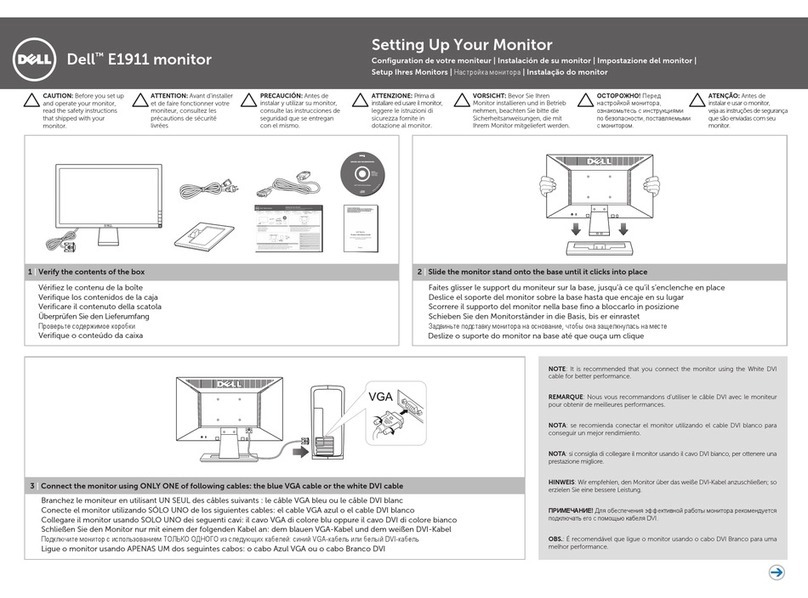
NOTE:The white DVI cable may not ship with your
monitor.
REMARQUE : Le câble DVI blanc peut ne pas être livré
avec votre moniteur.
NOTA: Puede que el cable DVI blanco no se incluya
con el monitor.
OBSERVAÇÃO: O cabo branco DVI pode não ser
enviado com seu monitor.
HINWEIS: Das weiße DVI-Kabel wird u. U. nicht mit
dem Monitor ausgeliefert.
NOTA:Il cavo DVI bianco potrebbe non essere fornito
con il monitor.
UWAGA: Biały kabel DVI może nie być dołączony do
zakupionego monitora.

4J.0MV01.001
T045G rev. A00
(opcional).
(si disponible).
(se disponibile).
(jeśli jest dostępny)
(falls vorhanden)
(se disponível)
(si está disponible)
(opcional).
(optional).
(opzionale).
(opcjonalny).
August 2008
Août 2008
Agosto 2008
Agosto 2008
August 2008 Agosto 2008 Sierpień2008
1. OSD Menu / Exit
2. Brightness/Contrast / Up
3. Auto-adjust / Down
4. Input Source Select / Select
5. Power button
1. Menu OSD / Quitter
2. Luminosité/Contraste / Haut
3. Mise au point / Bas
4. Sélection de la source d'entrée
/ Sélection
5. Bouton d'alimentation
1. Menú OSD / Salir
2. Brillo/Contraste / Arriba
3. Ajuste automático / Abajo
4. Seleccionar fuente de entrada
/ Seleccionar
5. Botón de encendido
1. OSD-Menü / Beenden
2. Helligkeit/Kontrast / Nach oben
3. Autoeinstellung / Nach unten
4. Auswahl von Eingangsquelle
/ Auswahl
5. Ein/Aus-Taste
1. Menu OSD / Esci
2. Luminosità/Contrast / Su
3. Regolazione automatica / Giù
4. Seleziona sorgente ingresso / Seleziona
5. Tasto di alimentazione
1. Menu ekranowe / Wyjście
2. Jaskrawość/Kontrast / W górę
3. Automatyczna regulacja / W dół
4. Wybór źródła sygnału / Zaznaczenie
5. Przycisk zasilania
1. Menu OSD / Saída
2. Brilho/Contraste / para Cima
3. Autoajuste / para Baixo
4. Seleção de Origem de Entrada
/ Seleção
5. Botão liga
Toute reproduction de ces documents strictement
interdite, par quelque moyen que ce soit,
sans autorisation écrite de Dell™ Inc.
Queda terminantemente prohibida cualquier
reproducción de estos materiales sin el permiso
escrito de Dell™ Inc.
A reprodução desses materiais por qualquer meio
possível, sem permissão por escrito da Dell™ Inc,
é estritamente proibida.
Reproduktion dieser Materialien auf jegliche Art
ohne die schriftliche Erlaubnis von Dell Inc. ist
streng verboten..
È severamente vietata la riproduzione dei presenti
materiali in qualsiasi modalità senza il permesso
scritto di Dell Inc.
Powielanie niniekszych materiałów w jakiejkolwiek
formie bez pisemnej zgody firmy Dell™ Inc.
jest surowo zabronione.
This manual suits for next models
2
Other Dell Monitor manuals

Dell
Dell S2716DGb User manual
Dell
Dell UltraSharp U2419HC User manual

Dell
Dell ST2320L User manual
Dell
Dell SP2009W User manual
Dell
Dell S2719DC Instructions for use
Dell
Dell S2421HSX User manual
Dell
Dell S2722DGM User manual
Dell
Dell OptiPlex 9030 Manual

Dell
Dell E2015HV User manual
Dell
Dell UltraSharp 2208WFP User manual
Dell
Dell P2011H User manual

Dell
Dell D7523QTc User manual

Dell
Dell P2222H User manual
Dell
Dell 210-AVMG User manual
Dell
Dell E2213 Reference guide
Dell
Dell UltraSharp 1907FPV User instructions
Dell
Dell P2421DC User manual

Dell
Dell E1609WFP User manual
Dell
Dell SE2716H User manual
Dell
Dell C7520QT User manual