
Detection Systems DS7080iP-32 User manual

DS7080iP-32 Security
System User’s Guide
An instruction guide for your alarm system
when used with a
DS7443S, DS7445 or DS7447 keypad
Armed
Status
Power
Fire
123
456
789
0#
On
No
Entry
System
Reset
Bypass
Perimeter
Only
Off
Ready to Arm

- Page 2 -
System Overview
Congratulations on the installation of your new security system. No other investment can provide such peace of
mind. Welcome to the DS7080iP-32 intrusion/fire control system. Since each installation is unique, yours will contain
some, but not necessarily all of the features mentioned in this guide.
A security system usually consists of:
•A Control Panel: The control panel is the center of your intrusion/fire alarm system. It supports such vital functions as receiving trouble and
alarm signals from detectors, the sounding of bells and/or sirens, and communicating with your alarm monitoring company.
•Command Control Stations (Keypads): Thekeypadis where youinteract withthesystem.Thekeypaddisplayscriticalinformation concerning
the operation of your alarm system, plus it allows you to initiate commands such as arming and disarming.
•Protected Zones: Your security system may contain protected windows and doors (perimeter zones), plus various internal sensors.Your
control panel separates perimeter zones from interior protection zones. Specific protection devices may include:
•Glass breakage sensors: Devices that detect the sound of breaking glass.
•Interior motion sensors: Electronic sensors (e.g. passive infrared) that detect movement within an
interior zone.
•Magnetic contacts:Switches used to detect the opening of doors or windows.
•Smoke detectors: Devices that detect products of combustion.
This system includes a telephone line seizure feature.The system may be programmed to communicate with a central monitoring
station to report system events.You will not be able to use your phone while the system is communicating with the central monitoring
station.In the unlikely event that the central station is not able to receive the report, your phone may be unavailable for up to 20 minutes
while the panel makes additional communication attempts.

- Page 3 -
Table of Contents
Your system may or may not be monitored by an alarm monitoring service.
If it is not monitored, it is vital to understand the following:
• Alarms sound only at your location.
• When an alarm is sounded, no signals are sent out.
• Duress and other silent alarms are disabled.
• Emergency alarms sound only at your location.
System Overview .................................................................. 2
Understanding the DS7443S, DS7445 and DS7447 Keypads 4
UnderstandingPartitioning .................................................... 6
Turning ON (Arming) your System......................................... 7
Quick ArmingYour System .................................................... 9
Turning OFF (Disarming) your System / Silencing Alarms ... 10
Force Arming your System .................................................. 11
Zone Bypassing................................................................... 12
Chime Mode ........................................................................ 13
Access Control .................................................................... 14
Setting the Date................................................................... 15
Setting theTime................................................................... 16
AutomaticArming ................................................................ 17
Delaying Automatic Arming.................................................. 18
Setting Delayed Arming ....................................................... 19
Emergency Procedures ....................................................... 20
Turning OFF (Disarming) your System under Duress .......... 21
Fire Reset / FireTrouble ...................................................... 23
Fire Safety ........................................................................... 24
Personal Identification Numbers .......................................... 26
Removing a PIN ................................................................. 26
Error Displays ...................................................................... 29
TestingYour System ............................................................ 31
Event History Readback ...................................................... 34
Glossary .............................................................................. 35
Quick Reference Guide ....................................................... 36
System Features Reference Guide...................................... 37
Index.................................................................................... 39

- Page 4 -
Understanding the DS7443S, DS7445 and DS7447 Keypads
continued on next page
This chart will help you understand what each Light/LED represents.
The DS7443S is an LED keypad;its LEDs 1-6 represent the first 6 zones of
the system (zones 7-32 are not displayed).
The DS7445 is an LED keypad; its LEDs 1-8 represent the first 8 zones of
the system (zones 9-32 are not displayed).
The DS7447 is an alphanumeric LCD keypad.
All three keypads display information on various control panel functions as
indicated in the following charts.
A built-in sounder is used to annunciate keystroke entries and as an interior
warning device.
DS7447
Arme d
Sta tus
Pow er
Fire
123
456
789
0
*#
On
No
Ent ry
System
Reset
Bypass
Only
Perimeter
Off
DS7445
Armed
Status
Power
Fire
Per im et er
Supervisory
BellSilenced
Trouble
12345678
123
456
789
0
*#
On
No
Entry
System
Reset
Bypass
Only
Peri met er
Off
DS7443S
On
No
Entry
System
Reset
Bypass
Perimeter
Only
Off
654
987
#0
*
321
Fire
Armed
Stat us
Power
TEST W EEK LY
1
2
3
4
5
6

- Page 5 -
Understanding the DS7447, DS7443S and DS7445 Keypads (continued)
Lights Present only on the DS7443S Keypad
Light Off Flashing On
LEDs 1-6
(red) There are no zone
alarms. A zone (1-6) has been alarmed.
(Zones 7-32 are not displayed.) A zone (1-6) is Not Ready to Arm or if a fire
zone, a trouble condition exists. (Zones 7-32
are not displayed.)
Lights Present only on the DS7445 Keypad
Light Off Flashing On
Perimeter
(yellow) The perimeter is not
armed. This Light will not flash. The perimeter is armed.
Supervisory
(yellow) This Light is not used
by the DS7080iP-32. Not used. Not used.
Bell
Silenced
(yellow)
The bells do not need
to be or have been
silenced.
This Light will not flash. There has been a Fire alarm and the bells
have been silenced. To clear, enter the Fire
Rest command.
Trouble
(yellow) There are no trouble
conditions. This Light will not flash. A trouble condition exists.
LEDs 1-8
(red) There are no zone
alarms. A zone (1-8) has been alarmed.
(Zones 9-32 are not displayed.) A zone (1-8) is Not Ready to Arm or if a fire
zone, a trouble condition exists. (Zones 9-32
are not displayed.)

- Page 6 -
Understanding Partitioning
Your alarm system may be Partitioned.
A Partitioned system is a system that is divided into two areas which may be armed and disarmed independently.
The following applies in a Partitioned system:
• User PIN numbers are always required to perform operations in a Partitioned system.
• DS7447 LCD keypads will alternately display (about every 2 seconds) the current status of each partition.
• DS7443S and DS7445 LED keypads will alternately display (about every 2 seconds) the current status of each partition by way of the LED’s.
See “Understanding the DS7447, DS7443S and DS7445 Keypads” on pages 4 and 5 for details.
• If the User PIN has authority in only one Partition, using that PIN on any keypad will perform Arming and Disarming commands only for the
Partition in which the User has authority.
• If the User PIN has authority in both Partitions, the User may arm or disarm both Partitions by entering the commands from any keypad.
• Only Users with access to both partitions can arm common zones.
• If the User PIN has authority in both Partitions, the User may arm or disarm the first Partition only by entering the [PIN] + [#] [#] + [Arming/
Disarming command]. To perform arming or disarming commands in the second Partition only, enter the [PIN] + [#] [#] [#] [#] + [Arming/
Disarming command].
• If Custom Arming ([PIN] + [#] [4]) is used in a Partitioned system, the following will apply:
- Users with access to both partitions can Custom Arm all zones.
- Users with access to both partitions cannot custom arm a single partition.
- Users with access to Partition 1 can Custom Arm any zones in Partition 1 but cannot arm common zones or zones in Partition 2.
- Users with access to Partition 2 can Custom Arm any zones in Partition 2 but cannot arm common zones or zones in Partition 1.

- Page 7 -
Turning ON (Arming) your System
This chart explains the five normal ways to arm the system.
The green Status Light must be on steady and the display (if using the DS7447 keypad) must read “Ready to Arm”in order to arm the system
with one of these commands.If the green Status Light is not on, or if the display (if using the DS7447 keypad) is reading“Not Ready, ”then see
Force Arming
or
Zone Bypass
for other ways to arm the system.
If this is a Partitioned system, please read “Understanding Partitioning” before using this chart.
Note: In commercial burglar alarm applications for UL Listed Requirement systems, a ring-back indication and bell test should be heard after
arming (closing). If not heard, call for service.

- Page 8 -
Note: In commercial burglar alarm applications for UL Listed Requirement systems, a ring-back indication and bell test should be heard after
arming (closing). If not heard, call for service.
If this is a Partitioned system, please read “Understanding Partitioning” before using this chart.
Turning ON (Arming) your System (continued)

- Page 9 -
This chart explains four ways to quick arm the system from the keypads.
If Quick Arming is not used, a PIN must be entered at the beginning of all arming command sequences.
Quick Arming is not available in a partitioned system.
When Quick Arming is used, the following shortcuts are available:
Quick Arming Command Sequence Type of Arming
[#] + [On] Normal Arming
[#] + [No Entry] + [Perimeter Only] Perimeter Arming – No Entry Delay
[#] + [Perimeter Only] Perimeter Arming – Entry/Exit Delay
[#] + [No Entry] + [On] Maximum Security Arming
Quick ArmingYour System

- Page 10 -
This chart explains proper procedures for disarming and/or silencing alarms.
Please read the section about Emergency Procedures prior to being confronted with an emergency event.
If you have entered the building through a perimeter door, you may hear a steady pre-alert tone from the keypads.If so, disarm according to the
chart below.
If the bells and sirens are on and/or the red Armed Light is flashing, then the keypad is signaling that an alarm has occurred sometime
before your arrival.The DS7447 will display “Zone Alarm”.The DS7443S zone LEDs (1-6) (Zones 7 - 32 will not be displayed) or the
DS7445 zone LEDs (1-8) (zones 9 - 32 will not be displayed) will be flashing for the corresponding zone that is in alarm.
• The keypad will also issue a pulsed tone during the entry delay instead of the usual steady tone.
• If the alarm has not been previously investigated, do not enter the building unless accompanied by the appropriate
Emergency Services’ personnel.
* In non-partitioned systems. For systems with partitioning, review the sections on “Understanding the Keypads” and “Understanding
Partitioning”.
Turning OFF (Disarming) your System / Silencing Alarms
Other manuals for DS7080iP-32
1
This manual suits for next models
3
Table of contents
Other Detection Systems Security System manuals
Detection Systems
Detection Systems OD850 User manual

Detection Systems
Detection Systems 7090i Assembly instructions
Detection Systems
Detection Systems SEFD1 User manual

Detection Systems
Detection Systems 7100 User manual

Detection Systems
Detection Systems DS7445 User manual
Detection Systems
Detection Systems DS7443 User manual
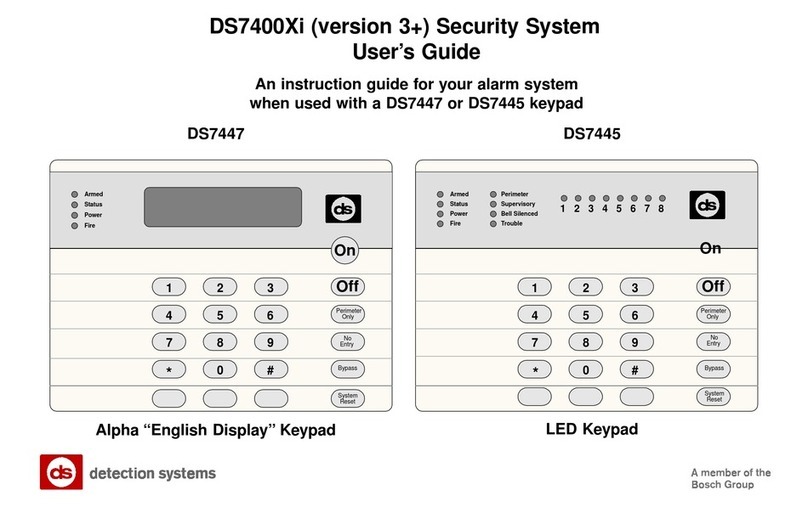
Detection Systems
Detection Systems DS7400Xi User manual
Detection Systems
Detection Systems 7090i Installation guide
Detection Systems
Detection Systems DS7400Xi User manual
Detection Systems
Detection Systems DS7090i User manual

















