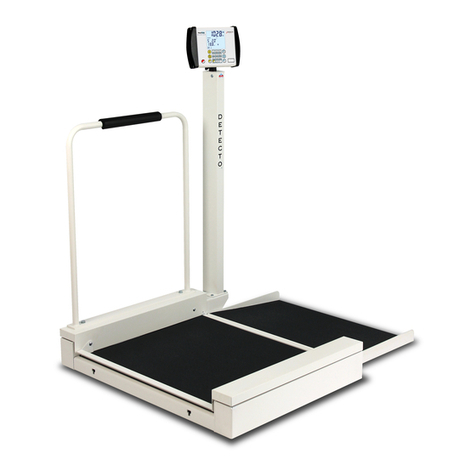
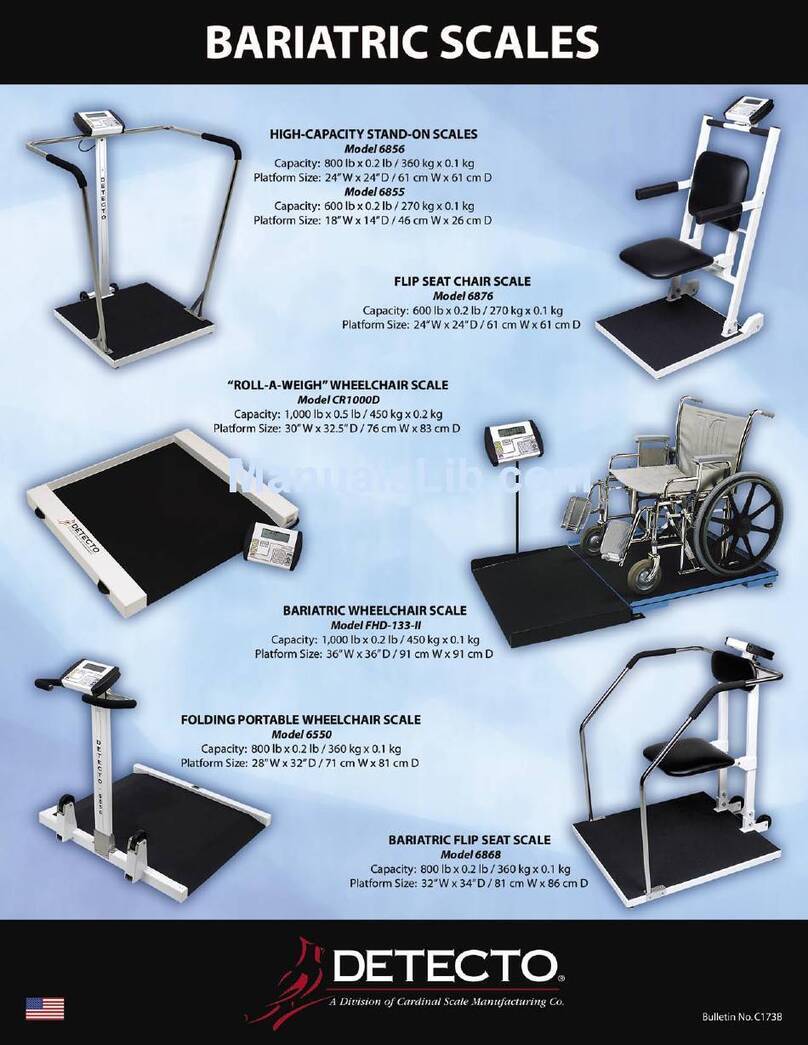
Detecto 7550 User manual

0065-0647-OM Rev E 7550 OWNER’S MANUAL
1
7550 Wall-Mount Fold-up
Wheelchair Scale
with Wi-Fi and Bluetooth 5.0
Owner’s Manual

0065-0647-OM Rev E 7550 OWNER’S MANUAL
2

0065-0647-OM Rev E 7550 OWNER’S MANUAL
3
INTRODUCTION
Thank you for purchasing our Detecto 7550 Wall-Mount Fold-Up Wheelchair Scale. The 7550
wall-mount wheelchair scale features a unique fold-up storage design that saves space when
not in use. The 7550 easily accommodates most wheelchairs with its spacious 36 in W x 33 in
D / 91 cm W x 84 cm D platform, and yet requires very little floor space when folded up. The
slim 7.3 in / 18.5 cm profile takes up minimal space when installed in a medical facility hallway,
clinical office, or patient room. When you’re ready to weigh, simply lower the platform and the
gas spring lifting mechanism will gently lower it into place. The patient may be easily rolled
onto the scale in a wheelchair, weighed in a chair, or while standing. The scale features a high
1,000 lb x 0.2 lb / 450 kg x 0.1 kg capacity for bariatric weighing, two-way ramps, and built-in
Wi-Fi and Bluetooth 5.0 for EMR/EHR.
This manual is provided to guide you through the setup and operation of your scale. Please
read it thoroughly before attempting to set up or operate your scale and keep it available for
future reference.
This manual is for the following models of the 7550 Wall-Mount Fold-Up Wheelchair Scales:
7550, 7550-AC, and 7550KGEU
COPYRIGHT
All rights reserved. Reproduction or use, without expressed written permission, of editorial or
pictorial content, in any manner, is prohibited. No patent liability is assumed with respect to the
use of the information contained herein.
DISCLAIMER
While every precaution has been taken in the preparation of this manual, the Seller assumes
no responsibility for errors or omissions. Neither is any liability assumed for damages resulting
from the use of the information contained herein. All instructions and diagrams have been
checked for accuracy and ease of application; however, success and safety in working with
tools depend to a great extent upon individual accuracy, skill, and caution. For this reason, the
Seller is not able to guarantee the result of any procedure contained herein. Nor can they
assume responsibility for any damage to property or injury to persons occasioned from the
procedures. Persons engaging in the procedures do so entirely at their own risk.
Serial Number _____________________
Date of Purchase __________________
Purchased From ___________________
__________________________________
__________________________________
__________________________________
RETAIN THIS INFORMATION FOR FUTURE USE
PRECAUTIONS
Before using this scale, read this manual
and pay special attention to all
"NOTIFICATION" symbols:
IMPORTANT ELECTRICAL
WARNING
I

0065-0647-OM Rev E 7550 OWNER’S MANUAL
4
PROPER DISPOSAL
When this device reaches the end of its useful life, it must be properly disposed of. It must not
be disposed of as unsorted municipal waste. Within the European Union, this device should be
returned to the distributor from where it was purchased for proper disposal. This is in
accordance with EU Directive 2002/96/EC. Within North America, the device should be
disposed of in accordance with the local laws regarding the disposal of waste electrical and
electronic equipment.
It is everyone’s responsibility to help maintain the environment and to reduce
the effects of hazardous substances contained in electrical and electronic
equipment on human health. Please do your part by making certain that this
device is properly disposed of. The symbol shown to the right indicates that
this device must not be disposed of in unsorted municipal waste programs.
CAUTION
CAUTION: RISK OF EXPLOSION IF BATTERY IS REPLACED BY AN INCORRECT
TYPE. DISPOSE OF USED BATTERIES ACCORDING TO THE INSTRUCTIONS.
ATTENTION: RISQUE D'EXPLOSION SI LA BATTERIES EST REMPLACE'E PAR
UN TYPE INCORRECT. REJETEZ LES BATTERIES UTILISE'ES SELON LES
INSTRUCTIONS.
Contains FCC ID: 2ADHKWINC3400
1. This device complies with Part 15 of the FCC rules. Operation is subject to the following two
conditions:
(1) This device may not cause harmful interference.
(2) This device must accept any interference received, including interference that may
cause undesired operation.
2. Changes or modifications not expressly approved by the party responsible for compliance
could void the user’s authority to operate the equipment.
FCC RADIATION EXPOSURE STATEMENT
This equipment complies with FCC RF radiation exposure limits set forth for an uncontrolled
environment. This transmitter must not be co-located or operated in conjunction with any other
antenna or transmitter. This equipment must be installed and operated with a minimum
distance of 20 cm between the radiator and user body.
II

0065-0647-OM Rev E 7550 OWNER’S MANUAL
5
TABLE OF CONTENTS
SPECIFICATIONS . . . . . . . . . . . . . . . . . . . . . . . . . . . . . . . . . . . . . . . . . . . . . . . . . . . . Page 1
Standard Features . . . . . . . . . . . . . . . . . . . . . . . . . . . . . . . . . . . . . . . . . . . . . . . . . . Page 1
SITE PREPARATION REQUIREMENTS . . . . . . . . . . . . . . . . . . . . . . . . . . . . . . . . . . .
Page 2
Environmental . . . . . . . . . . . . . . . . . . . . . . . . . . . . . . . . . . . . . . . . . . . . . . . . . . . .
. .
Page 2
Electrical Power . . . . . . . . . . . . . . . . . . . . . . . . . . . . . . . . . . . . . . . . . . . . . . . . . . . . Page 2
Electrical Noise Interference . . . . . . . . . . . . . . . . . . . . . . . . . . . . . . . . . . . . .
. . . . . .
Page 2
UNPACKING . . . . . . . . . . . . . . . . . . . . . . . . . . . . . . . . . . .
. . . . . . . . . . . . . . . . . . . . . .
Page 3
INSTALLATION . . . . . . . . . . . . . . . . . . . . . . . . . . . . . . . . . . . . . . . . . . . . . . . . . . . . . .
.
Page 4
Choose the Scale Location . . . . . . . . . . . . . . . . . . . . . . . . . . . . . . . . . .
. . . . . . . . . .
Page 4
Install the Wall Mount . . . . . . . . . . . . . . . . . . . . . . . . . . . . . . . . . . . . . . . . . . . . . . . .
Page 5
Install the Scale on the Wall Mount . . . . . . . . . . . . . . . . . . . . . . . . . . . . . . . . . . .
. . .
Page 6
Battery Operation . . . . . . . . . . . . . . . . . . . . . . .
. . . . . . . . . . . . . . . . . . . . . . . . . . . .
Page 7
Battery Status . . . . . . . . . . . . . . . . . . . . . . . . . . . . . . . . . . . . . . . . . . . . . .
. . . . . . . .
Page 7
Battery Installation or Replacement . . . . . . . . . . . . . . . . . . . . . . . . . . . . . . . . . . . . .
Page 8
AC Power Adapter . . . . . . . . . . . . . . . . . . . . . . . . . . . . . . . . . . . . . . . . . . . . . . . . . . Page 8
WEIGHING UNITS/HEIGHT MEASUREMENT SELECTION . . . . . . . . . . . . . . .
. . . . .
Page 9
KEYPAD FUNCTIONS . . . . . . . . . . . . . . . . . . . . . . . . . . . . . . . . . . . . . . . . . . . . . . . . .
Page 11
ANNUNCIATORS . . . . . . . . . . . . . . . . . . . . . . . . . . . . . . . . . . . . . . . . . . . . . . . . . . . . .
Page 13
OPERATION . . . . . . . . . . . . . . . . . . . . . . . . . . . . . . . . . . . . . . . . . . . . . . . . . . . . .
. . . .
Page 14
Basic Weighing Operation . . . . . . . . . . . . . . . . . . . . . . . . . . . . . . . . . . . . .
. . . . . . .
Page 14
Basic Weighing Operation with ID – (No BMI) . . . . . . . . . . . . . . . . . . . . . . . . . . . . .
Page 16
Body Mass Index (BMI) Operation (Using Previously Measured Height) . .
. . . . . . .
Page 17
Body Mass Index (BMI) Operation with ID (Using Previously Measured Height) . .
.
Page 18
SCALE SETUP . . . . . . . . . . . . . . . . . . . . . . . . . . . . . . . . . . . . . . . . . . . . . . . . . . . . . . .
Page 19
CALIBRATE SCALE . . . . . . . . . . . . . . . . . . . . . . . . . . . . . . . . . . . . . . . . . . . . . . . . . . .
Page 29
Calibration Modes . . . . . . . . . . . . . . . . . . . . . . . . . . . . . . . . . . . . . . . .
. . . . . . . . . . .
Page 29
LOAD CELL TRIM . . . . . . . . . . . . . . . . . . . . . . . . . . . . . . . . . . . . . . . . . . . . . . .
. . . . . .
Page 42
WI-FI AND BLUETOOTH 5.0 . . . . . . . . . . . . . . . . . . . . . . . . . . . . . . . . . . . . . . . . . . . .
Page 45
Wi-Fi Features . . . . . . . . . . . . . . . . . . . . . . . . . . . . . . . . . . . . . . . . . . . . . . . . . . . . . Page 45
WI-FI SETUP . . . . . . . . . . . . . . . . . . . . . . . . . . . . . . . . . . . . . . . . . .
. . . . . . . . . . . . . . .
Page 45
Enable and Configure Wi-Fi Networking . . . . . . . . . . . . . . . . . . . . . . . . . . . . . . . .
. .
Page 45
Configure Wi-Fi Network Module . . . . . . . . . . . . . . . . . . . . . . . . . . . . . . . . . . . . . . .
Page 48
Changing the Network Credentials . . . . . . . . . . . . . . . . . . . . . . . . . . . . . . . . . . . . . . Page 50
Display Wi-Fi Network Settings . . . . . . . . . . . . . . . . . . . . . . . . . . . . . . . . . . . . . . .
. .
Page 50
WI-FI OPERATION . . . . . . . . . . . . . . . . . . . . . . . . . . . . . . . . . . . . . . . . . . . . . . . . . . . .
Page 51
Web Server . . . . . . . . . . . . . . . . . . . . . . . . . . . . . . . . . . . . . . . . . . . . . . . .
. . . . . . . .
Page 51
TCP/IP Connection . . . . . . . . . . . . . . . . . . . . . . . . . . . . . . . . . . . . . . . . . . . . . . . . . .
Page 52
SMA Commands . . . . . . . . . . . . . . . . . . . . . . . . . . . . . . . . . . . . . . . . . . . . . . . . .
. . .
Page 52
II

I

0065-0647-OM Rev E 7550 OWNER’S MANUAL
6
TABLE OF CONTENTS
BLUETOOTH LOW ENERGY (BLE) . . . . . . . . . . . . . . . . . . . . . . . . . . . . . . . . . . . . . Page 53
Features Available with BLE . . . . . . . . . . . . . . . . . . . . . . . . . . . . . . . . . . . . . . . . . Page 53
Enable Bluetooth (BLE) Networking . . . . . . . . . . . . . . . . . . . . . . . . . . . . . . . . . . . Page 53
Bluetooth Pairing . . . . . . . . . . . . . . . . . . . . . . . . . . . . . . . . . . . . . . . . . . . . . . . . . . Page 55
INTERFACING TO BLE . . . . . . . . . . . . . . . . . . . . . . . . . . . . . . . . . . . . . . . . . . . . . . .
Page 56
Standard Services per Bluetooth SIG . . . . . . . . . . . . . . . . . . . . . . . . . . . . . . . . . . . . Page 56
Device Information Service (0x180A) . . . . . . . . . . . . . . . . . . . . . . . . . . . . . . . . . . Page 56
Battery Service (0x180F) . . . . . . . . . . . . . . . . . . . . . . . . . . . . . . . . . . . . . . . . . . . .
Page 56
Weight Scale Service (0x181D) . . . . . . . . . . . . . . . . . . . . . . . . . . . . . . . . . . . . . . .
Page 56
BLUETOOTH INTERFACE STANDARD PROTOCOLS . . . . . . . . . . . . . . . . . . . . . . Page 57
Bluetooth Characteristic – Weight_Measurement: 0x2A9D . . . . . . . . . . . . . . . . . . . .
Page 57
Weight_Measurement: 0x2A9D . . . . . . . . . . . . . . . . . . . . . . . . . . . . . . . . . . . . . . . . . Page 57
Custom Services . . . . . . . . . . . . . . . . . . . . . . . . . . . . . . . . . . . . . . . . . . . . . . . . . . .
. .
Page 58
Detecto SMA Service (0x907a0000-8699-47dd-ab30-d7aad5f83e54) . . . . . . . . . Page 58
SMA Commands . . . . . . . . . . . . . . . . . . . . . . . . . . . . . . . . . . . . . . . . . . . . . . . . . . Page 58
WI-FI AND BLUETOOTH SMA COMMANDS . . . . . . . . . . . . . . . . . . . . . . . . . . . . . . Page 59
DISPLAY SCALE WI-FI AND BLUETOOTH SETTINGS . . . . . . . . . . . . . . . . . . . . . .
Page 61
ERROR AND OPERATION MESSAGES . . . . . . . . . . . . . . . . . . . . . . . . . . . . . . . . . .
Page 62
BEFORE YOU CALL SERVICE . . . . . . . . . . . . . . . . . . . . . . . . . . . . . . . . . . . . . . . . .
Page 62
CARE AND CLEANING . . . . . . . . . . . . . . . . . . . . . . . . . . . . . . . . . . . . . . . . . . . . . . . Page 63
PARTS IDENTIFICATION . . . . . . . . . . . . . . . . . . . . . . . . . . . . . . . . . . . . . . . . . . . . . Page 64
Final Assembly . . . . . . . . . . . . . . . . . . . . . . . . . . . . . . . . . . . . . . . . . . . . . . . . . . . .
Page 64
Frame Assembly . . . . . . . . . . . . . . . . . . . . . . . . . . . . . . . . . . . . . . . .
. . . . . . . . . . .
Page 66
Support Tray Assembly . . . . . . . . . . . . . . . . . . . . . . . . . . . . . . . . . . . . . . . . . . . . .
Page 68
SCALE WIRING DIAGRAM . . . . . . . . . . . . . . . . . . . . . . . . . . . . . . . . . . . . . . . . . . . . Page 71
STATEMENT OF LIMITED WARRANTY . . . . . . . . . . . . . . . . .
. . . . . . . . . . . . . . . . .
Page 72
IV

0065-0647-OM Rev E 7550 OWNER’S MANUAL
1
SPECIFICATIONS
Capacity: 1,000 lb x 0.2 lb / 450 kg x 0.1 kg
Platform Size (Flat Portion): 36.0 in W x 33.0 in D / 91.4 cm W x 83.8 cm D
Overall Dimensions
Width:
Depth:
Height:
50.3 in / 127.6 cm
39.3 in / 99.7 cm (with platform extended)
7.3 in / 18.4 cm (without platform extended)
44.0 in / 111.7 cm
Display Type: 3.2 in (diagonal) full color TFT display
320 x 240 resolution
Number of Characters: Weight: 5 digits, 0.8 in (20 mm) high
Height: 4 digits, 0.35 in (9 mm) high
BMI: 3 digits, 0.35 in (9 mm) high
Touch Screen: Resistive touch panel covering the display
Keys: Mechanical switch type, Power, Zero, Lock/Release, ID,
Cycle Display Mode, Menu, Print
Power Requirements: Six C-size Alkaline, Ni-Cad, or NiMH batteries (not included)
Domestic models: Optional 100 to 240V AC 50/60Hz 12V
DC 1A wall plug-in UL/CSA listed AC power adapter
(Cardinal part number 6800-1045)
International models: Optional 100 to 240V AC 50/60Hz 12V
DC 1A Multi-Pin Input AC power adapter (Cardinal part
number 6800-1047)
Operating Environment: Operated Temperature Range: 14 to 104 ºF (-10 to +40 ºC)
Humidity: 0 to 90% non-condensing
Communication Interfaces: Wi-Fi and Bluetooth 5.0
Weight: 180 lb
Standard Features:
Slim 7.3 in / 18.5 cm Profile Units Locking into LB or KG
2-Way Easy Access Ramps Auto Weight Lock Feature
Compact Vertical Fold-Up Platform 8-Digit Numeric Patient ID
Gas Spring Lifting Mechanism StableSENSE® 1 Adjustable Filtering
Sturdy Steel Construction Wi-Fi and Bluetooth 5.0
1 StableSENSE® is a digital filter utilizing proprietary software algorithms to remove or greatly
reduce changes in the weight display resulting from movement on the scale platform.
StableSENSE® can be used with clinical scales to lessen the effects of the patient’s
movement or vibration on the scale. Any application affected by vibration or movement on
the scale platform can benefit from using StableSENSE®.

0065-0647-OM Rev E 7550 OWNER’S MANUAL
2
SITE PREPARATION REQUIREMENTS
The Detecto 7550 Wall-Mount Fold-Up Wheelchair Scale is a precision weight indicating
instrument. As with any precision instrument, it requires an acceptable environment to operate
at peak performance and reliability. This section will assist you in obtaining such an
environment.
Environmental
For indoor use only.
Suitable for dry environments only RH < 90% and non-condensing environments.
NEVER allow the scale to get wet.
The scale meets or exceeds all certification requirements within a temperature range
of 14 to 104 °F (-10 to +40 °C).
The scale should be placed out of direct sunlight and to provide adequate air circulation, keep
the area around the scale clear.
Do not place the scale directly in front of a heating or cooling vent. Such a location will subject
it to sudden temperature changes, which may result in unstable weight readings.
When using the AC power adapter, ensure that the scale has good, clean AC power and is
properly grounded. In areas subject to lightning strikes, additional protection to minimize
lightning damage, such as surge suppressors, should be installed.
Electrical Power
The Detecto 7550 Wall-Mount Fold-Up Wheelchair Scale has been designed to operate from a
100V to 240V AC 50/60Hz 12V DC 1A wall plug-in UL/CSA listed AC power adapter (Cardinal
part number 6800-1045). NOTE: On installations using 220V to 240V AC, use the optional 100
to 240V AC 12V DC 1A Multi-Pin Input AC power adapter (Cardinal part number 6800-1047).
The socket-outlet supplying power to the indicator should be on a separate circuit from
the distribution panel and dedicated to the exclusive use of the indicator.
The socket-outlet shall be installed near the equipment and shall be easily accessible.
Electrical Noise Interference
To prevent electrical noise interference, make certain all air conditioning and heating
equipment, lighting, or other equipment with heavily inductive loads, are on circuits separate
from the system. These sources of disturbances can affect the operation of the scale. Steps
must be taken to prevent possible adverse effects on the scale. For example, using simple line
filters, isolation transformers, power regulators, or uninterruptible power supplies.

0065-0647-OM Rev E 7550 OWNER’S MANUAL
3
UNPACKING
IMPORTANT: UNPACKING AND INSTALLATION OF THIS PRODUCT
SHOULD BE PERFORMED BY TWO PEOPLE. PLEASE READ THROUGH THE
INSTRUCTIONS CAREFULLY BEFORE STARTING TO INSTALL THE SCALE.
NOTE: Make certain the scale has been received in good condition. Check for any damage
incurred in shipping. If the scale has been damaged, place a claim with the carrier. It is the
responsibility of the purchaser to file all claims for any damages or losses incurred during
transit. Keep the carton and packing material for return shipment if it should become
necessary.
1. Cut the shipping straps and remove the shipping carton top to unpack the scale.
2. Remove all cardboard inserts from around
the scale, and then cut the tape securing
the flaps on one end of the carton.
3. Turn back the packing material, exposing
the scale. With an assistant, lift the scale
high enough in the shipping carton to
remove the box containing the shims,
owner’s manual, and other documents, and
the Wall Mount from under the scale. Lower
the scale back down into the carton.
4. With an assistant, slide the scale out of the
carton and raise it to an upright position.
NOTE: DO NOT lift the scale by the
strap securing the weighing platform
to the scale frame to raise the scale
to the upright position.
CAUTION! DO NOT remove the
strap securing the weighing platform
to the scale frame until instructed to
remove.
Leave this strap on until
instructed to remove!
DO NOT lift the scale by
this strap!
Remove All
Cardboard
Inserts
Shims,
Owner’
s
Manual
Wall
Mount
Cut Tape

0065-0647-OM Rev E 7550 OWNER’S MANUAL
4
INSTALLATION
Choose the Scale Location
The scale should be installed in a location with a flat, level floor. Note that the weighing
platform will not sit completely against the floor. This will not affect the accuracy of the scale as
the weighing platform will settle to the floor when the patient is placed on the scale.
NOTE: The front load cells of the weighing platform will be off the floor.
The rear load cells must be sitting completely on the floor.
There should be 1/8” to 1/4” clearance
between the sides of the scale frame and the
floor. This clearance is required for the lift
mechanism to close completely. The included
shims can be used to raise the scale if there
are slight imperfections with the floor or wall
mount installation that sits the wall mount too
low and prevents the scale from closing
completely. If the wall mount is too high, the
rear load cells will not touch the floor when the
weighing platform is lowered. If the wall mount
is too high, it must be moved lower on the wall
or the scale will not function correctly.
NOTE: It may be necessary to remove any base molding/chair rail/wall guard or to
remove a section of the base molding/chair rail/wall guard to provide space to mount
the scale in a true vertical position. An alternative method would be to shim the wall
mount away from the wall to accommodate any base molding/chair rail/wall guard.
Front Load Cell
Back Load Cell
1/8” – 1/4” Clearance
Other manuals for 7550
1
Table of contents
Other Detecto Scale manuals

Detecto
Detecto 6495 User manual

Detecto
Detecto PS-4 User manual

Detecto
Detecto 6856 User manual

Detecto
Detecto VET330WH User manual

Detecto
Detecto D401 User manual

Detecto
Detecto 6880 User manual

Detecto
Detecto 6880 User manual

Detecto
Detecto D161 User manual

Detecto
Detecto MB130 User manual

Detecto
Detecto 6027 User manual

Detecto
Detecto 6029 User manual

Detecto
Detecto 8450 User manual

Detecto
Detecto 6856 User manual

Detecto
Detecto 6868 User manual

Detecto
Detecto DR150 User manual

Detecto
Detecto PS-11 User manual

Detecto
Detecto DR550C User manual

Detecto
Detecto DR400C User manual

Detecto
Detecto 6475 User manual

Detecto
Detecto 495 User manual