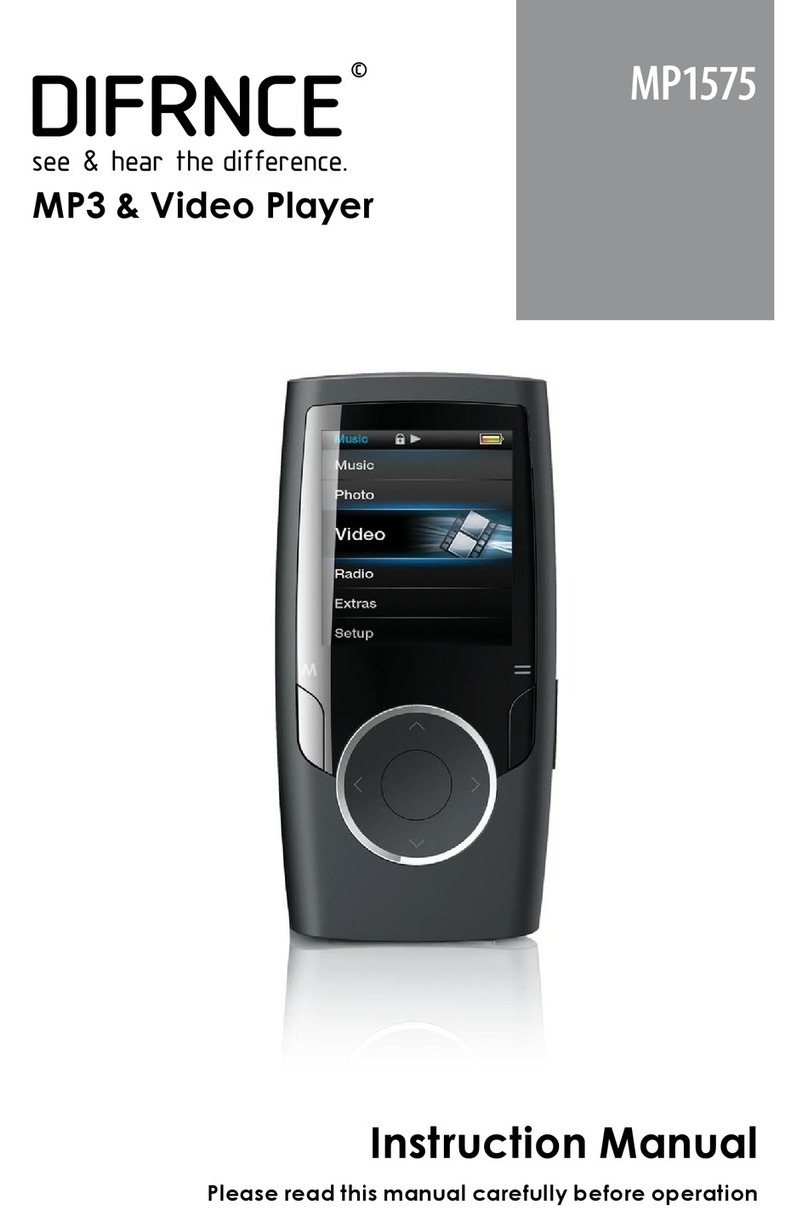
Difrnce MP855 User manual

MP855
1
EN
Manuel MP855
Table of contents
1 Safe instructions......................................................... 2
2 Contents of package................................................... 3
3 Getting started............................................................ 4
3.1
Controls........................................................................... 4
3.2
LCD and symbols ........................................................... 6
3.3
Battery status.................................................................. 6
3.4
Connecting to PC............................................................ 7
3.5
Disabling the MP3 Player from the PC........................... 8
4Operation................................................................... 9
4.1
Switching the MP3 player on and off.............................. 9
4.2
Mode switch in the main menu....................................... 9
4.3 MUSIC mode.................................................................... 11
4.4 SETUP............................................................................... 11
4.5
System Tools................................................................ 14
4.6
File Browse................................................................... 14
5Troubleshooting........................................................15
6Specifications............................................................16

MP855
2
1 Safe instructions
Before using this product, please read this instructional manual carefully.
Do not use headphones while driving, cycling, or operating any motorized
vehicle. This may create a traffic hazard and may be illegal in your area.
Listening to music at high volume for long periods of time can cause hearing
loss. Set the volume at a comfortable level.
Do not disassemble or repair the player by yourself. This may affect the
quality guarantee of the player. The player has no user-serviceable parts.
Do not use this product when conditions are excessively hot/cold (50(122
F)/-5(23 F)) or humid saunas, etc.
Remove the battery if you do not intend to use the player for a long time to
avoid battery leakage, corrosion or damage to the player.

MP855
3
EN
2 Contents of package
Please ensure that the following items are included in the box. If the package
is not complete, please contact your dealer:
MP3 player
CD
Headphones
USB cable
User manual

MP855
4
3 Getting started
3.1 Controls
Familiarize yourself with the controls of your MP3 player before use.

MP855
5
EN
Key Functions
1 Menu: Get into main menu / return to previous menu.
2 “Last” : Last song / fast backward / decrease volume
3 VOL: Get into volume adjustment interface to adjust the volumn.
4 USB: USB plug.
5 Earphone jack: 3.5 mm earphone jack.
6 “PLAY” : Open / play / pause /stop, called “Play” key next paragraph.
7 “Next” : Next song / fast forward / increase volume during volumn
adjustment interface.
8 Power key: Power on / off.
9 Display
Key operation
The keys can be operated in three different ways: with a short or long press,
or they can be held down. In this handbook, a "short press" is to be assumed
unless stated otherwise.
Short press: This will take effect shortly after you press the key.
Long press: This will take effect when you press the key and hold it for 1 to 2
seconds.
Press and Hold: This will take effect and repeat at certain intervals while the key
is held down, such as for fast forward or rewind.

MP855
6
3.2 LCD and symbols
Overview of the LCD
The LCD shows a variety of information on the current track, the running time
and the system settings. The symbols are explained below.
3.3 Battery status
The service life of the battery is approximately 8 hours. This may vary
depending on the various operating conditions of the MP3 player and installed
firmware.
The charge state of the battery is indicated by the following symbols to enable
you to estimate how long the player will operate:
full 66% 33% empty
Please replace the battery if an empty battery symbol is displayed. Use
rechargeable batteries with at least 800 mAh capacity or use alkaline
batteries.

MP855
7
EN
3.4 Connecting to PC
Warning The MSC mode can be used in all Windows Systems(ME,
2000 XP, Vista and Mac OS 10.X).
MSC stands for Mass Storage Class. When your player is in this mode, the
computer to which it is connected will enter flash drive mode and read it as a
removeable disk.
Operation instruction:
1.Connect the MP3 Player to your PC. The MP3 player will be in MSC MODE.
It will show the following icon:
2.Select folders or files to be transferred and drag them to the removable data
storage symbol of the MP3 player (download to root directory). It is possible
to create different folders for the classification of your file types in the player
memory beforehand and then to save the relevant files to them.
3.Once the transmission is complete, click the MP3 player symbol and check
whether the files were completely copied.
4.Following the same procedure, you can also copy files from the MP3 player
to the PC (upload).
If an error occurs during installation, remove the USB cable, restart
the operating system and reconnect the USB cable to the PC.

MP855
8
Formatting the Flash Memory
Using the PC operating system:
Open Windows Explorer and right click on the player’s removable data
storage symbol. Then click on the Format option in the context menu.
Never disconnect the USB cable from your MP3 player
during a data transfer or while formatting.
3.5 Disabling the MP3 Player from the PC
•Disable the digital MP3 player from the operating system correctly using
the “Remove Hardware Safely” option.
•Click the task bar on the right-hand side below the symbol and select
“Remove USB Mass Storage Device – Drive (X:)” in the dialog window.
•A message will appear stating that the hardware can be removed.

MP855
9
EN
4 Operation
4.1 Switching the MP3 player on and off
Switching the MP3 player on
Press the Power button to ON side until the player is on. OR when the
power button is in the ON side , long press the PLAY key until the player is on.
Switching the MP3 player off
Press and hold the PLAY key for approximately three seconds until the
player has shut down and the LCD display goes blank. OR when the power
button is to the ON side, long press the PLAY key until the player is off.
4.2 Mode switch in the main menu
Recurring operating steps:
Press the MODE key of the turned-on player once to the main menu. Use
the main menu to access the various operation modes and player settings:
MUSIC ,SETUP, System Tools, File Browse.
•Use the /keys to select the desired option and confirm by pressing the
PLAY key.
•The /keys are also used in the sub-menus to select the desired option
and confirm with PLAY key.

MP855
10
•To return to the main menu from the sub-menus or switch to music mode,
press the MENU button. Music mode (play music)
Playback, forwards/backwards, pause, stop
•Insert the headphones in the headphone jack and turn the player on.
•Press the PLAY button to play the track shown. The track information (ID3
tag) is scrolled on the display.
•Press and hold the or keys during play to skip forwards or
backwards within the track.
•If you briefly press the or keys, playback skips to the next or
previous track respectively.
•Press the PLAY button briefly to pause playback. To resume play, press
the PLAY key again.
Setting the volume
Long press “VOL” key and it will show “VOL” in the top of LCD, then short
press to decrease volume or to increase volume.
A/B repeat
This function allows you to repeat a specific section of a music file by setting
the starting and finishing point of the section during playback.
•Briefly press the VOL key during playback to mark the beginning of the
section (A).
•Briefly press the VOL key again during playback to mark the end of the
desired section (B).
•The selected section will now be repeated indefinitely until you press the
Mode key again.
Table of contents
Other Difrnce MP3 Player manuals