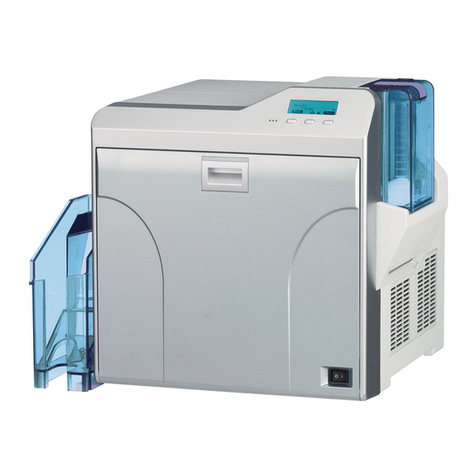
DNP DS?RX1 Release note

October 31, 2014 Ver.1.20

Dai Nippon Printing Co.,Ltd.
●Safety precautions
Please read the User’s Manual for the printer carefully before use, and follow the instructions. Note that the contents of
directions for use and safety precautions correspond to the safety standards as of the time the User’s Manual has been
created.
●Remodeling
For product safety, do not remodel the DS-RX1 printers or the contents of the DS-RX1 printer drivers and the CD.
●Copyright
Copyrights, trademarks or any other intellectual property rights whatsoever that pertain to documents, programs or other
items provided with this product, are ascribed to Dai Nippon Printing Co., Ltd., or the respective other holders of rights.
Except in cases permitted by applicable laws, these may not be duplicated or used without consent from Dai Nippon Printing
Co., Ltd.
Microsoft and Windows are registered trademarks of Microsoft Corporation valid in the USA and other countries.
LEADTOOLS Copyright (C) 2008 LEAD Technologies, Inc.
The ICC profile is prepared by the technology of X-Rite.

Dai Nippon Printing Co.,Ltd.
Contents
Chapter 1Install ______________________________________1
1.1 Printer and Host computer Connection __________________________________________ 1
1.2 Found New Hardware Wizard__________________________________________________ 1
1.3 Install from Add Printer Wizard ________________________________________________ 6
Chapter 2Properties__________________________________12
2.1 Opening Printer Properties _________________________________________________ 12
2.2 Explanation of Print Setting Functions ________________________________________ 14
2.2.1 Layout _____________________________________________________________________________________ 14
2.2.2 Advanced Options ___________________________________________________________________________ 15
2.2.3 Paper/Quality _______________________________________________________________________________ 19
2.2.4 Option______________________________________________________________________________________ 19
2.2.5 Color Adjustment____________________________________________________________________________ 20
2.3 Default Values for Various Settings ___________________________________________ 21
2.4 Color Management _______________________________________________________ 21
2.5 Print Area_______________________________________________________________ 22
2.6 Print Drection ___________________________________________________________ 22
Chapter 3Updating the Driver __________________________23
Chapter 4Driver Removal _____________________________29
・Added "(5x3.5) x 2" and "PR(3.5x5) x 2" to the paper sizes
For details, see "Multiple layout" in 2.2.2 Advanced Options.
Additional functions

1
Dai Nippon Printing Co.,Ltd.
[DS-RX1 Printer Driver] Instruction Manual for Windows Vista
C
Ch
ha
ap
pt
te
er
r
1
1
I
In
ns
st
ta
al
ll
l
1
1.
.1
1
P
Pr
ri
in
nt
te
er
r
a
an
nd
d
H
Ho
os
st
t
c
co
om
mp
pu
ut
te
er
r
C
Co
on
nn
ne
ec
ct
ti
io
on
n
Power ON the DS-RX1 and connect the DS-RX1 printer and the host by USB cable.
* Please refer to the manual for the DS-RX1 printer for connection if needed.
Note) Do not insert the accompanying CD at this time.
In order to install the driver, log in with administrator right. The following explanations are given on the assumption of use with
administrator rights.
After that, if [Found New Hardware Wizard] is initiated, please install using the procedure in [1.2 Found New Hardware Wizard]. If
[Found New Hardware Wizard] is not initiated, please install in accordance with [1.3 Install from Add Printer Wizard].
1
1.
.2
2
F
Fo
ou
un
nd
d
N
Ne
ew
w
H
Ha
ar
rd
dw
wa
ar
re
e
W
Wi
iz
za
ar
rd
d
When “Found New Hardware Wizard”starts running, click on “Locate and install driver software (recommended)”.
Fig 1.1 Found New Hardware Wizard
Note) For user account control, confirmation of “Windows needs your permission to continue”will be requested. Click on the
“Continue”button.

2
Dai Nippon Printing Co.,Ltd.
[DS-RX1 Printer Driver] Instruction Manual for Windows Vista
If the message “Insert the disc that came with yuor Dai Nippon Printing DS-RX1”appears, click on “I don’t have the disc. Show me
other options”.
Fig 1.2 Insert the disc
If the message “Windows couldn’t find driver software for your device”appears, click on “Browse my computer for driver software
(advanced)”.
Fig 1.3 Windows couldn’t find driver software for your device

3
Dai Nippon Printing Co.,Ltd.
[DS-RX1 Printer Driver] Instruction Manual for Windows Vista
Insert the accompanying CD here.
If the message “Browse for driver software on your computer”appears, click on the “Browse”button, designate the location of the
Installation Disk, and click on the “Next”button.
Fig 1.4 Designating the driver software location
If the Windows Security confirmation window appears, click on “Install this driver software anyway”.
Fig 1.5 Windows Security confirmation

4
Dai Nippon Printing Co.,Ltd.
[DS-RX1 Printer Driver] Instruction Manual for Windows Vista
The driver software will be installed.
When “The software for this device has been successfully installed”appears, click on the “Close”button, and end the wizard.
Fig 1.6 Installation Complete window
Select “Start”, then “Control Panel”, and open the control panel. Click on “Printer”in the control panel.
Fig 1.7 Control panel

5
Dai Nippon Printing Co.,Ltd.
[DS-RX1 Printer Driver] Instruction Manual for Windows Vista
Open [Printer] and confirm that [DS-RX1] is shown.
Now installation is complete.
Fig 1.8 Printers
After installation of the printer-driver is complete, be sure to reboot the computer.

6
Dai Nippon Printing Co.,Ltd.
[DS-RX1 Printer Driver] Instruction Manual for Windows Vista
1
1.
.3
3
I
In
ns
st
ta
al
ll
l
f
fr
ro
om
m
A
Ad
dd
d
P
Pr
ri
in
nt
te
er
r
W
Wi
iz
za
ar
rd
d
Select “Start”, then “Control Panel”, and open the control panel. Click on “Printer”in the control panel.
Fig 1.9 Control Panel
Click on “Add a Printer”in the menu bar at the top of the “Printer”window.
Fig 1.10 Printer window

7
Dai Nippon Printing Co.,Ltd.
[DS-RX1 Printer Driver] Instruction Manual for Windows Vista
When the “Choose a local or network printer”window appears, click on “Add a local printer”.
Fig 1.11 Choose a local or network printer window
When the “Choose a printer port”window appears, select “Use an existing port:”, and select the USB port the printer is connected to
(for example, “USB001”) from the drop-down list, and click the “Next”button.
Fig 1.12 Choose a printer port window
Other manuals for DS?RX1
4
Table of contents
Other DNP Printer manuals