1
English
Connection
1. Connect mains adapter and phone cable to respective wall sockets.
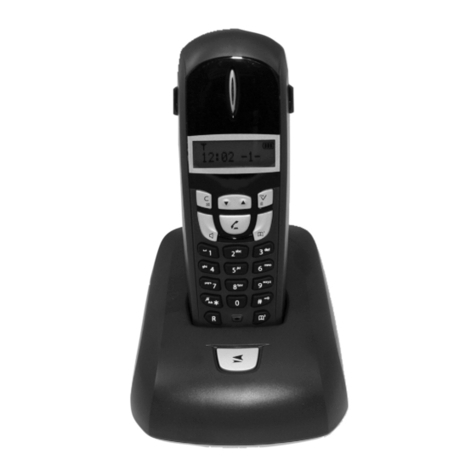
2. To charge and power up your handset please pull the label from
the bottom of the handset to connect the batteries.
3. Chargethehandsetwiththekeypadfacingoutwards(for24hoursthersttime).
4. Select language/date by following the instructions below.
Language
5. Press☼toilluminatethedisplay.
6. Press Menu.
7. Scroll to Settingwiththescrollbutton(☼/b).PressOK.
8. Scroll to Handset Set. Press OK.
9. Scroll to Language. Press OK.
10. Scroll to required setting. Press OK.
11. Hold down Lto return to standby.
Date/Time
12. Press Menu. Scroll to Date/Time. Press OK.
13. Scroll to Date/Time. Press OK.
14.Setdate(DD.MM.YY).PressOK.
15.Entertimeofday(HHMM).PressOK.
16. Hold down Lto return to standby.
Connection .............................1
The display..............................2
Base unit indicators ...............2
Area of use .............................3
Battery.....................................3
Coverage ................................3
Making a call...........................3
Receiving a call......................3
Volume control .......................4
Turning the handset Off/On..4
Redialling ................................4
Temporary silent mode .........4
Key lock...................................4
Speaker/Group listening .......4
Paging .....................................4
Phonebook.............................5
Incoming numbers (caller ID)6
SMS messages .....................7
Network services...................9
Date/Time/Alarm....................9
Other settings.........................10
Cordless Baby Monitor..........10
Country Code.........................11
Register...................................11
Signals and display................11
System settings......................12
Call barring..............................13
Net. Provider...........................13
Expanded system (+1)...........14
Specic absorption rate
(SAR).......................................14
Declaration of conformity......14
Troubleshooting .....................15
Guarantee...............................15