7
415
temperaturesetpoint.Thisisthetemperaturethatthemachinewillreachandhold.Thetemperature
can be increased or decreased in 1° increments by pressing and releasing the up or down button.
To rapidly increase or decrease the temperature, press and hold the button. When the machine
reaches the set point temperature, the Ready light (green) will illuminate, and a two second beep
willsound. Ifasignificantchangeinthesetpointtemperatureoccurs,theWaitlight(red)illuminates
untilthelaminatorreachesthenewsetpointtemperature.AtthistimetheReadylightwillilluminate
again. Note: depending on room conditions and desired set point, it will take between 20 and 30
minutes for the ready indicator to come on.
Standard Presets (H)
The Laminator is equipped with 2 factory presets. The buttons are labeled 275 and 225. These
buttonswillsetbothaspeedandtemperaturethatbeing(275°Fand3Feetperminute)and(225°F
and3feetperminute).Ifoneofthepresetsisengaged,it'scorrespondingLEDwillbeilluminated.
Motor (I,J,K,L)
Themotorcontrolsare the 4 buttons on the rightsideofthe control panel. The "Start" button will
start the motor which will run at the current speed setting. The "Speed Up" and "Speed Down"
buttonswilladjustthespeedsetting.Pressingandreleasingthebuttononcewillincrementthespeed
by 0.1 ft/min (0.1 meters/min). To rapidly increase or decrease the speed, press and hold the
correspondingbutton.Tostop the motor,press and release the "Stop/Reverse" button.To reverse
themachine, press and hold the "Stop/Reverse" button.The motor will remain in reverse aslong
as the button is depressed.
User Preset (M)
The Laminator is equipped with a user defined "Preset" button. This button can be used to save
aspeed andtemperaturesettingthat youhavedefined.Withthe machine'sspeedandtemperature
set to your preferred settings, press and hold the "Preset" button until the beeper sounds and the
preset light comes on. To recall this setting at a later time, press and release the "Preset" button.
Usage Counter (N)
The Laminator is equipped with a usage counter that will indicate the feet (meters) of film used.
This counter will appear on the display whenever the feet indicator light is on. This counter can
beresettozerobypressingthe"CountReset"buttononcethedisplayisshowingtheusagecounter.
Additional Features
Keyswitch
The keyswitch (located just below the control panel) locks out the motor, allowing the machine
to remain heated; yet, preventing unauthorized usage when in the locked position.
D. Laminating
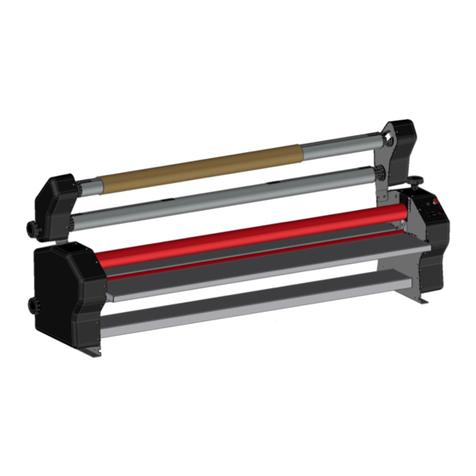
After the machine is loaded with film (see B.
LoadingFilm:1"Mandrel)andthreaded(see
C.ThreadingtheFilm),itisreadytolaminate.
Ensure that the laminator has reached the
preset temperature. This will be indicated by
the ready light being illuminated. Place
documentonthefeedtable and align with the
feedguide to assure straight and even
lamination. Start the motor with the "Start"
button and adjust the speed as necessary. If
necessary, adjust the supply roll tension (see
E. Supply Roll Tension Adjustment). With
bothhands,guidethedocumentintothethroatofthelaminator.Whilethedocumentispulledinto
thelaminatingrollers,keepdocumentflatonthefeedtablewhileapplyingaslightbackpressure.
As the document exits the rear rollers, allow 3" to 6" of film to clear the rollers at the end of your
document and turn the motor switch to stop. Using the hand held cutter, hold tension on the
laminateddocumentand slice through the film toreleasethedocument. Multiple documents can
be run successively if desired and cut at a later time.
E. Supply Roll Tension Adjustment (A)
Top andbottomsupplyrollsshouldhave about the same tension. By turning thetoprollwithone
hand,andthebottomrollwiththeotherhand,itcanbedeterminedifoneoftherollsistighterthan
the other.
Note: Too much tension can destroy film, documents, and damage the machine.
Adjust the tension to the minimum amount
required. Do this by loosening the tension
knobsuntilthereisnotensiononthefilm. With
the machine threaded and at operating
temperature,turnthemotorswitchtoforward
and adjust the speed to the desired operating
speed.Tightenthe adjusting knobs only until
the wrinkles in the film as it crosses the
heatshoe are removed.