manuals.online logo
Brands
  1. Home
  2. •
  3. Brands
  4. •
  5. DT Research
  6. •
  7. Controllers
  8. •
  9. DT Research DT1360 Assembly instructions

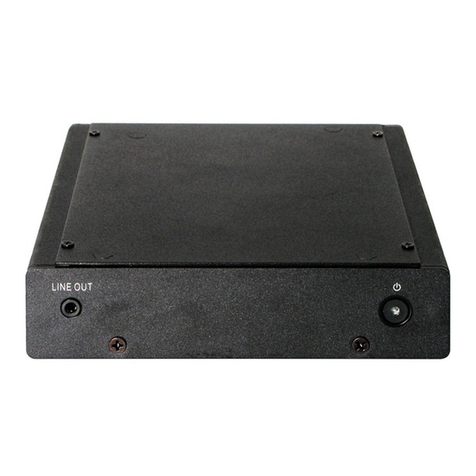
DT Research DT1360 Assembly instructions

Other DT Research Controllers manuals

DT Research DT1363 Assembly instructions

DT Research

DT Research DT1363 Assembly instructions

DT Research DT166CR Assembly instructions

DT Research

DT Research DT166CR Assembly instructions

DT Research DT136 Assembly instructions

DT Research

DT Research DT136 Assembly instructions

DT Research DT136HU Assembly instructions

DT Research

DT Research DT136HU Assembly instructions

DT Research DT122 Assembly instructions

DT Research

DT Research DT122 Assembly instructions

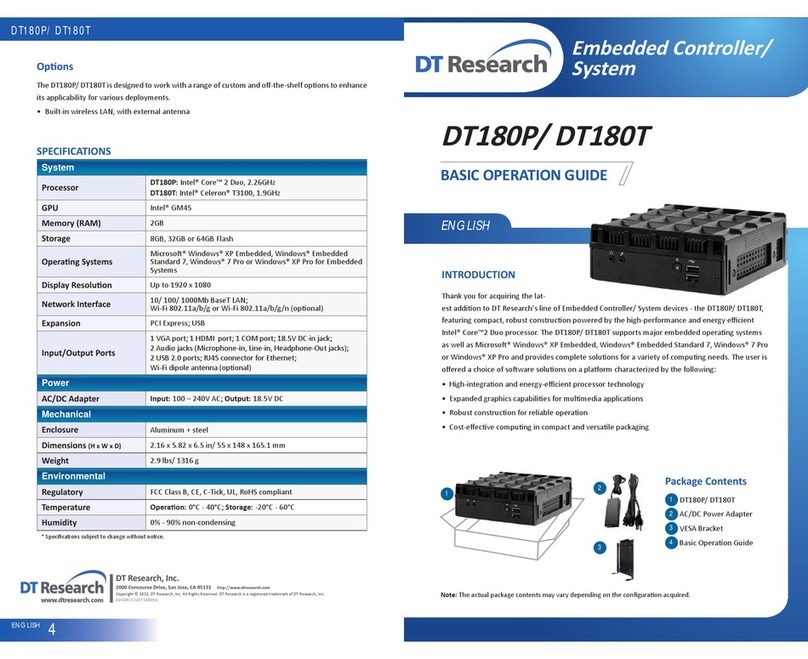
DT Research DT180P User manual

DT Research

DT Research DT180P User manual

DT Research DT135BT User manual

DT Research

DT Research DT135BT User manual

Popular Controllers manuals by other brands

Sunricher SR-ZV9003T3-RGBW-US Installation

Sunricher

Sunricher SR-ZV9003T3-RGBW-US Installation

Ksenia intro Installation and configuration manual

Ksenia

Ksenia intro Installation and configuration manual

Inovance CAN200 Series manual

Inovance

Inovance CAN200 Series manual

Gauzy LC6 FLEX Controller Installation and operation guide

Gauzy

Gauzy LC6 FLEX Controller Installation and operation guide

Viking SLP-1 Technical practice

Viking

Viking SLP-1 Technical practice

CKD KBX-30E-U Series instruction manual

CKD

CKD KBX-30E-U Series instruction manual

Sharp Energy Sun Flux User manual & installation guide

Sharp Energy

Sharp Energy Sun Flux User manual & installation guide

Yamaha RCX40 user manual

Yamaha

Yamaha RCX40 user manual

AB Quality PowerFlex 400 Frames D-H Service bulletin

AB Quality

AB Quality PowerFlex 400 Frames D-H Service bulletin

Yamaha MJC8 owner's manual

Yamaha

Yamaha MJC8 owner's manual

AL-KO ATC operating instructions

AL-KO

AL-KO ATC operating instructions

Savant SmartControl 2 Deployment guide

Savant

Savant SmartControl 2 Deployment guide

GameSir T3S user manual

GameSir

GameSir T3S user manual

Kostal inveor operating manual

Kostal

Kostal inveor operating manual

Emerson Yarway 20-55 Operating and safety instructions

Emerson

Emerson Yarway 20-55 Operating and safety instructions

CoCo ACM-LV24 Quick installation guide

CoCo

CoCo ACM-LV24 Quick installation guide

Brooks SLA5810/20 Installation and operation manual

Brooks

Brooks SLA5810/20 Installation and operation manual

SIGMA TEK SR 011 Technical manual

SIGMA TEK

SIGMA TEK SR 011 Technical manual

manuals.online logo
manuals.online logoBrands
  • About & Mission
  • Contact us
  • Privacy Policy
  • Terms and Conditions

Copyright 2025 Manuals.Online. All Rights Reserved.

DT1360
ENGLISH
BASIC OPERATION GUIDE
DT1360
Embedded Controller/
System
Note: The actual package contents may vary depending on the configuraon acquired.
ENGLISH 4
signage dtri com
DT Research, Inc.
2000 Concourse Drive, San Jose, CA 95131
Copyright © 2016 DT Research, Inc. All Rights Reserved.
INTRODUCTION
Thank you for acquiring the latest addion to DT Research’s line of Embedded Controller/ System
devices - the DT1360, featuring compact, robust construcon powered by the high-performance
and energy efficient Intel® Core™ i-Series processor. The DT1360 supports major embedded
operang systems as well as Microso® Windows® operang systems and provides complete
soluons for a variety of compung needs. The user is offered a choice of soware soluons on a
plaorm characterized by the following:
High-integraon and energy-efficient processor technology•
Expanded graphics capabilies for mulmedia applicaons•
Robust construcon for reliable operaon•
Cost-effecve compung in compact and versale packaging•
Package Contents
DT1360
AC/DC Power Adapter
Basic Operaon Guide
2
2
3
1
1
Opons
The DT1360 is designed to work with a range of custom and off-the-shelf opons to enhance its
applicability for various deployments.
Built-in wireless LAN, with external antenna•
BOG121316DT136ENG
DT1360
ENGLISH 23ENGLISH
The DT1360
Powering ON and OFF
The Power Buon is located in the front of the DT1360. The Power Buon may be configured to
funcon differently depending on the power opons of the operang system. In general, to turn the
DT1360 on, push and release the Power Buon on the front bezel. The power LED will be lit (blue)
and the corresponding interface will be displayed on the display monitor.
To turn offthe device, again depending on soware operang system, push and release the Power
Buon or use a soware shutdown interface. In the event of system lockup, the Power Buon may
be used to perform a reset on the device. To do that, push and hold the Power Buon for at least 4
seconds. The system will shut down and all unsaved work may be lost. Pushing on the Power Buon
again will restart the device.
Device Ports
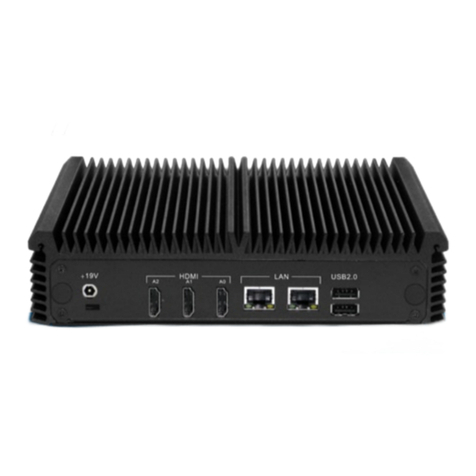
The DT1360 features an opmal set of I/O ports while preserving the compact size of the system.
The video-out connectors, network (10/100/1000 BaseT Ethernet), COM ports, and power ports
are supplemented by a set of four USB 2.0 and two audio ports. Through its USB ports, the DT1360
supports a wide range of USB-based peripherals. These peripherals are applicable in providing the
means for soware installaon, applicaon storage, data storage, and system soware recovery and
updates.
Memory and Storage
The DT1360 may be available in storage configuraons ranging from 32GB, 64GB or 128GB Flash.
Depending on base soware configuraon, the user may use the internal memory of the DT1360 for
user’s installed soware and storage. The user may also supplement storage space with USB-based
peripherals such as flash disks. RAM capacity is from 4GB to 8GB.
Precauons
Always exercise care when operang and handling the DT1360.•
Never disassemble any poron of the enclosure. It will void any product warranty on the DT1360.•
Do not use any AC/DC adapter other than the one provided with the device or acquired from the•
manufacturer or its partners.
In the unlikely event that smoke, abnormal noise, or strange odor is present, immediately power•
down the DT1360 and disconnect all power sources.
Please report the problem to your device provider immediately.•
Rear ViewFront View
BA CDFE GH
RS232 COM ports
USB 2.0 ports
Audio jacks
Power buon
E
F
G
H
AC
B D
DisplayPort++
DVI port
Ethernet ports
DC-in