manuals.online logo
Brands
  1. Home
  2. •
  3. Brands
  4. •
  5. Emerson
  6. •
  7. Radio
  8. •
  9. Emerson HK60 User manual

Emerson HK60 User manual

Other Emerson Radio manuals

Emerson RP188 User manual

Emerson

Emerson RP188 User manual

Emerson NR31 User manual

Emerson

Emerson NR31 User manual

Emerson HK78 User manual

Emerson

Emerson HK78 User manual

Emerson NR51 User manual

Emerson

Emerson NR51 User manual

Emerson HelloKitty HK60 User manual

Emerson

Emerson HelloKitty HK60 User manual

Emerson NR52 User manual

Emerson

Emerson NR52 User manual

Emerson NR30 User manual

Emerson

Emerson NR30 User manual

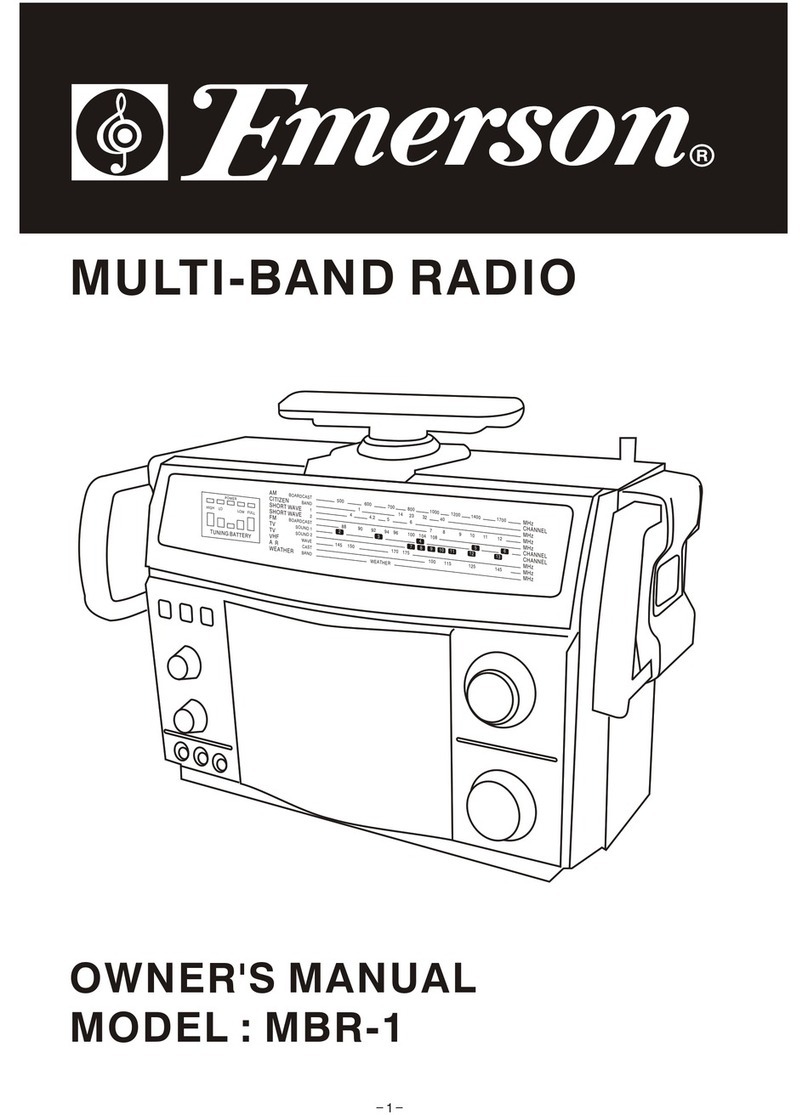
Emerson MBR-1 User manual

Emerson

Emerson MBR-1 User manual

Emerson Hello Kitty HK78 User manual

Emerson

Emerson Hello Kitty HK78 User manual

Emerson NR38 User manual

Emerson

Emerson NR38 User manual

Emerson RP6289 User manual

Emerson

Emerson RP6289 User manual

Emerson NR101TTC User manual

Emerson

Emerson NR101TTC User manual

Popular Radio manuals by other brands

Grundig G6 AVIATOR owner's manual

Grundig

Grundig G6 AVIATOR owner's manual

Makita DMR114 instruction manual

Makita

Makita DMR114 instruction manual

PURE Move R3 manual

PURE

PURE Move R3 manual

Motorola CP040 Detailed service manual

Motorola

Motorola CP040 Detailed service manual

Bosch GPB18V-5C Operating/safety instructions

Bosch

Bosch GPB18V-5C Operating/safety instructions

Ocean Digital WR-230 user manual

Ocean Digital

Ocean Digital WR-230 user manual

Realistic TRC-457 owner's manual

Realistic

Realistic TRC-457 owner's manual

Uniden AX 144 owner's manual

Uniden

Uniden AX 144 owner's manual

SIGNIFY EA2173 instruction manual

SIGNIFY

SIGNIFY EA2173 instruction manual

auna multimedia 10026443 user manual

auna multimedia

auna multimedia 10026443 user manual

GME TX680 instruction manual

GME

GME TX680 instruction manual

Motorola MTM5 00 Series Basic service manual

Motorola

Motorola MTM5 00 Series Basic service manual

Tivoli Audio ONE+ owner's manual

Tivoli Audio

Tivoli Audio ONE+ owner's manual

Sirius Satellite Radio SDVK1 installation guide

Sirius Satellite Radio

Sirius Satellite Radio SDVK1 installation guide

Sirius XM RAdio EDGE user guide

Sirius XM RAdio

Sirius XM RAdio EDGE user guide

Trevi XF 100 user guide

Trevi

Trevi XF 100 user guide

EisSound KBSound iSelect user manual

EisSound

EisSound KBSound iSelect user manual

Kirisun DM588-02 user manual

Kirisun

Kirisun DM588-02 user manual

manuals.online logo
manuals.online logoBrands
  • About & Mission
  • Contact us
  • Privacy Policy
  • Terms and Conditions

Copyright 2025 Manuals.Online. All Rights Reserved.

1976,2002 Sanrio Co. Ltd.
PEN HOLDER WITH
AM/FM RADIO
OWNER’S MANUAL
HK60
LIMITED WARRANTY
Emerson Radio Corp. warrants manufacturing defects in original material,
including original parts and workmanship, under normal use and conditions, for a
period of ninety (90) days from the date of original purchase in the U.S. With
your dated proof of purchase, we will provide repair service at no charge for labor
and parts at an authorized Depot Repair Facility, or replace the product in our
discretion. For repair or replacement, pack your unit in a padded box, enclose
your check or money order payable to Emerson Radio Corp. in the amount of
$5.00 (not required by California residents) to cover shipping and handling costs,
and enclose a copy of your proof of purchase. Send your unit to:
Emerson Radio Corp.
1901 Diplomat Drive
Farmers Branch, TX 75234
This warranty does not cover damage from negligence, misuse, abuse, accident,
failure to follow operating instructions, commercial use, rental, repairs by an
unauthorized facility, or products purchased, used, serviced or damaged outside
of the United States.
THIS WARRANTY GIVES YOU SPECIFIC LEGAL RIGHTS, AND YOU MAY
ALSO HAVE OTHER RIGHTS WHICH VARY FROM STATE TO STATE.
AU898I
PART NO.: 21-2027
206-01 Printed in China
1. BAND (AM/FM)) Button
2. VOLUME/POWER Control
3. TUNING Control
4. Built-in Speaker
5. Battery Compartment
1
23
4
5
+
BATTERY OPERATION
1. Open the battery compartment by pushing the
tab at the center of the cover and lift it up.
2. Insert two AA size batteries (not included) into
the Battery Compartment following the diagram
inside the compartment and replace the
Battery Compartment cover.
BATTERY PRECAUTIONS
Follow these precautions when using batteries
in this device:
1. Use only the size and type of batteries
specified.
2. Be sure to follow the correct polarity when
installing the batteries as indicated next to
the battery compartment. Reversed
batteries may cause damage to the device.
3. Do not mix different types of batteries
together (e.g. Alkaline and Carbon-zinc) or
old batteries with fresh ones.
4. If the device is not to be used for a long
period of time, remove the batteries to
prevent damage or injury from possible
battery leakage.
5. Do not try to recharge batteries not
intended to be recharged; they can
overheat and rupture. (Follow battery
manufacturer’s directions.)
LOCATION OF CONTROLS
POWER SOURCE
OPERATION
Rotate the VOLUME/
POWER control clock-
wise to turn the power
on.
1
Rotate the VOLUME/
POWER control to
adjust the volume.
Rotate the VOLUME/
POWER control counter-
clockwise until a click is
heard to turn the unit off.
3
Press the BAND button
❶ to select AM ( ) or
FM ( ). Rotate the
TUNING control ❷ to
tune in a station.
12
2
My friends at Emerson Radio Corp. are producing this Pen Holder with AM/FM
Radio, under license from Sanrio Company Ltd. We have taken great care to make
sure your unit was in perfect working order when it left our factory. It has been
designed to give you many years of enjoyment and trouble free operation. Read this
manual before operating this unit to become familiar with its features. In the event
you require technical assistance, please contact my friends at the Emerson Radio
Customer Service hotline at 1-800-898-9020. Retain this manual for future reference.
WELCOME
LISTENING TO THE RADIO
NOTES:
• Please avoid using this unit in places of high temperature or humidity over
prolonged periods of time as damage may occur.
• Exposure to direct sunlight in places such as car interiors may cause the
unit to become warped and/or lead to malfunctioning.
• Avoid using or storing this unit in dusty or sandy locations.
Antennas
FM: Extend the antenna wire for better FM reception.
AM: Turn the unit for better AM reception.