manuals.online logo
Brands
  1. Home
  2. •
  3. Brands
  4. •
  5. FRAME IT ALL
  6. •
  7. Greenhouse Kit
  8. •
  9. FRAME IT ALL Walk-through Center Cross 12x12 User manual

FRAME IT ALL Walk-through Center Cross 12x12 User manual

This manual suits for next models

16

Other FRAME IT ALL Greenhouse Kit manuals

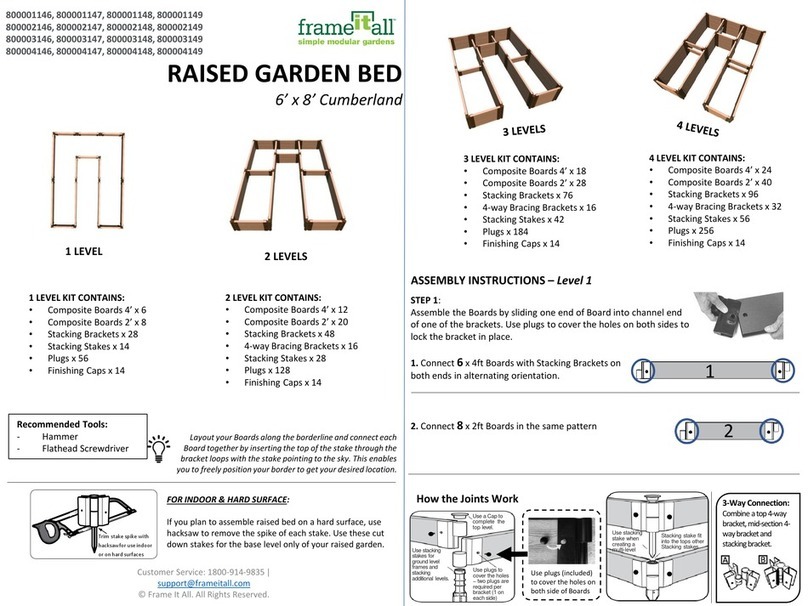
FRAME IT ALL Alamo 8x8 User manual

FRAME IT ALL

FRAME IT ALL Alamo 8x8 User manual

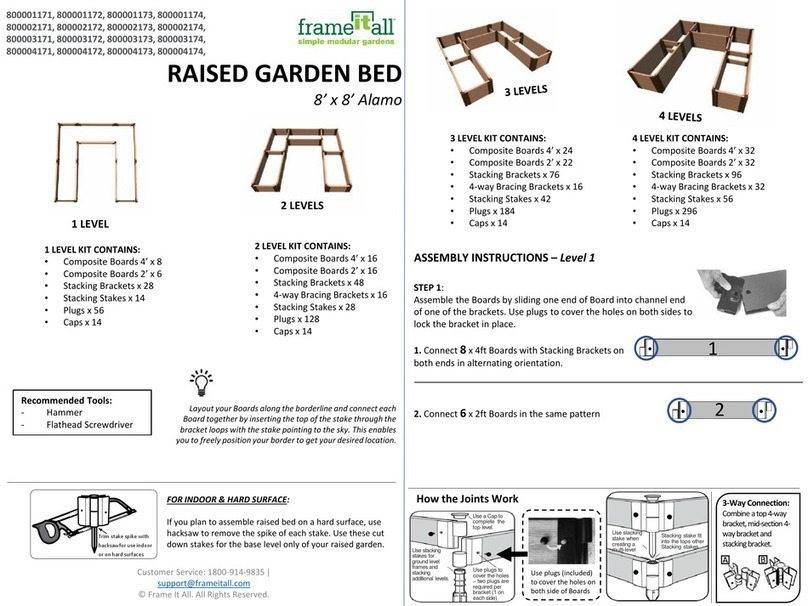
FRAME IT ALL Cumberland 6x8 User manual

FRAME IT ALL

FRAME IT ALL Cumberland 6x8 User manual

Popular Greenhouse Kit manuals by other brands

Dancover TITAN Arch 196 manual

Dancover

Dancover TITAN Arch 196 manual

ACD PRESTIGE MR3 H manual

ACD PRESTIGE

ACD PRESTIGE MR3 H manual

Vitavia VA0040-TRP Assembly instructions

Vitavia

Vitavia VA0040-TRP Assembly instructions

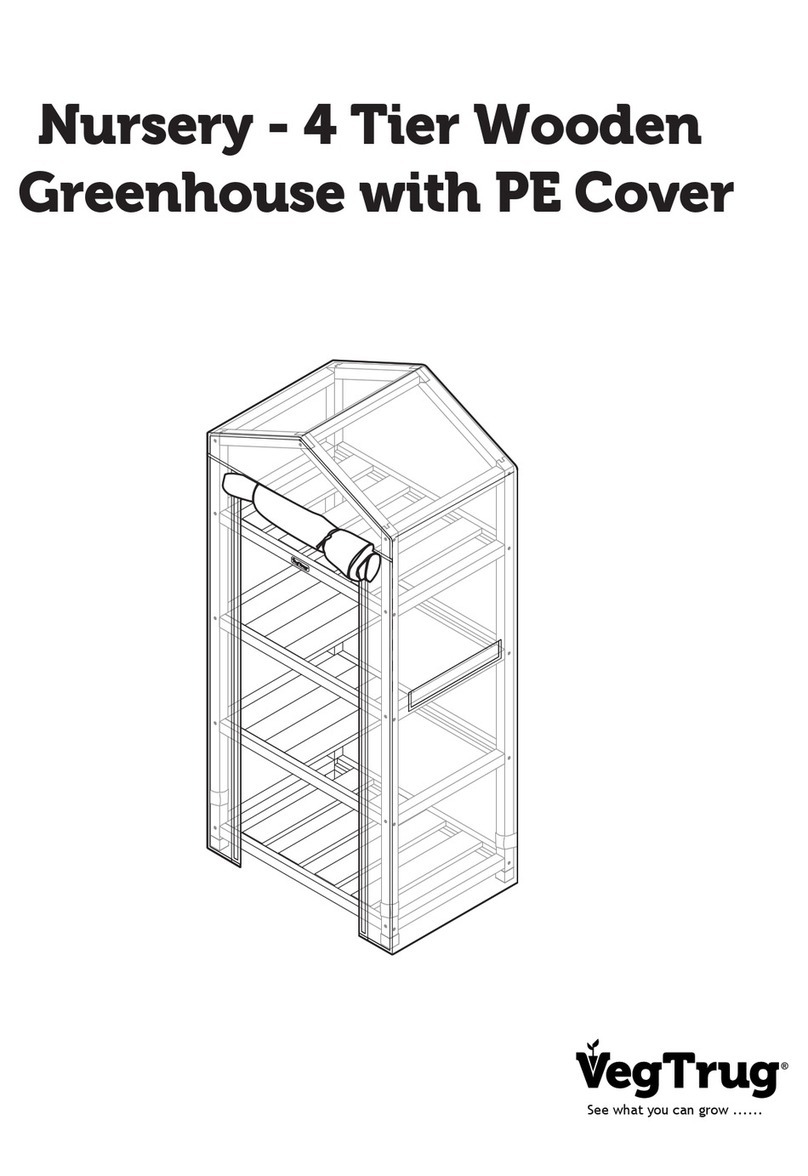
VegTrug Nursery manual

VegTrug

VegTrug Nursery manual

Riverstone Networks Monticello 041315V Assembly instructions

Riverstone Networks

Riverstone Networks Monticello 041315V Assembly instructions

CLIMA POD Spirit V7 Series Assembly instructions

CLIMA POD

CLIMA POD Spirit V7 Series Assembly instructions

Vitavia GAIA JUMBO Assembly instructions

Vitavia

Vitavia GAIA JUMBO Assembly instructions

Palram Harmony 6'x4' Assembly instructions

Palram

Palram Harmony 6'x4' Assembly instructions

ClearSpan Storage Master 104598 instruction manual

ClearSpan

ClearSpan Storage Master 104598 instruction manual

Sproutwell GRANGE - 5 Assembly instructions

Sproutwell

Sproutwell GRANGE - 5 Assembly instructions

STC Easy Grow 6x12 Greenhouse Assembly instructions

STC

STC Easy Grow 6x12 Greenhouse Assembly instructions

Growhouse Lean To 6 x 8 Erection and Glazing Instructions

Growhouse

Growhouse Lean To 6 x 8 Erection and Glazing Instructions

Riverstone Networks Grower's 181010V Assembly instructions

Riverstone Networks

Riverstone Networks Grower's 181010V Assembly instructions

GrowSpan 500 Series manual

GrowSpan

GrowSpan 500 Series manual

Stocker 9641/2 manual

Stocker

Stocker 9641/2 manual

Outsunny 845-421V02 manual

Outsunny

Outsunny 845-421V02 manual

ACD Piccolo 03 manual

ACD

ACD Piccolo 03 manual

Riverstone Networks MONT-8 Assembly instructions

Riverstone Networks

Riverstone Networks MONT-8 Assembly instructions

manuals.online logo
manuals.online logoBrands
  • About & Mission
  • Contact us
  • Privacy Policy
  • Terms and Conditions

Copyright 2025 Manuals.Online. All Rights Reserved.

800001176, 800001177, 800001178, 800001179
800002176, 800002177, 800002178, 800002179
800003176, 800003177, 800003178, 800003179
800004176, 800004177, 800004178, 800004179
RAISED GARDEN BED
12’ x 12’ Walk-through Center Cross
Layout your Boards along the borderline and connect each Board
together by inserting the top of the stake through the bracket
loops with the stake pointing to the sky. This enables you to freely
position your border to get your desired location.
Customer Service: 1800-914-9835 |
[email protected]m
© Frame It All. All Rights Reserved.
2 LEVEL KIT CONTAINS:
•Composite Boards 4’ x 32
•Composite Boards 2’ x 18
•Stacking Brackets x 76
•4-way Bracing Brackets x 24
•Stacking Stakes x 44
•Plugs x 200
•Finishing Caps x 22
ASSEMBLY INSTRUCTIONS –Level 1
STEP 1:
Assemble the Boards by sliding one end of Board into channel end
of one of the brackets. Use plugs to cover the holes on both sides to
lock the bracket in place.
1. Connect 16 x 4ft Boards with Stacking Brackets on
both ends in alternating orientation.
2. Connect 6x 2ft Boards with Stacking Brackets on
both ends in alternating orientation.
FOR INDOOR & HARD SURFACE:
If you plan to assemble raised bed on a hard surface, use
hacksaw to remove the spike of each stake. Use these cut
down stakes for the base level only of your raised garden.
Trim stake spike with
hacksawfor use indoor
or on hard surfaces
How the Joints Work
Use plugs (included)
to cover the holes on
both side of Boards
Use plugs to
cover the holes
–two plugs are
required per
bracket (1 on
each side)
Use a Capto
complete the
top level.
Use stacking
stakes for
ground level
framesand
stacking
additional levels.
Use stacking
stake when
creating a
multi-level
Stacking stake fit
into the tops other
Stacking stakes
3-Way Connection:
Combine a top 4-way
bracket, mid-section 4-
way bracket and
stackingbracket.
1
Recommended Tools:
- Hammer
2
1 LEVEL KIT CONTAINS:
•Composite Boards 4’ x 16
•Composite Boards 2’ x 6
•Stacking Brackets x 44
•Stacking Stakes x 22
•Plugs x 88
•Finishing Caps x 22
3 LEVEL KIT CONTAINS:
•Composite Boards 4’ x 48
•Composite Boards 2’ x 24
•Stacking Brackets x 120
•4-way Bracing Brackets x 24
•Stacking Stakes x 66
•Plugs x 288
•Finishing Caps x 22
4 LEVEL KIT CONTAINS:
•Composite Boards 4’ x 64
•Composite Boards 2’ x 36
•Stacking Brackets x 152
•4-way Bracing Brackets x 48
•Stacking Stakes x 88
•Plugs x 400
•Finishing Caps x 22
2 LEVELS
1 LEVEL
Step 2: Layout the Boards flat on the ground for the first level as shown below:
Step 3: When connecting the boards for the first level, insert the stacking
stakes upside down so the stake is pointing to the sky. This will allow you to
adjust the shape of your frame before driving the stakes into the ground.

ASSEMBLY INSTRUCTIONS –Level 1 Continued
Step 3a: With the first level stacking stakes still facing the sky, use bracketed
4ft boards to ensure that the cross Boards will fit by placing the board over
the stacking stakes on the cross-board positions shown below.
Step 4: Once you finish with the adjustments of your base level frame,
remove the Boards sitting on level 2 and hammer the stacking stakes on level
1 into the ground.
1
2
3
4
STEP 5:
Connect the brackets and boards for the second level in the following pattern:
1. Connect 10 x 4ft Boards with Stacking Brackets on
both ends in alternating orientation.
2. Connect 6x 2ft Boards with Stacking Brackets on
both ends in alternating orientation.
3. Connect 6x 4ft bords with mid-section
4-way brackets on both ends in alternating
orientation.
4. Connect 6x 2ft boards with top-section
4-way brackets on both ends in alternating orientation.
Step 6: Before stacking your boards, lay them out around your 1st level frame.
NOTE: Stacking stakes will be used for all additional levels and can insert into
the top of existing stakes.
Step 7. For a 3-level design, repeat the board layout of level 1 for level 3. For
a 4-level design, repeat the board layout of level 2 for level 4.