S90-010 CS (APR 08) FRICK
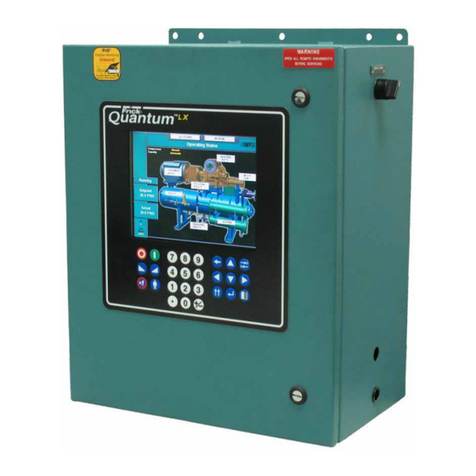
QUANTUM™ COMPRESSOR CONTROL PANEL
Page 2 COMMUNICATIONS SETUP
Table of Contents
QUANTUM™ IDENTIFICATION _______________________________________________________4
Setting Up the Quantum™ for Communication ________________________________________________ 4
Com-2 Pinouts for Quantum™ 3 ________________________________________________________ 4
Com-2 Pinouts for Quantum™ 4 ________________________________________________________ 4
RS-232 Communications _________________________________________________________________ 5
Quantum™ 3 _______________________________________________________________________ 5
Quantum™ 4 _______________________________________________________________________ 5
Converting an RS-232 Serial Port to RS-422 or RS-485 _________________________________________ 5
Change Communications_________________________________________________________________ 6
COMMUNICATIONS LOOPBACK TEST ________________________________________________7
Hardware Setup for RS-422 Testing ________________________________________________________ 7
Hardware Setup for RS-485 Testing ________________________________________________________ 7
Software Setup For The Communications Loopback Test________________________________________ 8
Performing the Communications Loopback test________________________________________________ 8
PROTOCOL DESCRIPTION__________________________________________________________9
Quantum™ Communications Protocols ______________________________________________________ 9
Checklist For Setting Up Communication _________________________________________________ 9
Frick®Protocols _______________________________________________________________________ 11
Frick®# Protocol Specifications ________________________________________________________ 11
Quantum™ $ Protocol Specifications_______________________________________________________ 15
Data Packet _______________________________________________________________________ 15
CONVERSION CHART FOR DECIMAL / HEXADECIMAL / ASCII ___________________________23
ALLEN-BRADLEY COMMUNICATION ________________________________________________24
SLC-500 - Suggested Setup _____________________________________________________________ 24
Channel Configuration _______________________________________________________________ 24
Read Message Setup Example ________________________________________________________ 25
Write Message Setup Example ________________________________________________________ 25
PLC-5/30 - Suggested Setup _____________________________________________________________ 25
Channel Configuration _______________________________________________________________ 25
Read Message Setup Example ________________________________________________________ 26
Allen-Bradley Programming Overview ______________________________________________________ 26
Channel Configuration _______________________________________________________________ 26
General Configuration __________________________________________________________________ 26
System Configuration___________________________________________________________________ 26
Message Sequence Logic _______________________________________________________________ 27
Message Read Logic ___________________________________________________________________ 27
Message Read Setup Screen _________________________________________________________ 28
Message Write Logic ___________________________________________________________________ 29
Message Write Setup Screen _________________________________________________________ 30
MODBUS Protocol ________________________________________________________________31
Port Configuration of The Master __________________________________________________________ 31
Data Packet __________________________________________________________________________ 31
The Query ___________________________________________________________________________ 32
The Response ________________________________________________________________________ 32
Data Field____________________________________________________________________________ 32
Error Checking ________________________________________________________________________ 32
ASCII Framing ________________________________________________________________________ 32
Query (Read) Example__________________________________________________________________ 33
Write Example ________________________________________________________________________ 34
Response Example ____________________________________________________________________ 36
Modbus Notes ________________________________________________________________________ 37
YORK ISN DATA ACCESS _________________________________________________________38