CAUTION: Improper handling may cause personal
injury or damage to the device and/or property.
CAUTION: Improper configutation may cause damage
to the device and/or property.
Direct-Attach (Twinax) passive cables:
SFPP-CBL-01 1 meter, push or pull tab
SFPP-CBL-02 2 meter, push or pull tab
SFPP-CBL-03 3 meter, push or pull tab
SFPP-CBL-05 5 meter, push or pull tab
SFPP-CBL-07 7 meter, push or pull tab
Optical Transceivers:
SFPP-SR 10GBASE-SX, Multimode, 850 nm
SFPP-LR 10GBASE-LX, Single-mode, 1310 nm
# After login:
configure
# This command prompts for a password
password admin set
# Switch name
sysname <hostname>
# Set up the switch for in-band OR out-of-band
# management
# In-band management port and default vlan
lan 0 ip address <IP address/subnet mask> 3
lan 0 vlan 1
# Out-of-band management port
oob ip address <IP address/subnet mask> 3
# Set date, time, and time zone offset from GMT.
# For example, the Pacific Standard Time zone
# offset is -0800.
date YYYY/MM/DD.hh:mm:ss
time zone <GMT offset>
# always commit and save configuration changes
commit
save
# must reset switch for hostname to take affect.
# This command prompts for a y/n reply.
reset
6. The following command line examples are recommended for initial
setup. Enter the commands as shown . Insert the local site values
required as indicated within the “< >” brackets.
Additional details to these commands and other configuration options can
be found in Chapter 4 and 5 of the XG User's Guide (CD-ROM).
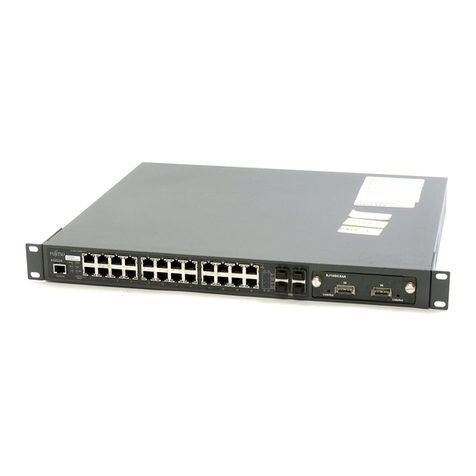
8. If rack mounting the XG2600, please carefully review the Safety
Precautions and Notes on Use sections of the Hardware Guide before
attempting installation. Rack mounting the XG2600 is a two-man
operation. Complete installation per the Hardware Guide Instructions .
9. If rack mounting the XG2600 for other than the default mounting (port
side to the rear of the rack ), please carefully review the instructions
detailed in section 1.1.2 Installation of Switch: Front Access or Rear
Access (User Configured Airflow ) and complete reconfiguration of the
hardware before rack mounting the switch .
10. Stepping through the preceding instructions completes installation
of the XG2600. Thank you for selecting Fujitsu as your 10 Gigabit
Ethernet switch provider.
Additional accessories are available from Fujitsu to expand networking
attachments to the XG2600:
7. When the Ready LED stops blinking , unplug the AC power cords. The
switch is ready for deployment.