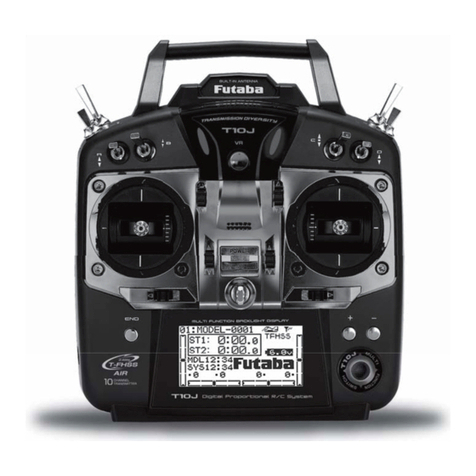
FUTABA 32MZ-WC Installation instructions

1M23Z10002
FULL MANUAL

INTRODUCTION ・・・・・・・・・・・ 5
PRECAUTIONS ・・・・・・・・・・・・ 7
FlyingPrecautions ・・・・・・・・・・ 7
BatteryandChargerHandlingPrecautions 8
microSDCardHandlingPrecautions ・・ 9
StorageandDisposalPrecautions ・・・ 9
OtherPrecautions ・・・・・・・・・・ 9
FEATURES・・・・・・・・・・・・・・ 10
CONTENTS・・・・・・・・・・・・・・ 10
TRANSMITTER ・・・・・・・・・・・・ 11
Cautionsonhandlingantenna・・・・・ 11
Rotatingantenna ・・・・・・・・・・ 12
Angleadjustmentoftheantenna ・・・ 12
LEDmonitor・・・・・・・・・・・・・ 12
Toggleswitch ・・・・・・・・・・・・ 13
Volume ・・・・・・・・・・・・・・・ 14
Backsideswitch ・・・・・・・・・・・ 14
SlideLever ・・・・・・・・・・・・・ 14
Digitaltrim ・・・・・・・・・・・・・ 15
TouchPanel ・・・・・・・・・・・・・ 15
HOME/EXIT&U.MENU/MON.Button ・・ 16
StickAdjustment・・・・・・・・・・・ 17
Batteryexchange ・・・・・・・・・・ 20
BatteryCharging・・・・・・・・・・・ 22
microSDCard(soldseparately) ・・・・ 23
Connectorfortrainerfunction(TRAINER) 24
S.BUSconnector(S.I/F) ・・・・・・・・ 24
Audioplug(PHONE) ・・・・・・・・・ 24
Connectorforbatterycharger(CHG) ・・ 24
AdRCSS900MHz/CRSFconnector ・・・ 24
RECEIVER ・・・・・・・・・・・・・・ 25
TABLEOFCONTENTS
S.BUS2 ・・・・・・・・・・・・・・・ 25
Antennainstructions・・・・・・・・・ 25
ChannelModes ・・・・・・・・・・・ 26
DualRxLinkSystem ・・・・・・・・・ 26
HowtochangetoDualRXLinkmode・・ 27
FASSTest12CH(TelemetryOFF)mode ・ 27
HowtoDualRxLink ・・・・・・・・・ 28
TelemetryforFASSTest12CH ・・・・・ 28
ReceiverSwitchESW-1J・・・・・・・・ 28
Servo(Option)・・・・・・・・・・・・ 28
Toolbox・・・・・・・・・・・・・・・ 29
Safetyprecautionswhenyouinstallreceiver
andservos
・・・・・・・・・・・・・・ 29
BASICOPERATION ・・・・・・・・・・ 30
HowtoturnON/OFFthepowerofthetransmitter
30
Quickstart・・・・・・・・・・・・・・ 30
Homescreen・・・・・・・・・・・・・ 31
Sub-Display ・・・・・・・・・・・・・ 32
Linkprocedue(T32MZ-WC↔R7208SB)・ 33
ModelID ・・・・・・・・・・・・・・ 34
Howtochangethenumberofvalue ・・ 35
Howtoactivatethefunction ・・・・・ 35
Howtoreturntohomescreenorgobackone
step
・・・・・・・・・・・・・・・・・ 35
Pageofeachsettingscreen ・・・・・・ 35
Switchselection ・・・・・・・・・・・ 36
Displayofoperationstatus ・・・・・・ 36
Home2screen ・・・・・・・・・・・・ 37
Panellock・・・・・・・・・・・・・・ 37
Registrationoftheuser'sname ・・・・ 38
UPDATING・・・・・・・・・・・・・・ 39
SPECIFICATIONS ・・・・・・・・・・・ 40
ڀŪŲŃƗƒŃųŤŪŨ

CompatibilityofFASSTest26CHwith
receivers ・・・・・・・・・・・・・・ 41
AboutFASSTest26CHS.BUS2connectand
servos・・・・・・・・・・・・・・・・ 41
MODELBASICSETTINGPROCEDURE・・42
Airplane/gliderbasicsettingprocedure 42
Helicopterbasicsettingprocedure・・・ 44
Servosconnectionbymodeltype ・・・ 48
SYSTEMMENU・・・・・・・・・・・・ 53
Trainer ・・・・・・・・・・・・・・・ 54
Display ・・・・・・・・・・・・・・・ 57
DateandTime・・・・・・・・・・・・ 58
UserName・・・・・・・・・・・・・・ 59
Switch ・・・・・・・・・・・・・・・ 60
H/WSetting ・・・・・・・・・・・・・ 61
SoundVolume・・・・・・・・・・・・ 64
Player・・・・・・・・・・・・・・・・ 65
S.BUSServo ・・・・・・・・・・・・・ 66
DLPH-2 ・・・・・・・・・・・・・・・ 70
Receiver・・・・・・・・・・・・・・・ 71
Information ・・・・・・・・・・・・・ 72
UnitSystem ・・・・・・・・・・・・・ 73
Rangecheck・・・・・・・・・・・・・ 74
LINKAGEMENU ・・・・・・・・・・・ 75
ServoMonitor ・・・・・・・・・・・・ 76
ModelSelect・・・・・・・・・・・・・ 77
ModelType ・・・・・・・・・・・・・ 78
Picture ・・・・・・・・・・・・・・・ 80
Sound・・・・・・・・・・・・・・・・ 81
SystemType・・・・・・・・・・・・・ 83
Function ・・・・・・・・・・・・・・ 86
Sub-Trim ・・・・・・・・・・・・・・ 88
Sub-Trim→Balance ・・・・・・・・・ 89
ServoReverse ・・・・・・・・・・・・ 91
FailSafe・・・・・・・・・・・・・・・ 92
EndPoint(ATV) ・・・・・・・・・・・ 93
ThrottleCut ・・・・・・・・・・・・・ 94
IdleDown・・・・・・・・・・・・・・ 95
SwashRing ・・・・・・・・・・・・・ 96
Swash・・・・・・・・・・・・・・・・ 97
Timer・・・・・・・・・・・・・・・・ 99
DialMonitor・・・・・・・・・・・・ 101
FunctionName ・・・・・・・・・・ 102
Telemetry・・・・・・・・・・・・・ 103
Telemetrydataisdisplayedonthehome2
103
Audibletelemetryinformation ・・・ 104
Asetupofeachsensordisplay・・・・ 105
ReceiverBatteryDisplay ・・・・・・ 105
TemperatureDisplay ・・・・・・・・ 106
RPMDisplay・・・・・・・・・・・・ 106
AltitudeDisplay ・・・・・・・・・・ 107
Variometermelodyfunction ・・・・ 107
VarioMelodySetting・・・・・・・・ 108
GPSDisplay ・・・・・・・・・・・・ 109
VoltageDisplay ・・・・・・・・・・ 111
Current/Voltage/CapacityDisplay ・・ 112
ServosensorDisplay ・・・・・・・・ 113
AirspeedsensorDisplay・・・・・・・ 114
ESCDisplay ・・・・・・・・・・・・ 115
Sensor ・・・・・・・・・・・・・・ 116
SensorName ・・・・・・・・・・・ 121
TelemetrySetting ・・・・・・・・・ 122
Warning・・・・・・・・・・・・・・ 124
DataReset・・・・・・・・・・・・・ 125
UserMenu・・・・・・・・・・・・・ 126
ConditionHold・・・・・・・・・・・ 127
ڀŪŲŃƗƒŃųŤŪŨ

ڀŪŲŃƗƒŃŷŤťůŨŃŲũŃŦŲűŷŨűŷŶ
MODELMENU(COMMONFUNCTIONS) 128
ConditionSelect ・・・・・・・・・・ 129
AFR(D/R) ・・・・・・・・・・・・・ 131
Prog.Mixes ・・・・・・・・・・・・ 133
Sequencer・・・・・・・・・・・・・ 134
FuelMixture・・・・・・・・・・・・ 140
MODELMENU(AIRPLANE/GLIDER
FUNCTIONS)・・・・・・・・・・・・ 141
AILDifferential・・・・・・・・・・・ 143
FlapSetting ・・・・・・・・・・・・ 144
AILtoCamberFLP ・・・・・・・・・ 145
AILtoBrakeFLP ・・・・・・・・・・ 146
AILtoRUD・・・・・・・・・・・・・ 147
AirbraketoELE・・・・・・・・・・・ 148
RUDtoAIL・・・・・・・・・・・・・ 149
CamberMix ・・・・・・・・・・・・ 150
ELEtoCamber ・・・・・・・・・・・ 151
CamberFLPtoELE ・・・・・・・・・ 153
Butterfly ・・・・・・・・・・・・・ 154
TrimMix1/2・・・・・・・・・・・・ 156
Airbrake・・・・・・・・・・・・・・ 158
Gyro ・・・・・・・・・・・・・・・ 160
V-tail ・・・・・・・・・・・・・・・ 161
Ailevator ・・・・・・・・・・・・・ 162
Winglet ・・・・・・・・・・・・・・ 163
Motor・・・・・・・・・・・・・・・ 164
RUDtoELE ・・・・・・・・・・・・ 165
SnapRoll ・・・・・・・・・・・・・ 166
MultiEngine・・・・・・・・・・・・ 167
Acceleration・・・・・・・・・・・・ 168
Gyrosetting・・・・・・・・・・・・ 169
ConnectionT32MZ-WCandGYA553 ・ 169
GyrosettingHomescreen・・・・・・ 171
GyrosettingBasicmenu ・・・・・・ 169
GyrosettingConfig・・・・・・・・・ 172
GyrosettingSBUSBasicmenu・・・・ 177
MODELMENU(HELICOPTER)・・・・・ 178
PITCurve/PitchTrim ・・・・・・・・ 179
THRCurve/ThrottleHovertrim ・・・ 182
AccelerationMixing ・・・・・・・・ 184
ThrottleHold ・・・・・・・・・・・ 185
SwashMixing ・・・・・・・・・・・ 186
ThrottleMixing ・・・・・・・・・・ 187
PITtoNeedleMixing ・・・・・・・・ 188
PITtoRUDMixing(RevolutionMixing) 189
GyroMixing ・・・・・・・・・・・・ 190
GovernorMixing・・・・・・・・・・ 191
ThrottleLimiter ・・・・・・・・・・ 192
GyroSetting・・・・・・・・・・・・ 193
GyroSettingTableofContents ・・・ 193
COMMONOPERATIONSUSEDINFUNCTION
SETUPSCREEN・・・・・・・・・・・ 222
Operationsrelatedtoflightconditions 222
OperationsrelatedtoVRtuning ・・・ 222
Operationsrelatedtoservospeed ・・ 223
Curvesettingoperation・・・・・・・ 224
Curvetypeselection ・・・・・・・・ 224
Settingbycurvetype・・・・・・・・ 225
Linearcurveadjustment ・・・・・・ 225
EXP1curveadjustment ・・・・・・・ 226
VTRcurveadjustment ・・・・・・・ 226
Lineandsplinecurveadjustment ・・ 227
Switchselectionmethod ・・・・・・ 228
T18MZ(WC)→T32MZ-WCMODELDATA
CONVERSION ・・・・・・・・・・・ 232
ڀŪŲŃƗƒŃųŤŪŨ

5ڀŪŲŃƗƒŃŷŤťůŨŃŲũŃŦŲűŷŨűŷŶ
INTRODUCTION
Thank you for purchasing a Futaba 32MZ-WC digital proportional R/C system. In order for you to
PDNHWKHEHVWXVHRI\RXUV\VWHPDQGWRÀ\VDIHO\SOHDVHUHDGWKLVPDQXDOFDUHIXOO\,I\RXKDYHDQ\
GLI¿FXOWLHV ZKLOHXVLQJ \RXUV\VWHPSOHDVHFRQVXOWWKHPDQXDORXURQOLQH)UHTXHQWO\$VNHG4XHV-
WLRQVRQWKHZHESDJHVUHIHUHQFHGEHORZ\RXUKREE\GHDOHU
'XHWRXQIRUHVHHQFKDQJHVLQSURGXFWLRQSURFHGXUHVWKHLQIRUPDWLRQFRQWDLQHGLQWKLVPDQXDOLVVXE-
MHFWWRFKDQJHZLWKRXWQRWLFH
https://www.futabausa.com
KWWSVZZZUFIXWDEDFRMS
$SSOLFDWLRQ([SRUWDQG0RGL¿FDWLRQ
7KLVSURGXFWLVRQO\GHVLJQHGIRUXVHZLWKUDGLRFRQWUROPRGHOV8VHRIWKHSURGXFWGHVFULEHGLQWKLV
instruction manual is limited to radio control models.
2. Exportation precautions:
D :KHQ WKLV SURGXFW LV H[SRUWHG LW FDQQRW EH XVHG ZKHUH SURKLELWHG E\ WKH ODZV JRYHUQLQJ UDGLR
ZDYHVRIWKHGHVWLQDWLRQFRXQWU\
E8VHRIWKLVSURGXFWZLWKRWKHUWKDQPRGHOVPD\EHUHVWULFWHGE\([SRUWDQG7UDGH&RQWURO5HJXOD-
tions.
0RGLILFDWLRQDGMXVWPHQWDQGUHSODFHPHQWRISDUWV)XWDEDLV QRW UHVSRQVLEOH IRU XQDXWKRUL]HG
PRGL¿FDWLRQDGMXVWPHQWRUUHSODFHPHQWRISDUWVRQWKLVSURGXFW
Outside North America
3OHDVHFRQWDFWWKH)XWDEDLPSRUWHULQ\RXUUHJLRQRIWKHZRUOGWRDVVLVW\RXZLWKDQ\TXHVWLRQVSURE-
OHPVRUVHUYLFHQHHGV3OHDVHUHFRJQL]HWKDWDOOLQIRUPDWLRQLQWKLVPDQXDODQGDOOVXSSRUWDYDLODELO-
LW\LVEDVHGXSRQWKHV\VWHPVVROGLQ1RUWK$PHULFDRQO\3URGXFWVSXUFKDVHGHOVHZKHUHPD\YDU\
$OZD\VFRQWDFW\RXUUHJLRQ¶VVXSSRUWFHQWHUIRUDVVLVWDQFH
Compliance Information Statement (for U.S.A.)
7KLVGHYLFHFRPSOLHVZLWKSDUWRIWKH)&&5XOHV2SHUDWLRQLVVXEMHFWWRWKHIROORZLQJWZRFRQGL-
tions:
7KLVGHYLFHPD\QRWFDXVHKDUPIXOLQWHUIHUHQFHDQG7KLVGHYLFHPXVWDFFHSWDQ\LQWHUIHUHQFH
UHFHLYHGLQFOXGLQJLQWHUIHUHQFHWKDWPD\FDXVHXQGHVLUHGRSHUDWLRQ
5)5DGLDWLRQ([SRVXUH6WDWHPHQW)RU70=:&
7KLVHTXLSPHQWFRPSOLHVZLWK)&&UDGLDWLRQH[SRVXUHOLPLWVVHWIRUWKIRUDQXQFRQWUROOHGHQYLURQPHQW
7KLVWUDQVPLWWHUPXVWQRWEHFRORFDWHGRURSHUDWLQJLQFRQMXQFWLRQZLWKDQ\RWKHUDQWHQQDRUWUDQV-
mitter.
5)5DGLDWLRQ([SRVXUH6WDWHPHQW)RU56%
7KLV HTXLSPHQWFRPSOLHV ZLWK )&&UDGLDWLRQH[SRVXUH OLPLWVVHW IRUWK IRUDQ XQFRQWUROOHG HQYLURQ-
PHQW 7KLV HTXLSPHQWVKRXOGEHLQVWDOOHG DQG RSHUDWHGZLWK PLQLPXPGLVWDQFHFPEHWZHHQWKH
radiator & your body.
7KHUHVSRQVLEOHSDUW\IRUWKHFRPSOLDQFHRIWKLVGHYLFHLV
Futaba Service Center
2681 Wall Triana Hwy Huntsville, AL 35824, U.S.A.
TEL 1-256-461-9399 or E-mail: contactus@futaba.com

ڀŪŲŃƗƒŃŷŤťůŨŃŲũŃŦŲűŷŨűŷŶ
6ڀŪŲŃƗƒŃŷŤťůŨŃŲũŃŦŲűŷŨűŷŶ
CAUTION:
To assure continued FCC compliance:
$Q\FKDQJHVRUPRGL¿FDWLRQVQRWH[SUHVVO\DSSURYHGE\WKHJUDQWHHRIWKLVGHYLFHFRXOGYRLGWKHXV-
HU¶VDXWKRULW\WRRSHUDWHWKHHTXLSPHQW
Compliance Information Statement (for Canada)
7KLVGHYLFHFRPSOLHVZLWK,QGXVWU\&DQDGDOLFHQVHH[HPSW566VWDQGDUGV2SHUDWLRQLVVXEMHFWWR
WKHIROORZLQJWZRFRQGLWLRQVWKLVGHYLFHPD\QRWFDXVHLQWHUIHUHQFHDQGWKLVGHYLFHPXVWDF-
FHSWDQ\LQWHUIHUHQFHLQFOXGLQJLQWHUIHUHQFHWKDWPD\FDXVHXQGHVLUHGRSHUDWLRQRIWKHGHYLFH7KLV
HTXLSPHQWFRPSOLHVZLWK,&UDGLDWLRQH[SRVXUHOLPLWVVHWIRUWKIRUDQXQFRQWUROOHGHQYLURQPHQW7KLV
WUDQVPLWWHUPXVWQRWEHFRORFDWHGRURSHUDWLQJLQFRQMXQFWLRQZLWKDQ\RWKHUDQWHQQDRUWUDQVPLWWHU
)UHQFK&HWDSSDUHLOUDGLRHVWFRQIRUPHDX&15G¶,QGXVWULH&DQDGD/¶XWLOLVDWLRQGHFHGLVSRVL-
WLIHVWDXWRULVpHVHXOHPHQWDX[GHX[FRQGLWLRQVVXLYDQWHVLOQHGRLWSDVSURGXLUHGHEURXLOODJHHW
O¶XWLOLVDWHXUGXGLVSRVLWLIGRLWrWUHSUrWjDFFHSWHUWRXWEURXLOODJHUDGLRpOHFWULTXHUHoXPrPHVLFH
EURXLOODJHHVWVXVFHSWLEOHGHFRPSURPHWWUHOHIRQFWLRQQHPHQWGXGLVSRVLWLI&HWpTXLSHPHQWHVWFRQ-
IRUPHDX[OLPLWHVG¶H[SRVLWLRQDX[UD\RQQHPHQWV,&pWDEOLHVSRXUXQHQYLURQQHPHQWQRQFRQWU{Op
&HWpTXLSHPHQWHVWFRQIRUPHDX[OLPLWHVG¶H[SRVLWLRQDX[UD\RQQHPHQWV ,& pWDEOLHV SRXU XQ HQYL-
URQQHPHQWQRQFRQWU{Op&HWpPHWWHXUQHGRLWSDVrWUHFRVLWXpRXIRQFWLRQQHUFRQMRLQWHPHQWDYHFXQH
autre antenne ou émetteur.
Declaration of Conformity (for EU)
+HUHE\)XWDED &RUSRUDWLRQGHFODUHVWKDW WKH UDGLR HTXLSPHQW W\SHLVLQ FRPSOLDQFH ZLWK 'LUHFWLYH
(8
7KHIXOOWH[WRIWKH(8GHFODUDWLRQRIFRQIRUPLW\LVDYDLODEOHDWWKHIROORZLQJLQWHUQHWDGGUHVV
https://www.rc.futaba.co.jp/english/dl/declarations.html
https://www.rc.futaba.co.jp/support/manual/
Where to Fly
:HUHFRPPHQGWKDW \RX À\ DWD UHFRJQL]HG PRGHO DLUSODQH À\LQJ¿HOG<RXFDQ¿QG PRGHO
FOXEVDQG¿HOGVE\DVNLQJ\RXUQHDUHVWKREE\GHDOHURULQWKH86E\FRQWDFWLQJWKH$FDGHP\
RI0RGHO$HURQDXWLFV
<RX FDQ DOVR FRQWDFW WKH QDWLRQDO$FDGHP\ RI 0RGHO$HURQDXWLFV $0$ ZKLFK KDV PRUH
WKDQ FKDUWHUHG FOXEV DFURVV WKH FRXQWU\ 7KURXJK DQ\ RQH RI WKHP LQVWUXFWRU WUDLQLQJ
SURJUDPVDQGLQVXUHGQHZFRPHUWUDLQLQJDUHDYDLODEOH&RQWDFWWKH$0$DWWKHDGGUHVVRUWROO
IUHHSKRQHQXPEHUEHORZ
$FDGHP\RI0RGHO$HURQDXWLFV
(DVW0HPRULDO'ULYH
0XQFLH,1
7HOH
)D[
RUYLDWKH,QWHUQHWDWKWWS??ZZZPRGHODLUFUDIWRUJ
$OZD\V SD\ SDUWLFXODU DWWHQWLRQ WR WKH À\LQJ ¿HOG¶V UXOHV DV ZHOO DV WKH SUHVHQFH DQG ORFDWLRQ
RIVSHFWDWRUVWKHZLQGGLUHFWLRQDQGDQ\REVWDFOHVRQWKH¿HOG%HYHU\FDUHIXOÀ\LQJLQDUHDVQHDU
SRZHU OLQHV WDOO EXLOGLQJV RU FRPPXQLFDWLRQ IDFLOLWLHV DV WKHUH PD\ EH UDGLR LQWHUIHUHQFH LQ WKHLU
YLFLQLW\

7ڀŪŲŃƗƒŃŷŤťůŨŃŲũŃŦŲűŷŨűŷŶڀŪŲŃƗƒŃŷŤťůŨŃŲũŃŦŲűŷŨűŷŶ
PRECAUTIONS
$SSOLFDWLRQ([SRUWDQG0RGL¿FDWLRQ3UHFDXWLRQV
7KLVSURGXFWLVRQO\GHVLJQHGIRUXVHZLWKUDGLRFRQWUROPRGHOV8VHRIWKHSURGXFWGHVFULEHGLQWKLVLQVWUXFWLRQPDQXDOLVOLPLWHGWR
UDGLRFRQWUROPRGHOV
([SRUWSUHFDXWLRQV
D:KHQWKLVSURGXFWLVH[SRUWHGLWFDQQRWEHXVHGZKHUHSURKLELWHGE\WKHODZVJRYHUQLQJUDGLRZDYHVRIWKHGHVWLQDWLRQFRXQWU\
E8VHRIWKLVSURGXFWZLWKRWKHUWKDQPRGHOVPD\EHUHVWULFWHGE\([SRUWDQG7UDGH&RQWURO5HJXODWLRQV
0RGL¿FDWLRQDGMXVWPHQWDQGSDUWVUHSODFHPHQW
)XWDEDLVQRWUHVSRQVLEOHIRUXQDXWKRUL]HGPRGL¿FDWLRQDGMXVWPHQWRUUHSODFHPHQWRISDUWVRQWKLVSURGXFW
■Nopartofthismanualmaybereproducedinanyformwithoutpriorpermission.
■Thecontentsofthismanualaresubjecttochangewithoutpriornotice.
■Thecontentsofthismanualshouldbecomplete,butifthereareanyunclearormissingpartspleasecontactaFutabaServiceCenter.
■Futabaisnotresponsiblefortheuseofthisproductbythecustomer.
■Companyandproductnamesinthismanualaretrademarksorregisteredtrademarksoftherespectivecompany.
Forsafeuse
3OHDVHREVHUYHWKHIROORZLQJSUHFDXWLRQVWRHQVXUHVDIHXVHRIWKLVSURGXFWDWDOOWLPHV
0HDQLQJRI6SHFLDO0DUNLQJV
7KHSDUWVRIWKLVPDQXDOLQGLFDWHGE\WKHIROORZLQJPDUNVUHTXLUHVSHFLDODWWHQWLRQIURPWKHVWDQGSRLQWRIVDIHW\
DANGER-3URFHGXUHVZKLFKPD\OHDGWRGDQJHURXVFRQGLWLRQVDQGFDXVHGHDWKVHULRXVLQMXU\LIQRWFDUULHGRXWSURSHUO\
WARNING-3URFHGXUHVZKLFKPD\OHDGWRDGDQJHURXVFRQGLWLRQRUFDXVHGHDWKRUVHULRXVLQMXU\WRWKHXVHULIQRWFDUULHGRXWSURSHUO\RUSURFHGXUHVZKHUHWKH
SUREDELOLW\RIVXSHU¿FLDOLQMXU\RUSK\VLFDOGDPDJHLVKLJK
CAUTION-3URFHGXUHVZKHUHWKHSRVVLELOLW\RIVHULRXVLQMXU\WRWKHXVHULVVPDOOEXWWKHUHLVDGDQJHURILQMXU\RUSK\VLFDOGDPDJHLIQRWFDUULHGRXWSURSHUO\
= Prohibited = Mandatory
WARNING: Always keep electrical components away from small children.
FlyingPrecautions
WARNING
Nevergraspthetransmitterantennawhileflying.
■Thetransmitteroutputmaydropdrastically.
Alwaysmakesurethatalltransmitterstickmovementsoper-
ateallservosproperlyinthemodelpriortoflight.Also,make
surethatallswitches,etc.functionproperlyaswell.Ifthereare
anydifficulties,donotusethesystemuntilallinputsarefunc-
tioningproperly.
Neverflyinrangecheckmode.
■Inthededicatedrangetestrangecheckmode,thetransmitteroutput
rangeisreducedandmaycauseacrash.
Whileoperating,nevertouchthetransmitterwith,orbring
thetransmitternear,anothertransmitter,acellphone,orother
wirelessdevices.
■Doingsomaycauseerroneousoperation.
Donotpointtheantennadirectlytowardtheaircraftduring
flight.
■Theantennaisdirectionalandthetransmitteroutputisweakest.(The
strengthoftheradiowavesisgreatestfromthesidesoftheantenna.)
Neverflyonarainyday,whenthewindisstrong,orat
night.
■Watercouldleadtofailureorimproperfunctionalityandpoorcontrolof
theaircraftwhichcouldleadtoacrash.
Neverturnthepowerswitchoffduringflightorwhiletheen-
gineormotorisrunning.
■Operationwillbecomeimpossibleandtheaircraftwillcrash.Evenifthe
powerswitchisturnedon,operationwillnotbeginuntiltransmitterand
receiverinternalprocessingiscomplete.
Donotstarttheengineormotorwhilewearingtheneck
strap.
■Theneckstrapmaybecomeentangledwiththerotatingpropeller,rotor,
etc.andcauseaseriousinjury.
Donotflywhenyouarephysicallyimpairedasitcouldposea
safetyhazardtoyourselforothers.
Donotflyatthefollowingplaces:
■ Nearanotherradiocontrolflyingfield.
■ Nearorabovepeople.
■ Nearhomes,schools,airports,stations,hospitalsorotherplaceswhere
peoplecongregate.
■ Nearhighvoltagelines,highstructures,orcommunicationfacilities.
Whensettingthetransmitteronthegroundduringflight
preparations,donotstanditupright.
■Thetransmittermaytipover,thesticksmaymoveandthepropelleror
rotormayrotateunexpectedlyandcauseinjury.
Donottouchtheengine,motor,orESCduringandimmedi-
atelyafteruse.
■Theseitemsmaybecomehotduringuse.
Forsafety,flysothattheaircraftisvisibleatalltimes.
■Flyingbehindbuildingsorotherlargestructureswillnotonlycauseyou
tolosesightoftheaircraft,butalsodegradetheRFlinkperformanceand
causelossofcontrol.
Fromthestandpointofsafety,alwayssetthefailsafefunc-
tion.
■Inparticular,normallysetthethrottlechanneltoidle.Forahelicopter,set
thethrottlechanneltomaintainahover.
Whenflying,alwaysreturnthetransmittersetupscreento
theHomescreen.
■Erroneousinputduringflightisextremelydangerous.
Alwayschecktheremainingcapacityofthetransmitterand
receiverbatteriesbeforeeachflyingsessionpriortoflight.
■Lowbatterycapacitywillcauselossofcontrolandacrash.

8ڀŪŲŃƗƒŃŷŤťůŨŃŲũŃŦŲűŷŨűŷŶ
Alwayscheckoperationofeachcontrolsurfaceandperforma
rangetestbeforeeachflyingsession.Also,whenusingthetrain-
erfunction,checktheoperationofboththeteacherandstudent
transmitter.
■ Evenoneincorrecttransmittersettingoraircraftabnormalitycancausea
crash.
Beforeturningonthetransmitter:
1.Alwaysmovethetransmitterthrottlestickpositiontotheminimum(idle)
position.
2.Turnonthetransmitterfirstandthenthereceiver.
Whenturningoffthetransmitter'spowerswitchafterthe
engineormotorhasstopped(stateinwhichitwillnotrotate
again):
1.Turnoffthereceiverpowerswitch.
2.Thenturnoffthetransmitterpowerswitch.
■Ifthepowerswitchisturnedon/offintheoppositeorder,thepropeller
mayrotateunexpectedlyandcauseaseriousinjury.
■Alsoalwaysobservetheaboveorderwhensettingthefailsafefunction.
Whenadjustingthetransmitter,stoptheengineexceptwhen
necessary.Inthecaseofamotor,disconnectthewiringthat
allowsittocontinueoperation.Whendoingso,pleaseexercise
extremecaution.Ensurethattheaircraftissecuredandthatit
willnotcomeintocontactwithanythingoranyone.Ensurethat
themotorwillnotrotatepriortomakinganyadjustments.
■Unexpectedhighspeedrotationoftheenginemaycauseaseriousinjury.
Donotrechargeabatterythatisdamaged,deteriorated,
leakingelectrolyte,orwet.
Donotusethechargerinapplicationsotherthanasintended.
Donotallowthechargerorbatterytobecomewet.
■Donotusethechargerwhenitoryourhandsarewet.Donotusethe
chargerinhumidplaces.
Donotheatorshort-circuitthebattery.
Donotsolder,repair,deform,modify,ordisassemblethebat-
teryand/orbatterycharger.
Donotdropthebatteryintoafireorbringitnearafireor
storetheminahotarea.
Donotchargeandstorethebatteryindirectsunlightoroth-
erhotplaces.
Donotchargethebatteryifitiscoveredwithanyobjectasit
maybecomeveryhot.
Donotapplyexcessivemechanicalstresstoit.
DonotusechargersotherthanthoserecommendedbyFutaba.
BatteryandChargerHandlingPrecautions
DANGER
Donotusethebatteryinacombustibleenvironment.
■Thecombustiblesmaycouldigniteandcauseanexplosionorfire.
■Chargingthebatterypastthespecifiedvaluemaycauseafire,combustion,
rupture,orliquidleakage.Whenquickcharging,donotchargethebattery
above1C.
■ Donotchargethebatterywhileridinginavehicle.Vibrationwillprevent
normalcharging.
Insertthepowercordplugfirmlyintothereceptacleupto
itsbase.
Alwaysusethechargerwiththespecifiedpowersupplyvolt-
age.
■Usethespecialchargerbyconnectingittoaproperpoweroutlet.
Ifthebatteryliquidshouldgetinyoureyes,donotrubyour
eyes,butimmediatelywashthemwithtapwaterorotherclean
waterandgettreatedbyadoctor.
■Theliquidcancauseblindness.
Keepthebatteryoutofreachofchildren.
Alwayschargethebatterybeforeeachflyingsession.
■ Ifthebatterygoesdeadduringflight,theaircraftwillcrash.
Chargethebatterywiththededicatedchargersuppliedwith
theset.
Donottouchthechargerandbatteryforanylengthoftime
duringcharging.
■Doingsomayresultinburns.
Donotuseachargerorbatterythathasbeendamaged.
Donottouchanyoftheinternalcomponentsofthecharger.
■Doingsomaycauseelectricshockoraburn.
Ifanyabnormalitiessuchassmokeordiscolorationarenoted
witheitherthechargerorthebattery,removethebatteryfrom
thetransmitterorchargeranddisconnectthepowercordplug
anddonotusethecharger.
■ Continuedusemaycausefire,combustion,generationofheat,orrupture.
Donotsubjectthebatteriestoimpact.
■ Doingsomaycausefire,combustion,generationofheat,rupture,orliquid
leakage.
Useandstorethebatteryandbatterychargerinasecurelo-
cationawayfromchildren.
■ Notdoingsomaycauseelectricshockorinjury.
Ifthebatteryleaksliquidorgeneratesanabnormalodor,im-
mediatelymoveittoasafeplacefordisposal.
■Notdoingsomaycausecombustion.
Ifthebatteryliquidgetsonyourskinorclothing,immediate-
lyflushtheareawithtapwaterorothercleanwater.
■Consultadoctor.Theliquidcancauseskindamage.
Afterthespecifiedchargingtimehaselapsed,endcharging
anddisconnectthechargerfromthereceptacle.
Whenrecyclingordisposingofthebattery,isolatethetermi-
nalsbycoveringthemwithtape.
■Shortcircuitoftheterminalsmaycausecombustion,generationofheator
rupture.
WARNING
,I\RXLJQRUHWKHIROORZLQJVDIHW\SUHFDXWLRQVLWPD\FDXVHD¿UHLJQLWLRQRYHUKHDWLQJH[SORVLRQWKHOHDNDJHRIHOHFWURO\WHÀXLGRUJHWWLQJDQHOHFWULFVKRFN

9ڀŪŲŃƗƒŃŷŤťůŨŃŲũŃŦŲűŷŨűŷŶ
Donotusethebatterywithdevicesotherthanthecorre-
spondingtransmitter.
Donotplaceheavyobjectsontopofthebatteryorcharger.
Also,donotplacethebatteryorchargerinanylocationwhereit
mayfall.
■Doingsomaycausedamageorinjury.
Donotstoreorusethebatteryandchargerwhereitisdusty
orhumid.
■ Insertthepowercordplugintothereceptacleonlyaftereliminatingthe
dust.
CAUTION
CAUTION
CAUTION
Afterthetransmitterhasbeenusedforalongtime,thebattery
maybecomehot.Immediatelyremoveitfromthetransmitter.
■ Notdoingsomaycauseaburn.
Donotchargethebatteryinextremetemperatures.
■ Doingsowilldegradethebatteryperformance.Anambienttemperature
of10℃to30℃(50 ℉to86 ℉ )isidealforcharging.
Unplugthechargerwhennotinuse.
Donotbendorpullthecordunreasonablyanddonotplace
heavyobjectsonthecord.
■Thepowercordmaybedamagedandcausecombustion,generationof
heat,orelectricshock.
WARNING
NeverdisassembleormodifythemicroSDcard.
Donotbend,drop,scratchorplaceheavyobjectsonthemi-
croSDcard.
Ifsmokeoranabnormalodoremanatesfromthecard,immedi-
atelyturnoffthetransmitterpower.
SincethemicroSDcardisanelectronicdevice,becarefulof
staticelectricity.
■Staticelectricitymaycauseerroneousoperationorothertrouble.
DonotusethemicroSDcardnearradioandtelevisionsets,
audioequipment,motorsandotherequipmentthatgenerates
noise.
■Doingsomaycauseerroneousoperation.
DonotstorethemicroSDcardinthefollowingplaces:
・Wherethehumidityishigh
・Wherethetemperaturedifferenceissevere
・Whereitisverydusty
・Wherethecardwillbeexposedtoshockandvibration
・Nearspeakersandothermagneticdevices
microSDCard(CommercialProduct)HandlingPrecautions
CAUTION
5HDGWKHLQVWUXFWLRQPDQXDOVXSSOLHGZLWKWKHPLFUR6'FDUGIRUGHWDLOV
●Recordeddata
ThedatarecordedonthemicroSDcardcannotbecompensated
regardlessofthecontentsorcauseofthetroubleorobstruction.
Futabadoesnotperformdatarestorationorrecoverywork.
DonotusethemicroSDcardwhereitmaybeexposedtowa-
ter,chemicals,oil,orotherfluids.
■Doingsomaycauseafireorelectricshockbyshortcircuiting.
Donotinsertforeignmatterintothetransmittercardslot.
■Doingsomaycauseerroneousoperation.
Donotexposethecardtoshockandvibrationanddonotre-
movethecardfromthecardslotwhiledataisbeingwrittenorread.
■Thedatamaybedamagedorlost.
WARNING
Keepwirelessequipment,batteries,aircraft,etc.awayfrom
children.
Donotdirectlyexposeplasticpartstofuel,oil,exhaustgas,etc.
■Ifleftinsuchanenvironment,theplasticmaybedamaged.
■ Sincethemetalpartsofthecasemaycorrode,alwayskeepthemclean.
JointheAcademyofModelAeronautics.
■TheAcademyofModelAeronautics(AMA)providesguidelinesandliability
protectionshouldtheneedarise.
StorageandDisposalPrecautions
OtherPrecautions
Donotstorewirelessdevicesinthefollowingplaces:
・Whereitisextremelyhot(40℃[104 ℉ ]orhigher)orcold(-10℃[14 ℉ ]or
lower)
・Wheretheequipmentwillbeexposedtodirectsunlight
・Wherethehumidityishigh
・Wherevibrationisprevalent
・Whereitisverydusty
・Wherethedevicemaybeexposedtosteamandheat
Whenthedevicewillnotbeusedforalongtime,removethebat-
teriesfromthetransmitterandaircraftandstoretheminadryplace
wherethetemperatureisbetween0℃and30℃ [32 ℉and86 ℉ ].
■Leavingbatteriesinsideyourmodelandradiowhentheyarenotbeing
usedforlongperiodswillresultinbatterydeterioration,liquidleakageand
otherdamage.
AlwaysusegenuineFutabaproductssuchastransmitter,re-
ceiver,servo,ESC,battery,etc.
■Futabaisnotresponsiblefordamagesustainedbycombinationwithparts
otherthanFutabaGenuineParts.Usethepartsspecifiedintheinstruction
manualandcatalog.

10 ڀŪŲŃƗƒŃŷŤťůŨŃŲũŃŦŲűŷŨűŷŶ
FEATURES
T32MZ-WCadditionalfeatures
Ɣ)$667HVW&+V\VWHP
Ɣ0XOWLSOHVHUYR,'VDUHGLVSOD\HGLQDOLVWZLWKWKH6%86VHUYRVHWWLQJ
function.
Ɣ6HTXHQFHUIXQFWLRQ7LPHGLIIHUHQFHFDQEHVHWIRUWKHRSHUDWLRQRIWKH
UHWUDFWDEOHJHDUDQGJHDUFRYHU
Ɣ%DODQFHIXQFWLRQ)RUH[DPSOHLIDODUJHDLUFUDIWKDV WKUHHVHUYRV
PRXQWHGRQRQHDLOHURQWKHPRYHPHQWVPD\QRWEHV\QFKURQL]HGHYHQ
WKRXJKWKHQHXWUDOFDQEHDGMXVWHG7KHEDODQFHIXQFWLRQFDQ¿QHWXQH
DQGV\QFKURQL]HWKLVGLVKDUPRQ\
Ɣ5HFHLYHUVHWWLQJIXQFWLRQ%\FRQQHFWLQJDFRPSDWLEOHUHFHLYHUWRWKH
WUDQVPLWWHUVHWWLQJVVXFKDV&+PRGHFDQEHPDGHIURPWKHWUDQVPLWWHU
Ɣ'/3+VHWWLQJIXQFWLRQ&RQQHFWLQJWKH'/3+'XDO5;/LQN
3RZHU+8%WRWKHWUDQVPLWWHUFDQVHWWKH'/3+PRGHIURPWKH
transmitter.
FASSTestsystem
The T32MZ-WC transmitter adopted the bidirectional communication
V\VWHP)$667HVW.'DWDIURPWKHUHFHLYHU FDQEHFKHFNHGLQ \RXU
WUDQVPLWWHU)$667HVWLVDPD[LPXPFKDQQHOVOLQHDUFKDQQHOV
VZLWFKFKDQQHOV*+]GHGLFDWHGV\VWHP
Channelexpansion(multipropfunction)
The multiprop function can be used by using the separately sold
PXOWLSURSGHFRGHU03';7KHPXOWLSURSIXQFWLRQ LVDIXQFWLRQWKDW
GLYLGHVRQHFKDQQHOLQWRHLJKWFKDQQHOVDQGH[WHQGVWKHQXPEHURI
FKDQQHOV8SWR03';VFDQEHXVHGDQGXSWR FKDQQHOVFDQEH
H[SDQGHGDVIROORZV(In the case of)$667HVW&+
・
/LQHDUFKDQQHOFKDQQHOVFKDQQHOVDUHXVHGE\PXOWLSURS
IXQFWLRQ
・
212))FKDQQHOFKDQQHOV
・
0XOWLSURSFKDQQHOVFKDQQHOV
0XOWLSURSFKDQQHOVKDYHWKHIROORZLQJGLIIHUHQFHVIURPQRUPDOOLQHDU
channels.
7KHUHVROXWLRQRIWKHPXOWLSURSFKDQQHOLVORZHUWKDQWKDWRIWKHOLQHDU
channel.
2SHUDWLQJPXOWLSOHPXOWLSURSFKDQQHOVVLPXOWDQHRXVO\PD\UHGXFHWKH
operation response of the multiprop channel.
• Multiprop channels can not use the mixing function.
S.BUS2system
%\XVLQJWKH6%86V\VWHPPXOWLSOHVHUYRVJ\URVDQGWHOHPHWU\VHQVRUV
DUHHDVLO\LQVWDOOHGZLWKDPLQLPXPDPRXQWRIFDEOHV
WindowsEmbeddedCompact7
70=:&XWLOL]HVWKHZRUOGIDPRXV0LFURVRIW:LQGRZV(PEHGGHG
&RPSDFWZKLFKRIIHUVRXWVWDQGLQJGHSHQGDELOLW\DQGYDOXDEOH
resources.
ColorLCDMaindisplay
70=:&KDVD+9*$[SL[HOVIXOOFRORUEDFNOLJKW/&'
WRXFKVFUHHQ7KH VFUHHQLVPDQXIDFWXUHGRIDWUDQVÀHFWLYHFRQVWUXFWLRQ
ZKLFKHQDEOHVERWKLQGRRUDQGRXWGRRUYLVLELOLW\
CONTENTS
6SHFL¿FDWLRQVDQGUDWLQJVDUHVXEMHFWWRFKDQJHZLWKRXWQRWLFH
Your 32MZ-WC (packaged with an S.BUS receiver) includes the following components:
• T32MZ-WC Transmitter
56%56%56%RUUHFHLYHUOHVV
7KHUHFHLYHUWKDWFRPHVZLWKWKHSURGXFWGLIIHUVGHSHQGLQJRQWKHUHJLRQZKHUH\RXXVHLWVRSOHDVHFKHFNWKHUHFHLYHU\RXDUH
XVLQJ
/7)%/LWKLXPSRO\PHUEDWWHU\$&DGDSWHU
6ZLWFKKDUQHVV
7RRO%R[LQFOXGHVVSHFLDOMLJIRUDGMXVWPHQW
1HFNVWUDS
• Transmitter case
The set contents depend on the type of set.
1RWH7KH70=:&EDWWHU\GRHVQRWDUULYH
SOXJJHGLQWRWKHWUDQVPLWWHUFRQQHFWRU
KRXVLQJ3OHDVHFRQQHFWWKHEDWWHU\
FRQQHFWRUEHIRUHXVH
ColorLCDSubdisplay
70=:&KDVDFRORU/&'VXEGLVSOD\,WZLOOEHSRVVLEOHWRNQRZ
telemetry information separately from the main display. The sub display
XVHVDUHÀHFWLYH/&'ZLWKJRRGYLVLELOLW\HYHQRXWGRRUV
MusicPlay
70=:&FDQSOD\EDFN:0$:LQGRZV0HGLD$XGLRILOHVRQ D
PLFUR6'&DUG<RXFDQHQMR\PXVLFE\WKHLQWHUQDOVSHDNHURUVWHUHR
headphones from the earphone jack.$VZLWFKFDQEHDVVLJQHG WRVWDUW
stop your music.
VoiceRecording
<RXFDQUHFRUG\RXURZQYRLFHXVLQJ WKHLQWHUQDOPLFURSKRQHDQGWKHQ
SOD\EDFNFRPPDQGVDVVLJQHGWRFHUWDLQVZLWFKHV5HFRUGLQJWLPHLV
VHFRQGVPD[LPXPDQGYRLFH¿OHVFDQEHVWRUHG
SecureData(microSD)
0RGHOGDWDPXVLFILOHVYRLFHILOHVDQGSLFWXUHILOHVFDQEHVWRUHGRQ
RSWLRQDOPLFUR6'FDUG7KHPLFUR6'FDUGLVDOVRXVHGZKHQXSGDWLQJWKH
VRIWZDUHIHDWXUHVRIWKH70=:&
Highcapacitylithiumpolymerbattery(6600mAh)
TKHKLJKFDSDFLW\/LWKLXP3RO\PHUEDWWHU\JLYHV\RXH[WHQGHGIOLJKW
time.
Editing
7KHWRXFKSDQHODQG7ZRHQWHUNH\VDOORZV\RXWRHGLW\RXUPRGHOLQWKH
manner that is easiest for you.
Functions
The internal dual processors operate the many 32MZ-WC functions and
RSWLPL]HWKHUHVSRQVHWLPH0RVWRIWKHPL[LQJIXQFWLRQVDUHRSHUDWHGE\
FXUYHVZKLFKJLYH\RXYHU\SUHFLVHVHWWLQJV
Stick
(DFKD[LVLVVXSSRUWHGE\GXDOEDOOEHDULQJV$QGWKHPDJQHWLFGHWHFWLRQ
type noncontactSRWHQWLRPHWHUVZDVQHZO\HTXLSSHG7KLVDOORZVIRU¿QHU
DQGPRUHSUHFLVHRSHUDWLRQ$OVRWKHWKURWWOHVWLFNLVDQH[WHUQDOVFUHZ
DGMXVWPHQW\RXFDQFKRRVHUDWFKHWRUVSULQJVHOIQHXWUDO
Replaceableswitches
<RXFDQUHSODFH RIWKHWRJJOHVZLWFKHVRQWKHULJKWDQGOHIWVKRXOGHU
ZLWKRSWLRQDOVZLWFKHVWZRSRVLWLRQWKUHHSRVLWLRQDQGPRPHQWDU\HWF
Vibrationfunction
/RZYROWDJHDQGRWKHUDODUPVDUHJHQHUDWHGE\DYLEUDWLRQPRWRU$ODUPV
RUYLEUDWLRQVWREHXVHGFDQEHVHOHFWHGE\WKHRZQHU
R7208SB/R7308SB/R7214SB
7KHV\VWHPFRPHVZLWK56%56%RU56%UHFHLYHU
featuring bi-directional communication.
7KHUHFHLYHUWKDWFRPHVZLWKWKHSURGXFWGLIIHUVGHSHQGLQJRQWKHUHJLRQ
ZKHUH\RXXVHLWVRPHVHWVDUHVROGDVDVLQJOHWUDQVPLWWHUDQGGRQRW
LQFOXGHDUHFHLYHUVRSOHDVHFKHFNWKHUHFHLYHU\RXDUHXVLQJ

11 ڀŪŲŃƗƒŃŷŤťůŨŃŲũŃŦŲűŷŨűŷŶ
TRANSMITTER
Cautionsonhandlingantenna
WARNING
Do not touch the antenna during operation.
■ Thereisthedangeroferroneousoperationcausingacrash.
Do not carry the transmitter by the antenna.
■Thereisthedangerthattheantennawirewillbreakandoperationwillbecome
impossible.
Do not pull the antenna forcefully.
■Thereisthedangerthattheantennawirewillbreakandoperationwillbecome
impossible.
ٴ%DWWHU\FRYHU
ٴ+20((;,7
%XWWRQ
ٴ80(18021.
%XWWRQ
-
-
-
-
ٴ$QWHQQD
ٴ/('PRQLWRU
ٴ&DUU\LQJ+DQGOH
ٴ6SHDNHU
ٴ6ZLWFK%ORFN

6&6'6*6+
ٴ6OLGH/HYHU
56756
ٴ6WLFN

ٴ0DLQ'LVSOD\7RXFK3DQHO
ٴ'LJLWDO
7ULP
ٴ'LJLWDO
7ULP
ٴ+RRN

ٴ3RZHU
6ZLWFK
ٴ6WLFN
ٴ6OLGH
/HYHU
/6/67
ٴ6ZLWFK%ORFN
6$6%6(6)
ٴ9ROXPH5'ٴ9ROXPH/'
ٴ6XE'LVSOD\
ٴ6ZLWFK6,ٴ6ZLWFK6-
%DFNVLGH

12 ڀŪŲŃƗƒŃŷŤťůŨŃŲũŃŦŲűŷŨűŷŶ
Angleadjustmentoftheantenna
The antenna rotation and angle can be adjusted. The
DQWHQQDIHDWXUHVZHDNUDGLRZDYHVLQWKHIRUZDUG
GLUHFWLRQDQGVWURQJUDGLRZDYHVLQWKHVLGHZD\V
GLUHFWLRQV$GMXVWWKHDQWHQQDDQJOHWRPDWFK\RXUÀ\LQJ
style.
Rotatingantenna
7KHDQWHQQDFDQEHURWDWHGGHJUHHVDQGDQJOHV
degrees. Forcing the antenna further than this can damage
LW7KHDQWHQQDLVQRWUHPRYDEOH
Lowpower
Highpower Highpower
LEDmonitor
The status of the transmitter is displayed by changing the
³021,725´VHFWLRQ/('
(LED Display)
◆FASSTest mode →Light Blue light
◆FASST mode →Green light
◆S-FHSS/T-FHSS mode →yellow-green light
◆RF-OFF →Violet light
◆Starting →Red light
◆Trainer Student →Blue light
Standup:1 ⇒ 5
Storage:5 ⇒ 1
1
2
345
*Rotatefirst *Standupnext

13 ڀŪŲŃƗƒŃŷŤťůŨŃŲũŃŦŲűŷŨűŷŶ
Toggleswitch
VZLWFKHVFDQEHDVVLJQHGWRHDFKIXQFWLRQ
• SA : 3 positions; Alternate; Short lever
• SB : 3 positions; Alternate; Long lever
• SC : 3 positions; Alternate; Long lever
• SD : 3 positions; Alternate; Short lever
• SE : 3 positions; Alternate; Short lever
• SF : 2 positions; Alternate; Long lever
• SG : 3 positions; Alternate; Short lever
• SH : 2 positions; Momentary; Long lever
<RXFDQFKRRVHWKH6ZLWFKDQGWKH2Q2IISRVLWLRQLQWKH
6ZLWFK6HOHFWLRQPHQXRI\RXUPL[
Whenyouchangeswitches(SE,SF,SG,SH):
To relocate switches;
1. Make sure your transmitter is off, and remove the
side rubber cover.
2. Use the driver to turn the screw counter-clockwise
on the switch block and detach the block.
Remove the screw holding the switch block. Pull
the switch block remove.
3. Disconnect the connectors of switches you want to
change.
4. Use the attached jig (inside stylus) to turn the
face nuts counterclockwise, this will detach the
switches.
6( 6*
6) 6+
6$ 6'
6% 6&
Alternate2 positions Momentary3 positions
6HOIUHWXUQ
5. To re-attach, use the face nuts to attach switches
from other positions or optional switches to the
switch block.
6. Connect your connectors.
7. Insert the switch block so reconnect the connectors
WKDWLWÀWVFRUUHFWO\LQWRWKHERG\RIWKHWUDQVPLWWHU
and use the driver to tighten the screws.
5HPRYHIURP
WKLVSRLQW

14 ڀŪŲŃƗƒŃŷŤťůŨŃŲũŃŦŲűŷŨűŷŶ
SlideLever
LST(Left),RST(Right):
2XWVLGHOHYHUV
LS(Left),RS(Right):
,QVLGHOHYHUV(DFKOHYHUKDVWZRHQGVRQHDWWKHIURQW
and the other at the back of the transmitter.
,WZLOOEHHSZKHQWKHOHYHULVVHWWRWKHFHQWHU
<RXFDQFKHFNWKHOHYHUSRVLWLRQRQWKHGLDOPRQLWRUVFUHHQ
in the linkage menu.
<RXFDQVHOHFWDVOLGHOHYHUDQGVHWWKHPRYHPHQWGLUHFWLRQ
on the setting screen of mixing functions.
Volume
Backsideswitch
VolumeLDandRD:
7ZRYROXPHVFDQEHDVVLJQHGWRHDFKIXQFWLRQ
,WZLOOEHHSZKHQWKHOHYHULVVHWWRWKHFHQWHU
<RXFDQFKHFNWKHSRVLWLRQRQWKHGLDOPRQLWRUVFUHHQLQWKH
linkage menu.
SwitchSI,SJ:
<RXFDQFKRRVHVZLWFKHVDQGWKH212))GLUHFWLRQLQ
the setting screen of the each functions. 6,
/' 5'
6-
/67567 /656

15 ڀŪŲŃƗƒŃŷŤťůŨŃŲũŃŦŲűŷŨűŷŶ
7RXFKSDQHODQG+20((;,780(18021EXWWRQ
are used for entering data.
7RXFKWKHSDQHOZLWK\RXUILQJHURUWKHDWWDFKHGVW\OXV
SHQZKLFKLVDOVRXVHGDVDWRROER[WRHQWHUGDWD
TouchPanel
3ODVWLF¿OPLVDWWDFKHGWRWKHWRXFKSDQHO3OHDVHEHFDUHIXO
VRWKDW\RXGRQWVFUDWFKWKHWRXFKSDQHOZLWKDQ\WKLQJKDUG
VXFKDVDPHWDOREMHFW'RQWSXVKWKHWRXFKSDQHOZLWK
H[FHVVLYHIRUFHRUGURSDQ\WKLQJRQWKHSDQHO
$OWKRXJK\RXPD\¿QGVRPHDLUEXEEOHVXQGHUWKHSODVWLF
SDQHOGXHWRHQYLURQPHQWDOFKDQJHVVXFKDVWHPSHUDWXUHLW
LVQRWDGHIHFWDQGZLOOFDXVHQRSUREOHPV
*&RORU/('LVPDGHIURPPDQ\SL[HOV6RPHSL[HOVKROG
OLJKWLQJ0RUHRYHUVRPHSL[HOVJRRXW$QGDVFUHHQPD\
ÀLFNHU6XFKFRQGLWLRQLVWKHFKDUDFWHULVWLFVRIFRORU/(',W
is not failure.
Note: 7KHWULPSRVLWLRQV\RXKDYHVHWZLOOEHVWRUHGLQWKH
QRQYRODWLOHPHPRU\DQGZLOOUHPDLQWKHUH
DANGER
TheT32MZ-WCtouchscreenisverysensitive.Toavoidac-
cidentallyactivatingitduringaflight,itissuggestedthatitbe
locked.Duetothetouchscreen'ssensitivity,allowingittobe
touchedduringflightbyaneckstraphook,servoextension,or
evenyourhandcouldbedangerous.Pleaseusethetouchpanel
lockforaddedsafetyduringflight.
7KLVWUDQVPLWWHULVHTXLSSHGZLWKGLJLWDOWULPV(DFKWLPH
\RXSUHVVDWULPEXWWRQWKHWULPSRVLWLRQPRYHVRQHVWHS
,I\RXFRQWLQXHSUHVVLQJLWWKHWULPSRVLWLRQVWDUWVWR
PRYHIDVWHU,QDGGLWLRQZKHQWKHWULPSRVLWLRQUHWXUQVWR
WKHFHQWHUWKHWRQHZLOOFKDQJH<RXFDQDOZD\VPRQLWRU
trim positions graphics on the screen. To change the trim
UDWH\RXPXVWDFWLYDWHWKLVWKURXJKWKHIXQFWLRQPHQX
ZLWKLQWKHOLQNDJHPHQX7RXFKWKHWULPEXWWRQDQG\RX
ZLOODFFHVVDQRWKHUVFUHHQZKLFKHQDEOHV\RXWRFKDQJH
the trim percentages.
Digitaltrim
7 7
7
7
7
7
Touch softly the
Touch Panel with
the stylus pen or
your fingertips.
7RXFKSDQHORSHUDWLRQ
HOME/EXIT U.MENU/MON.
TouchPanel

16 ڀŪŲŃƗƒŃŷŤťůŨŃŲũŃŦŲűŷŨűŷŶ
HOME/EXIT&U.MENU/MON.Button
HOME/EXIT U.MENU/MON.
Press Tousermenudisplay
Pressandhold Toservomonitordisplay
Press Returntotheprevious
screen
Pressandhold Returntothehome
screen
HOME/EXIT&U.MENU/MON.
Simultaneouspressing Panellock/Lockrelease

17 ڀŪŲŃƗƒŃŷŤťůŨŃŲũŃŦŲűŷŨűŷŶ
StickAdjustment
Adjustmentofthestickleverangle
<RXFDQPDNH¿QHDGMXVWPHQWVWRWKHDQJOHRIDVWLFNOHYHUHLWKHU
LQZDUGVRURXWZDUGVIURPWKHFHQWHUVWLFNSRVLWLRQ
8VHWKHDWWDFKHGPPKH[DJRQDOZUHQFKLQVLGHVW\OXV
WRWXUQWKHVFUHZFORFNZLVHWRDGMXVWWKHVWLFNRXWZDUGVRU
FRXQWHUFORFNZLVHWRWLOWLWLQZDUG
Note:%HFDUHIXOQRWWRWXUQWKHVFUHZWRRIDUFRXQWHUFORFNZLVH
as it could fall out.
Adjustmentoftheleverlength
<RXFDQDGMXVWWKHOHQJWKRIVWLFNOHYHUVLI\RXOLNH,W
is recommended to adjust the length of the sticks in line
ZLWK\RXUKDQGVL]H
/HYHUKHDG$
/HYHUKHDG%
6FUHZ
[HowtoadjusttheSticklength.]
1. Hold the lever head "B" and turn the lever head "A"
counter-clockwise, the lock will be released.
2. Adjust the stick lever to the desired length by
turning lever head A.
3. Securely lock the stick lever by holding lever head
A and turning lever head B counterclockwise.

18 ڀŪŲŃƗƒŃŷŤťůŨŃŲũŃŦŲűŷŨűŷŶ
ٴ5HWDLQLQJ)RUFH-
0RGH
ٴ6WLFN
7HQVLRQ
-
ٴ6WLFN7HQVLRQ-
0RGH
ٴ6WLFN7HQVLRQ
-
ٴ6WLFN7HQVLRQ-
0RGH
ٴ5HWDLQLQJ
)RUFH-
0RGH
[Adjustmentoftension]
AdjustmentofThrottleStick(RatchetSystem)
<RXFDQFKRRVHHLWKHUDLUSODQHUDWFKHWV\VWHPRU
helicopter-touch.
1. Open the dust protection cap on the back of the
transmitter that is covering the hole for throttle stick
adjustment.
2. Use the attached 1.5mm hexagonal wrench (inside
stylus) to turn the adjustment screw and set it as
you prefer. Turning the screw clockwise increases
the tension.
For airplanes: Adjust the screw on the left.
For helicopters: Adjust the screw on the right.
Inchangingthesettingfromairplanetohelicopter
(orhelitoairplane);
1. Turn the screw counter-clockwise until the throttle
stick moves freely, and turn the screw clockwise to
adjust it to the tension you prefer.
7KLVWUDQVPLWWHUKDVWZRUDWFKHWSODWHVRQHIRUDLUSODQH
DQGWKHRWKHURQHIRUKHOLFRSWHU,I\RXWLJKWHQERWKVFUHZV
\RXZRQWEHDEOHWRDFKLHYHWKHDGMXVWPHQWWKDW\RXQHHG
EHFDXVHRIWKHRYHUODSRIWKRVHWZRDGMXVWPHQWV
,I\RXZDQWWRFKDQJHWKHVHWWLQJIURPDLUSODQHWRKHOLFRSWHU
RUIURPKHOLFRSWHUWRDLUSODQHWXUQWKHUDWFKHWVFUHZ
FORFNZLVHXQWLOWKHWKURWWOHVWLFNPRYHVIUHHO\7KHQWXUQWKH
VFUHZIRUWKHKHOLFRSWHUXQWLO\RXJHWWKHWHQVLRQ\RXOLNH
,QWKH0RGHDUUDQJHPHQWRIDVFUHZLVRSSRVLWH
For airplanes:
Adjust the
screw on the
left.
For helicopters:
Adjust the screw
on the right.
AdjustmentofStickLeverTension
<RXFDQDGMXVWWKHWHQVLRQRIVWLFNOHYHUV
7KHUXEEHUFRYHULQWKHEDFNLVUHPRYHG¿UVW
-
-
- -

19 ڀŪŲŃƗƒŃŷŤťůŨŃŲũŃŦŲűŷŨűŷŶ
For airplanes: Adjust the screw
on the right.
Releaseofspringtension
The spring tension can be released by tightening
WKHVFUHZLQWKH¿JXUHEHORZ
Nextchangethefunction
&KDQJHWKHIXQFWLRQRI(OHYDWRU7KURWWOH
/LQNDJHMenu →Function →6:$3
For helicopters: Adjust the
screw on the left.
e.g.Stickmode2 → Stickmode1
Loosen this screw and
add spring tension. Tighten this screw to release
the spring tension.
Backside
Loosen the screws for
both of them.

20 ڀŪŲŃƗƒŃŷŤťůŨŃŲũŃŦŲűŷŨűŷŶ
Batteryexchange
Battery
Battery removal clip
Battery connector
Note: 'HWDFKLQJWKHEDWWHU\ZKLOHWKHSRZHULVRQFDQFDXVH
GDWD\RXKDYHUHFHQWO\HGLWHGWREHORVW
1. Open the battery cover by sliding as shown in the
ÀJXUH
2. Pull out the Battery removal clip and slide out the
battery.
3. Remove the battery from the battery holder.
The battery holder can not be
removed from the transmitter.
Slide it to the position where the battery can
be held by the internal battery holder.
Battery holder
Battery
Battery removal clip
Table of contents
Other FUTABA Remote Control manuals

FUTABA
FUTABA T14MZ User manual

FUTABA
FUTABA 2PC User manual

FUTABA
FUTABA Magnum Sport FP-S148 User manual

FUTABA
FUTABA T12FG Technical manual

FUTABA
FUTABA FP-S130 User manual

FUTABA
FUTABA 7PX User manual

FUTABA
FUTABA T12K User manual

FUTABA
FUTABA FP-7FGH User manual

FUTABA
FUTABA T14SG Technical manual

FUTABA
FUTABA 2HR User manual

FUTABA
FUTABA 8UHPS User manual

FUTABA
FUTABA 4PK-2.4GHZ User manual

FUTABA
FUTABA ATTACK-II User manual

FUTABA
FUTABA T14SG Technical manual

FUTABA
FUTABA T6L SPORT User manual

FUTABA
FUTABA 3PM Owner's manual

FUTABA
FUTABA MAGNUM FP-3PG User manual

FUTABA
FUTABA 16IZ Use and care manual

FUTABA
FUTABA SKYSPORT 2FR User manual

FUTABA
FUTABA 8UAFS User manual