233581
Maximum setting time is 60 minutes. After the set time has
elapsed, an audible signal is emitted, lasting approximately five
seconds. Select the countdown time roughly by rotating the
knob forward in the clockwise direction; then rotate it in the other
direction (anticlockwise) to fine-tune the setting.
Switch-off timer enables settings from 0 to 120 minutes.
• Rotate the dial in the clockwise direction until the desired
time is selected. After the set time has elapsed, the selected
operation / heating mode is switched off.
• If you do not wish to use the switch-off timer, or if the preparation
time is shorter than 15 minutes (preheating, preparing pizzas,
etc.) or longer 120 minutes (for dishes that require a longer
cooking time), the manual setting is recommended.
• For manual setting, rotate the knob to the left (anticlockwise)
to the (hand) symbol. In the “0” position, the oven will not
operate.
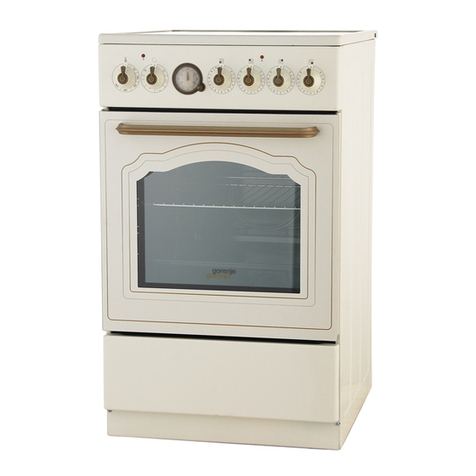
Mechanical minute timer
Switch-off timer - 120
minutes (timer switch)
• Remove all accessories from the oven and clean them with warm
water and a conventional detergent. Do not use abrasive cleaning
aids.
• When the oven is heated up for the first time, a specific odor of a
“new appliance” will be discharged; therefore, ventilate the room
thoroughly while the oven heats up.
• Use dark, black silicon coated or enamel coated baking trays, as
these transmit the heat particularly well.
• Only preheat the oven if specifically stated in the recipe or in the
instruction tables herein.
• Heating up an empty oven uses a lot of energy; therefore, a lot of
power is saved if several types of pastry are cooked consecutively,
as the oven is already heated up.
• Approximately ten minutes before the anticipated end of the
cooking process, the oven may be turned off. This way, you will
save some power and make use of the accumulated heat.
• Note: When cooking is completed, the cooling fan will stop
operating. If you leave the dish in the oven, steam could evaporate
from it and condense on the front panel and the oven door. In order
to prevent condensation, set the program selector switch to the
»light« position. Thus, the cooling fan will continue to operate and
cool the oven, preventing the accumulation of condensate.
Before using the oven
for the first time
Important warnings
7
The oven