How to Programme Contact Numbers
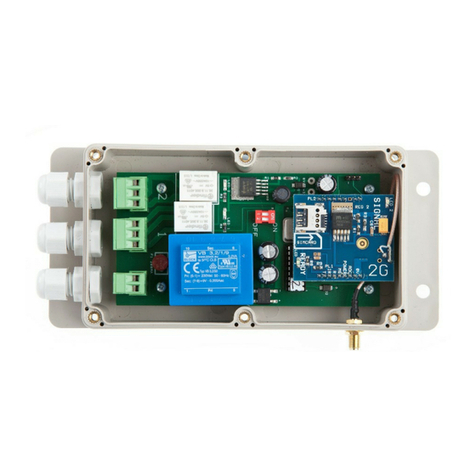
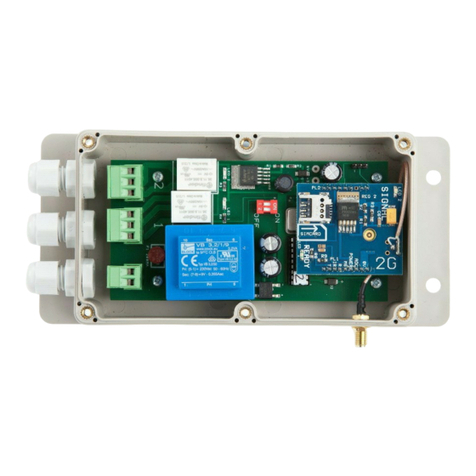
After inserting your simcard into your eco Auto Dialler, turn the unit on and wait to see the
GREEN ready LED light come on. This will indicate that you have a mobile signal and the
unit is ready for use.
You will now need to send a text with the contact numbers.
NOTE - To avoid confusion we have colour coded the HASH (#) and the EQUALS (=)
symbols.
The number should be your number or one you wish to be able to enable the
device. (Maximum of 5 contact numbers)
Example: (hash) (1,2, 3, 4 or 5) (equals) (phone number) (hash)
#1=07123456789# To save for contact no:1
#2=07234567891# To save for contact no:2
#3=07345678912# To save for contact no:3
#4=07345678912# To save for contact no:4
#5=07345678912# To save for contact no:5
If you wish to cancel a number, please follow this example
Example: (hash) (1,2, 3, 4 or 5) (equals) (DELETE) (hash)
#1=DELETE# Then send this to the simcard within the unit
IMPORTANT - PLEASE READ
Please send one message at a time and wait for the Auto Dialler to respond by sending
the text acknowledgement “NUMBER STORED” before you attempt to send the next
number.
Below is a notepad to help you remember the numbers that you have saved to your unit in
the event you need to modify or delete in the future.
#1=_ _ _ _ _ _ _ _ _ _ _ _ _ _ _ _ _ _ _ _ _ _ _ _ #
#2= _ _ _ _ _ _ _ _ _ _ _ _ _ _ _ _ _ _ _ _ _ _ _ _ #
#3=_ _ _ _ _ _ _ _ _ _ _ _ _ _ _ _ _ _ _ _ _ _ _ _ #
#4=_ _ _ _ _ _ _ _ _ _ _ _ _ _ _ _ _ _ _ _ _ _ _ _ #
#5=_ _ _ _ _ _ _ _ _ _ _ _ _ _ _ _ _ _ _ _ _ _ _ _#
Page 4