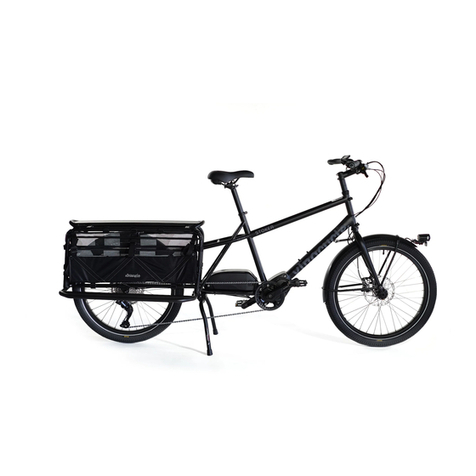
GT Force User manual

FULL SUSPENSION
QUICK START GUIDE
MODELS
Force
Sensor

SETUP STEP 1 STEP 2 STEP 3 STEP 4 CONGRATS!
WELCOME TO
THE GT FAMILY
Ok, let’s get to the point….We want to get you out riding your new GT. Our simple
assembly process makes it possible to use your skills to assemble your GT on your
own, and it’s even easier to do with a friend. This guide will walk you through the steps,
and you can also follow along with a video as you build your bike, visit: help.gtbicycles.com
Still have questions? GT rider support staff are ready to help you. Feel free to
give ‘em a ring at (800) 245-3872 a great source of help is at your local GT retailer or other professional
bicycle retailer.
Don’t forget to tag #gtbicycles in your social media when your new bike is all
assembled and ready to ride. We can’t wait to check it out.
This is a Quick Start Guide, intended to
accompany the assembly video, not an
Owner’s manual.
Bicycling is an active sport with inherent
risk. A wide range of injuries are possible.
Due to the nature of bicycle riding, the
situations you encounter while riding,
you will be exposed to the risk of serious
injury, paralysis or death. This risk cannot
be eliminated. You can minimize the
risk in many ways. Begin by reading the
complete GT Bicycle Owner’s manual
accompanying this bike and available
online at www.gtbicycles.com.

THE 4 MAJOR STEPS TO GETTING
YOUR BIKE READY TO RIDE
1. INSTALL HANDLEBARS 2. INSTALL FRONT WHEEL 3. INSTALL THE PEDALS 4. ADJUST THE SADDLE HEIGHT
SETUP STEP 1 STEP 2 STEP 3 STEP 4 CONGRATS!
1.
2.
3.
4.

+This assembly video applies to all LTS
platform full suspension bikes.
+Open the box with a screwdriver.
Be careful of the staples.
TOOLS NEEDED
GETTING YOUR
BIKE READY FOR
ASSEMBLY
Inside the box, you’ll find a smaller
box of parts, tools and manuals.
Once you have assembled the bike,
but before you ride, please read the
owner’s manual.
• Pliers or Screwdriver
• Philips head Screwdriver
• Boxcutter
• Cable Cutters or Scissors
• Torque Wrench
• Allen keys
• Pedal Wrench
• Force
• Sensor
SETUP STEP 1 STEP 2 STEP 3 STEP 4 CONGRATS!
+
+
+Remove the front wheel from the
packaged bike by removing the zip ties
or velcro. Then remove all additional
packaging.
+Set the bicycle down with the rear
wheel inside the box and the fork
hanging off the front.

KEY PARTS OF THE BIKE REFERENCED IN THIS GUIDE
SETUP STEP 1 STEP 2 STEP 3 STEP 4 CONGRATS!
SEATPOST
SADDLE HANDLEBARS
DISC BRAKE ROTOR
FRONT AXLE
STEM

1. Remove the four bolts that connect the faceplate
to the stem. The stem is what connects the
handlebar to the fork. Set your bolts and faceplate
in a safe place, so you don’t lose them.
2. Place the handlebar onto the stem. Ensure the
brake and shifter cables are not twisted or kinked.
3. Center the handlebar in the stem using the
markings on the bar.
Roll the handlebar back into a comfortable
position, then hand-tighten the stem bolts using
the Allen key. We’ll tighten them properly later.
4. Ensure the gap between the faceplate and stem is
equal all the way around the handlebar.
STEP 1
INSTALL
HANDLEBARS
1
1
3
4
2
SETUP STEP 1 STEP 2 STEP 3 STEP 4 CONGRATS!

STEP 2
INSTALL
FRONT WHEEL
1. Using an included Allen wrench, loosen and remove
the fork through-axle.
2. Remove the bike from the box.
Note: You won’t nd the Box anymore, so go ahead and recycle it.
3. Notice that the through-axle has one threaded
end and one end for the Allen key.
SETUP STEP 1 STEP 2 STEP 3 STEP 4 CONGRATS!
1
2
3

STEP 2
CONTINUED
SETUP STEP 1 STEP 2 STEP 3 STEP 4 CONGRATS!
5
6
4. The disc brake rotor on the wheel goes on the
left side of the bike, and it slides inside the brake
caliper on the fork. Roll the wheel into the fork,
ensuring that the brake rotor goes inside the
caliper.
5. The fork dropouts will rest on the wheel hub.
6. Insert the through-axle into the brake side of the
wheel. Push it in snugly, and then tighten it down
with the Allen key. Torque this through axle to
specification maked on the through axle
4

1. Install your preferred pedals using the included
washers in the small box. There’s one for each
pedal.
2. Locate the left and right pedals (marked ‘L’ and ‘R’
on the axle), and install them on the appropriate
side of the bike by screwing them into the crank.
Tighten the pedals in the direction of the front
wheel.
3. Tighten both pedals very firmly using the pedal
wrench included in the box.
STEP 3
INSTALL
THE PEDALS
1
1
2
3
SETUP STEP 1 STEP 2 STEP 3 STEP 4 CONGRATS!
Pedals may or may not be included in your bike’s build.

STEP 4
ADJUST THE
SADDLE HEIGHT
1. In order to adjust your seat height, first you’ll want to
loosen the cable guides.
2. The proper height of your bicycle seat is about where
your hip is. With the dropper post fully extended, move
the seat to the correct height.
3. You may have to feed in some of the dropper cable to
enable you to raise the saddle up as high as you need.
Ensure your sale is in line with the top tube.
4. Tighten the seat collar back down.
SETUP STEP 1 STEP 2 STEP 3 STEP 4 CONGRATS!
1
2
3
4
This manual suits for next models
1
Other GT Bicycle manuals
GT
GT Freestyle Team Signature User manual
GT
GT Street Machine GT Operating instructions
GT
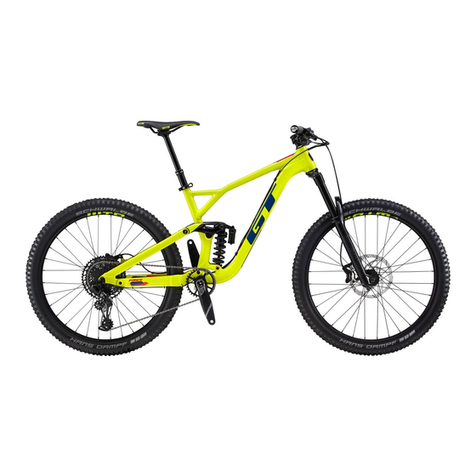
GT Force 27.5 User manual

GT
GT ROAD Grade User manual
GT
GT Grade Carbon 2020 Configuration guide
GT
GT Tachyon User manual

GT
GT Kids Laguna User manual

GT
GT Laguna User manual
GT
GT Avalanche User manual
GT
GT Traffic User manual