9EN
Consult local laws and ordinances before choosing a
location to fly your aircraft.
Select a large, open area away from people and objects.
Your first flights should be outdoors in low-wind conditions.
Always stay at least 30 feet (10 meters) away from the
helicopter when it is flying.
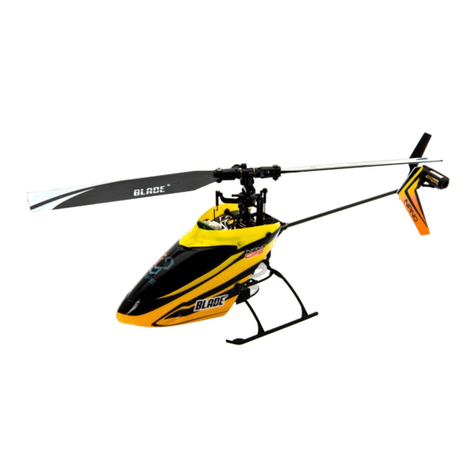
The Blade 180 CFX is intended to be flown outdoors or
inside a large gymnasium.
Takeoff
Increase the throttle to quickly establish a hover at least
24” (0.6 meter) high, outside of ground effect.
CAUTION: Do not give any aileron, elevator
or rudder commands before takeoff or the
helicopter may crash during takeoff.
Flying
The helicopter lifts off the ground when the rotor head
reaches a suitable speed. Establish a low-level hover
outside of ground effect to verify proper operation of your
helicopter. You must not set any trim; the flybarless design
of the Blade 180 CFX renders trim unnecessary. Setting
trim or sub-trim can cause an unwanted drift or rotation of
the helicopter.
First flights should be performed in normal mode and low
cyclic and rudder dual rates until you are familiar with the
flying manner of the Blade 180 CFX. Discover the rates that
fit your flying style.
CAUTION: Always try to fly the helicopter with
your back to the sun and the wind to prevent
loss of flight control.
Landing
Establish a low level hover. Gently lower the throttle until
the helicopter lands. Do not give any aileron, elevator or
rudder commands when the helicopter touches down.
Flight Modes
Normal Mode: This mode has a low head speed and
limited negative collective pitch available. It should be
used for takeoff, landing and very mild upright flight.
Never attempt to fly inverted in Normal Mode.
Stunt 1 Mode: This mode has a constant moderate head
speed and full range of rotor collective pitch available.
Stunt 2 Mode: This mode has a constant high head speed
and full range of rotor collective pitch available.
DX6i and DX7s users: Your transmitter is limited to 2
flight modes. The transmitter setup table values show
how to program your transmitter for Normal Mode and
Stunt 2 Mode as your available flight modes. If you would
prefer Stunt 1 Mode over Stunt 2 Mode, change the STUNT
values of the Throttle Curve to 85%.
When the helicopter is in stunt mode:
• The rotor head speed is constant.
• The main rotor will increase negative pitch as the throttle/
collective stick is moved from the middle stick position to
the low stick position. Negative pitch allows the helicopter
to fly upside down and perform aerobatics.
Change between stunt and normal modes in a hover with
the throttle near the hovering stick position.
The helicopter may go up or down when you change
between modes due to the difference in the throttle and
pitch curves.
If the cyclic control is too slow or too fast, adjust the trans-
mitter dual rates, expo or throttle curve to fit your liking.
For advanced AS3X settings please go to
Bladehelis.com and refer to the 180 CFX page.
Flying the Blade Trio 180 CFX
❏Check all screws to ensure that they are tight
❏Check main and tail blades to ensure they are not
damaged
❏Check all links to make sure they move freely, but do
not pop off easily
❏Check that flight battery and transmitter battery are
fully charged
❏Check all wires to ensure that they are not cut,
pinched, or chaffed and are properly secured
❏Check all wire connections
❏Check gears to make sure no teeth are missing
❏Do a complete control test
❏Check that the servos are functioning properly
❏Check to make sure the flight battery is properly secured
❏Check to make sure the receiver is properly secured
Blade Trio 180 CFX Pre-Flight Checklist