manuals.online logo
Brands
  1. Home
  2. •
  3. Brands
  4. •
  5. HP
  6. •
  7. PDA
  8. •
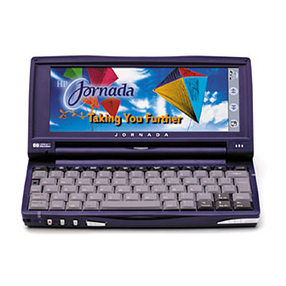
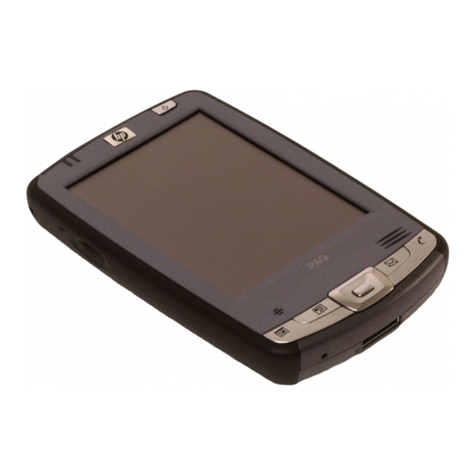
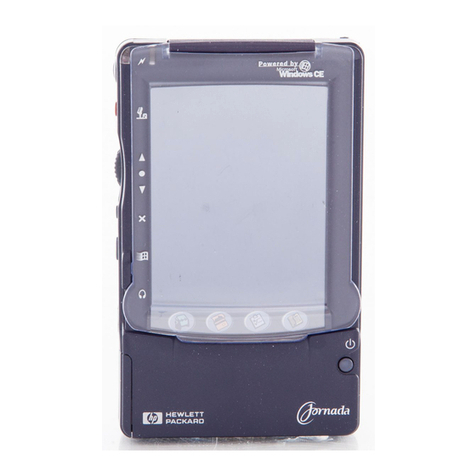
  9. HP Jornada 680e User manual

HP Jornada 680e User manual

This manual suits for next models

2

Other HP PDA manuals

HP FA974AA - iPAQ 310 Travel Companion User manual

HP

HP FA974AA - iPAQ 310 Travel Companion User manual

HP Jornada 720 User manual

HP

HP Jornada 720 User manual

HP iPAQ rx3000 series User manual

HP

HP iPAQ rx3000 series User manual

HP Jornada 680 User manual

HP

HP Jornada 680 User manual

HP iPAQ rx4200 Installation and operation manual

HP

HP iPAQ rx4200 Installation and operation manual

HP Jornada 420 User manual

HP

HP Jornada 420 User manual

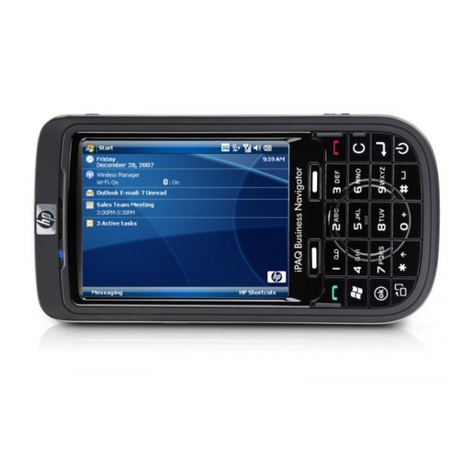
HP iPAQ 614c - Business Navigator User manual

HP

HP iPAQ 614c - Business Navigator User manual

HP 700 Series User manual

HP

HP 700 Series User manual

HP Brio BA Operation manual

HP

HP Brio BA Operation manual

HP iPAQ rx3000 series Instruction Manual

HP

HP iPAQ rx3000 series Instruction Manual

HP iPAQ User manual

HP

HP iPAQ User manual

HP iPAQ h1910 Manual

HP

HP iPAQ h1910 Manual

HP iPAQ rz1715 User manual

HP

HP iPAQ rz1715 User manual

HP HP-18C User manual

HP

HP HP-18C User manual

HP iPAQ hx4700 Original instructions

HP

HP iPAQ hx4700 Original instructions

HP iPAQ h4100 User manual

HP

HP iPAQ h4100 User manual

HP iPAQ 610 - Business Navigator User manual

HP

HP iPAQ 610 - Business Navigator User manual

HP iPAQ rx4200 User manual

HP

HP iPAQ rx4200 User manual

HP 620Lx - Palmtop PC User manual

HP

HP 620Lx - Palmtop PC User manual

HP iPAQ rx5700 User manual

HP

HP iPAQ rx5700 User manual

HP iPAQ Data Messenger User manual

HP

HP iPAQ Data Messenger User manual

HP hx2190b - iPAQ Pocket PC User manual

HP

HP hx2190b - iPAQ Pocket PC User manual

HP iPAQ rz1700 series User manual

HP

HP iPAQ rz1700 series User manual

HP Jornada 430se User manual

HP

HP Jornada 430se User manual

Popular PDA manuals by other brands

SmartOffice Mobile for Pocket PC user guide

SmartOffice

SmartOffice Mobile for Pocket PC user guide

Palm Tungsten T2 Software guide

Palm

Palm Tungsten T2 Software guide

HTC PHAR100 user manual

HTC

HTC PHAR100 user manual

Mindeo M40 Reference manual

Mindeo

Mindeo M40 Reference manual

SPOT SPOT user guide

SPOT

SPOT SPOT user guide

Palm handheld Getting started guide

Palm

Palm handheld Getting started guide

Winmate E500QK user guide

Winmate

Winmate E500QK user guide

Getac PS236 Specifications

Getac

Getac PS236 Specifications

Sharp CE-1600P Operation manual

Sharp

Sharp CE-1600P Operation manual

Audiovox Maestro Quick start card

Audiovox

Audiovox Maestro Quick start card

Acer n30 manual

Acer

Acer n30 manual

Unitech PT630 Programming reference guide

Unitech

Unitech PT630 Programming reference guide

Unova Intermec 700 Series user guide

Unova

Unova Intermec 700 Series user guide

Sharp Zaurus SL-5500 quick start guide

Sharp

Sharp Zaurus SL-5500 quick start guide

ASCOM 9D24 EX brochure

ASCOM

ASCOM 9D24 EX brochure

Asus P505 user guide

Asus

Asus P505 user guide

Sony CLIE PEG-N610C operating instructions

Sony

Sony CLIE PEG-N610C operating instructions

Unitech PA520BTNF user manual

Unitech

Unitech PA520BTNF user manual

manuals.online logo
manuals.online logoBrands
  • About & Mission
  • Contact us
  • Privacy Policy
  • Terms and Conditions

Copyright 2025 Manuals.Online. All Rights Reserved.

HP Jornada
680/680e Handheld PC
Users Guide
Part number F1262-90003
Printed in Singapore
Edition 1
ï HP Jornada 680/680e Users Guide
Copyright notice
This manual and any examples contained herein are provided
as is and are subject to change without notice. Hewlett-Packard
Company makes no warranty of any kind with regard to this
manual, including, but not limited to, the implied warranties of
merchantability and fitness for a particular purpose. Hewlett-
Packard Co. shall not be liable for any errors or for incidental or
consequential damages in connection with the furnishing, perfor-
mance, or use of this manual or the examples herein.
The above disclaimers and limitations shall not apply to consumer
transactions in Australia and the United Kingdom and shall not
affect the statutory rights of consumers.
© Hewlett-Packard Co. 1999. All rights reserved. Reproduction,
adaptation, or translation of this manual is prohibited without prior
written permission of Hewlett-Packard Company, except as allowed
under the copyright laws.
The programs that control this product are copyrighted and all
rights are reserved. Reproduction, adaptation, or translation of
those programs without prior written permission of Hewlett-
Packard Co. is also prohibited.
Microsoft, MS, MSN, PowerPoint, ActiveX, ActiveSync, Outlook,
InkWriter, Windows, Windows NT, Visual Basic, Visual C++, and
the Windows logo are either registered trademarks or trademarks
of Microsoft Corporation in the United States and/or other coun-
tries. Microsoft products are licensed to OEMs by Microsoft
Licensing, Inc., a wholly owned subsidiary of Microsoft Corpora-
tion. BSQUARE, bFax Professional, bFIND and bTASK are either
registered trademarks or trademarks of BSQUARE Corporation.
OmniSolve is copyright 1998-99 LandWare Inc. with all rights
reserved. LandWare is a trademark of LandWare, Inc.
Hewlett-Packard Singapore (Pte) Ltd.
Asia Pacific Personal Computer Division
452 Alexandra Road
Singapore 119961

ï HP Jornada 680/680e Users Guide
Contents
1. Welcome ..................................................................................... 1
Using this guide ................................................................................................ 2
Learning about HP Jornada ........................................................................4
2. Getting started ...................................................................... 11
HP Jornada hardware features ............................................................... 12
Setting up your HP Jornada ................................................................... 15
Using your HP Jornada ............................................................................. 24
3. Connecting to your desktop PC...................................29
Connecting for the first time................................................................... 30
Connecting to your desktop partner.................................................. 40
Connecting to another PC ....................................................................... 42
Browsing your HP Jornada desktop.................................................... 43
Synchronizing data ..................................................................................... 44
Transferring files ........................................................................................... 51
Transferring PIM data from
older palmtop PCs and handheld PCs ....................................... 52
4. Staying organized .............................................................. 59
Using Microsoft Pocket Outlook........................................................... 60
Using HP viewer ............................................................................................ 64
Capturing data with HP quick pad ....................................................... 67
Recording and playing voice memos ................................................ 69
5. Getting down to business ................................................73
Working with Microsoft Pocket Office................................................. 74
Using Microsoft InkWriter ......................................................................... 80
Backing up and restoring data .............................................................. 81
Using OmniSolve from Landware ........................................................ 83
Using bFAX Pro from bSquare ............................................................... 84
Using bFIND from bSquare ..................................................................... 85
6. Accessing e-mail ................................................................. 87
Deciding how and why you want to connect ................................. 88
Using your connections .......................................................................... 111
ï HP Jornada 680/680e Users Guide
7. Optimizing your HP Jornada ......................................12
1
Adding programs, fonts, sounds, and images............................. 122
Accessories ................................................................................................... 127
Managing memory ................................................................................... 132
Managing battery power ....................................................................... 134
Fine-tuning performance ....................................................................... 140
Security .......................................................................................................... 145
Traveling with your HP Jornada ......................................................... 147
About system macros ............................................................................. 149
8. Troubleshooting ............................................................... 15
1
Maintaining your HP Jornada ............................................................. 152
Troubleshooting basic problems ....................................................... 153
Troubleshooting remote connections............................................. 158
Display ........................................................................................................... 160
Resetting ........................................................................................................ 160
Warranty, support, and service ........................................ 163
Appendix A Ergonomics ..................................................... 171
Glossary ...................................................................................... 175
Index ............................................................................................. 181
HP software product license agreement ..................... 191
| 1
Welcome |1
Congratulations on purchasing the Hewlett-Packard
Jornada 680 or 680e Handheld PC (H/PC), a mobile device
powered by the Microsoft® Windows® CE operating system.
The size and capabilities of the HP Jornada 680/680e H/PC
let you keep your most important business and personal
information current and close at hand. Your HP Jornada
supports the latest version of Microsoft Pocket Outlook, so
you can check e-mail and manage your appointments and
contacts while on the road. Your HPJornada is also the
perfect companion to your desktop or notebook PC, allowing
you to take vital business data and documents with you and
easily upload updated information upon returning to the
office. A powerful, reliable, mobile business partner,
HPJornada offers you the highest quality in performance
and battery life as well as rich programs and utilities
designed by Hewlett-Packard.
If you are familiar with Microsoft Windows products and
notebook PCs, you will notice that your HP Jornada has
many of the same characteristics, making it easy for you to
be productive quickly.
In this chapter, you will find:
An overview of this Users Guide and other sources of help
and information
A list and brief descriptions of the built-in applications,
including Microsoft Windows CE, Handheld PC Profes-
sional Edition software and special HP applications
An introduction to HPJornada features and a description
of the advantages of using the HPJornada
2 |HP Jornada 680/680e Users Guide
Using this guide
This Users Guide will give you a quick and effective intro-
duction to your HP Jornada. Although great care has been
taken to ensure the accuracy of procedures and artwork,
some of the screens displayed on your HPJornada may
differ from the ones that appear in this Users Guide.
Detailed, step-by-step instructions for using the programs on
your HP Jornada are also included in online Help, so you do
not have to carry this guide when you travel. (For more
information on using online Help, see the Using Help on
your HP Jornada section in chapter2.)
Conventions
This Users Guide includes certain visual cues that will help
you find the information you want easily.
A shortcut, another way to do
something, or expanded information
about the topic.
Caution or warning information about
the topic. This is important information
that should be observed to prevent loss
of data or damage to your HP Jornada.
Helpful information related to the topic.
Finding information
This guide describes what is included with your HP Jornada,
provides an overview of the installed programs, and describes
how to set up communications between your device and
desktop PC and between your device and the Internet. The
following table lists the different types of information avail-
able to help you use your HP Jornada. Note that although
this book introduces the programs on your device, it does not
describe them completely. For more information, see the
comprehensive online Help for each program.
Chapter 1 |Welcome | 3
Information Source
Programs This Users Guide
or
Online Help on your device. On
the Start menu, tap Help.
Unfamiliar The glossary located at the end of
technical terms this Users Guide.
Synchronizing This Users Guide
and exchanging or
files with a Online Help on your device. On the
desktop PC Start menu, tap Help.
(including or
information on Windows CE Services online Help on
connecting while your desktop PC. In the Mobile Devices
traveling) window, click Help, and then click
Windows CE Services Help Topics.
ToolTips Any toolbar button. Tap and hold the
button and the button name will appear.
(To avoid activating the toolbar button,
drag off the button before lifting the stylus.)
For more information, see the Using your
HPJornada section in chapter 2.
Troubleshooting This Users Guide
information on or
connections The Communications Troubleshooter on
your desktop PC. In the Mobile
Devices window, click Help, and then
click Communications Troubleshooter.
Software updates, The Hewlett-Packard Jornada
device drivers, Web site at www.hp.com/jornada.
and lists of com-
patible accessories
Up-to-date The Microsoft Windows CE Web site at
information on www.microsoft.com/windowsce.
Windows
CEbased devices
Information on Readme.doc file (located in the
this release of Windows CE Services folder on your
Windows CE desktop PC).
4 |HP Jornada 680/680e Users Guide
The complete text of this Users Guide is available on the HP Web site at www.hp.com/
jornada. You can download the Users Guide to your desktop PC and view it using the
Adobe Acrobat Reader, available from the Adobe Web site at www.adobe.com.
Learning about HP Jornada
Hewlett-Packard has taken mobile computing to new levels of
compatibility and convenience. With HP Jornada, youll
notice many benefits not found in other, similar computers.
For example you can:
Move the data you already have on an older palmtop or
handheld PC to your HPJornada. You can transfer
information from older Windows CE devices and even
some nonWindows CE devices. (See the Transferring
PIM data from older palmtop PCs section in
chapter 3.)
Use e-mail without a modem. Conveniently send e-mail
automatically when you synchronize with your desktop
PC. (See the Synchronizing data section in chapter 3.)
Take more data with you. A desktop Microsoft Word file
may take up to 85 percent less space on your HP Jornada.
(See the Transferring files section in chapter 3.)
Send voice messages to friends and colleagueseven those
who do not have Windows CE devices. You can save voice
messages in the compatible Wave audio format. (See the
Recording voice memos section in chapter 4.)
Keep Word, Access, and Excel files stored at work and at
home synchronized. Update any file in any location, and
once you synchronize, the file will be updated in every place
it is stored. (See the Synchronizing data section in
chapter 3.)
Read online news and information while offline, or down-
load Web pages for viewing later. (See the Browsing the
Web section in Chapter 6.)
Work any time, any place, with up to 7 hours of battery
life. (See the Managing battery power section in
chapter 3.)