manuals.online logo
Brands
  1. Home
  2. •
  3. Brands
  4. •
  5. Huawei
  6. •
  7. Server
  8. •
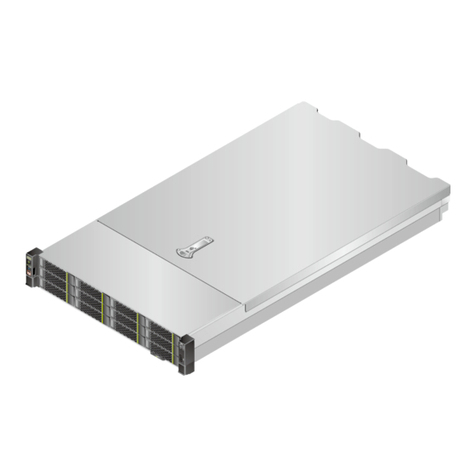
  9. Huawei G5500 User manual

Huawei G5500 User manual

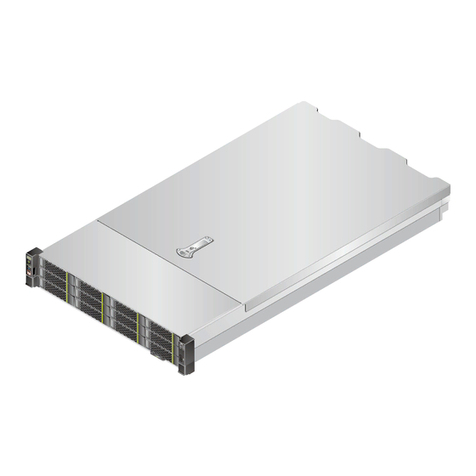
Other manuals for G5500

3

Other Huawei Server manuals

Huawei V100R002C01 User manual

Huawei

Huawei V100R002C01 User manual

Huawei FusionServer Pro XH628 V5 Server Node Quick reference guide

Huawei

Huawei FusionServer Pro XH628 V5 Server Node Quick reference guide

Huawei FusionModule1000A40 ICT Solution Technical specifications

Huawei

Huawei FusionModule1000A40 ICT Solution Technical specifications

Huawei RTN 905 V100 User manual

Huawei

Huawei RTN 905 V100 User manual

Huawei FusionModule5000 Technical specifications

Huawei

Huawei FusionModule5000 Technical specifications

Huawei FusionServer Pro CH242 V5 Quick reference guide

Huawei

Huawei FusionServer Pro CH242 V5 Quick reference guide

Huawei FusionServer Pro 2488 V5 Quick reference guide

Huawei

Huawei FusionServer Pro 2488 V5 Quick reference guide

Huawei Tecal RH2485 V2 User manual

Huawei

Huawei Tecal RH2485 V2 User manual

Huawei 2288H V5 User manual

Huawei

Huawei 2288H V5 User manual

Huawei E9000 User manual

Huawei

Huawei E9000 User manual

Huawei TaiShan 200 Series User manual

Huawei

Huawei TaiShan 200 Series User manual

Huawei FusionServer Pro 2288H V5 User manual
Huawei

Huawei FusionServer Pro 2288H V5 User manual

Huawei TaiShan Operating instructions

Huawei

Huawei TaiShan Operating instructions

Huawei OptiX PTN Series User manual

Huawei

Huawei OptiX PTN Series User manual

Huawei FusionServer Pro G5500 Instructions for use

Huawei

Huawei FusionServer Pro G5500 Instructions for use

Huawei FusionServer Pro CH121 V5 User manual

Huawei

Huawei FusionServer Pro CH121 V5 User manual

Huawei U-SYS MRS6100 User manual

Huawei

Huawei U-SYS MRS6100 User manual

Huawei BTS3900C Guide

Huawei

Huawei BTS3900C Guide

Huawei VP9660 User manual

Huawei

Huawei VP9660 User manual

Huawei FusionServer RH2288H V3 User manual

Huawei

Huawei FusionServer RH2288H V3 User manual

Huawei FusionServer Pro 2288H V5 User manual

Huawei

Huawei FusionServer Pro 2288H V5 User manual

Huawei TaiShan 200 User manual

Huawei

Huawei TaiShan 200 User manual
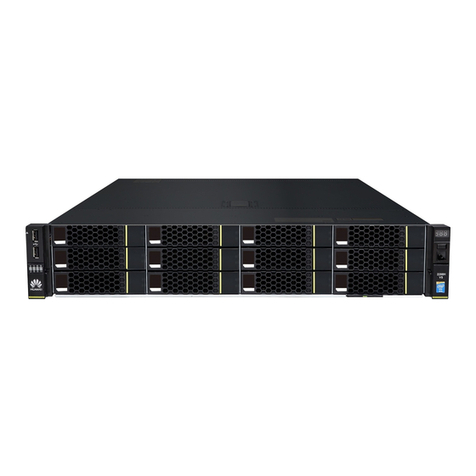
Huawei FusionModule500 User manual

Huawei

Huawei FusionModule500 User manual

Huawei RH8100 V3 User manual

Huawei

Huawei RH8100 V3 User manual

Popular Server manuals by other brands

HP Tc2120 - Server - 256 MB RAM installation guide

HP

HP Tc2120 - Server - 256 MB RAM installation guide

Lenovo ThinkServer RD230 manual

Lenovo

Lenovo ThinkServer RD230 manual

Avocent CPS810 Installer/user guide

Avocent

Avocent CPS810 Installer/user guide

Dell PowerEdge R6615 Installation and service manual

Dell

Dell PowerEdge R6615 Installation and service manual

FreeWave HT2+ installation guide

FreeWave

FreeWave HT2+ installation guide

GIGA-BYTE TECHNOLOGY G492-Z50 user manual

GIGA-BYTE TECHNOLOGY

GIGA-BYTE TECHNOLOGY G492-Z50 user manual

Lanner HTCA-E400 user manual

Lanner

Lanner HTCA-E400 user manual

Bull NovaScale T840 E2 user guide

Bull

Bull NovaScale T840 E2 user guide

Asus RS740-E70RS24-EG Configuration guide

Asus

Asus RS740-E70RS24-EG Configuration guide

Meinberg LANTIME M300/TCR manual 

Meinberg

Meinberg LANTIME M300/TCR manual 

HP ProLiant SL335s G7 Maintenance and service guide

HP

HP ProLiant SL335s G7 Maintenance and service guide

ZyXEL Communications VANTAGE RADIUS 50 user guide

ZyXEL Communications

ZyXEL Communications VANTAGE RADIUS 50 user guide

Lantronix xDirect-IAP quick start guide

Lantronix

Lantronix xDirect-IAP quick start guide

Fujitsu PRIMEQUEST 2400E3 General description

Fujitsu

Fujitsu PRIMEQUEST 2400E3 General description

IBM 9040-MR9 manual

IBM

IBM 9040-MR9 manual

IBM 306m - eServer xSeries - 8849 user guide

IBM

IBM 306m - eServer xSeries - 8849 user guide

green hippo Hippotizer Nevis+ quick start guide

green hippo

green hippo Hippotizer Nevis+ quick start guide

IBM 8203-E4A Brochure & specs

IBM

IBM 8203-E4A Brochure & specs

manuals.online logo
manuals.online logoBrands
  • About & Mission
  • Contact us
  • Privacy Policy
  • Terms and Conditions

Copyright 2025 Manuals.Online. All Rights Reserved.

HUAWEI TECHNOLOGIES CO., LTD.
Huawei FusionServer G5500 Server
Competitive Positioning
1
www.huawei.com ▪Huawei Confidential ▪1
Usage of This
Document Training materials for Huawei sales personnel, including Huawei sales, channel partners, and pre-
sales technical
support.
Description
Introduction to G5500
Comparison Between G5500 and Competitor Specifications
Advantages and Disadvantages of G5500 and Competitor Specifications (International)
Advantages and Disadvantages of G5500 and Competitor Specifications (China)
How to Defend
Restriction
Scenario
This document is used only for pre-sales learning. The product and vendor specifications provided in this
document are compiled according to the information obtained from the network. Actually, the information of each
vendor on the network is incomplete or may not be up-to-date. In addition, Huawei may update this course
without notifying the customer. Therefore, this course cannot be used as a basis for project bidding or
configuration selection.
Revised Version V1.0 (2017-10)
Special Declaration
2
www.huawei.com ▪Huawei Confidential ▪2
1Click to add Title
Introduction to the G5500
Click to add Title
2Comparison Between G5500 and
Competitor Specifications
Click to add Title
3Advantages and Disadvantages of G5500 and
Competitor Specifications (International)
Contents
Click to add Title
4Advantages and Disadvantages of G5500 and
Competitor Specifications (China)
Click to add Title
5How to Defend
3
www.huawei.com ▪Huawei Confidential ▪3
G5500 full-width server
Specifications of the G5500 Full-Width Server
Front view
Rear view
•Excellent performance: Supports 8 FHFL dual-slot 350 W GPU accelerator cards, 6 NVMe SSDs, 2 x 2.5-inch and 8 x 3.5-inch SAS/SATAHDDs.
•Flexible topology: A single server supports multiple topologies (1:4/1:8).A single node supports one-click switching of single-RC and balanced dual-
RC topologies, and supports P2P and GPUDirect RDMA.
•Easy maintenance: The CPU and GPU nodes support independent evolution and maintenance. Fan modules and PSUs can be removed and
inserted without opening the chassis, and main components can be replaced in one minute.
Highlights
Form factor Full-width single-slot 2S blade server
Node G560, full-width single node
Number of processors 2
Processor model Intel Xeon E5-2600 v4 series, up to 22 cores
Number of GPUs 8
GPU model NVIDIA Tesla P40/P100/V100
Memory 24 DDR4 DIMM slots, maximum memory capacity: 3 TB
Number of hard drives 6 x 2.5-inch NVMe SSDs, 2 x 2.5-inch SAS/SATA HDDs, and 8 x 3.5-inch
SAS/SATA HDDs
RAID support Supports RAID 0, 1, 10, 5, 50, 6, and 60
Supports supercapacitors
Power supply units 4 x 2,200 W Platinum PSUs, supporting 220 V AC and 240 HVDC, 2+2
redundancy
Fan modules 6 hot-swappable fan modules, supporting maintenance without opening
the chassis; N+1 redundancy
Operating temperature 5°C to 35°C
Dimensions
(H x W x D)
175 mm x 447 mm x 790 mm
4
www.huawei.com ▪Huawei Confidential ▪4
Front View of the G5500 Full-Width Server
GPUnode,supporting8GPUcards
TheGPUsupportsNVIDIATesla
P40/P100/V100.
Computenode, 2S +24DIMM
G560
6 x 2.5-inch NVMe SSDs
2 x 2.5-inch SAS/SATA HDDs
8 x 3.5-inch SAS/SATA HDDs
PCIex4NVMeSSD
6G/12Gbit/sSASHDD
SupportsRAID0,1,10,5,50,6,60,and
supercapacitorforcachepower-off
protection
Hard Drive
1
3.5
-inch hard drive
9
Power button/indicator
2
3.5
-inch hard drive fault indicator
10
UID button/indicator
3
3.5
-inch hard drive activity
indicator
11
Health status indicator
4
2.5
-inch hard drive
12
R
elease button
5
2.5
-inch hard drive fault indicator
13
NVMe SSD
6
2.5
-inch hard drive activity
indicator
14
NVMe SSD activity indicator
7
Slide
-out information label
15
NVMe SSD fault indicator
8
Ejector lever
2
3
1
5
6
4
13
14
15
91011 12
87
5
www.huawei.com ▪Huawei Confidential ▪5
Rear View of the G5500 Full-Width Server
Dualmanagementmodules(G560supportsonly
onemodule)
2x10GEopticalports(currentlynotsupportedby
theG560)
GEmanagementnetworkportandserialport
Management/IO Module
Platinum PSUs, 2+2 redundancy
Maximum power consumption of a single
PSU: 2,200 W
SupportsAC and 240 V HVDC
Power Supply
6hot-swappablefanmodules, N+1redundancy
Supportsonlinemaintenancewithoutopeningthe
chassis
Fan Module
1
Management module:Active/standby
indicator
10
PSU
2
Management module: Health indicator
11
PSU
indicator
3
Management module: Power indicator
12
Fan module
4
10GE optical port
13
Fan module indicator
5
10GE optical port LINK/ACT indicator
14
Interface card slot 1
6
Management module: Serial port
15
Interface card
slot 2
7
Management module: GE electrical port
16
Interface card slot 3
8
Management module:ACT indicator of the
GE electrical port
17
Interface card slot 4
9
Management module: LINK indicator of the
GE electrical port
18
1
2
3
4
5
6
7
8
9
10
11
12
13
3or4PCIex16expansionslots
SupportsHHHLPCIecard
Management/IO Module
14
15
16
17
6
www.huawei.com ▪Huawei Confidential ▪6
Product diagram
Internal View of the G5500 Full-Width Node
G560 Node
8*PCIe x16 (FHFL GPU)
8*3.5'' HDD
G560 CPU compute module G560 heterogeneous compute module
2*E5-2600 v4
CPU
24*DDR4 DIMM PCIe interface card
RAID
controller
card
2*2.5'' HDD
6*2.5'' NVMe
7
www.huawei.com ▪Huawei Confidential ▪7
G5500 half-width server
Specifications of the G5500 Half-Width Server
•Excellent performance: A single node supports 16 HHHL 75 W GPU accelerator cards and supports 2 NVMe/SAS/SATA or M.2 SATA SSDs.
•Flexible topology: A single server supports the 1:8 topology and supports P2P and GPUDirect RDMA.
•Easy maintenance: The CPU and GPU nodes support independent evolution and maintenance. Fan modules and PSUs can be removed and
inserted without opening the chassis, and main components can be replaced in one minute.
Highlights
Form factor Full-width single-slot 2S blade server
Node G530 V2, half-width dual nodes, 16 GPUs
Number of processors 2
Processor model Intel Xeon Scalable Processors, up to 28 cores
Number of GPUs 16
GPU model NVIDIA Tesla P4
Memory 24 DDR4 DIMM slots, maximum memory capacity: 3 TB
Number of hard drives 2 x 2.5-inch SAS/SATA/NVMe or 4 x M.2 SATA SSDs
RAID support RAID 0, 1, and 10
Power supply units 4 x 2,200 W Platinum PSUs, supporting 220 V AC and 240 V HVDC, 2+2 redundancy
Fan modules 6 hot-swappable fan modules, N+1 redundancy
Operating temperature 5°C to 35°C
Dimensions (H x W x D
)
175 mm x 447 mm x 790 mm
Front view
Rear view
8
www.huawei.com ▪Huawei Confidential ▪8
Front View of the G5500 Half-Width Server
1
Slide
-out information label
7
R
elease button
2
VGA port
8
Ejector lever
3
USB3.0 interface
9
2.5
-inch hard drive
4
Power button/indicator
10
2.5
-inch hard drive fault indicator
5
UID button/indicator
11
2.5
-inch hard drive activity
indicator
6
Health status indicator
2
1
57
48
691011
GPUnode,supporting16GPUcards
TheGPUsupportsNVIDIATeslaP4.
Computenode, 2S +24DIMM
G530 V2
2 x 2.5-inch SAS/SATA/NVMe or 4 x
M.2 SATA SSDs
PCIex4NVMe
6G/12Gbit/sSASHDD
RAID0, 1,10
Hard Drive
3
9
www.huawei.com ▪Huawei Confidential ▪9
Rear View of the G5500 Half-Width Server
Dualmanagementmodules
2x10GEopticalports
GEmanagementnetworkportandserialport
Management/IO Module
Platinum PSUs, 2+2 redundancy
Maximum power consumption of a single
PSU: 2,200 W
AC and 240 V HVDC
Power Supply
6hot-swappablefanmodules, N+1redundancy
Supportsonlinemaintenancewithoutopeningthe
chassis
Fan Module
1
2
3
4
5
6
7
8
9
10
11
12
13
4PCIex16expansionslots
SupportsHHHLPCIecard
Management/IO Module
14
15
16
17
1
Management module:Active/standby
indicator
10
PSU
2
Management module: Health indicator
11
PSU
indicator
3
Management module: Power indicator
12
Fan module
4
10GE optical port
13
Fan module indicator
5
10GE optical port LINK/ACT indicator
14
Interface card slot 1
6
Management module: Serial port
15
Interface card
slot 2
7
Management module: GE electrical port
16
Interface card slot 3
8
Management module:ACT indicator of
the GE electrical port
17
Interface card slot 4
9
Management module: LINK indicator
of
the
GE electrical port
18