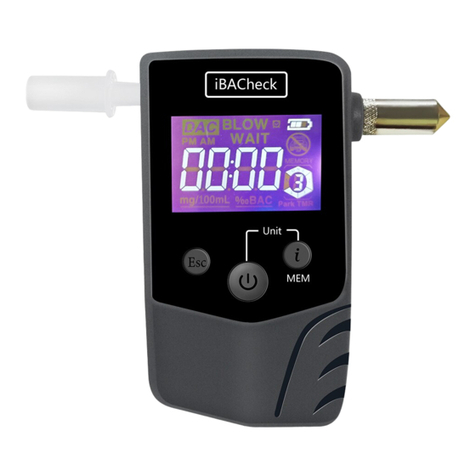
Press the ON/OFF button for 1 second to turn on the machine.
If no key being press for 30 seconds, the device will switch off
automatically.
1. Press the ON/OFF button for 1
machine and then enter into the “ALCO” interface.
2. In the “ALCO” mode, press the ON/OFF once to activate residue
check. “PH” flashes for a few seconds. It will take longer if
residue being detected.
3. “test” flashes for about 30 seconds with beep tones when the
device ready to test. Carry out the alcohol test during this period.
Also you can press Esc to abort the test.
i. Active test: Blow continuously through the mouthpiece for
about 6 seconds. An audio signal is heard when the breath
sampling is finished. Stop blowing when you hear the audio
signal. “ ” flashes while the analysis is carried out. The
reading is shown within 6 seconds.
ii. Passive test: if cannot blow successfully, press & hold ON/OFF
key and blow continuously through the mouthpiece for about 6
seconds.
4. - 0.00‰ is shown if the measured blood alcohol content is less
than 0.1‰ (0.05mg alcohol per litre of exhaled air or blood
alcohol content of 0.01% ).
- the value will be shown digitally in the display if the measured
blood alcohol content is between 0.1‰ (0.05mg alcohol per
litre of exhaled air or blood alcohol content of 0.01% ).and
4.00‰(2.00 mg alcohol per litre of exhaled air or blood
alcohol content of 0.40% ).
- HI is shown in the display if the measured blood alcohol
content is higher than 4.00‰ (2.00 mg alcohol per litre of
exhaled air or blood alcohol content of 0.40% ).
5. User can press the ON/OFF key for another test. “test” shows on
the display, a beep sounds to begin test again.
6. The test reading showing on the LED for 90 seconds.
Caution: if the test result exceeds the preset alert level, then “ ! ”
flashes for 15 seconds together with beep alert.
Under the “ALCO” mode, press Esc key for about 3 seconds to enter
into the memory recall mode. Press Esc key again to scroll the
records. (Max.10 records). Press and hold Esc key for 3 seconds to exit
memory recall mode. Press
In the record mode, the test number and its reading will flash on the
LED alternatively. For example, the 9th record is 0.50‰BAC, then r-09
and 0.50 will flash alternatively.
If memories full, the new reading will overwrite the previous one and (FIFO).
All the records will be erased if user takes off the rechargeable battery.
The default unit and alert level for this machine is 0.5‰BAC
(0.08%BAC for US/UK) and no need to set up the following if the
alcohol standard of your country is 0.5‰BAC (0.08%BAC for US/UK).
If you want to modify the unit and alert level, user must study the
following carefully.
Turn on the machine and press Esc and go to “ALCO”, then press
the ON/OFF and Esc keys together for 3 seconds and than show
Systems Settings & Calibration
Test Record
"0000" (The lower 2-digit 00 will flash). Press the
Esc key to increase the lower 2-digit until 18,
press the ON/OFF button and shift to the upper 2-digit (The upper
2-digit 00 will flash). Press the Esc key to increase the upper 2-digit
until 18, i.e. "1818" . Wait for 5 seconds. The machine will enter
into the unit conversion mode:-
Alco Unit Setup
There are three units can be chosen, that is,
Permillage (‰BAC); Percent (%BAC); mg/L
Then press ON/OFF key to change the unit (the corresponding
indicator “ %BAC ‰BAC mg/l ” will turn on)
For example: 0.020 0.20 0.100
%BAC ‰BAC mg/l
After select the desired unit, press Esc key can go to the alert level
setting mode. There are 5 alert level can be set, B1, B2, B3, B5 &
B8. Please find the attached ※Table 1 for Alert level Vs different
unit. After selected the unit and alarm value. Wait for 3 seconds, the
instrument will automatically exit and complete the commissioning
B1, B2, B3, B5, B8 .
※Table 1: 0.010 0.020 0.030 0.050 0.080
% BAC ‰ BAC mg/
0.10 0.20 0.30 0.50 0.80
%BAC ‰BAC m l
0.050 0.100 0.150 0.250 0.400
%BAC ‰BAC mg/l