manuals.online logo
Brands
  1. Home
  2. •
  3. Brands
  4. •
  5. IBM
  6. •
  7. Laptop
  8. •
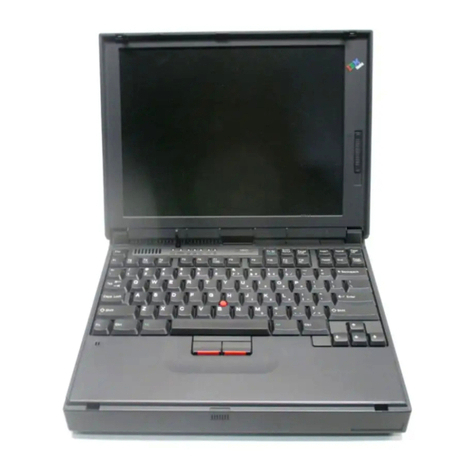
  9. IBM ThinkPad 570E User manual

IBM ThinkPad 570E User manual

Other manuals for ThinkPad 570E

5

This manual suits for next models

2

Other IBM Laptop manuals

IBM ThinkPad X20 Owner's manual

IBM

IBM ThinkPad X20 Owner's manual

IBM THINKPAD X32 - User manual

IBM

IBM THINKPAD X32 - User manual

IBM S430 Owner's manual

IBM

IBM S430 Owner's manual

IBM ThinkPad 770 User manual

IBM

IBM ThinkPad 770 User manual

IBM ThinkPad 600 User manual

IBM

IBM ThinkPad 600 User manual

IBM ThinkPad 600 Owner's manual

IBM

IBM ThinkPad 600 Owner's manual

IBM ThinkPad 560Z User manual

IBM

IBM ThinkPad 560Z User manual

IBM PS/2 N51 SX HMR User manual

IBM

IBM PS/2 N51 SX HMR User manual

IBM ThinkPad 380Z User manual

IBM

IBM ThinkPad 380Z User manual

IBM ThinkPad R40 Owner's manual

IBM

IBM ThinkPad R40 Owner's manual

IBM THINKPAD R32 User manual

IBM

IBM THINKPAD R32 User manual

IBM ThinkPad R40e Parts list manual

IBM

IBM ThinkPad R40e Parts list manual

IBM THINKPAD T400S Owner's manual

IBM

IBM THINKPAD T400S Owner's manual

IBM ThinkPad R40 series User manual

IBM

IBM ThinkPad R40 series User manual

IBM ThinkPad 570E Configuration guide

IBM

IBM ThinkPad 570E Configuration guide

IBM ThinkPad T20 Owner's manual

IBM

IBM ThinkPad T20 Owner's manual

IBM ThinkPad R40e Instruction Manual

IBM

IBM ThinkPad R40e Instruction Manual

IBM ThinkPad R40e Service manual

IBM

IBM ThinkPad R40e Service manual

IBM ThinkPad 380 User manual

IBM

IBM ThinkPad 380 User manual

IBM Thinkpad X30 Series User manual

IBM

IBM Thinkpad X30 Series User manual

IBM ThinkPad X20 User manual

IBM

IBM ThinkPad X20 User manual

IBM ThinkPad 770E Owner's manual

IBM

IBM ThinkPad 770E Owner's manual
IBM ThinkPad R50 Series User manual

IBM

IBM ThinkPad R50 Series User manual

IBM CL57 User manual

IBM

IBM CL57 User manual

Popular Laptop manuals by other brands

EUROCOM ARMADILLO 2 W840AU Service manual

EUROCOM

EUROCOM ARMADILLO 2 W840AU Service manual

HP EliteBook 8570p Maintenance and service guide

HP

HP EliteBook 8570p Maintenance and service guide

Toshiba L300-EZ1522 Specifications

Toshiba

Toshiba L300-EZ1522 Specifications

HP Compaq 6520s Maintenance and service guide

HP

HP Compaq 6520s Maintenance and service guide

Lenovo ThinkPad T530 null

Lenovo

Lenovo ThinkPad T530 null

Lenovo ThinkPad X1 Carbon user guide

Lenovo

Lenovo ThinkPad X1 Carbon user guide

Lenovo ThinkPad T400s Ghid de service şi depanare

Lenovo

Lenovo ThinkPad T400s Ghid de service şi depanare

Toshiba TE2000 user manual

Toshiba

Toshiba TE2000 user manual

Acer SP514-51N user manual

Acer

Acer SP514-51N user manual

Fujitsu P1620 - LifeBook - Core 2 Duo 1.2 GHz Getting started

Fujitsu

Fujitsu P1620 - LifeBook - Core 2 Duo 1.2 GHz Getting started

Dell G3 15 Setup and specifications

Dell

Dell G3 15 Setup and specifications

Clevo D400P Service manual

Clevo

Clevo D400P Service manual

HP EliteBook 840r G4 Maintenance and service guide

HP

HP EliteBook 840r G4 Maintenance and service guide

Clevo NL51CU Service manual

Clevo

Clevo NL51CU Service manual

Dell Inspiron 3700 Get started

Dell

Dell Inspiron 3700 Get started

Toshiba R700-S1320 Specifications

Toshiba

Toshiba R700-S1320 Specifications

Lenovo ThinkPad 310D reference guide

Lenovo

Lenovo ThinkPad 310D reference guide

Sony PCG-F801A user guide

Sony

Sony PCG-F801A user guide

manuals.online logo
manuals.online logoBrands
  • About & Mission
  • Contact us
  • Privacy Policy
  • Terms and Conditions

Copyright 2025 Manuals.Online. All Rights Reserved.

Contents
Finding information in this Online User's Guide .......... v
Chapter 1. Using your computer outside your home country 1
Changing the date and time ...................... 1
Power cord requirements ....................... 2
Chapter 2. Using the features of your computer ....... 5
Using the Norton Mobile Essentials ................. 6
Using Before You Go ........................ 7
Using Location Controller ..................... 8
Using the audio features ....................... 9
Setting the volume ......................... 9
Using the built-in modem features ................. 11
Setting the modem ........................ 12
Using the 56-Kbps modem .................... 14
Telephony features . . . . . . . . . . . . . . . . . . . . . . . . 14
Using the Auto Answer feature ................. 16
Viewing a DVD movie ........................ 18
Chapter 3. Protecting your computer ............. 21
Protecting your computer ...................... 22
Using passwords . . . . . . . . . . . . . . . . . . . . . . . . . . . 22
Using mechanical locks ....................... 22
Chapter 4. Using your computer with a battery pack .... 25
Using the battery pack ........................ 26
Charging the battery pack .................... 26
Monitoring the battery status ................... 26
Saving battery power ........................ 30
Using the power management modes ............. 30
Customizing power management ................ 37
Considerations when using a power management mode .. 40
Using other battery-saving methods .............. 43
Chapter 5. Using your computer with a PC Card ...... 45
Using a PC Card ........................... 46
PC Card types ........................... 46
PC Card interface ......................... 48
PC Card support software ...................... 49
Power management . . . . . . . . . . . . . . . . . . . . . . . . 50
Copyright IBM Corp. 1999 i
Using a PC Card in Windows 95 (with CardWorks) ....... 52
Self-check . . . . . . . . . . . . . . . . . . . . . . . . . . . . . 53
PC Card properties ........................ 54
Stopping the PC Card ...................... 56
Help . . . . . . . . . . . . . . . . . . . . . . . . . . . . . . . . . 57
Using a PC Card in Windows NT (with CardWizard) ...... 58
Self-check . . . . . . . . . . . . . . . . . . . . . . . . . . . . . 60
PC Card properties ........................ 60
Hot swapping the PC Card .................... 61
PC Card Activator ......................... 62
Enhanced power management ................. 62
Stopping the PC Card ...................... 63
Help . . . . . . . . . . . . . . . . . . . . . . . . . . . . . . . . . 64
Chapter 6. Resolving system resource conflicts ...... 65
Resource conflict . . . . . . . . . . . . . . . . . . . . . . . . . . . 65
Resolving a resource conflict .................. 65
Default resource assignments ................... 70
Default IRQ assignments ..................... 71
System resources and IRQs ................... 71
Chapter 7. Frequently asked questions ............ 75
Frequently asked questions ..................... 75
Chapter 8. Installing software . . . . . . . . . . . . . . . . . . 83
Installing a new operating system and its device drivers .... 84
Installing software for Windows 98 ................. 85
Overall procedure . . . . . . . . . . . . . . . . . . . . . . . . . 85
Installing Microsoft Windows 98 ................. 86
Installing software for Windows 95 ................. 88
Overall procedure . . . . . . . . . . . . . . . . . . . . . . . . . 89
Installing Microsoft Windows 95 ................. 90
Installing software for Windows NT Version 4.0 ......... 95
Overall procedure . . . . . . . . . . . . . . . . . . . . . . . . . 95
Installing Microsoft Windows NT ................ 96
Chapter 9. Using system management ............ 99
Using system management ..................... 100
System-management features . . . . . . . . . . . . . . . . . . . 100
Intel WfM full support ....................... 101
ii IBM ThinkPad 570 Online Book
Desktop Management Interface (DMI) ............. 101
Remote program load (RPL) ................... 102
Preboot eXecution Environment (PXE) ............. 102
Wake on LAN ........................... 103
Waking up from suspend mode by an incoming call ..... 103
Universal Management Agent .................. 104
Asset ID EEPROM ........................ 105
Setting up system-management features ............. 105
Enabling or disabling Wake on LAN .............. 105
Automatic power-on startup sequence ............. 107
Enabling or disabling a Flash (POST/BIOS) update from the
network . . . . . . . . . . . . . . . . . . . . . . . . . . . . . . 107
Appendix A. Using PS2 commands .............. 111
Using PS2 Command ........................ 111
Syntax rules . . . . . . . . . . . . . . . . . . . . . . . . . . . . 111
PS2 commands . . . . . . . . . . . . . . . . . . . . . . . . . . 112
Appendix B. Using modem commands ............ 119
Modem commands . . . . . . . . . . . . . . . . . . . . . . . . . . 119
Running commands . . . . . . . . . . . . . . . . . . . . . . . . 119
Command format . . . . . . . . . . . . . . . . . . . . . . . . . 119
AT commands . . . . . . . . . . . . . . . . . . . . . . . . . . . 119
Extended AT commands ..................... 122
V.42bis commands . . . . . . . . . . . . . . . . . . . . . . . . 123
Modem response codes ....................... 124
S registers . . . . . . . . . . . . . . . . . . . . . . . . . . . . . . . 127
Appendix C. Handling the ThinkPad .............. 131
Handling tips . . . . . . . . . . . . . . . . . . . . . . . . . . . . . 131
ThinkPad don'ts . . . . . . . . . . . . . . . . . . . . . . . . . . 131
ThinkPad do's . . . . . . . . . . . . . . . . . . . . . . . . . . . 133
Cleaning your computer ..................... 133
Carrying your computer ..................... 133
Extending your computer's battery life ............. 134
Ruggedized mobile computers ................. 135
Ergonomics information . . . . . . . . . . . . . . . . . . . . . . . 135
Appendix D. Getting service . . . . . . . . . . . . . . . . . . . 139
Getting service . . . . . . . . . . . . . . . . . . . . . . . . . . . . 139
Contents iii
Customer support and service ................... 139
Help at the ThinkPad Web site ................. 139
Help by telephone ......................... 140
ThinkPad EasyServ . . . . . . . . . . . . . . . . . . . . . . . . 141
Getting help around the world .................. 141
Fax information . . . . . . . . . . . . . . . . . . . . . . . . . . 142
Electronic support services .................... 142
Purchasing additional services ................. 144
Enhanced PC Support Line ................... 144
900-number operating system and hardware support line .. 145
Network and Server Support Line ................ 145
Ordering support line services .................. 145
Warranty and repair services .................. 146
Obtaining IBM operating system updates ........... 147
Getting update diskettes ..................... 147
Ordering publications . . . . . . . . . . . . . . . . . . . . . . . 147
Appendix E. Notices . . . . . . . . . . . . . . . . . . . . . . . . 149
Edition notice . . . . . . . . . . . . . . . . . . . . . . . . . . . . . 149
Appendix F. Trademarks . . . . . . . . . . . . . . . . . . . . . 151
Trademarks . . . . . . . . . . . . . . . . . . . . . . . . . . . . . . 151
Glossary . . . . . . . . . . . . . . . . . . . . . . . . . . . . . . . 153
Index . . . . . . . . . . . . . . . . . . . . . . . . . . . . . . . . . . 157
iv IBM ThinkPad 570 Online Book
Finding information in this Online User's Guide
The following topics are covered in this
Online User's Guide
. Click
the topic you want to read:
Changing the date and time
Ergonomics information
Frequently asked questions
Getting service
Handling tips
Installing a new operating system and its device drivers
Power cord requirements
Setting the modem
Using the audio features
Using the battery pack
Using passwords
Using a PC Card
Using system management
Viewing a DVD movie
Contents v
vi IBM ThinkPad 570 Online Book
Chapter 1. Using your computer outside your home country
This section provides necessary information if you are using the
computer outside the region where you purchased it.
Changing the date and time ...................... 1
Power cord requirements ....................... 2
Changing the date and time
Note
If you are a U.S. user, you should use the Norton Mobile
Essentials for the location settings. For details Using the
Norton Mobile Essentials.
You need to change the date and time settings if you go to a
different time zone.
1
In the Windows 98 desktop, click Start, move the cursor to
Settings, and then click Control Panel.
2
Double-click Date/Time.
3
Set the current date and time.
4
Click the Time Zone tab.
Click , and select the region closest to your location from the
list. Press Enter.
Note: If you do
not
want the clock to be automatically adjusted
for daylight saving time, clear the check box.
5
Click OK.
Copyright IBM Corp. 1999 1
Power cord requirements
To use the AC Adapter outside the region where you purchased your
computer, you need an ac power cord that is certified for the region
you are visiting. You can purchase one through an IBM authorized
reseller or IBM marketing representative in that region.
Attention
The use of an improper power cord might cause severe
damage to your computer.
For 2-pin power cords:
For 3-pin power cords:
Part number Country or region
13H5264
Bahamas, Barbados, Bermuda, Bolivia, Canada,
Cayman Islands, Colombia, Costa Rica, Dominican
Republic, Ecuador, El Salvador, Guatemala, Guyana,
Haiti, Honduras, Jamaica, Korea (South), Mexico,
Netherlands Antilles, Nicaragua, Panama, Peru,
Philippines, Saudi Arabia, Suriname, Taiwan,
Thailand, Trinidad (West Indies), United States of
America, Venezuela
13H5267
Abu Dhabi, Albania, Antigua, Bahrain, Brunei, Dubai,
Fiji, India, Ireland, Kenya, Kuwait, Macao, Malaysia,
Nigeria, Oman, People's Republic of China (including
Hong Kong), Qatar, Singapore, United Kingdom
13H5270
Austria, Bosnia-Herzogovina, Belgium, Bulgaria,
Chile, Croatia, Czech Republic, Denmark, Egypt,
Finland, France, Germany, Greece, Hungary, Iceland,
Indonesia, Israel, Italy, Macedonia, Netherlands,
Norway, Poland, Portugal, Romania, Slovakia,
Slovenia, Spain, Sweden, Switzerland, Turkey,
Yugoslavia
13H5273 Japan
13H5276 Argentina, Australia, New Zealand, Papua New
Guinea, Paraguay, Uruguay
13H5279 Bangladesh, Pakistan, South Africa, Sri Lanka
2IBM ThinkPad 570 Online Book
Part number Country or region
02K0539 People's Republic of China (other than Hong Kong)
76H3514 Argentina, Australia, New Zealand, Papua New
Guinea, Paraguay, Uruguay
76H3516
Aruba, Bahamas, Barbados, Bermuda, Bolivia, Brazil,
Canada, Cayman Islands, Colombia, Costa Rica,
Curacao, Dominican Republic, Ecuador, El Salvador,
Guatemala, Guyana, Haiti, Honduras, Jamaica, Korea
(South), Liberia, Mexico, Netherlands Antilles,
Nicaragua, Panama, Peru, Philippines, Saudi Arabia,
Suriname, Taiwan, Thailand, Trinidad (West Indies),
United States of America, Venezuela
76H3518
Austria, Belgium, Bosnia-Herzogovina, Bulgaria,
Croatia, Czech Republic, Egypt, Finland, France,
Germany, Greece, Hungary, Iceland, Indonesia,
Macao, Macedonia, Netherlands, Norway, Poland,
Portugal, Romania, Slovakia, Slovenia, Spain,
Sweden, Turkey, Yugoslavia
76H3520 Denmark
76H3522 Bangladesh, Myanmar, Pakistan, South Africa, Sri
Lanka
76H3524
Abu Dhabi, Albania, Antigua, Bahrain, Brunei, Dubai,
Fiji, Hong Kong, India, Ireland, Kenya, Kuwait,
Malaysia, Nigeria, Oman, Qatar, Singapore, United
Kingdom
76H3528 Switzerland, Liechtenstein
76H3530 Chile, Ethiopia, Italy, Libya
76H3532 Israel
76H3535 Korea
Chapter 1. Using your computer outside your home country 3
4IBM ThinkPad 570 Online Book