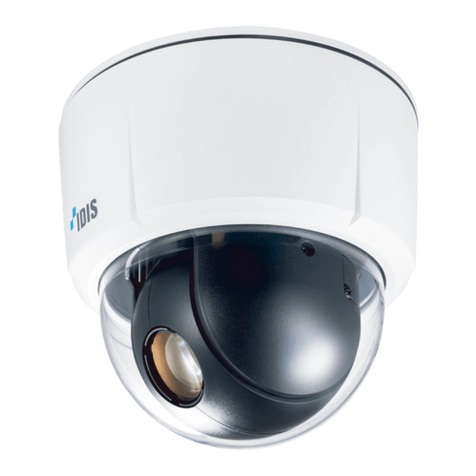
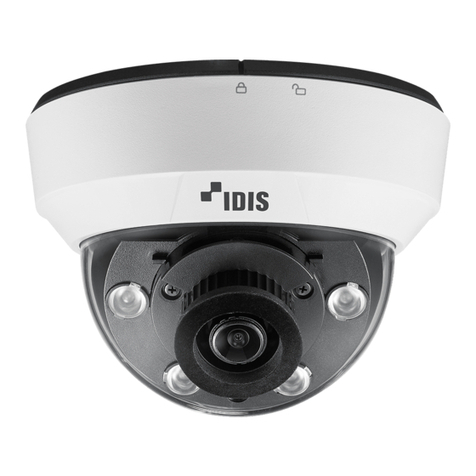
Idis DC-D1223F User manual

Network
Camera
Quick Guide
Powered by
DC-D1223F
DC-D1223FR

2
Safety Precautions
1. Read Instructions
All the safety and operating instructions should be read before the
appliance is operated.
2. Retain Instructions
The safety and operating instructions should be retained for future
reference.
3. Cleaning
Unplug this equipment from the wall outlet before cleaning it. Do
not use liquid aerosol cleaners. Use a damp soft cloth for cleaning.
4. Attachments
Never add any attachments and/or equipment without the
approval of the manufacturer as such additions may result in the
risk of re, electric shock or other personal injury.
5. Water and/or Moisture
Do not use this equipment near water or in contact with water.
6. Placing and Accessories
Do not place this equipment on an wall or ceiling that is not
strong enough to sustain the camera. The equipment may fall,
causing serious injury to a child or adult, and serious damage
to the equipment. Wall or shelf mounting should follow the
manufacturer’s instructions, and should use a mounting kit
approved by the manufacturer.
This equipment and cart combination should be moved with care.
Quick stops, excessive force, and uneven surfaces may cause the
equipment and cart combination to overturn.
Do not place this equipment in an enclosed space. Sucient
ventilation is required to prevent an increase in ambient
temperature which can cause malfunction or the risk of re.
7. Power Sources
This equipment should be operated only from the type of power
source indicated on the marking label. If you are not sure of the
type of power, please consult your equipment dealer or local
power company.
You may want to install a UPS (Uninterruptible Power Supply)
system for safe operation in order to prevent damage caused by
an unexpected power stoppage. Any questions concerning UPS,
consult your UPS retailer.
8. Power Cord
Operator or installer must remove power and TNT connections
before handling the equipment.
9. Lightning
For added protection for this equipment during a lightning storm,
or when it is left unattended and unused for long periods of time,
unplug it from the wall outlet and disconnect the antenna or
cable system. This will prevent damage to the equipment due to
lightning and power-line surges. If thunder or lightning is common
where the equipment is installed, use a surge protection device.
10. Overloading
Do not overload wall outlets and extension cords as this can result
in the risk of re or electric shock.
11. Objects and Liquids
Never push objects of any kind through openings of this
equipment as they may touch dangerous voltage points or short
out parts that could result in a re or electric shock. Never spill
liquid of any kind on the equipment.
12. Servicing
Do not attempt to service this equipment yourself. Refer all
servicing to qualied service personnel.
13. Damage requiring Service
Unplug this equipment from the wall outlet and refer servicing to
qualied service personnel under the following conditions:
A. When the power-supply cord or the plug has been damaged.
B. If liquid is spilled, or objects have hit the equipment.
C. If the equipment has been exposed to rain or water.
D. If the equipment does not operate normally by following
the operating instructions, adjust only those controls that
are covered by the operating instructions as an improper
adjustment of other controls may result in damage and will
often require extensive work by a qualied technician to restore
the equipment to its normal operation.
E. If the equipment has been dropped, or the cabinet damaged.
F. When the equipment exhibits a distinct change in performance
— this indicates a need for service.
14. Replacement Parts
When replacement parts are required, be sure the service
technician has used replacement parts specied by the
manufacturer or that have the same characteristics as the original
part. Unauthorized substitutions may result in re, electric shock
or other hazards.
15. Safety Check
Upon completion of any service or repairs to this equipment, ask
the service technician to perform safety checks to determine that
the equipment is in proper operating condition.
16. Field Installation
This installation should be made by a qualied service person and
should conform to all local codes.
17. Correct Batteries
Warning: Risk of explosion if battery is replaced by an incorrect
type. Dispose of used batteries according to the instructions.
18. Tmra
A manufacturer’s maximum recommended ambient temperature
(Tmra) for the equipment must be specied so that the customer
and installer may determine a suitable maximum operating
environment for the equipment.
WARNING
RISK OF ELECTRIC SHOCK
DO NOT OPEN
WARNING: TO REDUCE THE RISK OF ELECTRIC SHOCK,
DO NOT REMOVE COVER (OR BACK). NO USER-SERVICEABLE PARTS INSIDE.
REFER SERVICING TO QUALIFIED SERVICE PERSONNEL.
Important Safeguards
English

3
FCC Compliance Statement
THIS EQUIPMENT HAS BEEN TESTED AND FOUND TO COMPLY WITH THE LIMITS FOR A CLASS A DIGITAL DEVICE, PURSUANT TO PART 15
OF THE FCC RULES. THESE LIMITS ARE DESIGNED TO PROVIDE REASONABLE PROTECTION AGAINST HARMFUL INTERFERENCE WHEN THE
EQUIPMENT IS OPERATED IN A COMMERCIAL ENVIRONMENT. THIS EQUIPMENT GENERATES, USES, AND CAN RADIATE RADIO FREQUENCY
ENERGY AND IF NOT INSTALLED AND USED IN ACCORDANCE WITH THE INSTRUCTION MANUAL, MAY CAUSE HARMFUL INTERFERENCE
TO RADIO COMMUNICATIONS. OPERATION OF THIS EQUIPMENT IN A RESIDENTIAL AREA IS LIKELY TO CAUSE HARMFUL INTERFERENCE, IN
WHICH CASE USERS WILL BE REQUIRED TO CORRECT THE INTERFERENCE AT THEIR OWN EXPENSE.
WARNING: CHANGES OR MODIFICATIONS NOT EXPRESSLY APPROVED BY THE PARTY RESPONSIBLE FOR COMPLIANCE COULD VOID THE
USER’S AUTHORITY TO OPERATE THE EQUIPMENT. THIS CLASS OF DIGITAL APPARATUS MEETS ALL REQUIREMENTS OF THE CANADIAN
INTERFERENCE CAUSING EQUIPMENT REGULATIONS.
WEEE (Waste Electrical & Electronic Equipment)
Correct Disposal of This Product
(Applicable in the European Union and other European countries with separate collection systems)
This marking shown on the product or its literature, indicates that it should not be disposed with other household
wastes at the end of its working life. To prevent possible harm to the environment or human health from uncontrolled
waste disposal, please separate this from other types of wastes and recycle it responsibly to promote the sustainable
reuse of material resources.
Household users should contact either the retailer where they purchased this product, or their local government oce,
for details of where and how they can take this item for environmentally safe recycling.
Business users should contact their supplier and check the terms and conditions of the purchase contract. This product
should not be mixed with other commercial wastes for disposal.
Copyright
© 2014 IDIS Co., Ltd.
IDIS Co., Ltd. reserves all rights concerning this document.
Use or duplication of this document in part or whole without the prior consent of IDIS Co., Ltd. is strictly prohibited.
Contents of this document are subject to change without prior notice for reasons such as functionality enhancements.
Registered Trademarks
IDIS is a registered trademark of IDIS Co., Ltd.
Other company and product names are registered trademarks of their respective owners.
This product contains software built partially on open-source content. Codes for the corresponding open-source content are available
for download. For more information, refer to the software CD (OpenSourceGuide\OpenSourceGuide.pdf) or the open source guide
accompanying this document.
Accessories
Upon purchasing the product, check inside the box to make sure all the following accessories are included. Some parts may dier
depending on the situation.
Item
Network Camera
Open Source Guide
Quick Guide
Screws (3 ea.)
Cable access hole rubber
English

4
Overview
• Product color and design may vary depending on the model.
• For more details on each part name, refer to the manual.
Safety Wire
BodyBottom Cover
Dome Cover
Dome Cover
Bottom
2
1
3
4
Top
1
1Safety Wire Hook
2Ceiling Installation Hole
3Cable Access Hole
4Body Hook
English

5
Body
DC-D1223FR
1
2
3
4
5
6
7
9
8
DC-D1223F
2
3
4
5
6
7
8
0
1IR LED
2Lens
3Lens Rotator
4Horizontal Rotator
5SD Memory Card Slot
6Factory Reset Switch
7Safety Wire Screw Hole
8I/O Device Port
9Vertical Rotation Adjustment Screw
0Shield Case
I/O Device Port
1 2 3 4 567
1Alarm I/O 5Network LED
2Audio I/O 6Network Port
3Video Out 7Power LED
4Power
English

6
Camera Installation
For more information on other devices comprising the
overall system, refer to their respective installation
manuals.
Shield case is included with
DC-D1223F
only.
Check the wall or ceiling to see if it needs to be
reinforced. The camera may fall o if the wall
or ceiling is not strong enough to support its
weight.
1 Hold the camera body and dome cover and turn
the dome cover clockwise to remove the dome
cover from the camera body as follows:
2 Turn the camera body counterclockwise while
pressing the body hook of the bottom cover to
remove the camera body from the bottom cover.
3 Remove the ceiling tile from the ceiling. Draw
circle on the tile by using the mounting template
provided with the camera. Cut the circle out of the
ceiling tile.
Ceiling
Guide Pattern
4 Connect the safety wire provided with the camera
to the bottom cover and ceiling. It prevents the
bottom cover from falling on to the oor.
5 Use the screws provided with the camera to
secure the bottom cover on a ceiling.
Use the provided guide pattern to check
the distance between the screws.
English

7
6 Connect external devices, the network cable, and
the power adapter. Block the cable access hole
to prevent foreign substance from entering by
using the enclosed cable access hole rubber when
routing cables and wires. .
55
5
4
6
7 Connect the camera body to the bottom cover.
Match the cable access hole position of bottom
cover and camera body as the following image
and turn the camera body clockwise to x it.
Connect the safety wire provided with the camera
to the bottom cover and camera body to prevent
the camera body from falling.
8 Adjust the angle of the lens. For more details, refer
to Angle Adjustment.
9 Adjust the focus and zoom levers. For more details,
refer to Focus/Zoom.
10 Attach the shield case to the vertical rotation
adjustment screw and secure it in place.
DC-D1223F only
11 Connect the dome cover to the camera body.
Connect the safety wire provided with the camera
to the bottom cover and dome cover to prevent
the dome cover from falling.
12 Connect the power.
English

8
•DirectIP NVR makes it easy to use cameras without extra network congurations.
Each camera can be controlled via the DirectIP™ NVR setup menu, without any PC.
– For detailed camera settings, please see the camera setting pages of DirectIP™ NVR manual.
•To use your camera with non-DirectIP system (e.g. other NVR or VMS), refer to the camera
manual and it can be downloaded from our website: www.idisglobal.com.
V1.2
Angle Adjustment
<Perspective View>
<Bottom View>
3
21
1
1Lens Rotation 3Horizontal Rotation
2Vertical Rotation
Video may be blocked by a ceiling when the tile
angle is wide.
Focuz/Zoom
Variable Focus Automatic Iris Lens
2
1
1Focus Lever 3Zoom Lever
Specications
External Dimensions (Ø x H) DC-D1223FR 155mm x 137mm (6.1”x 5.39”)
DC-D1223F 155mm x 127mm (6.1”x 5”)
Packaging Dimensions (W x H x D) 203mm x 174mm x 203mm (7.99”x 6.85”x 7.99”)
Weight (Main Unit) 0.51 kg (1.12lb)
Weight (Packaging) 0.82kg (1.81lb)
Working Temperature -10˚C ~ 50˚C (14˚F ~ 122˚F) [Starting Temperature: 0˚C ~ 50˚C (32˚F ~ 122˚F)
]
Operating Humidity 0% ~ 90%
Power Input 12V DC, PoE(IEEE 802.3af, Class2)
Power Consumption Max. 4.8W
Certications FCC, CE, KC
English


IDIS Co., Ltd.
For more information, please visit
www.idisglobal.com
This manual suits for next models
1
Table of contents
Languages:
Other Idis Security Camera manuals
Idis
Idis DC-D3233HRX-N User manual
Idis
Idis DC-D4238HRA User manual
Idis
Idis DC-B1803 User manual
Idis
Idis DC-T1833WHR User manual
Idis
Idis DC-D3C33HRX User manual
Idis
Idis DC-E SERIES User manual
Idis
Idis DC-D4216X-A User manual
Idis
Idis DC-T4516WRX User manual
Idis
Idis DC-Y8C13WRX User manual
Idis
Idis DC-S SERIES User manual
Idis
Idis DC- D6233HRX User manual
Idis
Idis DirectCX MNC5230BR User manual

Idis
Idis DC-S1163F User manual
Idis
Idis DC-D1223WX' User manual
Idis
Idis DA-JB2300 User manual

Idis
Idis TC-T4221WRXP User manual
Idis
Idis DC-T4233WRX User manual

Idis
Idis DC-D4248HRA User manual

Idis
Idis DC-D4212R User manual
Idis
Idis DC-D3C33HRX User manual