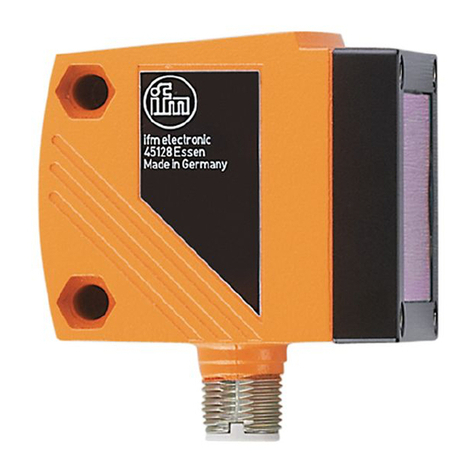
Object recognition sensor O2D22x
2
Contents
1 Preliminary note.................................................. 4
1.1 Symbols used.................................................. 4
2 Safety instructions ................................................ 4
3 Items supplied4
3.1 Accessories 4
4 Functions and features ............................................ 4
5 Installation 5
5.1 Mounting accessories............................................ 5
5.2 Mounting dimensions . . . . . . . . . . . . . . . . . . . . . . . . . . . . . . . . . . . . . . . . . . . . 6
5.3 Installation location.............................................. 6
6 Electrical connection . . . . . . . . . . . . . . . . . . . . . . . . . . . . . . . . . . . . . . . . . . . . . . 6
6.1 Wiring 7
6.2 Wiring diagram ................................................. 7
6.3 External illumination ............................................. 8
6.4 External trigger source ........................................... 8
6.4.1 Timing diagram inputs/outputs.................................... 8
7 Operating and display elements .....................................11
7.1 LED display 11
7.2 Display 12
7.2.1 Operation indication........................................... 12
7.2.2 Connection via operating program ............................... 13
7.2.3 Error messages .............................................. 13
7.3 Pushbuttons 13
8 Set-up 13
8.1 Parameter setting on the device................................... 14
8.2 Verify and set the IP address on the unit ............................ 14
8.3 Adjustable parameters .......................................... 15
8.3.1 Parameter structure........................................... 16
8.4 Lock / unlock the sensor......................................... 17
8.4.1 Reset device to factory settings.................................. 17
8.5 Parameter setting via PC operating program ......................... 17
9. Operation 17
9.1 Evaluation mode (normal operating mode) .......................... 17
10 Scale drawing ................................................. 18
11 Technical data ................................................. 19
11.1 Operating distance L........................................... 19
11.2 Factory settings .............................................. 19
12 Process data protocol ........................................... 20
12.1 Establishing TCP/IP connection .................................. 20
12.2 Basic communication . . . . . . . . . . . . . . . . . . . . . . . . . . . . . . . . . . . . . . . . . . 20