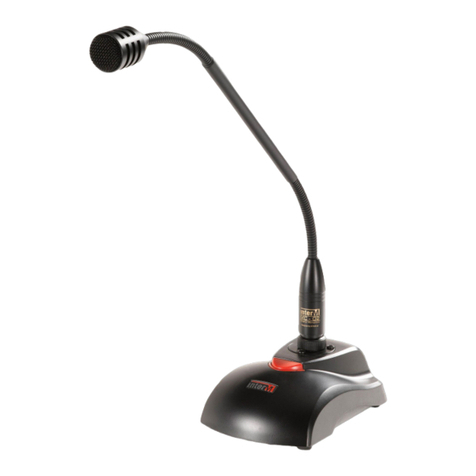
Inter-m RM-01 User manual

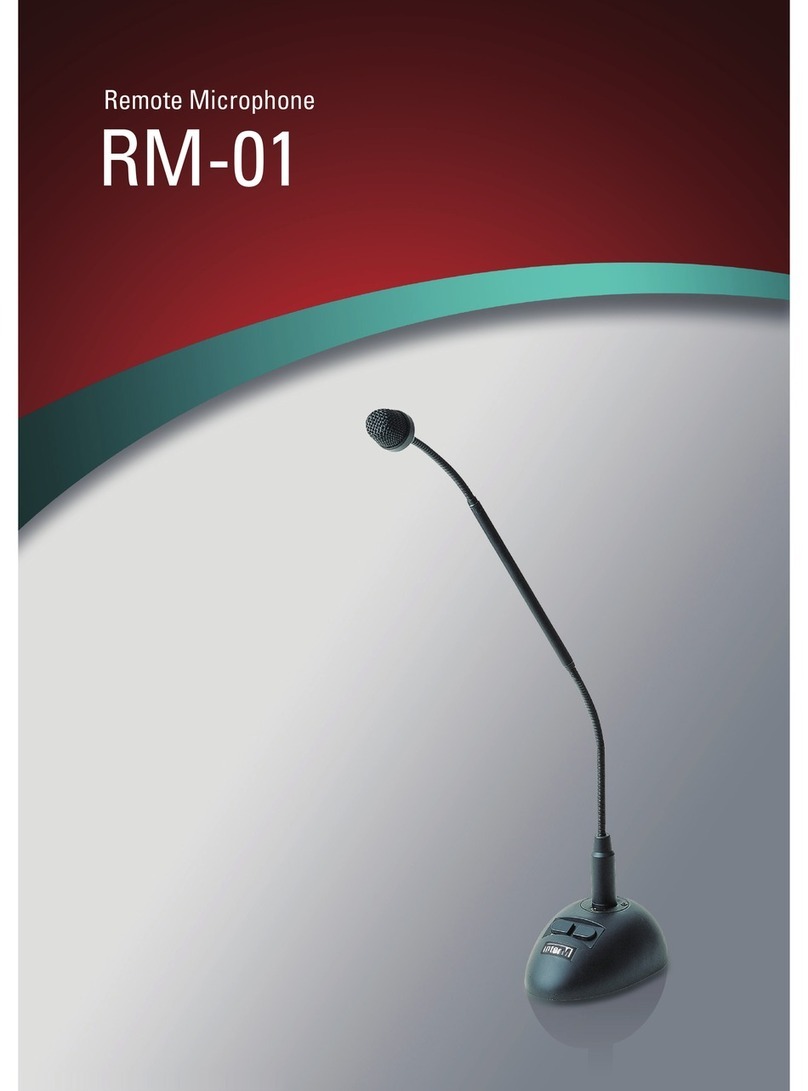
RM-01
Remote Microphone
Copyright 2004 Inter-M Corporation

RM-01 Remote Microphone
Contents
Welcome ..................................................................................................................................... 3
Unpacking ............................................................................................................................... 3
Warnings .................................................................................................................................. 3
Operation................................................................................................................................. 4
Remote Microphone...............................................................................................................5
Features ....................................................................................................................................... 5
Goose Neck Assembly .............................................................................................................. 6
Polar Pattern and Response....................................................................................................... 8
Block Diagram ............................................................................................................................ 8
Specifications.............................................................................................................................. 9
2

RM-01 Remote Microphone
Welcome
A personal welcome to you from the management and employees of Inter-M
Thank you for purchasing this fine Inter-M product. All of us here at Inter-M are dedicated
to providing you with the highest quality products and the best value.
We sincerely trust this product will provide you with years of satisfactory service, but if
anything is not to your complete satisfaction, we will endeavor to make things right.
Welcome to Inter-M, and thank you for becoming a part of our worldwide extended
family!
Unpacking
Although your RM-01 remote microphone is neither complicated nor difficult to operate,
we recommend you take a few minutes to read this brief manual and familiarize yourself
with the important information regarding product features, setup and operation.
As with most electronic devices, we strongly recommend you retain the original
packaging. In the unlikely event the product must be returned for servicing, the original
packaging (or reasonable equivalent) is required.
Warnings
Environment
Never place this product in an environment that could alter its performance or reduce its
service life. Such environments are usually characterized by high levels of heat, dust,
moisture, or vibration.
Safety
1. Read these instructions carefully.
2. Follow all instructions.
3. Keep all warnings.
4. Do not operate this apparatus near water.
5. Clean only with a damp cloth.
6. Do not block any of the ventilation openings.
7. Install only in accordance with the instructions in this manual.
3

RM-01 Remote Microphone
8. Do not install near any heat sources such as radiators, heat registers, stoves, or other
devices (including amplifiers) that produce heat.
9. Use only the attachments/accessories specified.
10. Use only with a cart, stand, tripod, bracket, or table specified, or sold with the
apparatus. When a cart is used, use caution when moving the cart/apparatus
combination to avoid overturning.
11. Unplug this apparatus during lightning storms or when unused for long periods of
time.
12. Refer all servicing to qualified service personnel. Servicing is required when the
apparatus has been damaged in any way, such as power supply cord or plug is
damaged, liquid has been spilled or objects have fallen into the apparatus, the
apparatus has been exposed to rain or moisture, does not operate normally, or
has been dropped.
Operation
Make certain that speakers and input sources are properly connected before switching
on.
Keep volume levels at miimum gain before switching on.
4

RM-01 Remote Microphone
RM-01
Remote Microphone
Features
• Unidirectional Dynamic Microphone
• Frequency Range of 60Hz to 18kHz
• Remote Chime Switch
• Mic On/Off Switch
• Convenient Two-Button Operation
5

RM-01 Remote Microphone
Goose Neck Assembly
1. Wind Screen
Designed to reduce wind noise and popping effects.
2. Microphone Element
The microphone has a frequency range of 60Hz to 18kHz.
3. Element Base
Aluminum shielding designed to protect the microphone element and hold it
firmly to the Gooseneck (4).
4. Gooseneck
Flexible Gooseneck allows adjustment of the microphone without moving the
base.
5. Connector Base
Heavy-cast metal casing helps to secure the gooseneck to the stand assembly
and protect the connector’s electronics.
6. Connector
Balanced XLR connector.
7. Wrench Bolt
This bolt may be used to tighten and adjust the fit of the Gooseneck (4) and
Connector Base (5).
6

RM-01 Remote Microphone
Base Assembly
1. Rubber Feet
Non-slip rubber feet help hold the unit firmly on glass or tabletop.
2. Base
Heavy-duty die-cast base helps to stabilize the microphone while minimizing
external noise caused by hands, papers or other items coming in contact with the
unit.
3. Base Cover
Removable cover plate protects internal connections.
4. Base Connector
XLR input connector for attaching gooseneck assembly.
5. Talk Switch
Press this switch to activate the microphone. Press it again to deactivate.
6. Terminal Block
Multi-pin assembly for connecting the microphone with the remote Chime Switch
(7).
7. Chime Switch
When the remote chime assembly is connected via the Terminal Block (6),
pressing this switch activates the Chime circuitry.
7

RM-01 Remote Microphone
Polar Pattern and Response
The diagrams below illustrate the RM-01’s unidirectional polar pattern (left), and its
frequency response over the ascribed frequency range.
Block Diagram
8

RM-01 Remote Microphone
Specifications
Polar Pattern Unidirectional
Type MovingCoilDynamic
Sensitivity/Impedance -75dB ±3dB(0dB=1V/Pa at 1kHz), 400Ω
Frequency Range 60Hz-18kHz
Max SPL for 0.5% THD 130dB (1kHz)
Weight 1.4kg / 49 oz.
Dimensions 90(W) x 45(H) x 133(D) mm
3.5(W) x 1.77(H) x 5.24(D) in.
Specifications and design subject to change without notice for improvements.
9

RM-01 Remote Microphone
Inter-M, Ltd. (Korea) began operations in 1983.
Since then, Inter-M has grown to become one of the largest manufacturers
of professional audio and commercial sound electronics equipment in the world.
Inter-M has gained worldwide recognition for its own branded products,
as well as private label manufacturing of electronics sold under other names (OEM).
The company is no longer just a Korean company, but rather a global company
that is truly international in scope, with factories and offices in Korea and China,
and sales and marketing operations located in Japan, Europe, and the U.S.A.
With more than 850 employees around the globe, Inter-M is well-poised for further growth and
expansion.
INTER-M AMERICAS, INC.
1 EAST BEACON LIGHT LANE, CHESTER, PA, USA 19013-4409
TEL: (610) 874-8870, FAX: (610) 874-8890
Home Page:http://www.inter-m.net, E-mail: [email protected]
INTER-M Corporation
SEOUL OFFICE: 653-5 BANGHAK-DONG, DOBONG-KU, SEOUL, KOREA
TEL: 82-2-2289-8140~8, FAX: 82-2-2289-8149
Home Page:http://www.inter-m.com, E-mail: [email protected]
0704RM01 PRINTED IN KOREA
10
Other manuals for RM-01
2
Table of contents
Other Inter-m Microphone manuals
Inter-m
Inter-m NRM-8000A User manual
Inter-m
Inter-m RMC-02 User manual
Inter-m
Inter-m IMS-9000C User manual
Inter-m
Inter-m IMS-9000C User manual
Inter-m
Inter-m IMS-9000D User manual
Inter-m
Inter-m RM-911W User manual
Inter-m
Inter-m RM-01 User manual
Inter-m
Inter-m TP-6231A User manual
Inter-m
Inter-m TP-6231 User manual
Inter-m
Inter-m RM-8000 User manual