Intermec GPIO User manual

GPIO Terminal
Block
User's Guide

ii GPIO Terminal Block User’s Guide
Intermec Technologies Corporation
Corporate Headquarters
6001 36th Ave. W.
Everett, WA 98203
U.S.A.
www.intermec.com
The information contained herein is proprietary and is provided solely
for the purpose of allowing customers to operate and service Intermec-
manufactured equipment and is not to be released, reproduced, or used
for any other purpose without written permission of Intermec.
Information and specifications contained in this document are subject
to change without prior notice and do not represent a commitment on
the part of Intermec Technologies Corporation.
©2005 Intermec Technologies Corporation. All rights reserved.
The word Intermec, the Intermec logo, Norand, ArciTech, CrossBar,
Data Collection Browser, dcBrowser, Duratherm, EasyADC,
EasyCoder, EasyLAN, Enterprise Wireless LAN, EZBuilder,
Fingerprint, i-gistics, INCA (under license), Intellitag, InterDriver,
Intermec Printer Network Manager, IRL, JANUS, LabelShop, Mobile
Framework, MobileLAN, Nor*Ware, Pen*Key, Precision Print,
PrintSet, RoutePower, SmartSystems, TE 2000, Trakker Antares, and
Virtual Wedge are either trademarks or registered trademarks of
Intermec Technologies Corporation.
Throughout this manual, trademarked names may be used. Rather
than put a trademark (™or ®) symbol in every occurrence of a
trademarked name, we state that we are using the names only in an
editorial fashion, and to the benefit of the trademark owner, with no
intention of infringement.
There are U.S. and foreign patents pending.

GPIO Terminal Block User’s Guide iii
Contents
What Is the GPIO Terminal Block?............................................ 5
About the Terminal Block Connections............................... 6
About the Input, Output, and Power Terminal
Connections ................................................................... 6
Installing the Terminal Block...................................................... 7
Installing the Terminal Block...................................................... 8
Using the Terminal Block......................................................... 10
About the IF5 GPIO Interface........................................... 10
Connecting Devices to the Input Terminals....................... 10
IF5 Powered Input ..................................................... 12
Isolated Input Interface............................................... 13
Open Collector Input Interface .................................. 14
Connecting Devices to the Output Terminals.................... 15
Switching the High Side Using IF5 Power.................. 17
Switching the Low Side Using IF5 Power ................... 18
Switching the High Side Using External Power .......... 19
Driving a DC Relay To Control an AC Load ............. 20
Connecting Devices to the Power Terminal....................... 21
Sample System Diagram ........................................................... 22
Where to Go From Here .......................................................... 23
Specifications............................................................................ 23
Serial Port Pinouts ............................................................. 23

iv GPIO Terminal Block User’s Guide

GPIO Terminal Block User’s Guide 5
What Is the GPIO Terminal Block?
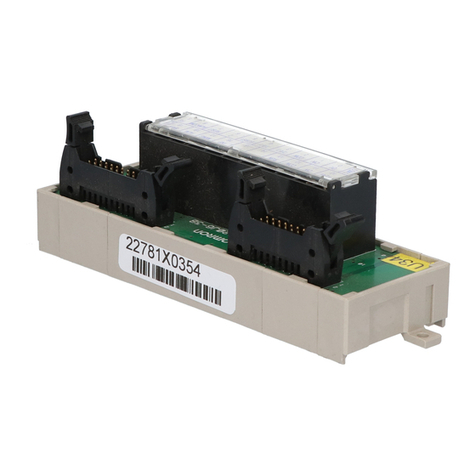
The terminal block is an accessory for the IF5 Fixed Reader that
makes it easy to connect industrial controls such as motion
sensors or lights to the reader.
You connect the terminal block to the IF5 with a 25-pin GPIO
cable (P/N 236-057-001). The block provides access to each of
the four general purpose inputs and outputs on the IF5 via
standard screw terminals. Each terminal is clearly marked to
make wiring easy.
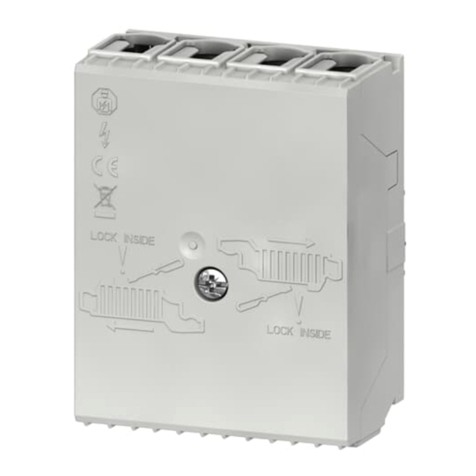
GPIO Terminal Block

6 GPIO Terminal Block User’s Guide
About the Terminal Block Connections
The terminal block has a serial port and a strain relief connector
as shown in the next illustration.
Serial port Strain relief
connector body
Sleeve
Bushing
Split ring
Terminal Block Connections
To connect the terminal block to an IF5, you need a 25-pin
GPIO cable (P/N 236-057-001). You supply your own cables or
wiring for your industrial controls.
For more information on connecting industrial controls to the
terminal block, see “Using the Terminal Block” on page 10.
About the Input, Output, and Power Terminal
Connections
The terminal block provides standard screw terminals that you
use to connect industrial control wiring to the IF5 GPIO and
power interfaces.
The screw terminals are located inside the terminal block on the
main circuit board and are arranged as shown in the next
illustration.

GPIO Terminal Block User’s Guide 7
Inputs Outputs
1
2
3
4
+12VDC
Ground
+12V
Ground
+
-
+12V
Ground
+
-
Power
+12V
Ground
+
-
+12V
Ground
+
-
+12V
Ground
+
-
+12V
Ground
+
-
+12V
Ground
+
-
+12V
Ground
+
-
Terminal Connections: This illustration shows the input, output, and power
terminal connections on the main circuit board.

8 GPIO Terminal Block User’s Guide
Installing the Terminal Block
Note: For IP54 compatibility, mount the terminal
block with the connector side facing toward the floor.
You need these tools to install the terminal block:
•Drill and drill bits appropriate for the mounting surface
•Small straight-slot and Phillips screwdrivers
•Wire crimping and stripping tool
Note: The terminal block includes four #6 x 2 in
wood screws you can use for mounting, or you can
supply your own mounting hardware.
To install the terminal block
1Choose a location for the terminal block.
2Drill four mounting holes. Use the included drilling template
(P/N 931-008-001).
3Remove the top cover from the terminal block.
4Place the terminal block in the location and secure it to the
mounting surface with four appropriate fasteners.
Mounting
hardware
(4 places)

GPIO Terminal Block User’s Guide 9
5Route the control wiring through the sleeve, split ring, and
bushing, and into the terminal block through the strain relief
connector body.
Sleeve
Bushing
Split ring
Strain relief
connector body
T
o industrial
controls
6Connect the control wiring to the appropriate terminals
inside the terminal block. For more information, see “Using
the Terminal Block” on page 10.
7Install the sleeve, split ring, and bushing on the strain relief
connector body (finger tighten only).
8Install the top cover.
9Connect the 25-pin GPIO cable (P/N 236-057-001) to the
terminal block serial port and to the Control Port connector
on the IF5.
Terminal block
GPIO
cable
IF5
To
industrial
controls

10 GPIO Terminal Block User’s Guide
Using the Terminal Block
This section explains how the terminal block connects to the IF5
GPIO interface and how you connect devices to the terminal
block input, output, and power terminals.
About the IF5 GPIO Interface
The IF5 reader has four general purpose input and output
interfaces. Each interface is electrically isolated from the IF5 and
designed for low voltage DC loads. The IF5 can also supply
12VDC at 0.5A to external devices.
The GPIO Terminal Block provides convenient access to these
interfaces through its input, output, and power terminals. You
use a standard 25-pin serial cable to connect the terminal block
to the Control Port connector on the IF5.
Connecting Devices to the Input Terminals
Each input terminal has four terminal posts:
•+12V
•+Input
•-Input
•Gnd (Ground)
The input terminals allow you to access the four general purpose
inputs on the IF5. Each of the four inputs is compatible with
input signals of 10 to 48 VDC. Each input terminal includes a
green indicator LED that lights up when the input circuit is
energized, giving visual feedback to users.
Table of contents
Other Intermec Terminal Block manuals