manuals.online logo
Brands
  1. Home
  2. •
  3. Brands
  4. •
  5. IOTA
  6. •
  7. Electric Heater
  8. •
  9. IOTA IISCN3P Series User manual

IOTA IISCN3P Series User manual

Popular Electric Heater manuals by other brands

Heatrex 240 Series owner's manual

Heatrex

Heatrex 240 Series owner's manual

U-Line H-6100 quick start guide

U-Line

U-Line H-6100 quick start guide

EINHELL QHT 1500 operating instructions

EINHELL

EINHELL QHT 1500 operating instructions

CONVECTAIR FOR Installation and user guide

CONVECTAIR

CONVECTAIR FOR Installation and user guide

Kogan KAHTP20BLKA quick start guide

Kogan

Kogan KAHTP20BLKA quick start guide

Black & Decker STANLEY ST-02-230-E manual

Black & Decker

Black & Decker STANLEY ST-02-230-E manual

Heatscope PURE Installation and instruction manual

Heatscope

Heatscope PURE Installation and instruction manual

Heylo DE 2 XL user manual

Heylo

Heylo DE 2 XL user manual

Harvia GL70 Instructions for installation and use

Harvia

Harvia GL70 Instructions for installation and use

Heylo DE 20 SH user manual

Heylo

Heylo DE 20 SH user manual

Harvia PP70SP Instructions for installation and use

Harvia

Harvia PP70SP Instructions for installation and use

Sunbeam Calentador SFH457A instruction manual

Sunbeam

Sunbeam Calentador SFH457A instruction manual

Harvia K10.5GS Instructions for installation and use

Harvia

Harvia K10.5GS Instructions for installation and use

THERMEx Frame E Wi-Fi Series user manual

THERMEx

THERMEx Frame E Wi-Fi Series user manual

Creda Heating Solution brochure

Creda

Creda Heating Solution brochure

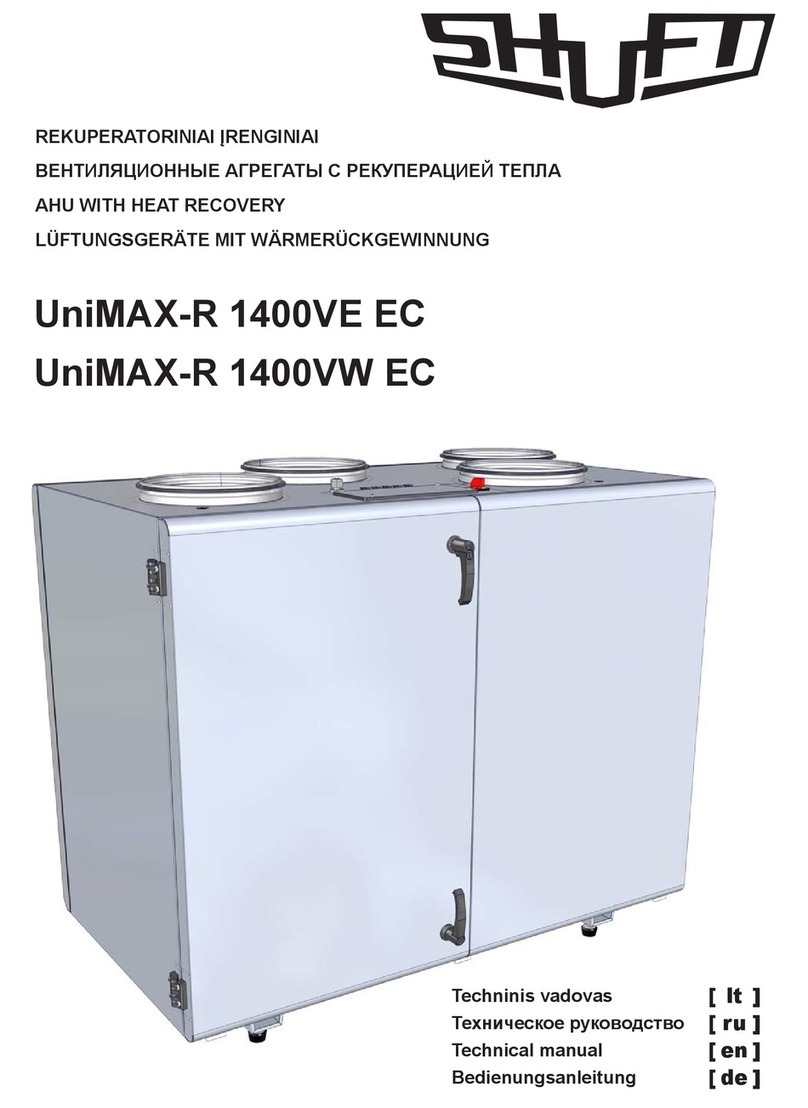
SHUFT UniMAX-R 1400VE EC Technical manual

SHUFT

SHUFT UniMAX-R 1400VE EC Technical manual

HUUM CLIFF Series Installation and operation manual

HUUM

HUUM CLIFF Series Installation and operation manual

Harvia HL70S Instructions for installation and use

Harvia

Harvia HL70S Instructions for installation and use

manuals.online logo
manuals.online logoBrands
  • About & Mission
  • Contact us
  • Privacy Policy
  • Terms and Conditions

Copyright 2025 Manuals.Online. All Rights Reserved.

116068A – IISCN3P Series Users Manual
IISCN3P Series
30 & 60 minute run time 24.0 kW – 50.0 kW
120 minute run time 20.4 kW – 42.5 kW
Users Manual
IOTA Engineering
Service: (610) 868-5400
www.iotaengineering.com
116068A – System Users Manual
1
C A U T I O N
READ ENTIRE MANUAL AND REVIEW ALL DOCUMENTATION BEFORE ATTEMPTING SYSTEM
INSTALLATION
FOR SERVICE OR INSTALLATION INFORMATION:
TELEPHONE: (610) 868-5400 (24 HR. HOTLINE)
FAX: (610) 954-8227
FOR YOUR PROTECTION
PLEASE COMPLETE AND RETURN WARRANTY REGISTRATION CARD IMMEDIATELY.
116068A – System Users Manual
2
This unit contains LETHAL VOLTAGES. All repairs and service should be performed by
AUTHORIZED SERVICE PERSONNEL ONLY! There are NO USER SERVICEABLE
PARTS inside this unit.
IMPORTANT SAFEGUARDS
When using electrical equipment, you should always follow basic safety
precautions, including the following:
1. READ AND FOLLOW ALL SAFETY
INSTRUCTIONS.
2. Do not install the system outdoors.
3. Do not install near gas or electric heaters or in other high-temperature
locations.
4. Use caution when servicing batteries. Depending on battery type, batteries
contain either acid or alkali and can cause burns to skin and eyes. If
battery fluid is spilled on skin or in the eyes, flush with fresh water and
contact a physician immediately.
5. Equipment should be mounted in locations where unauthorized personnel
will not readily subject it to tampering.
6. The use of accessory equipment not recommended by Manufacturer may
cause an unsafe condition and void the warranty.
7. Do not use this equipment for other than its intended use.
8. Qualified service personnel must perform all servicing of this equipment.
SAVE THESE INSTRUCTIONS
The installation and use of this product must comply with all national, federal,
state, municipal, or local codes that apply. If you need help, please call
Service.
116068A – System Users Manual
3
User’s Guide
An on-site permanent log of the inspection, testing, and maintenance of the emergency
electrical power supply system shall be maintained in accordance with the
Manufacturer's operating manual. The log shall include:
The date on which the inspection, testing, and maintenance exercise was carried out
The name of the person(s) who performed the inspection, testing, and maintenance.
A note of any unsatisfactory condition observed or discovered, and the steps taken to
correct the condition
116068A – System Users Manual
4
C H A P T E R 1
INTRODUCTION
Keep this manual and the System Installation Guide in the folder mounted inside the
unit.
This unit is a microprocessor controlled PWM (Pulse Width Modulated) pure sine wave
based DC to AC power inverter utilizing IGBT technology. It integrates a fully automatic 3-
rate battery charger, a solid-state transfer system, control circuitry, self testing and recording
digital meter display, and maintenance free sealed lead calcium type batteries. The system
components are carefully matched to make the unit a completely self-contained, fully
automatic standby power source for operation on all types of lighting loads. The batteries
are sized and tested per CSA C22.2 No. 141-15, the Standard for Unit Equipment for
Emergency Lighting and Life Safety Code ANSI / NFPA 101, providing emergency power for
a minimum of 30, 60, or 120 minutes.
If the duration of a power failure is greater than the batteries storage capability, the inverter
will automatically shut down when the battery voltage reaches 85% of the nominal DC
voltage. This feature protects the battery from being permanently damaged from a deep
discharge that could cause cell reversal. This battery protection feature is called "Low
Voltage Disconnect" or L.V.D.
When the AC power is restored after a full discharge, the system will be ready for another
power failure within 24hrs. If another power failure occurs before the 24-hour recharge time,
the run time will be decreased.
The front panel display incorporates an alphanumeric 2x20 LCD character display, LED
status indicators and a 4 x 4 keypad. All user interface functions are available from the front
panel assembly.
Utilizing a small footprint, this unit is for use with any lighting load including quartz, HID,
incandescent, fluorescent and halogen.
HOW TO USE THIS MANUAL
This manual tells you how to start, operate, and communicate with your unit and lets you
know how to get more information for special situations.
Please record your unit’s model number, serial number, and part number below. You can
find these numbers on the labels on the inside panel.
Model Number __________________________
Serial Number __________________________
Part Number ___________________________
116068A – System Users Manual
5
Service and Support
We are committed to outstanding customer service. A service technician is
available 24 hours a day, 365 days a year. Service is also available 24 hours a day to give
you access to technical notes and product information. You can also visit our web site.
NOTE: Please have your unit’s Serial and Model numbers available when you call; this
number is located behind the right door.
Contact SERVICE one of the following ways:
Service Number: 610-868-5400
Service Fax: 610-954-8227
Website: iotaengineering.com
116068A – System Users Manual
6
C H A P T E R 2
ENVIRONMENT
Make sure the environment is a clean, cool, dry place with normal ventilation.
Storage Temperature
Store the batteries (in the system or battery cabinet) at -18 to 40°C (0 to 104°F). Batteries
have a longer shelf life if they are stored below 25°C (77°F). Keep stored batteries fully
charged. Recharge the batteries every 90–180 days. The system or battery cabinet without
batteries may be stored at -20 to 70°C (-4 to 158°F).
Ventilation
The air around the unit must be clean, dust-free, and free of corrosive chemicals or other
contaminants. Do not place the system or batteries in a sealed room or container.
Operating Temperature
System can operate from 20° to 30°C (68° to 86°F) and up to 95% relative humidity. The
batteries’ service life is longer if the operating temperature stays below 25°C (77°F).
Batteries
The temperature should be near 25°C (77°F) for optimum battery performance. Batteries are
less efficient at temperatures below 18°C (65°F), and high temperatures reduce battery life.
Typically, at about 35°C (95°F), battery life is half of what it would be at a normal
temperature of 25°C (77°F). At about 45°C (113°F), battery life is one-fourth of normal.
Make sure that heaters, sunlight, air conditioners, or outside air vents are not directed
toward the batteries. These conditions can make the temperature within battery strings vary,
which can cause differences in the batteries’ voltages. Eventually, these conditions affect
battery performance.
If the batteries are not in the system, remember that the batteries should be installed as
close as possible to the unit to reduce DC wiring costs and improve battery performance.
Do not allow tobacco smoking, sparks, or flames in the system location because hydrogen is
concentrated under the vent cap of each cell of the battery. Hydrogen is highly explosive,
and it is hard to detect because it is colorless, odorless, and lighter than air.
Every type of battery can produce hydrogen gas, even sealed maintenance-free batteries.
The gas is vented through the vent caps and into the air, mainly when the unit is charging
the batteries. The batteries produce the most hydrogen when maximum voltage is present in
fully charged batteries; the batteries do not produce hydrogen during float charging. The
amount of current that the charger supplies to the batteries (not the battery ampere-hour)
determines how much hydrogen is produced.
High Altitude Operation
Maximum elevation is 3000m (10,000 ft). Derating on output power is 4% per 300m (1000ft)
above 3000m (10,000 ft).

116068A – System Users Manual
7
C H A P T E R 3
STARTUP AND SHUTDOWN PROCEDURE
Refer to the Installation Manual to secure the unit and install AC and DC wiring.
STARTUP PROCEDURE
For the initial startup of the system, follow the instructions in the Startup and Warranty
Validation Form. Failure to do so will void warranty.
CAUTION: HAZARDOUS VOLTAGES – ONLY QUALFIED SERVICE PERSONNEL SHOULD PERFORM PROCEDURE.
1. Verify that the installation switch located on the inverter chassis is in the OFF
position. Verify that AC input is disconnected.
2. Press and hold the DC Pre-charge switch located on the inverter chassis for
approximately five seconds and then turn on the battery breaker.
3. Energize the Mains AC input by turning on the units input circuit breaker and/or the
Distribution Panel breaker located upstream from the inverter.
4. Turn the installation switch to the On position. The Front Panel display should now
be illuminated and a slight hum should be heard from the inverter transformer. The
unit is now charging and the output should be energized.
SHUTDOWN PROCEDURE
1. Interrupt the AC Mains to the machine by the Distribution Panel Breaker or the
machines input circuit breaker. The Inverter should then start.
2. Turn the installation switch located on the inverter chassis to the off position. The
inverter should stop.
3. Disconnect the main battery breaker.
CAUTION: HAZARDOUS VOLTAGES STILL EXIST AT THE BATTERY
TERMINAL BLOCK AND WITHIN THE SYSTEM. AUTHORIZED SERVICE
TECHNICIANS MUST DISCHARGE DC CAPACITORS AND TURN OFF
UTILITY POWER BEFORE SERVICING EQUIPMENT.
CAUTION: DO NOT LEAVE THE SYSTEM SHUTDOWN FOR A PROLONGED
LENGTH OF TIME. LEAD BASED BATTERIES WILL EXPERIENCE
PERMANENT DAMAGE FROM LACK OF CHARGING AFTER A FEW
MONTHS.
116068A – System Users Manual
8
MAINTENANCE BYPASS PROCEDURE
CAUTION:
HAZARDOUS VOLTAGES – ONLY QUALFIED SERVICE PERSONNEL SHOULD PERFORM PROCEDURE.
MAINTENANCE BYPASS SHOULD NOT BE PERFORMED WHEN SYSTEM IS IN BATTERY EMERGENCY MODE.
System Into Bypass Mode
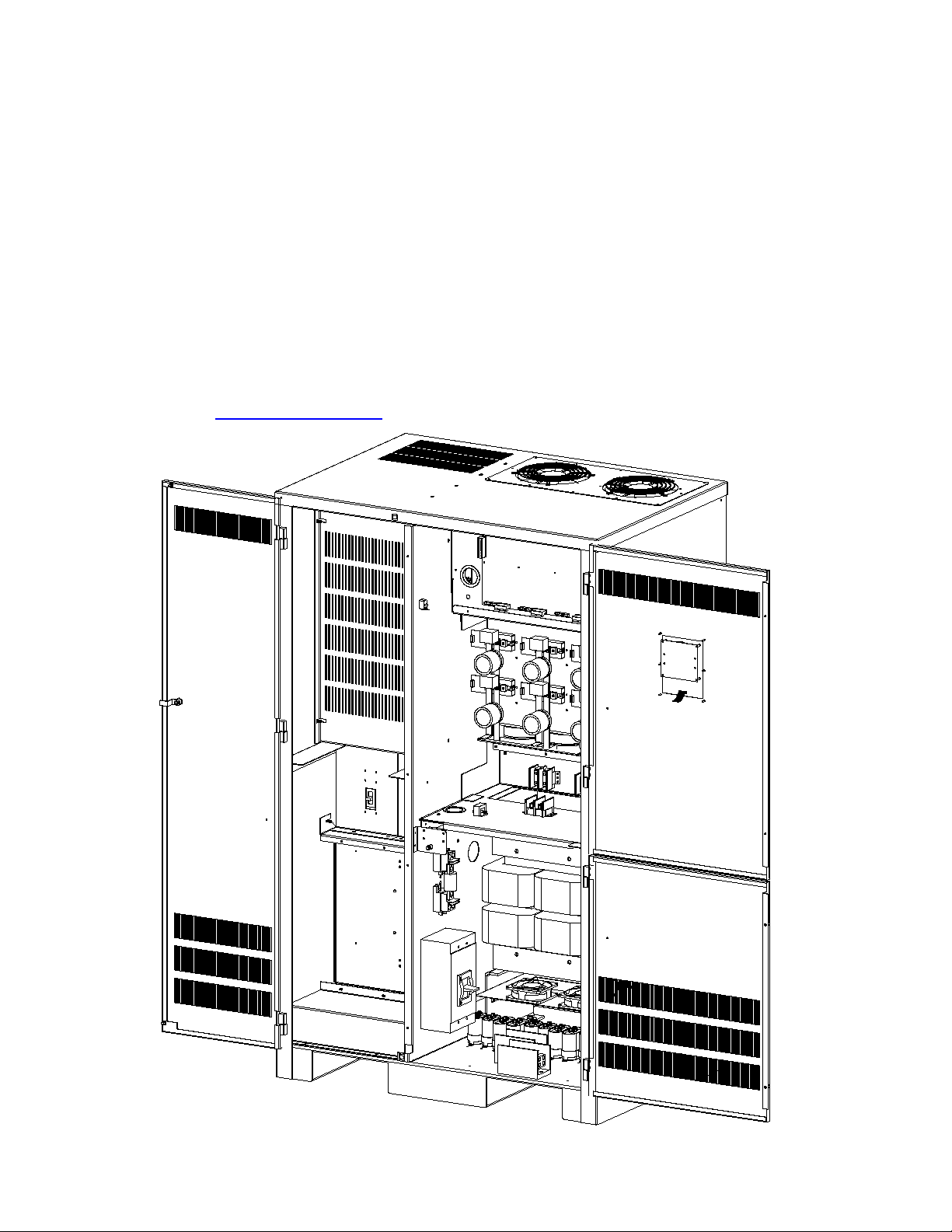
1. Open left-hand door. Locate Maintenance Bypass Switch.
2. Turn Maintenance Bypass Switch from normal mode (UPS) to bypass mode (BYPASS).
3. Locate Installation Switch behind left-hand door on right-hand wall. Turn the Installation
Switch to the (OFF) position.
4. Locate Input Circuit Breaker (CB1) behind left-hand door. Turn the Input Circuit Breaker to
the (OFF) position.
5. Remove screws to open the right-hand doors. Locate the Main Battery Circuit Breaker on
lower left-hand wall. Turn Main Battery Circuit Breaker to the (OFF) position.
CAUTION:
HAZARDOUS VOLTAGES STILL EXIST AT THE BATTERY TERMINAL BLOCK AND
WITHIN THE SYSTEM. AUTHORIZED SERVICE TECHNICIANS MUST DISCHARGE DC
CAPACITORS BEFORE SERVICING EQUIPMENT.
WARNING:
DO NOT LEAVE THE SYSTEM SHUTDOWN FOR A PROLONGED LENGTH OF TIME.
LEAD BASED BATTERIES WILL EXPERIENCE PERMANENT DAMAGE FROM LACK OF
CHARGING.
Remove all Battery Fuses from all Battery Cabinets.
System On Line From Bypass Mode
1. Verify that the Installation Switch is in the (OFF) position.
2. Install all Battery Fuses in all Battery Cabinets.
3. Press and hold DC Pre-charge switch located behind right-hand door for approximately five
seconds and then turn the Main Battery Circuit Breaker to the (ON) position. If the circuit
breaker trips, the batteries are not connected properly. Call service immediately.
4. Turn the Input Circuit Breaker (CB1) to the (ON) position.
5. Turn the Installation Switch behind the left-hand door on the right-hand wall to the (ON)
position. The Front Panel Display will now be illuminated and a slight hum should be heard
from the inverter transformer. The unit is now charging the batteries.
6. Turn the Maintenance Bypass Switch from bypass mode (BYPASS) to normal mode (UPS).
The emergency equipment is now protected by the inverter system.
116068A – System Users Manual
9
C H A P T E R 4
OPERATION
The following is a description of the status LED's located on the front panel.
AC Present
When the AC Mains is present, the LED will illuminate. If a power failure was long in duration, or the
AC mains was disconnected by some other means (Circuit breaker open) the AC Present LED would
not be illuminated. When the control circuit senses that the line has dropped below an acceptable
level (Black Out, Brown Out, or Transient), the inverter will energize for at least one minute. So, if the
power failure was a momentary glitch, the AC present LED would be illuminated but the inverter
would be running.
System Ready
When the system has adequate battery voltage to transfer, the System Ready LED will illuminate.
This feature prevents damage from multiple deep discharges of the battery.
Battery Charging
When the AC Mains is connected to the line and the battery is charging under normal conditions, the
Battery Charging LED will illuminate.
Battery Power
When the inverter is producing output power (battery is being discharged), the Battery Power LED will
be illuminated.
Fault
This is a summary Fault indication. When there is a fault condition present, the Fault LED will
illuminate. To view which fault is present, use the keypad and LCD display feature.
The front panel display will provide the user with a variety of information. It has a full compliment of
Meter functions, Control functions and Program functions.