manuals.online logo
Brands
  1. Home
  2. •
  3. Brands
  4. •
  5. Jawbone
  6. •
  7. Portable Speakers
  8. •
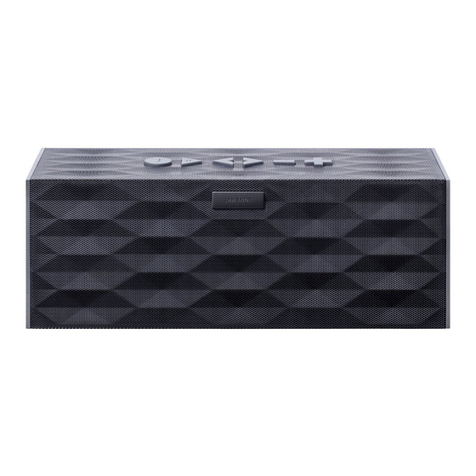
  9. Jawbone BigJambox User manual

Jawbone BigJambox User manual

Other manuals for BigJambox

3

Other Jawbone Portable Speakers manuals

Jawbone JAMBOX User manual

Jawbone

Jawbone JAMBOX User manual

Jawbone BigJambox User manual

Jawbone

Jawbone BigJambox User manual

Jawbone JAMBOX SPA-K901 User manual

Jawbone

Jawbone JAMBOX SPA-K901 User manual

Popular Portable Speakers manuals by other brands

Innovative Technology ITSB-300 user manual

Innovative Technology

Innovative Technology ITSB-300 user manual

Blueant BLUESONIC user manual

Blueant

Blueant BLUESONIC user manual

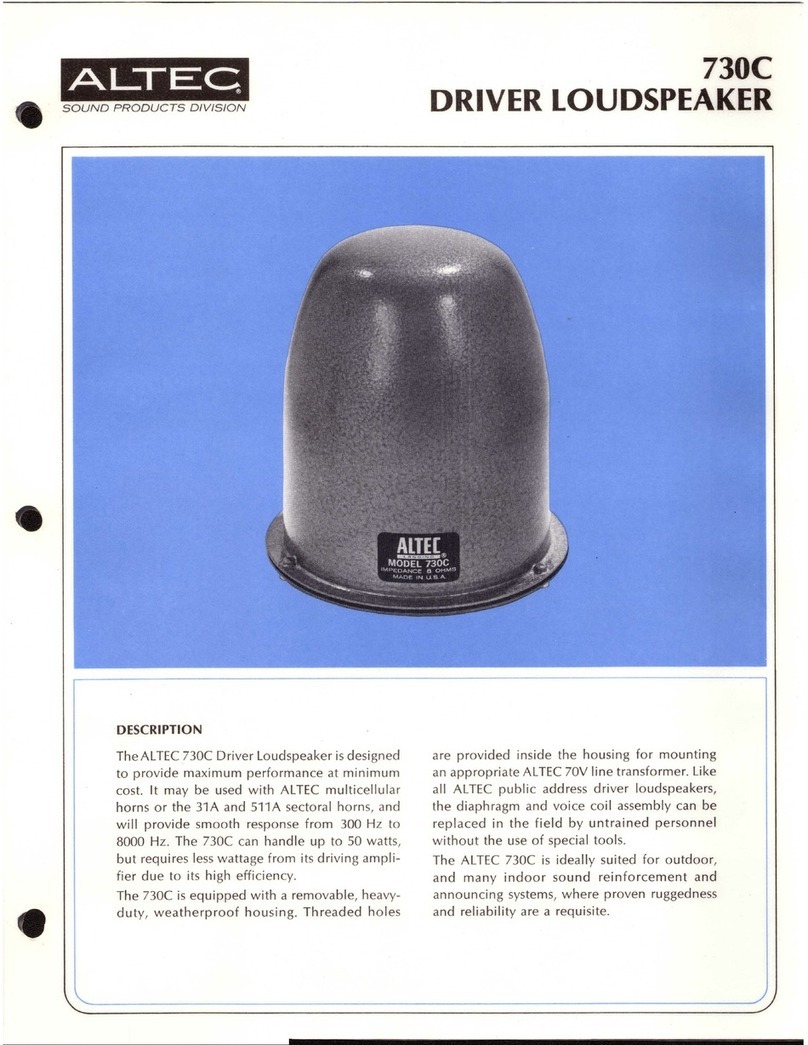
Altec 730C Specifications

Altec

Altec 730C Specifications

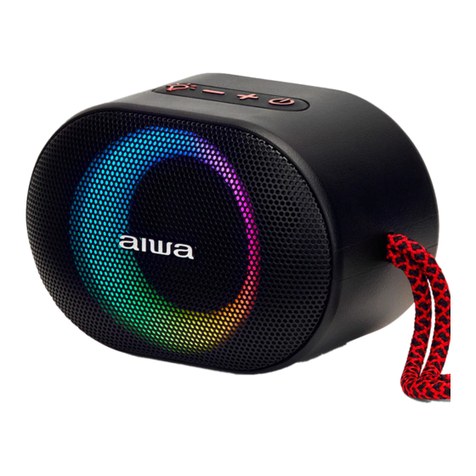
Aiwa BST-330 user manual

Aiwa

Aiwa BST-330 user manual

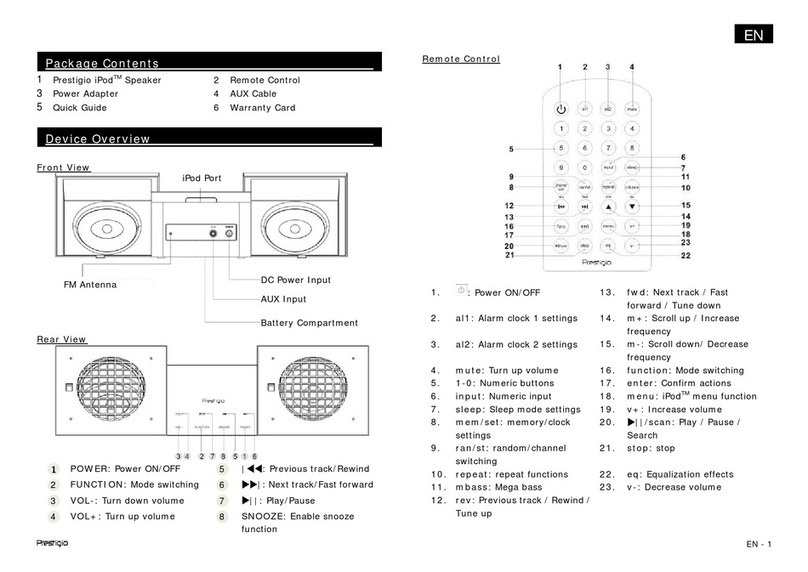
Prestigio PIS1 instruction manual

Prestigio

Prestigio PIS1 instruction manual

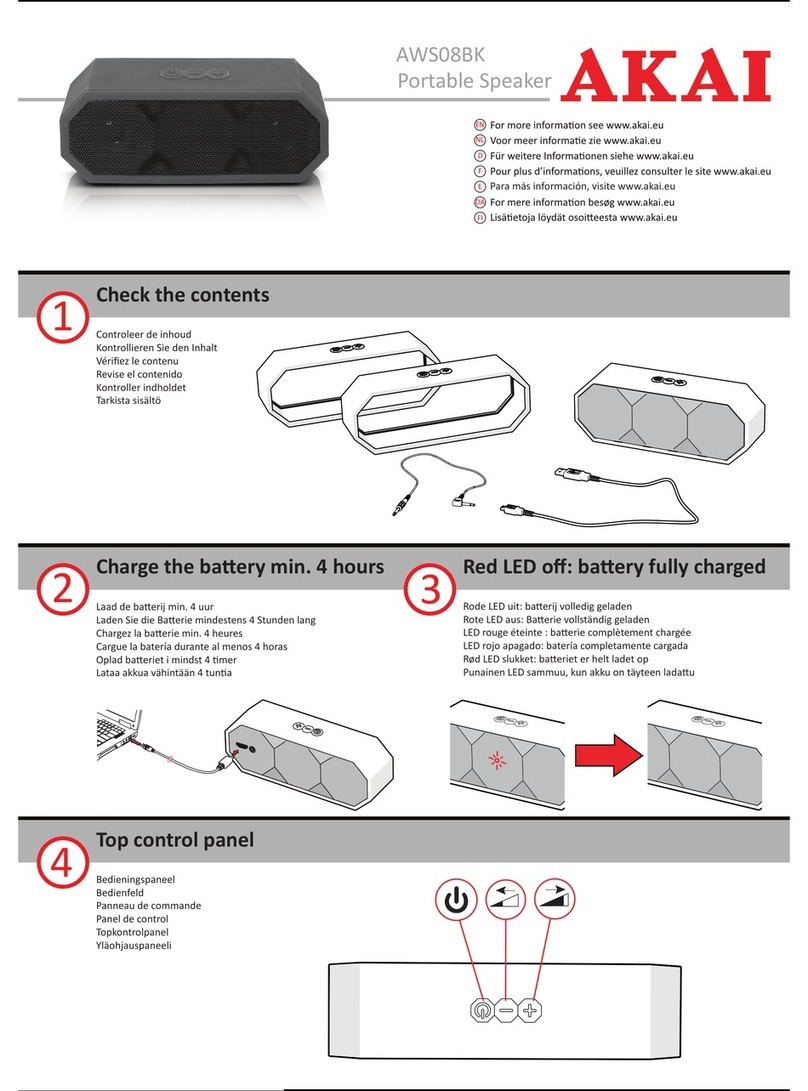
Akai AWS08BK manual

Akai

Akai AWS08BK manual

Philips BT6700 user manual

Philips

Philips BT6700 user manual

Wren V5BT Setup guide

Wren

Wren V5BT Setup guide

Sven PS-320 user manual

Sven

Sven PS-320 user manual

Urban revolt Streetbox Quick installation guide

Urban revolt

Urban revolt Streetbox Quick installation guide

Philips BT4000 Short user manual

Philips

Philips BT4000 Short user manual

Monster Rockin Roller 2 user manual

Monster

Monster Rockin Roller 2 user manual

Panacom monsoon user manual

Panacom

Panacom monsoon user manual

Lenovo speaker M0520 user guide

Lenovo

Lenovo speaker M0520 user guide

Mackie THUMP GO quick start guide

Mackie

Mackie THUMP GO quick start guide

Trevi XR 400 APP user guide

Trevi

Trevi XR 400 APP user guide

Philips sbm130 user manual

Philips

Philips sbm130 user manual

Trevi XF 4200 DJ user guide

Trevi

Trevi XF 4200 DJ user guide

manuals.online logo
manuals.online logoBrands
  • About & Mission
  • Contact us
  • Privacy Policy
  • Terms and Conditions

Copyright 2025 Manuals.Online. All Rights Reserved.

1
QUICK START GUIDE
GUÍA RÁPIDA DE INICIO
GUIA DE INÍCIO RÁPIDO
™
by
2
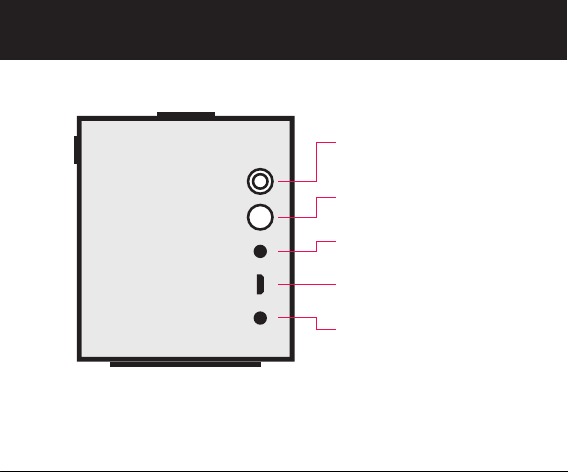
BUTTONS & CONTROLS
BOTONES Y CONTROLES
BOTÕES E CONTROLES
POWER BUTTON & LED
BOTÓN DE ENCENDIDO Y LED
BOTÃO E LED DE ENERGIA
PAIRING BUTTON
BOTÓN DE EMPAREJAMIENTO
BOTÃO DE EMPARELHAMENTO
LINE IN
LÍNEA DE ENTRADA
ENTRADA AUXILIAR
MICRO-USB PORT
PUERTO MICRO-USB
PORTA MICRO-USB
CHARGING / POWER PORT
PUERTO DE CARGA /
ALIMENTACIÓN
PORTA DE ALIMENTAÇÃO /
CARREGAMENTO
3
TALK*
HABLAR*
FALAR*
PREVIOUS / NEXT*
REPRODUCIR / PAUSA*
ANTERIOR / PRÓXIMO*
PLAY / PAUSE*
ANTERIOR / SIGUIENTE*
REPRODUZIR / PAUSAR*
VOLUME DOWN / UP
VOLUMEN ABAJO / ARRIBA
ABAIXAR / AUMENTAR VOLUME
* Only works when connected wirelessly via Bluetooth®
* Sólo funciona cuando conectado inalámbricamente mediante Bluetooth®
* Só funciona quando conectado sem fio via Bluetooth®
4
BIG JAMBOX™ is always improving and gets better with time. Download the
latest software, features and apps at MYTALK.JAWBONE.COM. Turn BIG JAMBOX™
off before updating.
BIG JAMBOX™ mejorará con el tiempo siempre. Descarga la última version del
software, características y aplicaciones en MYTALK.JAWBONE.COM.
Apaga BIG JAMBOX™ antes de actualizarlo.
O BIG JAMBOX™ está sempre melhorando e fica melhor com o passar do tempo.
Faça download do software mais recente, de recursos e aplicativos em
MYTALK.JAWBONE.COM. Desligue o BIG JAMBOX™ antes de atualizar.
UPDATE
ACTUALÍZALO
ATUALIZAR
MYTALK
MICRO-USB PORT
PUERTO MICRO-USB
PORTA MICRO-USB
ENG
ESP
BRZ
5
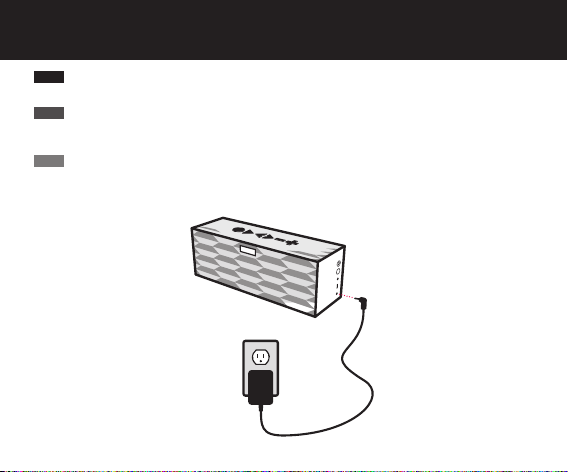
Plug BIG JAMBOX™ into an outlet using the includedwall charger. The LED will
turn white when fully charged. Full charge takes about 2.5 hours.
Enchufa el BIG JAMBOX™ en la toma, utilizando el cargador de pared incluido.
El indicador lumínico (LED) se tornará blanco cuando la unidad esté totalmente
cargada. Una carga completa tomará alrededor de 2,5 horas.
Conecte o BIG JAMBOX™ em uma tomada usando o carregador incluído. O LED
ficará branco quando estiver totalmente carregado. O carregamento completo
leva aproximadamente 2,5 horas.
CHARGE IT UP
CÁRGUELO
CARREGUE-O VOLTADO PARA CIMA
CHARGING / POWER PORT
ENTRADA DE
CORRIENTE CONTINUA
PORTA DE ALIMENTAÇÃO /
CARREGAMENTO
ENG
ESP
BRZ
6
OPTION 1 CONNECT WIRELESSLY
OPCIÓN 1 CONECTARSE DE FORMA INALÁMBRICA
OPÇÃO 1 CONEXÃO SEM FIO
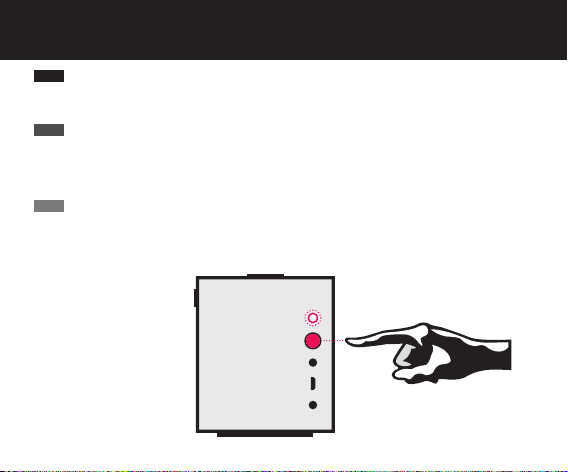
PAIRING
EMPAREJAMIENTO
EMPARELHAMENTO
POWER/LED
ENCENDIDO/LED
ENERGIA/LED
When turned on for the first time, BIG JAMBOX™ will automatically enter pairing mode.
To pair, go to Bluetooth settings on your smartphone, tablet, computer or device and connect
to “BIG JAMBOX by Jawbone”. Enter “0000” if asked for a passcode. To enter pairing mode
thereafter, hold the pairing button until the LED flashes red & white.
Cuando se enciende por primera vez, BIG JAMBOX™ entrará automáticamente en modo de
emparejamiento. Para establecer el vínculo, ve a la configuración de Bluetooth® en tu
smartphone, tablet PC, computadora o dispositivo y conéctate a “BIG JAMBOX by Jawbone”.
Introduce “0000” si te pide una clave de acceso. Para entrar en modo de emparejamiento
a partir de entonces, mantén presionado el botón de emparejamiento hasta que el LED
parpadee rojo y blanco.
Quando ativado pela primeira vez, o BIG JAMBOX™ entra no modo de emparelhamento
automaticamente. Para emparelhar, vá até as configurações de Bluetooth em seu smartphone,
tablet, computador ou dispositivo e estabeleça conexão com o “BIG JAMBOX by Jawbone”.
Se alguma senha for solicitada, insira “0000”. Para entrar no modo de emparelhamento depois,
mantenha o botão de emparelhamento pressionado até o LED piscar em vermelho e branco.
ENG
ESP
BRZ

7
Connect BIG JAMBOX™to any device with a headphone jack or line out using
the included 3.5mm audio cable. Note: Media control only works when connected
wirelessly via Bluetooth®.
Conecta BIG JAMBOX™ a cualquier dispositivo con un conector para auriculares o
salida de línea utilizando el cable de audio de 3,5 mm. Nota, los botones de HABLAR,
REPRODUCIR/PAUSA, ANTERIOR/SIGUIENTE en BIG JAMBOX sólo funcionan
cuando la unidad está conectada inalámbricamente mediante Bluetooth®.
Conecte o BIG JAMBOX™ a qualquer dispositivo com entrada para fone de ouvido
ou alto falante usando o cabo de áudio de 3,5 mm incluído. Observação, os botões
TALK, REPRODUZIR/PAUSAR, ANTERIOR e PRÓXIMO só funcionam quando
conectados sem fio via Bluetooth®.
OPTION 2 PLUG & PLAY
OPCIÓN 2 PLUG & PLAY
OPÇÃO 2 PLUG & PLAY
LINE IN
LÍNEA DE ENTRADA
ENTRADA AUXILIAR
LINE OUT
LÍNEA DE SALIDA
SAÍDA DE LINHA
ENG
ESP
BRZ
8
Use BIG JAMBOX™ as a portable speakerphone when connectedwirelessly via
Bluetooth®. To answer/end a call, press the TALK button. To mute/unmute the
built-inmicrophone, press the PLAY/PAUSE button.
Utiliza BIG JAMBOX™ como teléfono con altavoz portátil cuando esté conectado
inalámbricamente mediante Bluetooth®. Para responder/terminar una llamada,
pulsar el botón de HABLAR. Para desactivar o activar el audio del micrófono
incorporado, pulsar el botón de REPRODUCIR/PAUSA.
Use o BIG JAMBOX™ como um dispositivo viva-voz portátil quando conectado sem
fio via Bluetooth®. Para atender/encerrar uma chamada, pressione o botão TALK.
Para ativar e desativar o áudio do microfone incorporado, pressione o botão
REPRODUZIR/PAUSAR.
SPEAKERPHONE
TELÉFONO CON ALTAVOZ
DISPOSITIVO VIVA-VOZ
BUILT-IN MICROPHONE
MICRÓFONO INCORPORADO
MICROFONE INCORPORADO
ENG
ESP
BRZ
9
LiveAudio uses BACCH 3D sound technology
LiveAudio utiliza la tecnología de sonido BACCH 3D
O LiveAudio utiliza a tecnologia de som BACCH 3D
BA H
3D Sound Princeton
University
Invented@
Experience your music like never before — as if you’re sitting front row, hearing it
live. This breakthrough feature brings incredible depth and rich detail to most
stereo audio, especially binaurally recorded or processed content. Turn LiveAudio
on/off by holding the PLUS & MINUS buttons. Visit jawbone.com/liveaudio for
playlists and more info.
Disfruta de tu música como nunca antes — como si estuvieras sentado en primera
fila, escuchándola en vivo. Esta característica avanzada te muestra una increíble
profundidad y riqueza de sonido de la mayoria de las pistas de audio en estéreo,
especialmente las grabadas en doble canal o con contenido procesado. Activa o
desactiva la función de LiveAudio, pulsando y manteniendo los botones de MÁS y
MENOS. Visita jawbone.com/liveaudio para listas de reproducción y más detalles.
Experimente sua música como nunca antes – como se você estivesse na primeira fila,
ouvindo ao vivo. Este inovador recurso traz profundidade incrível e detalhes ricos
à maior parte do áudio estéreo, especialmente conteúdo gravado ou processado
de forma binaural. Ligue/desligue o LiveAudio segurando os botões MAIS e MENOS.
Visite jawbone.com/liveaudio para obter listas de reprodução e mais informações.
ENG
ESP
BRZ
10
REFERENCES
REFERENCIAS
REFERÊNCIAS
ACTION
GENERAL*
Power On/Off
Power On/Off Without Sound
Activate Pairing Mode*
Re-Connect to Paired Device*
Turn LiveAudio™ On/Off*
Hear Battery Status*
Play Audio Demo*
SPEAKERPHONE**
Answer/End Call
Activate Voicedial/DialApps
Switch Between Calls
End Call & Answer Incoming
Mute/Unmute Microphone
Redial Last Number*
* Not during a call ** Bluetooth® only
CONTROL
Hold POWER button
Hold MINUS button, then hold
POWER button
Hold PAIRING button until
LED flashes red & white
Press TALK button
Hold PLUS &MINUS buttons
Press TALK button
Hold TALK,PLUS &MINUS buttons
Press TALK button
Hold TALK button
Press TALK button
Press TALK button 2x
Press PLAY/PAUSE button
Press TALK button 2x